
LongPlus X84
LongPlus Vicohome X84 Wireless Security Camera System User Manual
Model: X84
1. Giriş
This manual provides detailed instructions for the installation, operation, and maintenance of your LongPlus Vicohome X84 Wireless Security Camera System. Please read this manual thoroughly before using the product to ensure proper function and safety.

Image: Two LongPlus Vicohome X84 wireless security cameras, black, with water droplets, mounted on bases.
2. Paket İçeriği
Paketinizde tüm öğelerin mevcut olduğundan emin olun:
- Security Camera with Bracket
- Vida Paketi
- İğneyi Sıfırla
- USB kablosu
- Hızlı Başlangıç Kılavuzu
3. Ürün Özellikleri
- 2K Çözünürlük ve Renkli Gece Görüşü: Captures clear, vibrant images day and night up to 33 feet.
- AI Event Analysis: Differentiates between people, pets, vehicles, and packages, reducing false alarms.
- PIR Motion Detection & Siren Alarm: Triggers audio and strobe light alarms upon detecting humanoid motion.
- Esnek Depolama: Supports up to 128GB Micro SD card (not included) and optional cloud storage.
- İki Yönlü Konuşma: Communicate with visitors or deter intruders via the Vicohome app.
- 100% Wire-Free Installation: Battery-powered design allows for easy placement without complex wiring.
- Akıllı Ev Entegrasyonu: Ses kontrolü için Amazon Alexa ile uyumludur.
- Hava koşullarına dayanıklı tasarım: IP65 derecesi, çeşitli hava koşullarında dış mekan kullanımına uygundur.
4. Kurulum ve Kurulum
4.1 Kamerayı Şarj Etme
Before initial use, fully charge the camera using the provided USB cable. A full charge ensures optimal battery life.
4.2 Uygulama İndirme ve Hesap Oluşturma
- Download the 'Vicohome' app from your smartphone's app store (iOS or Android).
- Yeni bir hesap için kaydolun veya zaten bir hesabınız varsa giriş yapın.
4.3 Kamerayı Wi-Fi'ye Bağlama
- Open the Vicohome app and tap the '+' icon to add a new device.
- Follow the on-screen instructions to connect your camera to your 2.4GHz Wi-Fi network. Ensure your camera is close to your Wi-Fi router during setup.
4.4 Kamerayı Monte Etme
The camera is designed for 100% wire-free installation, offering flexibility for placement. It supports ceiling mount and wall mounting.

Image: LongPlus Vicohome X84 camera showing wireless setup and wall mounting.
- En uygun konum için seçim yapın. viewing, considering the 130-degree viewaçı.
- Use the provided screws and bracket to securely mount the camera to a wall or ceiling.
- Kamera açısını gerektiği gibi ayarlayın.

Image: Various indoor and outdoor locations where the LongPlus Vicohome X84 camera can be installed.
5. Kullanım Talimatları
5.1 Canlı View ve Kayıt
Access live video streams and recorded footage through the Vicohome app. You can view up to four cameras simultaneously on one screen.

Image: A hand holding a smartphone displaying the Vicohome app interface with live camera feed.
5.2 AI Motion Detection and Alerts
The camera utilizes AI algorithms to distinguish between people, pets, vehicles, and packages, sending intelligent push alerts to your smartphone.

Image: Diagram illustrating AI detection analysis and smart alerts.

Image: AI detection accuracy demonstrated with a man and a dog.
When humanoid motion is detected, the camera can automatically trigger an audio and strobe light alarm to deter intruders.
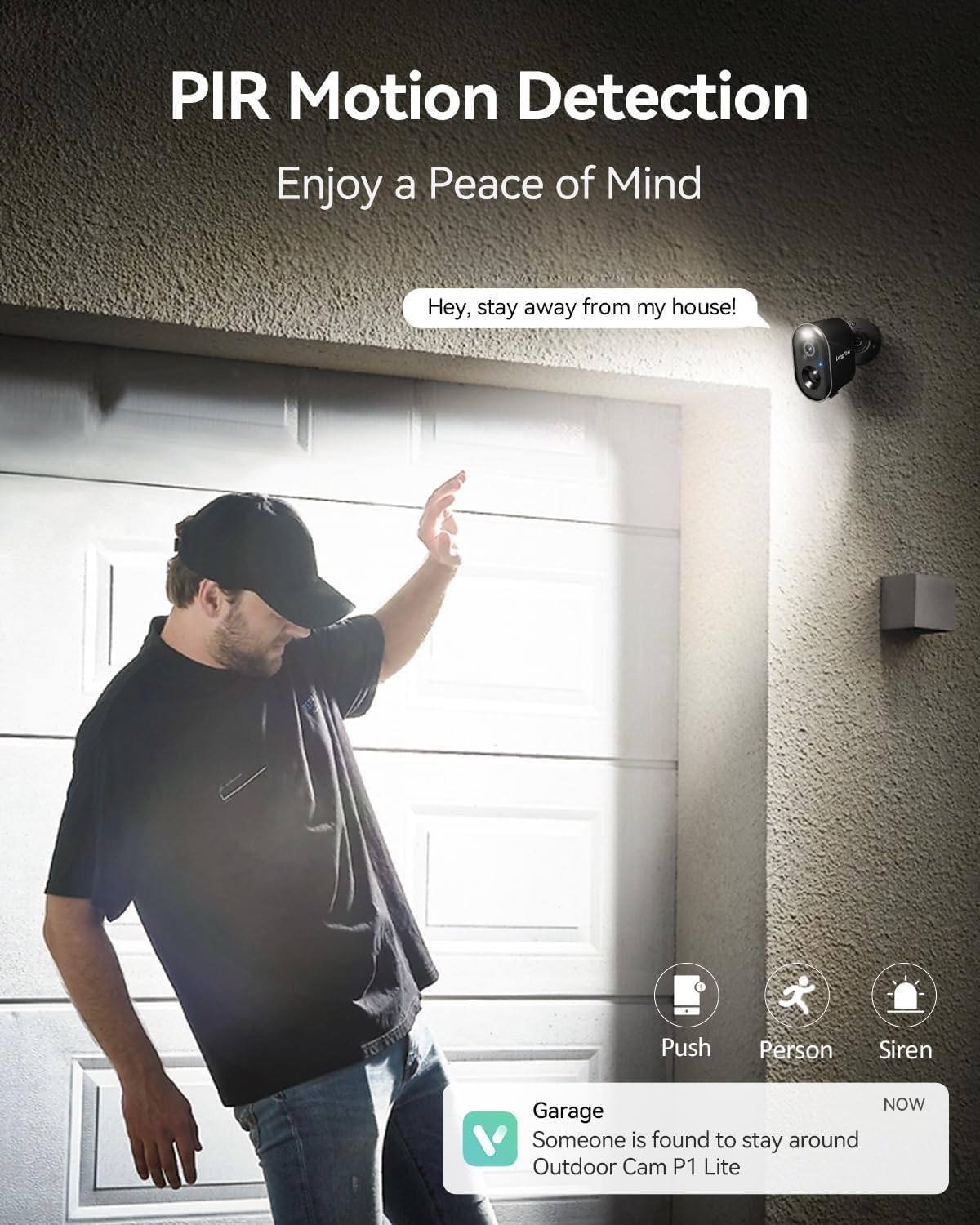
Image: PIR motion detection triggering alerts and siren.
5.3 İki Yönlü Konuşma
Use the built-in microphone and speaker to communicate with people near the camera through the Vicohome app.

Image: Two-way talk feature in use with a delivery person.
5.4 Gece Görüşü
The camera features 3MP color night vision technology, capturing clear and vivid images in low-light conditions up to 33 feet.

Image: Color night vision capability of the camera.
5.5 Depolama Seçenekleri
Kayıt footage to a Micro SD card (up to 128GB, not included) or subscribe to the optional bank-level encrypted cloud storage service.

Image: SD card and cloud storage options for the camera.
5.6 Akıllı Ev Entegrasyonu
Kamera, Amazon Alexa ile uyumludur ve bu sayede sesli kontrol ve akıllı ev ekosisteminize entegrasyon imkanı sunar.

Image: LongPlus Vicohome X84 camera working with Amazon Alexa.
6. Bakım
- Pil Yönetimi: Recharge the camera when the battery level is low. Battery life varies based on usage and environmental factors.
- Lens Temizliği: Net görüntü kalitesini korumak için kamera lensini düzenli olarak yumuşak, kuru bir bezle temizleyin.
- Donanım Yazılımı Güncellemeleri: Keep the camera firmware updated through the Vicohome app for improved performance and security.
- Çevre Koruma: While weatherproof (IP65), avoid submerging the camera in water or exposing it to extreme temperatures beyond its operating range (-20°C to +60°C).

Image: Weatherproof design of the camera for outdoor use.
7. Sorun Giderme
| Sorun | Olası Çözüm |
|---|---|
| Kamera Wi-Fi'ye bağlanmıyor | Ensure your Wi-Fi is 2.4GHz. Move the camera closer to the router. Reset the camera using the reset needle and try setup again. |
| Kötü görüntü kalitesi | Clean the camera lens. Ensure sufficient lighting for optimal night vision. Check Wi-Fi signal strength. |
| Hareket algılama çalışmıyor veya çok fazla yanlış alarm veriyor. | Adjust motion sensitivity settings in the app. Define specific detection zones to exclude irrelevant areas. Ensure camera is positioned correctly. |
| Kısa pil ömrü | Reduce motion detection frequency or sensitivity. Ensure the camera is fully charged. Extreme temperatures can affect battery performance. |
| İki yönlü konuşma ses sorunları | Check microphone and speaker settings in the app. Ensure stable internet connection. |
8. Özellikler
| Özellik | Detay |
|---|---|
| Model Numarası | X84 |
| Video Yakalama Çözünürlüğü | 1440p (2K) |
| Bağlantı Teknolojisi | Kablosuz (Wi-Fi) |
| Güç Kaynağı | Pille Çalışır (2 x 12V pil dahildir) |
| İç/Dış Mekan Kullanımı | İç mekan, dış mekan |
| Özel Özellik | Hava Koşullarına Dayanıklı (IP65) |
| ViewAçı | 130 Derece |
| Gece Görüş Aralığı | 33 Ayak |
| Uyumlu Cihazlar | Smartphone (Vicohome App), Amazon Alexa |
| Ürün Boyutları | 3.5 x 2.5 x 3.5 inç |
| Ürün Ağırlığı | 1.59 pound |
9. Garanti ve Destek
For warranty information or technical support, please refer to the official LongPlus website or contact their customer service directly. Contact details are typically found in the Quick Start Guide included with your product or on the manufacturer's webalan.
Ask a question about this manual
Ask about setup, troubleshooting, compatibility, parts, safety, or missing instructions. Manuals+ will review the question and use this page’s manual context to help answer it.