
giriiş
This manual provides essential information for setting up, operating, maintaining, and troubleshooting your HP OMEN 16L TG03 Gaming Desktop. This high-performance system is equipped with an Intel Core Ultra 7 265F processor, NVIDIA GeForce RTX 5060 graphics, 64GB DDR5 RAM, and a 2TB SSD, designed for demanding gaming and creative tasks. It also includes a Thunderobot KG3089R Gaming Keyboard.
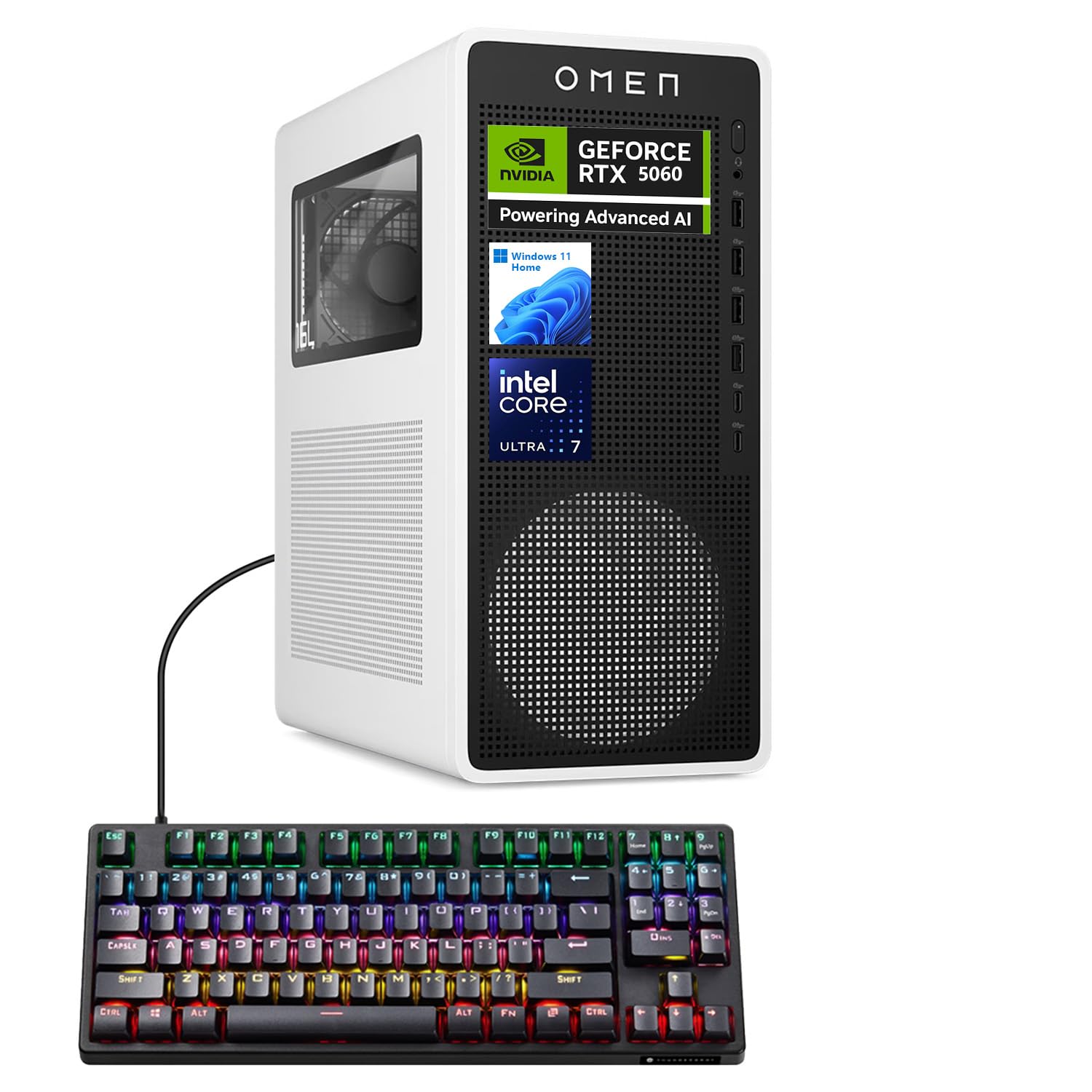
Figure 1: HP OMEN 16L TG03 Gaming Desktop with included Thunderobot Keyboard.
1. Kurulum Kılavuzu
1.1 Kutudan Çıkarma ve Yerleştirme
- Carefully remove all components from the packaging. Ensure all accessories, including the Thunderobot keyboard, are present.
- Place the desktop on a stable, flat surface with adequate ventilation. Avoid blocking air vents.
1.2 Çevre Birimlerini Bağlama
- İzleme: Connect your monitor to the graphics card's HDMI or DisplayPort outputs. The NVIDIA GeForce RTX 5060 supports multiple displays.
- Klavye ve Fare: Connect the Thunderobot KG3089R Gaming Keyboard and your mouse to any available USB Type-A ports.
- Güç: Connect the power cable to the desktop's power supply and then to a grounded electrical outlet.
- Ağ: For wired internet, connect an Ethernet cable to the RJ-45 port. For wireless, ensure Wi-Fi antennas are properly connected (if external).
- Ses: Connect speakers or headphones to the audio ports.

Şekil 2: Arka view of the HP OMEN 16L TG03 Desktop showing various ports for connectivity.

Figure 3: HP OMEN 16L TG03 Desktop connected to a monitor, showcasing the OMEN Gaming Hub interface.
1.3 İlk Güç Açma
- Press the power button located on the front of the desktop.
- Follow the on-screen instructions to complete the Windows 11 Home operating system setup. This typically involves setting up user accounts, network connections, and privacy settings.
2. Kullanım Talimatları
2.1 Temel İşlemler
- Güç Açma/Kapatma: Açmak için güç düğmesine basın. Kapatmak için Windows Başlat menüsünü kullanın (Başlat > Güç > Kapat).
- Tekrar başlat: Windows Başlat menüsünü kullanın (Başlat > Güç > Yeniden Başlat).
- Uyku modu: Use the Windows Start menu (Start > Power > Sleep).
2.2 Gaming and Performance Features
- OMEN Gaming Hub: This pre-installed software allows you to monitor system performance, customize RGB lighting, optimize game settings, and access OMEN AI features.
- NVIDIA GeForce RTX 5060: Leverage the dedicated graphics card for high-fidelity gaming and demanding creative applications. Ensure graphics drivers are up to date for optimal performance.
- AI-Ready Capabilities: The Intel Core Ultra 7 processor and NVIDIA RTX 5060 GPU provide advanced AI processing capabilities for enhanced gaming, content creation, and productivity.

Şekil 4: Üzeriview of NVIDIA RTX 50 Series graphics card features, including DLSS 4 and AI-Powered Creativity.
2.3 Thunderobot KG3089R Keyboard Shortcuts
The included Thunderobot KG3089R Gaming Keyboard features several shortcut key combinations:
- FN+F9: Aydınlatma efektlerini değiştirin.
- FN + Kazan: Lock the Windows key to prevent accidental presses during gaming.
- Refer to the keyboard's dedicated manual for a complete list of functions.

Figure 5: Thunderobot KG3089R Gaming Keyboard highlighting FN key combinations for lighting and Windows key lock.
3. Bakım
3.1 Temizlik
- Dış: Yumuşak bir d kullanınamp Dış yüzeyleri temizlemek için bez kullanın. Aşındırıcı temizleyicilerden kaçının.
- Havalandırmalar: Regularly check and clean dust from the air vents using compressed air to ensure proper airflow and prevent overheating.
- Klavye: Use compressed air to remove debris from under the keycaps.
3.2 Yazılım Güncellemeleri
- Windows Güncellemeleri: Regularly check for and install Windows 11 updates to ensure system stability and security. (Settings > Windows Update).
- Sürücü Güncellemeleri: Keep your graphics drivers (NVIDIA GeForce Experience) and other hardware drivers updated for optimal performance and compatibility.
- OMEN Gaming Hub: Ensure the OMEN Gaming Hub software is updated to access the latest features and optimizations.
3.3 Sistem Yedekleme
- Veri kaybını önlemek için önemli verilerinizi düzenli olarak harici bir sürücüye veya bulut depolama alanına yedekleyin.
- Consider creating a system restore point before major software changes.
4. Sorun Giderme
4.1 Yaygın Sorunlar ve Çözümler
- Güç Yok:
- Güç kablosunun hem masaüstü bilgisayara hem de elektrik prizine güvenli bir şekilde bağlı olduğundan emin olun.
- Elektrik prizinin çalışır durumda olduğundan emin olun.
- Görüntü yok:
- Check that the monitor is powered on and the video cable is securely connected to the graphics card output, not the motherboard's integrated graphics port.
- Mümkünse farklı bir video kablosu veya monitör deneyin.
- Sistem Yavaşlaması:
- Arka planda çalışan gereksiz uygulamaları kapatın.
- Kötü amaçlı yazılım veya virüs olup olmadığını kontrol edin.
- 2TB SSD'de yeterli boş alan olduğundan emin olun.
- Verify system temperatures using OMEN Gaming Hub to rule out overheating.
- Klavye Yanıt Vermiyor:
- Ensure the keyboard cable is securely connected to a USB port.
- Klavyeyi farklı bir USB portuna bağlamayı deneyin.
- If the Windows key is locked (FN + Win), unlock it.
4.2 Destek ile İletişime Geçme
If you encounter issues that cannot be resolved with the above steps, please refer to the official HP support website or contact their customer service for assistance. Have your product model (OMEN 16L TG03) and serial number ready.
5. Özellikler
| Özellik | Detay |
|---|---|
| Marka | HP |
| Model Adı | OMEN 16L TG03 (HSC-F007MT) |
| İşletim Sistemi | Windows 11 Ev |
| İşlemci | Intel Core Ultra 7 265F (20 Cores, up to 5.30GHz) |
| Grafik Kartı | NVIDIA GeForce RTX 5060 (8GB GDDR7) |
| Veri deposu | 64 GB DDR5 (4800 MHz) |
| Depolamak | 2TB PCIe NVMe M.2 SSD |
| Ön Portlar | Headphone/MIC combo jack, 4x SuperSpeed USB Type-A (5Gbps), 2x USB Type-C (10Gbps) |
| Arka Bağlantı Noktaları | 3x Headphone/MIC combo jack, HDMI Out, 4x USB 2.0 Type-A, RJ-45, 3x DisplayPort |
| Kablosuz Bağlantı | Wi-Fi 6, Bluetooth |
| Boyutlar (Y x G x D) | 13.26 x 6.1 x 12.12 inç |
| Ağırlık | 13.91 Pound |
| Dahil Aksesuar | Thunderobot KG3089R Gaming Keyboard |
6. Garanti Bilgileri
Your HP OMEN 16L TG03 Gaming Desktop is covered by a manufacturer's warranty. The specific terms and duration of the warranty may vary by region and purchase date. Please refer to the warranty documentation included with your product or visit the official HP support webAyrıntılı bilgi için siteyi ziyaret edin. Garanti talepleri için satın alma belgenizi saklayın.
7. Müşteri Desteği
Daha fazla yardım, teknik destek veya en yeni sürücüleri ve yazılımları indirmek için lütfen resmi HP destek sitesini ziyaret edin. webalan: destek.hp.com. You may also find helpful resources and community forums on the OMEN Gaming Hub application.