
1. Giriş
The Elitech DIT-220 is a high-precision, non-contact infrared thermometer designed for safe and accurate temperature measurement across various applications. This device utilizes laser targeting for precise aim and features adjustable emissivity to ensure accurate readings on different surface types. It is suitable for use by professionals, DIY enthusiasts, and in household settings for monitoring temperatures in industrial, commercial, and domestic environments.
2. Güvenlik Bilgileri
Please read all safety warnings and instructions carefully before using this product. Failure to follow these instructions may result in injury or damage to the device.
- Lazer Güvenliği: Do not look directly into the laser beam or point it at people or animals. The laser is used for targeting only and should be used with caution.
- Temassız Ölçüm: This thermometer measures surface temperature. It is not intended for measuring body temperature.
- Elektriksel Güvenlik: Do not use the device near strong electromagnetic fields. Keep the device dry and avoid exposure to moisture or extreme temperatures.
- Pil Güvenliği: Use only the specified battery type (2x AAA). Ensure correct polarity when installing batteries. Remove batteries if the device will not be used for an extended period. Do not mix old and new batteries or different types of batteries.
- Bakım: Cihazı sökmeye veya üzerinde değişiklik yapmaya çalışmayın. Tüm servis işlemlerini yetkili personele yaptırın.
3. Paket İçeriği
Paketin içinde tüm öğelerin mevcut olduğundan emin olun:
- Elitech DIT-220 Infrared Thermometer
- 2 x AAA Pil
- Kullanım Kılavuzu (bu belge)
4. Ürün Özellikleri
- Geniş Sıcaklık Aralığı: -50°C ila 530°C (-58°F ila 986°F) arasında ölçüm yapar.
- Hızlı Yanıt Süresi: Provides readings in approximately 0.5 seconds.
- Yüksek Doğruluk: ±1.5°C (±2.7°F) or ±1.5% for temperatures between -50°C and 50°C.
- Lazer Hedefleme: Integrated laser pointer for precise aiming at the target surface.
- Ayarlanabilir Emissivite: User-adjustable emissivity from 0.10 to 1.00 for accurate readings on various materials.
- Noktaya Mesafe Oranı (D:S): 12:1, ensuring accurate measurement from a safe distance.
- MAX/MIN/AVG Mode: Automatically tracks maximum, minimum, and average temperatures during a measurement session.
- Arkadan Aydınlatmalı LCD Ekran: Provides clear visibility of readings in various lighting conditions.
- Otomatik kapanma: Belirli bir süre işlem yapılmadığında otomatik olarak kapanarak pil ömründen tasarruf sağlar.
- Düşük Pil Hatırlatıcısı: Pillerin ne zaman değiştirilmesi gerektiğini gösterir.
- °C/°F Anahtarı: Santigrat ve Fahrenheit birimleri arasında kolayca geçiş yapın.

Şekil 1: Elitech DIT-220 Infrared Thermometer highlighting its main features.
5. Kurulum
5.1 Pil Kurulumu
- Termometrenin sapındaki pil bölmesi kapağını bulun.
- Pil bölmesinin kapağını açın.
- Pil yuvasının içindeki işaretlere uyarak iki adet AAA pil takın ve doğru kutuplara (+ ve -) dikkat edin.
- Pil bölmesi kapağını sıkıca kapatın.

Şekil 2: Elitech DIT-220 components and battery compartment location.
5.2 Açma/Kapatma
To power on the device, simply press the measurement trigger. The device will automatically power off after a period of inactivity to conserve battery life.
6. Kullanım Talimatları
6.1 Bir Ölçüm Yapma
- Point the thermometer at the target surface. Ensure the laser pointer (if activated) is aimed at the center of the area you wish to measure.
- Press and hold the measurement trigger. The laser will activate, and the current temperature will be displayed on the LCD screen.
- Release the trigger to hold the measurement on the display. The 'HOLD' icon will appear.
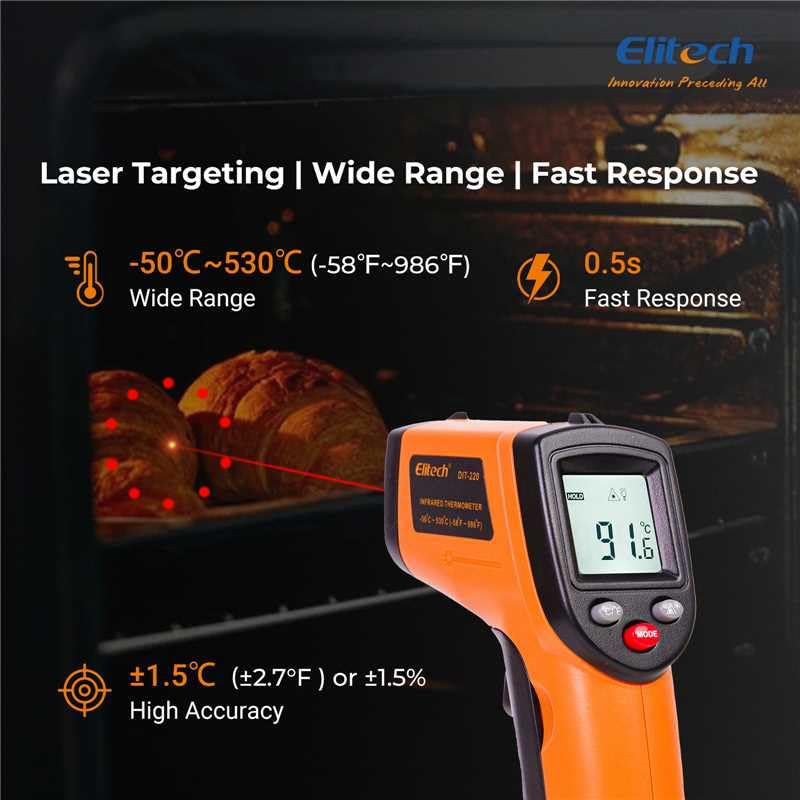
Şekil 3: Using the DIT-220 for non-contact temperature measurement with laser targeting.
6.2 Mesafe-Nokta Oranını (D:S) Anlamak
The DIT-220 has a Distance-to-Spot ratio of 12:1. This means that as you move further from the target, the area being measured (spot size) increases. For accurate readings, ensure the target area is larger than the spot size. For exampYani, 12 inç mesafede, ölçüm noktasının çapı 1 inç olacaktır.

Şekil 4: Illustration of the 12:1 Distance-to-Spot ratio.

Şekil 5: Visual guide for maintaining correct measurement distance.
6.3 Emisiviteyi Ayarlama
Different materials emit infrared energy differently. The DIT-220 allows you to adjust the emissivity (ε) from 0.10 to 1.00 to compensate for this and achieve more accurate readings. Refer to a standard emissivity table for common materials or adjust empirically.
- Basın MOD button to cycle through settings until 'EMS' (Emissivity) is displayed.
- Use the Up/Down arrow buttons to adjust the emissivity value.
- Basın MOD onaylamak ve çıkmak için tekrar düğmesine basın.
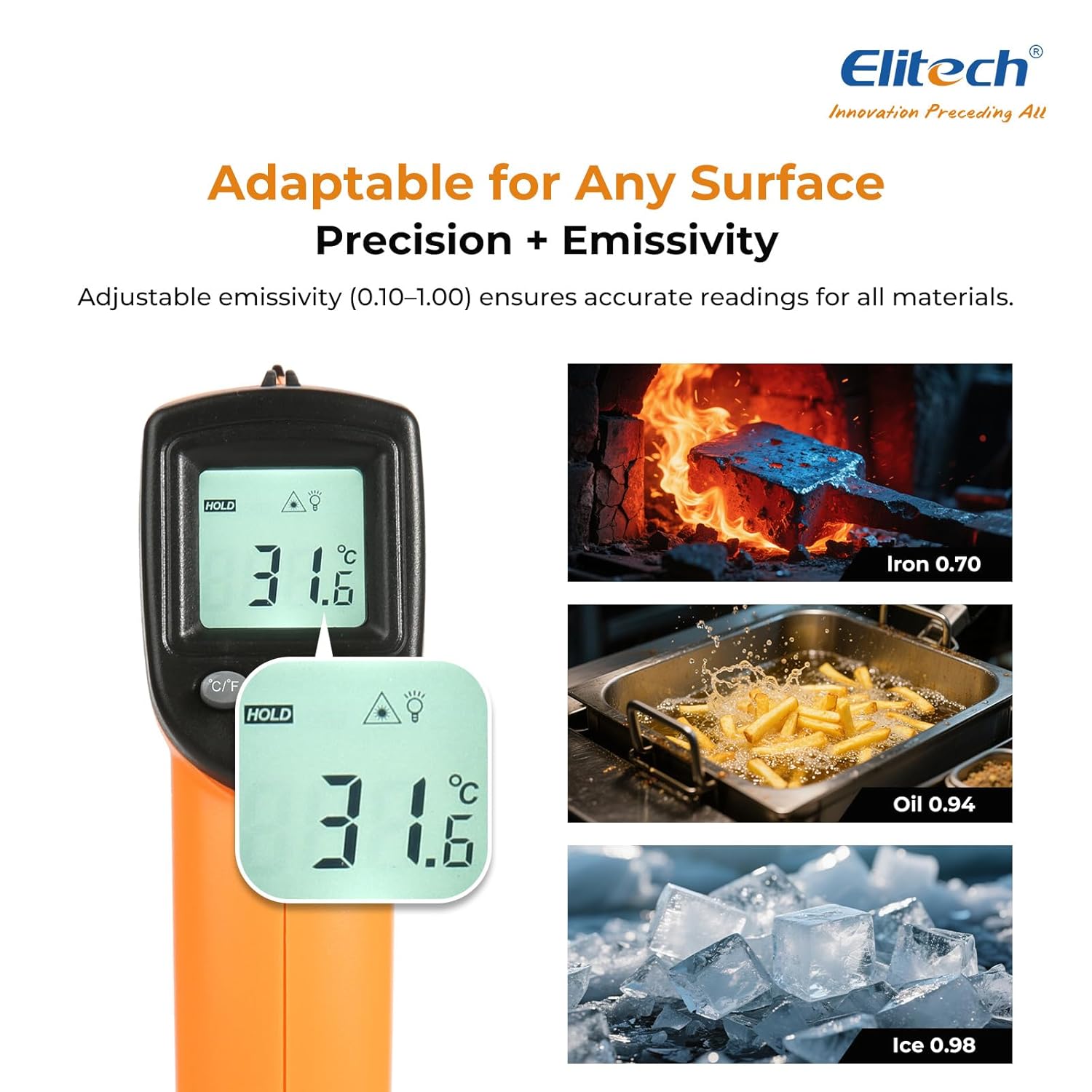
Şekil 6: Adjustable emissivity feature and examples for different materials.
6.4 Using MAX/MIN/AVG Modes
These modes are useful for monitoring temperature fluctuations over time.
- While holding the measurement trigger, press the MOD button repeatedly to cycle through MAX (Maximum), MIN (Minimum), and AVG (Average) display modes.
- The corresponding icon will appear on the screen, showing the respective temperature value recorded during the current measurement session.
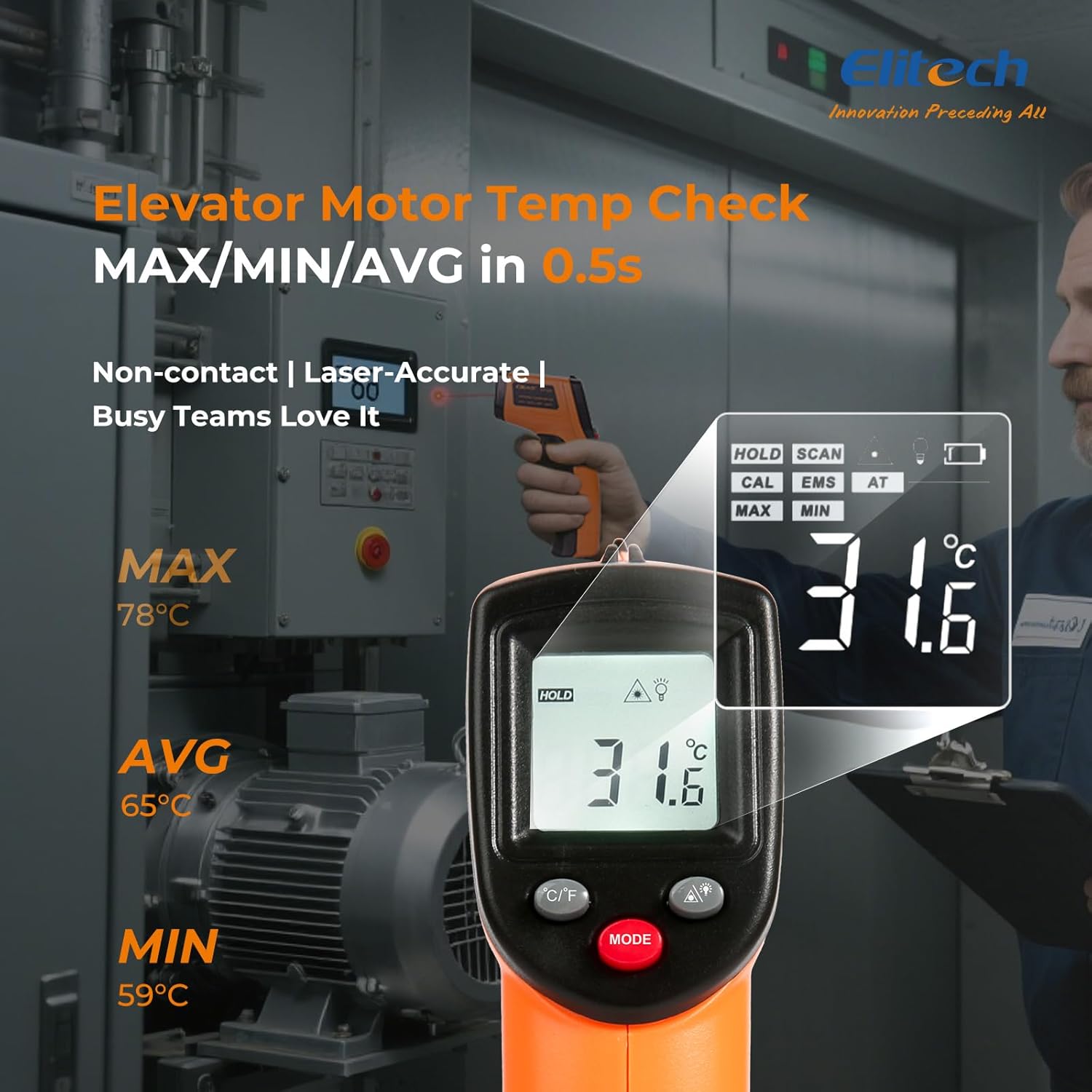
Şekil 7: Displaying MAX, MIN, and AVG temperature readings.
6.5 Sıcaklık Birimlerinin Değiştirilmesi (°C/°F)
To switch between Celsius and Fahrenheit, press the °C/°F button located on the device.
7. Bakım
7.1 Temizlik
- Lensi yumuşak, d bir bezle temizleyin.amp cloth or cotton swab. Do not use abrasive cleaners or solvents.
- Cihazı silin.asinYumuşak ve kuru bir bezle silin.
7.2 Pil Değişimi
When the low battery indicator appears on the display, replace the two AAA batteries as described in the Setup section (5.1 Battery Installation).
7.3 Depolama
Store the thermometer in a cool, dry place, away from direct sunlight and extreme temperatures. Remove batteries if storing for extended periods.
8. Sorun Giderme
| Sorun | Olası Neden | Çözüm |
|---|---|---|
| Ekranda 'Düşük' veya 'Yüksek' gösteriliyor. | Sıcaklık ölçüm aralığının dışında. | Ensure the target temperature is within -50°C to 530°C (-58°F to 986°F). |
| Yanlış okumalar | Incorrect emissivity setting; measurement distance too far/close; lens dirty. | Adjust emissivity for the target material. Maintain appropriate D:S ratio. Clean the lens. |
| Cihaz açılmıyor | Piller bitmiş veya yanlış takılmış. | Replace batteries with new AAA batteries. Check battery polarity. |
| Lazer çalışmıyor | Laser may be disabled or faulty. | Check if the laser function is enabled via the MODE button. If not, contact support. |
9. Özellikler
| Özellik | Şartname |
|---|---|
| Örnek | DIT-220 (EU-DIT-220) |
| Sıcaklık Aralığı | -50°C ila 530°C (-58°F ila 986°F) |
| Kesinlik | ±1.5°C (±2.7°F) or ±1.5% (for -50°C to 50°C) |
| Tepki Süresi | 500 milisaniye (0.5 saniye) |
| Mesafe-Nokta Oranı (D:S) | 12:1 |
| Emissivite | Ayarlanabilir 0.10 - 1.00 |
| Güç Kaynağı | 2 x AAA pil (dahil) |
| Görüntü Türü | Dijital, Arkadan Aydınlatmalı LCD |
| Özel Özellikler | Non-contact, Laser Target, MAX/MIN Mode, Auto Calibration |
| Malzeme | Plastik |
| Ürün Ağırlığı | 30 Gram |
| Paket Boyutları | 18.7x9.7x3.6 cm |
10. Garanti ve Destek
Elitech products are designed for reliability and performance. For warranty information, technical support, or service inquiries, please contact Elitech customer support through their official website or the retailer where the product was purchased. Please have your model number (DIT-220) and purchase date available when contacting support.