
1. Giriş ve Üzeriview
The Aputure Storm 400x is a high-performance 400W tunable-white LED video light designed for professional video recording and studio photography. It features a CCT range of 2,500K to 10,000K, IP65 weather protection, and a Bowens Mount for versatile light shaping. This manual provides essential information for the safe and effective use of your Storm 400x.

Image 1.1: The Aputure Storm 400x V-Mount LED Video Light with its standard reflector.
Temel Özellikler:
- BLAIR Tunable White Light Engine: Utilizes Blue/Lime/Amber/Indigo/Red emitters for high-quality white light and precise +/- green adjustability.
- Kompakt ve Güçlü: Delivers significant output comparable to higher-wattage COB lights in a compact form factor.
- Advanced Color Tuning: Offers saturated colors across over 70% of Rec.2020 color space using Limited HSIC+ and x,y control modes.
- Professional Control Options: Supports wireless control via Sidus Bluetooth Mesh, CRMX, and 5-Pin DMX.
- IP65 Hava Koşullarına Karşı Koruma: Ensures reliable operation in various environmental conditions with sealed components.
2. Kutuda Neler Var?
Please verify that all items listed below are included in your package. If any items are missing or damaged, contact your retailer or Aputure support.

Image 2.1: All components included with the Aputure Storm 400x.
- 1 x STORM 400x Lamp KAFA
- 1 x STORM 400x Control Box
- 1 x Lightning Clamp
- 1 x 35° Angle Hyper Reflector
- 1 x STORM 400x Head Cable (3m)
- 1 x AC Power Cable (6m)
- 1 x Bowens Bağlantı Koruma Kapağı
- 1 x Soft Carrying Case
3. Kurulum Talimatları
Before initial use, ensure the Storm 400x is updated to firmware version 1.4 or higher for reliable performance. Refer to the Aputure webYazılım güncelleme talimatları için site.
3.1 Işığın Montajı
- L'yi takınamp Head to a Stand: Securely mount the STORM 400x lamp head onto a compatible light stand using the integrated yoke and locking mechanism.
- Connect the Control Box: Use the provided 3m head cable to connect the lamp head to the control box. Ensure the connectors are fully seated and locked.
- Reflektörü takın: Align the 35° Hyper Reflector with the Bowens Mount on the lamp head. Insert and twist clockwise until it locks into place.
- Secure the Control Box: Use the Lightning Clamp to attach the control box to the light stand or another secure point.
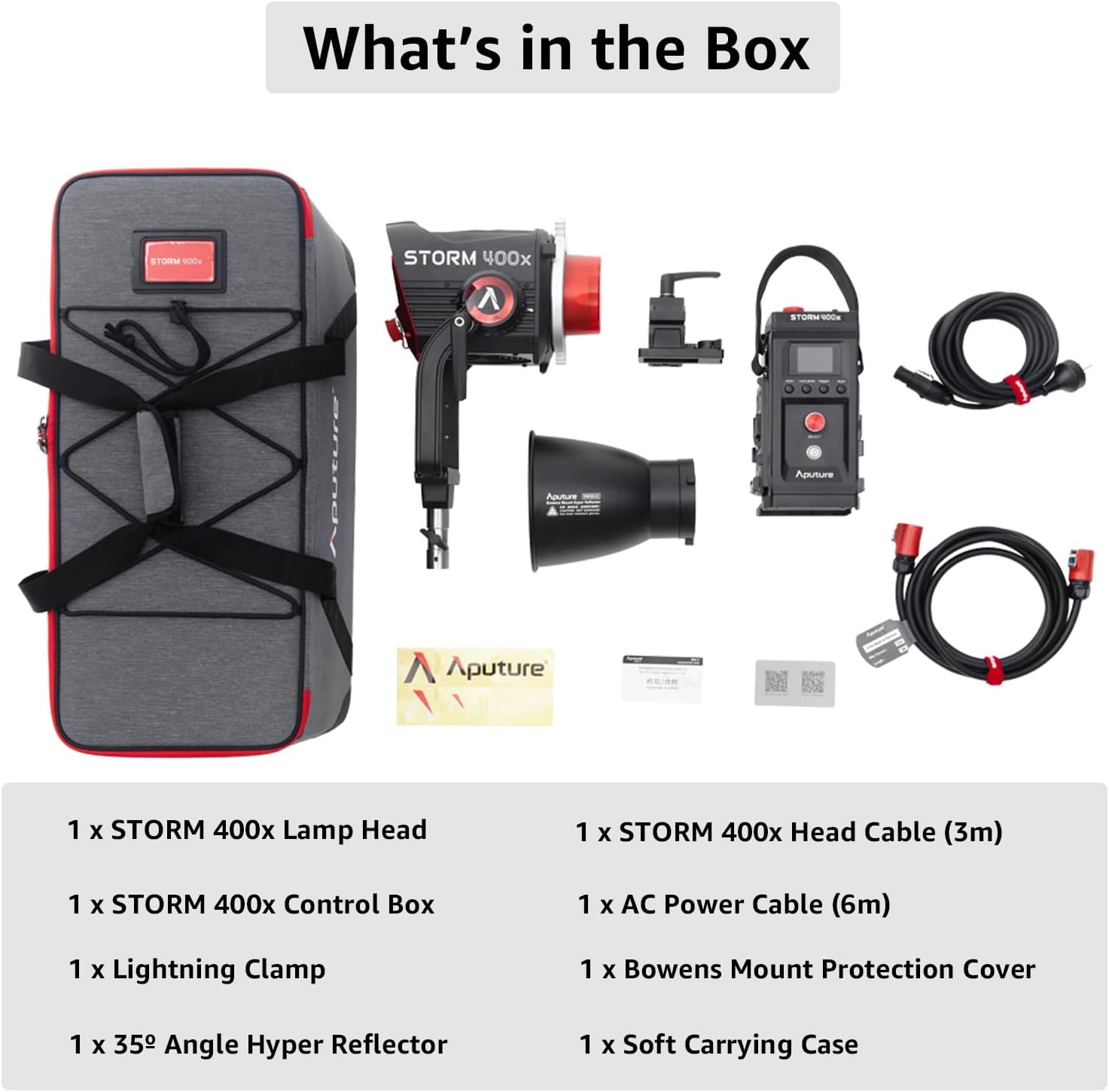
Image 3.1: The Storm 400x lamp head and control box, ready for assembly.
3.2 Ünitenin Güçlendirilmesi
Connect the AC power cable to the control box, then plug it into a suitable power outlet. The Storm 400x also supports V-Mount battery power (batteries sold separately) for portable operation.
4. Kullanım Talimatları
4.1 Temel İşlemler
- Güç Açma/Kapatma: Press the power button on the control box to turn the unit on or off.
- Parlaklığı Ayarla: Use the intensity dial on the control box to adjust the light output from 0% to 100%.
- Renk Sıcaklığını Ayarla (CCT): Rotate the CCT dial to change the color temperature between 2,500K and 10,000K.
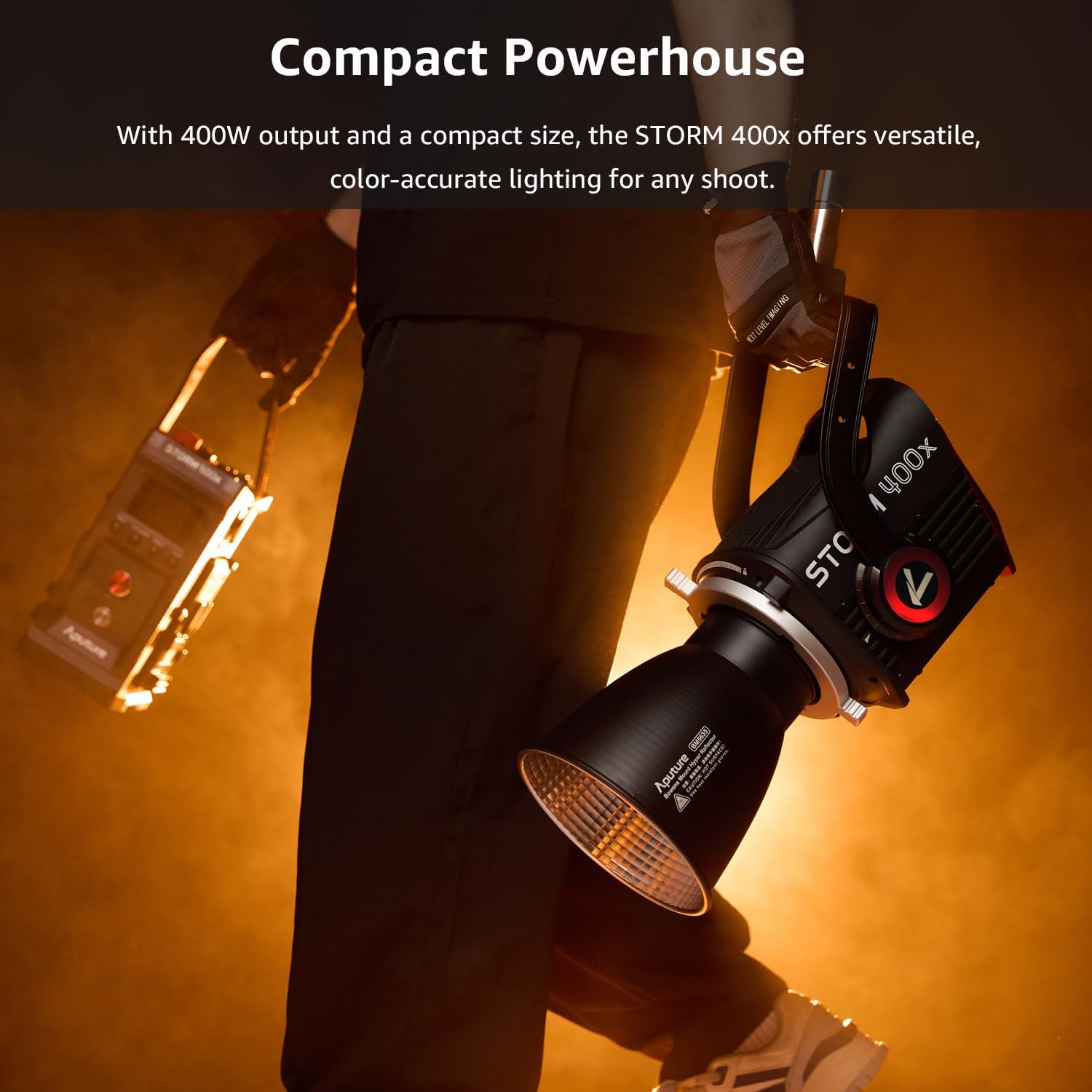
Image 4.1: The control box interface for adjusting light settings.
4.2 Advanced Color Tuning
The Storm 400x features advanced color tuning capabilities:
- Limited HSIC+ Mode: Access this mode via the control box menu to adjust Hue, Saturation, and Intensity, along with additional color parameters.
- x,y Control Mode: For precise color matching, use the x,y coordinate system to select specific color points within the Rec.2020 color space.
4.3 Kablosuz Kontrol
The Storm 400x offers multiple wireless control options:
- Sidus Link Uygulaması: Download the Sidus Link app on your smartphone or tablet to control the light via Bluetooth Mesh. This provides comprehensive control over all light functions.
- LumenRadio CRMX: For professional setups, the light supports CRMX wireless DMX control.
- 5-Pin DMX: Connect to a DMX console using a 5-pin DMX cable for integration into existing lighting systems. The unit offers 12 DMX control profiles and customizable DMX signal loss behaviors.
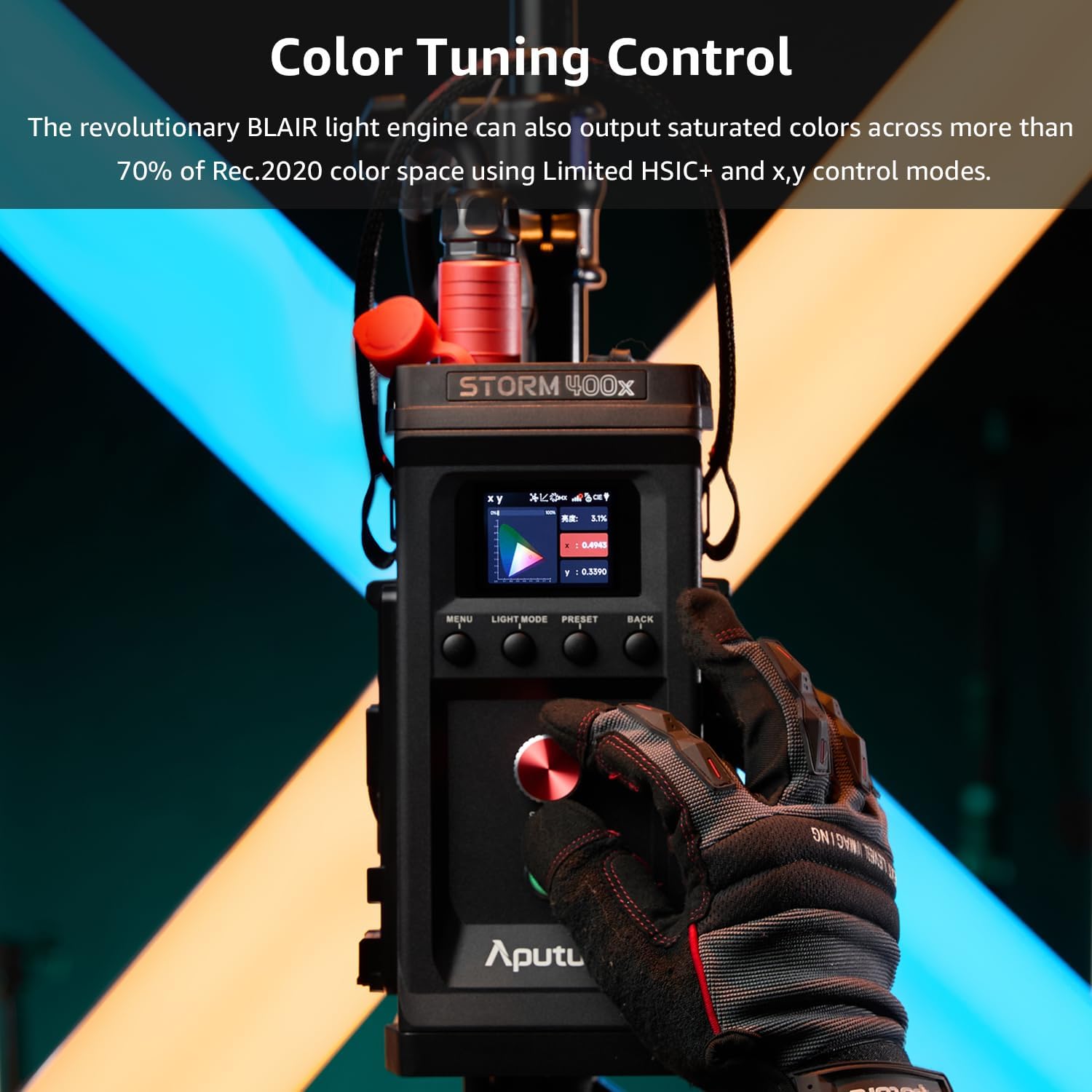
Image 4.2: Remote control of the Storm 400x using the Sidus Link app.
5. Bakım
Proper maintenance ensures the longevity and optimal performance of your Aputure Storm 400x.
5.1 Temizlik
- Wipe the exterior of the lamp head and control box with a soft, dry cloth.
- İnatçı kirler için hafif bir d kullanın.amp Hafif bir temizleme solüsyonuyla ıslatılmış bir bezle silin, ardından iyice kurulayın.
- Sert kimyasallar, çözücüler veya aşındırıcı temizleyiciler kullanmayın.
- Keep the fan vents clear of dust and debris to ensure proper cooling.
5.2 Depolama
- Store the unit in its soft carrying case when not in use to protect it from dust and physical damage.
- Store in a cool, dry environment, away from direct sunlight and extreme temperatures.
5.3 IP65 Weather Protection
The Storm 400x features IP65 dust and weather protection, allowing it to be used in challenging outdoor conditions. While it is resistant to dust and water splashes, avoid submerging the unit or exposing it to high-pressure water jets.

Image 5.1: The Storm 400x is designed for all-weather use.
6. Sorun Giderme
If you encounter issues with your Storm 400x, refer to the following common problems and solutions:
| Sorun | Olası Neden | Çözüm |
|---|---|---|
| Işık yanmıyor. | Power cable not connected securely; no power from outlet; faulty cable/unit. | Check all power connections. Test the outlet with another device. Try a different power cable if available. |
| Işık çıkışı yok. | Brightness set to 0%; lamp head cable loose; unit in standby mode. | Increase brightness. Ensure lamp head cable is securely connected. Check the display for standby indicators. |
| Kablosuz kumanda çalışmıyor. | Bluetooth/CRMX not enabled; app not connected; interference. | Ensure Bluetooth/CRMX is active on the light and control device. Re-pair the device with the Sidus Link app. Move closer to the light or away from sources of interference. |
| Inaccurate color output. | Incorrect CCT/HSIC settings; outdated firmware. | Verify CCT and color mode settings. Perform a firmware update if available. |
If the problem persists after attempting these solutions, please contact Aputure customer support.
7. Özellikler
Detailed technical specifications for the Aputure Storm 400x.
| Özellik | Detay |
|---|---|
| Marka | Uygunluk |
| Model Adı | STORM 400x |
| Güç Çıkışı | 400W |
| Renk Sıcaklığı (CCT) | 2,500K - 10,000K |
| Renk Motoru | BLAIR (Blue/Lime/Amber/Indigo/Red) |
| Renk Alanı Kapsamı | >70% Rec.2020 (Limited HSIC+, x,y control) |
| Montaj Tipi | Bowens Dağı |
| Bağlantı Teknolojisi | Bluetooth (Sidus Link), LumenRadio CRMX, 5-Pin DMX |
| Donanım Arayüzü | Bluetooth |
| Su Direnç Seviyesi | IP65 (Dust and Weather Protection) |
| Pozlama Kontrol Türü | Manuel (M) |
| Flaş Modları Açıklama | Constant illumination, Adjustable brightness, Adjustable color temperature |
| Uyumlu Cihazlar | Sidus Link, Sidus Link Pro, LumenRadio CRMX, Bluetooth-enabled devices |
8. Garanti ve Destek
8.1 Garanti Bilgileri
The Aputure Storm 400x comes with a 1 yıllık sınırlı garanti from the date of purchase. This warranty covers manufacturing defects and workmanship under normal use. It does not cover damage caused by misuse, unauthorized modifications, accidents, or improper maintenance.
8.2 Müşteri Desteği
For technical assistance, warranty claims, or any questions regarding your Aputure Storm 400x, please contact Aputure customer support through their official website or your local distributor. Please have your product model and purchase information ready when contacting support.

Image 8.1: Aputure's commitment to customer satisfaction.