
giriiş
Thank you for choosing the pTron Studio Evo Wireless Over-Ear Headphones. This manual provides essential information for setting up, operating, and maintaining your headphones to ensure optimal performance and longevity. Please read these instructions carefully before use.
Resim: Üzeriview of pTron Studio Evo features including sound quality, battery life, driver size, controls, charging, and connectivity modes.
Kurmak
1. Kutudan Çıkarma ve Bileşenler
Tüm ürünleri ambalajından dikkatlice çıkarın. Kutunun içinde şunlar bulunmalıdır:
- pTron Studio Evo Wireless Over-Ear Headphones
- USB Type-C Şarj Kablosu
- 3.5 mm Ses Kablosu (Aux-in)
- Kullanım Kılavuzu (bu belge)
2. Kulaklıkları Şarj Etme
Before first use, fully charge your headphones. Connect the provided USB Type-C cable to the charging port on the headphones and the other end to a compatible USB power source (e.g., wall adapter, computer USB port).
- Şarj Süresi: Tam şarj için yaklaşık 2 saat.
- Pil Ömrü: Up to 70 hours of playtime on a single full charge.
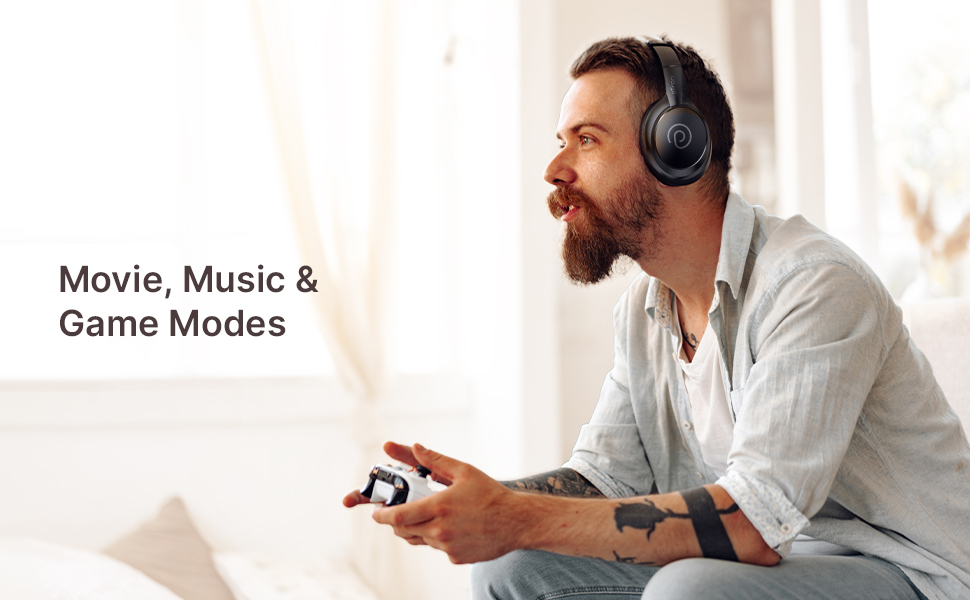
Image: pTron Studio Evo headphones highlighting 70 hours of playtime and Type-C fast charging.
3. Açma/Kapama
- Açmak İçin: LED göstergesi yanana kadar Güç düğmesini yaklaşık 3 saniye basılı tutun.
- Kapatmak İçin: LED göstergesi kapanana kadar Güç düğmesini yaklaşık 3 saniye basılı tutun.
4. Bluetooth Eşleştirme
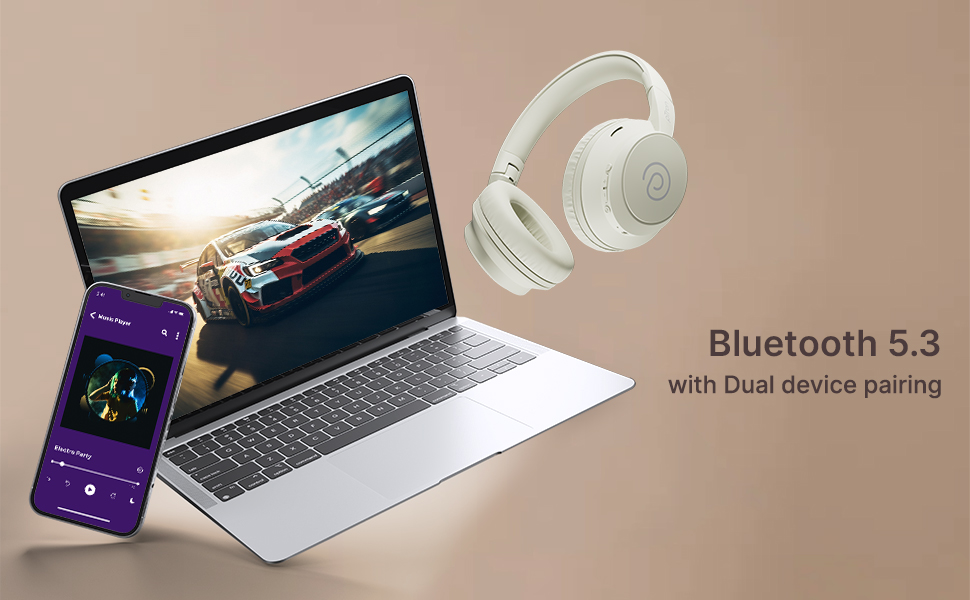
The pTron Studio Evo headphones utilize Bluetooth 5.3 for stable wireless connectivity.
- Kulaklıkların kapalı olduğundan emin olun.
- Eşleştirme modunu göstermek için LED göstergesi kırmızı ve mavi renkte dönüşümlü olarak yanıp sönene kadar Güç düğmesini 5-7 saniye basılı tutun.
- Cihazınızda (akıllı telefon, dizüstü bilgisayar vb.) Bluetooth'u etkinleştirin ve kullanılabilir cihazları arayın.
- Select "pTron Studio Evo" from the list of found devices.
- Bağlantı sağlandığında LED göstergesi sabit mavi renge dönecek veya yavaşça mavi renkte yanıp sönecektir.
Çift Cihaz Eşleştirme: These headphones support connecting to two devices simultaneously. After pairing with the first device, disable Bluetooth on that device, then pair with the second device. Re-enable Bluetooth on the first device, and the headphones should connect to both. You can then switch audio playback between the two devices.

Image: Headphones connected to both a phone and a laptop, demonstrating Bluetooth 5.3 dual device pairing.
5. Kablolu Bağlantı (Aux-in)
For a wired connection, use the provided 3.5mm audio cable. Plug one end into the headphone's 3.5mm jack and the other end into your audio source's auxiliary output. The headphones will automatically switch to wired mode when the cable is connected.
Kullanım Talimatları
1. Kontroller Üzeriview
The headphones feature integrated buttons for easy control of music, calls, and modes.
Resim: Ayrıntılı view of the integrated control buttons on the pTron Studio Evo headphones.
- Güç Düğmesi: Açmak/kapatmak için basılı tutun. Müziği oynatmak/duraklatmak veya aramaları cevaplamak/sonlandırmak için kısa basın.
- Sesi Aç (+): Kısa basışla sesi açın. Uzun basışla sonraki parçaya geçin.
- Sesi kıs (-): Kısa basıldığında ses kısılır. Uzun basıldığında önceki parça çalınır.
- EQ Düğmesi: Short press to cycle through EQ modes (Bass, Movie, Pop, Vocal).
2. EQ Modları
The pTron Studio Evo headphones offer multiple low-latency EQ modes optimized for different audio experiences:
- Oyun Modu: Reduces audio latency for a more synchronized gaming experience.
- Film Modu: Enhances dialogue clarity and cinematic sound effects.
- Müzik Modu: Dengeli bir ses kalitesi sağlarfile genel müzik dinleme için.
- Bas Modu: Boosts low frequencies for a deeper bass response.
- Pop Modu: Optimized for pop music genres.
- Vokal Modu: Enhances vocal clarity, ideal for podcasts or audiobooks.
Press the EQ button to switch between these modes.
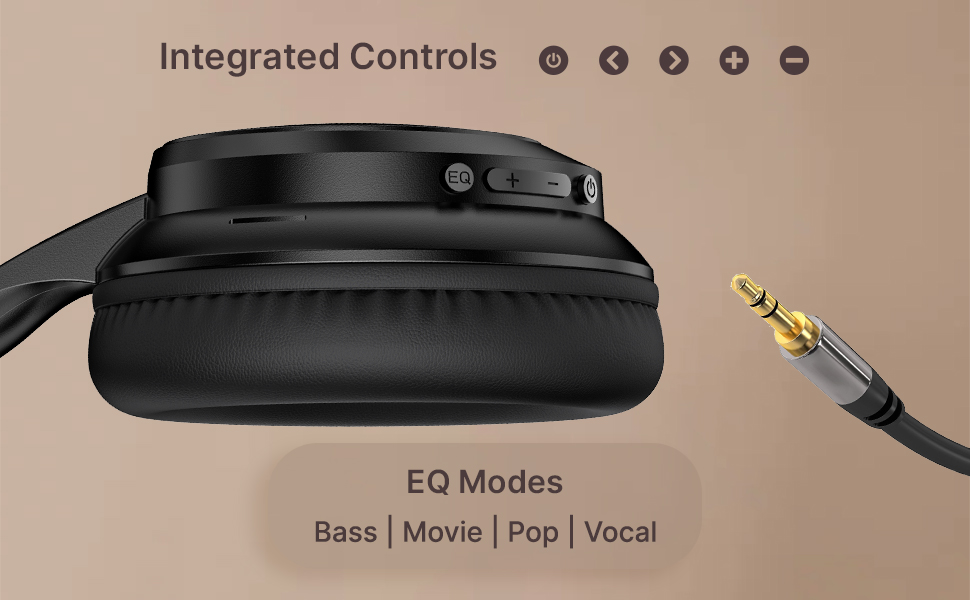
Image: User engaging in gaming with headphones, demonstrating low-latency sync for game mode.
3. Arama Yapma ve Alma
The headphones include a built-in HD microphone for hands-free calls.
- Çağrıyı Cevapla/Sonlandır: Güç düğmesine kısa basın.
- Çağrıyı Reddet: Güç düğmesini 2 saniye basılı tutun.
4. Sesli Asistan
Access your device's voice assistant (e.g., Siri, Google Assistant) by double-pressing the Power button.
5. Kulaklık Takmak
The pTron Studio Evo headphones feature an ergonomic design with soft earcups and an adjustable head beam for comfortable all-day listening. Adjust the head beam to position the earcups exactly over your ears for the best fit and sound isolation.
Bakım
1. Temizlik
Regularly clean your headphones to maintain hygiene and performance.
- Kulaklıkların iç ve dış yüzeylerini ve kafa bandını yumuşak, kuru bir bezle silin.
- Aşındırıcı temizleyiciler veya çözücüler kullanmayınız.
- Avoid getting moisture into the charging port or audio jack.
2. Suya Dayanıklılık
The headphones are IPX5 water-resistant, meaning they can withstand splashes and sweat. Do not submerge them in water or expose them to heavy rain.
3. Depolama
The foldable design allows for easy storage. Fold the headphones when not in use to protect them from damage and save space. Store them in a cool, dry place away from direct sunlight and extreme temperatures.
Sorun giderme
- Güç Yok: Kulaklıkların tamamen şarj olduğundan emin olun. Bir güç kaynağına bağlayın ve tekrar deneyin.
- Eşleştirilemiyor: Make sure Bluetooth is enabled on your device and the headphones are in pairing mode (flashing red and blue LED). Try restarting both devices.
- Ses Yok: Check the volume levels on both the headphones and your connected device. Ensure the correct audio output is selected on your device. If using a wired connection, ensure the 3.5mm cable is fully inserted.
- Kötü Ses Kalitesi: Ensure the headphones are within the Bluetooth range (up to 10 meters) of your device. Avoid obstacles that may interfere with the signal. Try switching EQ modes.
- Mikrofon Çalışmıyor: Ensure the headphones are properly connected and selected as the input device on your call application.
Özellikler
| Özellik | Şartname |
|---|---|
| Model Adı | Stüdyo |
| Bağlantı Teknolojisi | Kablosuz (Bluetooth) |
| Kablosuz İletişim Teknolojisi | Bluetooth 5.3 |
| Bluetooth Menzili | 10 Metre |
| Ses Sürücüsü Boyutu | 40 Milimetre |
| Pil Ömrü | 70 Saat |
| Şarj Süresi | 2 Saat |
| Kulaklık Girişi | 3.5 mm Jak |
| Su Direnç Seviyesi | IPX5 Suya Dayanıklı |
| Kontrol Yöntemi | Basmalı Düğme, Ses |
| Gürültü Kontrolü | Ses Yalıtımı |
| Malzeme | Akrilonitril Bütadien Stiren (ABS) |
| Ürün Ağırlığı | 157 Gram |
| Ürün Boyutları | 19.2x15.8x7.9 cm |
Garanti ve Destek
1. Üretici Garantisi
The pTron Studio Evo headphones come with a 1 Yıllık Üretici Garantisi Satın alma tarihinden itibaren geçerlidir. Bu garanti yalnızca üretim hatalarını kapsar. Garanti talepleri için lütfen satın alma belgenizi saklayın.
2. Müşteri Desteği
Herhangi bir sorunuz, teknik destek talebiniz veya garanti talebiniz için lütfen pTron müşteri desteğiyle iletişime geçin:
- E-posta: destek@ptron.in
- Telefon: 040-67138888