
DF Models 3145
DF Models Z-10 Yarış Truggy BR Fırçalı RTR Kullanım Kılavuzu
Modeli: 3145
giriiş
This manual provides essential information for the safe and effective operation, maintenance, and troubleshooting of your DF Models Z-10 Competition Truggy BR. Please read this manual thoroughly before operating the vehicle.

Figure 1: The DF Models Z-10 Competition Truggy BR.
Güvenlik Bilgileri
Always prioritize safety when operating your RC vehicle. Failure to follow safety guidelines can result in injury or damage to the product or property.
- Ameliyat için önerilen yaş 14 ve üzeridir.
- İnsanların, evcil hayvanların veya engellerin yakınında çalıştırmayın.
- Ensure the battery is fully charged and securely installed before use.
- Avoid operating in wet conditions to prevent damage to electronic components.
- Araç ve uzaktan kumanda kullanılmadığı zamanlarda daima kapatın.
- Ellerinizi ve bol giysileri hareketli parçalardan uzak tutun.
- The motor and electronic speed controller (ESC) can become hot during operation. Avoid touching them immediately after use.
Paket İçeriği
Paketin tüm bileşenlerinin mevcut olduğunu doğrulayın:
- Z-10 Competition Truggy BR (RTR)
- 2.4 GHz Uzaktan Kumanda
- NiMH 7.2 V 3500 mAh Battery
- USB Şarj Kablosu
- Kullanım Kılavuzu (bu belge)
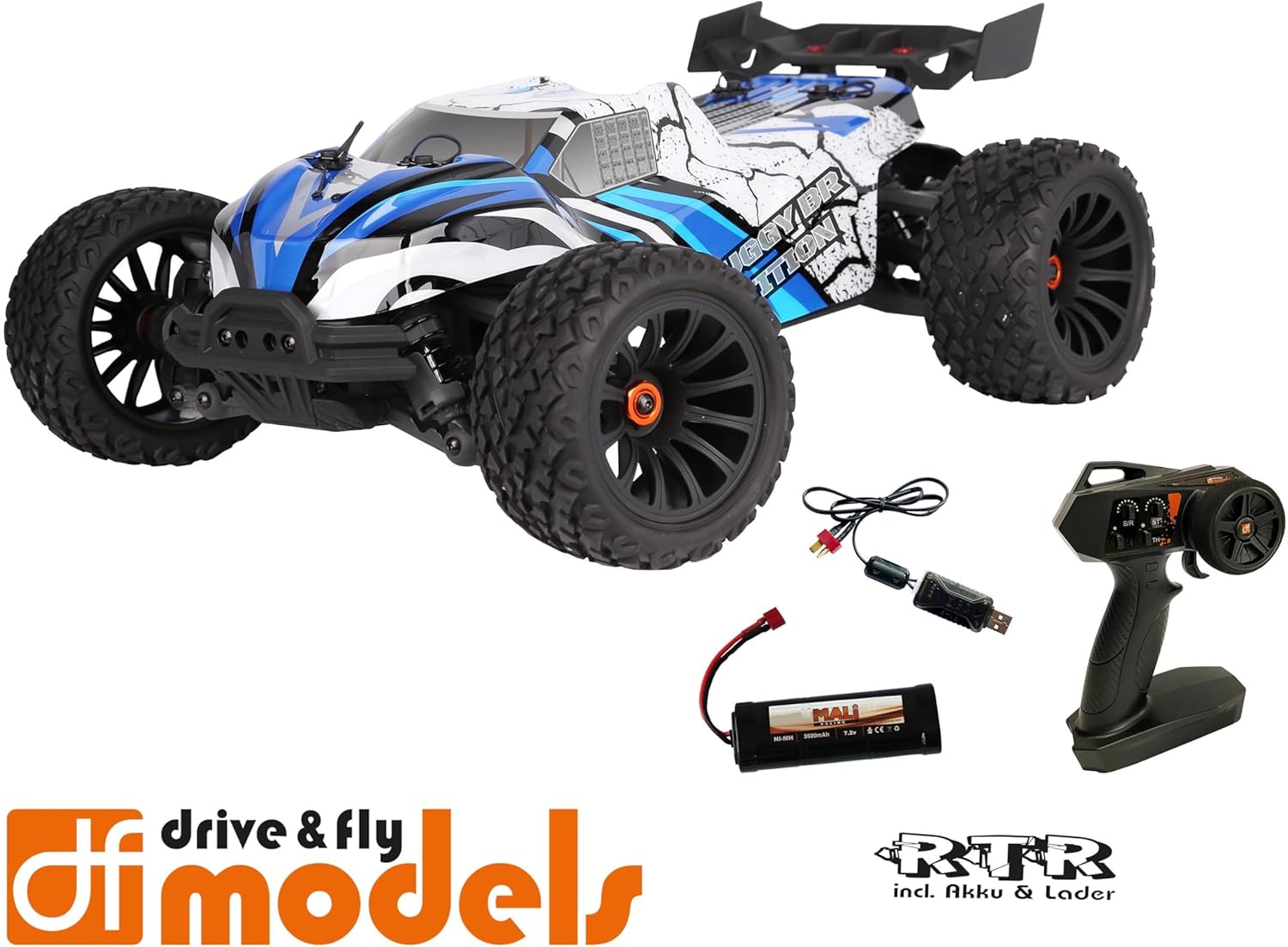
Figure 2: Included components: Truggy, remote control, battery, and USB charging cable.
Kurmak
1. Pilin Şarj Edilmesi
Before first use, fully charge the included NiMH 7.2V 3500 mAh battery using the provided USB charging cable. Connect the USB cable to a compatible USB power source (e.g., computer USB port, USB wall adapter) and the battery connector.
- Şarj süresi güç kaynağına bağlı olarak değişebilir.
- Şarj esnasında aküyü gözetimsiz bırakmayın.
- Akü tamamen şarj olduğunda şarj cihazını çıkarın.
2. Pilin Takılması
Locate the battery compartment on the Truggy. Securely insert the charged battery and connect it to the vehicle's power connector. Ensure the battery is properly seated and secured with the retention clip.

Figure 3: Battery retention clip for secure battery installation.
3. Uzaktan Kumanda Hazırlığı
Install the required batteries (not included) into the 2.4 GHz remote control. Ensure correct polarity. The remote control features a speed adjustment switch (100%, 75%, 50%) for different skill levels.

Figure 4: Remote control with adjustable speed settings (100%, 75%, 50%).
Kullanım Talimatları
1. Açma
- Öncelikle uzaktan kumandayı açın.
- Then, turn on the power switch on the Truggy.
- The vehicle and remote control should automatically pair.
2. Driving the Truggy
- Use the trigger on the remote control to control forward and reverse movement.
- Use the steering wheel to control left and right turns.
- Adjust the speed limit switch on the remote control as needed (100% for maximum speed, 75% or 50% for reduced speed, ideal for beginners).
3. Kapatma
- Turn off the power switch on the Truggy first.
- Then, turn off the remote control.
- Disconnect the battery from the Truggy for storage.

Figure 5: The Truggy in operation on varied terrain.
Bakım
Regular maintenance ensures the longevity and optimal performance of your Truggy.
- Temizlik: After each use, especially in dusty or dirty conditions, clean the vehicle to remove debris. Use a soft brush or compressed air. Avoid using water directly on electronic components.
- Bileşenlerin İncelenmesi: Gevşek vidaları, hasarlı parçaları veya aşınmış lastikleri düzenli olarak kontrol edin. Gevşek bağlantı elemanlarını sıkın.
- Pil Bakım: Pilleri serin ve kuru bir yerde saklayın. Aşırı şarj etmeyin veya aşırı deşarj etmeyin.
- Motor ve ESC: Ensure proper ventilation. The motor and ESC can get hot; allow them to cool down between runs.
- Yağ Basıncı Amortisörleri: Check for leaks and ensure smooth operation. Refill or replace oil as needed (advanced maintenance).
- Farklar: Inspect for smooth operation and proper lubrication.

Figure 6: Internal components including the motor and ESC, which require occasional inspection.
Sorun giderme
| Sorun | Olası Neden | Çözüm |
|---|---|---|
| Araç yanıt vermiyor. | Battery not charged or connected. Remote control batteries low/dead. Vehicle/remote not powered on. Not paired. | Charge vehicle battery. Replace remote control batteries. Ensure both are powered on. Re-pair vehicle and remote. |
| Hız veya güçte azalma. | Low vehicle battery. Speed limit switch on remote set to 50% or 75%. | Recharge vehicle battery. Adjust speed limit switch to 100% for full power. |
| Steering issues. | Steering trim incorrect. Damaged steering servo or linkage. | Adjust steering trim on remote control. Inspect steering components for damage. |
| Motor/ESC aşırı ısınıyor. | Continuous heavy use. Insufficient airflow. | Allow vehicle to cool down between runs. Ensure chassis is clear of debris for airflow. |
Özellikler
| Özellik | Detay |
|---|---|
| Örnek | DF Models Z-10 Competition Truggy BR |
| Model Numarası | 3145 |
| Ölçek | 1:10XL RTR |
| Sürmek | 4WD Brushed |
| Uzunluk | 500 mm (50 cm) |
| Genişlik | 360 mm (36 cm) |
| Yükseklik | 230 mm (23 cm) |
| Dingil açıklığı | 300 mm |
| Maksimum Hız | 40 km / saate kadar |
| Pil | NiMH 7.2 V 3500 mAh (included) |
| Direksiyon Servosu | 10 kg with metal gear |
| ESC | 60A DF-1060 controller |
| Önerilen Yaş | 14 yaş ve üzeri |
| Malzeme | Plastik |

Figure 7: Key dimensions of the Truggy.
Garanti ve Destek
For warranty information, technical support, or spare parts, please contact DF Models customer service. Refer to the official DF Models webİletişim bilgileri için lütfen siteyi veya satın alma belgelerinizi inceleyin.
Not: İzinsiz değişiklikler veya uygunsuz kullanım, ürün garantisini geçersiz kılabilir.
Ask a question about this manual
Ask about setup, troubleshooting, compatibility, parts, safety, or missing instructions. Manuals+ will review the question and use this page’s manual context to help answer it.