
1. Önemli Güvenlik Bilgileri
Please read this manual carefully before using the MiLESEEY S50 Laser Distance Meter. Failure to follow these instructions may result in laser radiation exposure, electric shock, fire, or serious injury.
Lazer Güvenliği
The MiLESEEY S50 emits Class II laser radiation. Do not stare directly into the laser beam. Direct exposure to the laser beam may cause eye injury.
- Lazer Tipi: Class II Green Laser (500-530nm, <1mW) and Class II Red Side Laser (630-670nm, <1mW).
- Never look directly into the laser beam or point it at other people.
- Cihazı sökmeyin veya üzerinde değişiklik yapmayın.
- Cihazı çocukların erişemeyeceği yerde saklayınız.
2. Ürün Bittiview
The MiLESEEY S50 is a professional laser distance meter designed for accurate and efficient measurements in various environments. It features advanced green laser technology for enhanced visibility and a wide range of measurement functions.
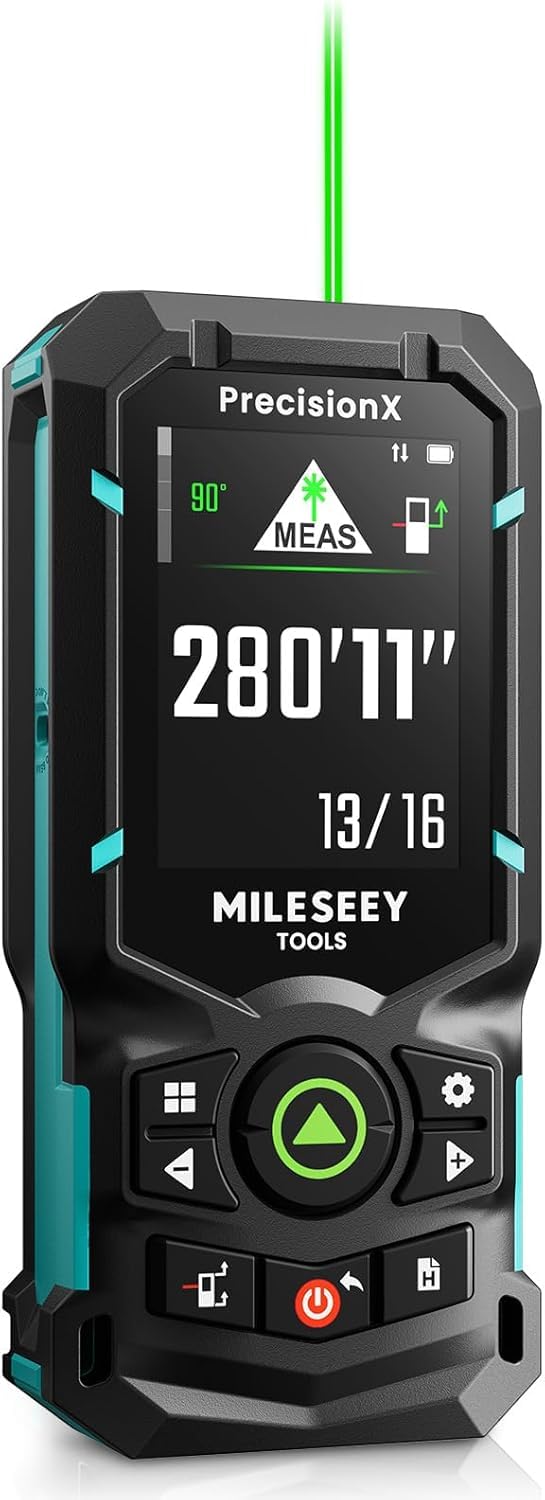
Image: The MiLESEEY S50 Professional Green Laser Distance Meter.
Temel Özellikler
- 4x Brighter Green Laser: Provides superior visibility compared to standard red lasers, especially in outdoor conditions.
- High Precision & Speed: Utilizes MILESEEY's patented PowerBurst™ technology for stable measurements up to 120m with ±1.5mm accuracy, even in challenging conditions. Up to 8 measurements per second.
- 18 Measurement Modes: Includes P2P (Point-to-Point), area, volume, indirect measurements, continuous measurement, and more.
- Flexible References & Units: Easily switch between 4 reference points (front, rear, tripod, lateral laser) and 8 units (ft, 0'00"1/32, 0'00"1/16, in1/32, in1/16, in1/16, cm, m).
- 6.1 cm IPS Backlit Screen: High-resolution display with automatic black and white background switching for clear readings in various lighting conditions.
- Şarj edilebilir NiMH piller: Powered by 2xAA 1800mAh NiMH batteries, offering all-day use and USB-C charging.
- Akıllı Uygulama Entegrasyonu: Streamline workflow with smart applications for visualizing measurements on floor plans, exporting data, creating reports, and unlimited cloud storage.
- Dayanıklı Tasarım: Constructed from robust engineering plastic, IP54 dust and water-resistant.

Image: Enhanced visibility of the green laser beam.

Image: PowerBurst technology for consistent precision.

Image: The 6.1 cm IPS backlit screen in different lighting conditions.
Paket İçeriği
The MiLESEEY S50 package includes:
- 1 x MiLESEEY S50 Lazer Mesafe Ölçer
- 1 Depolama Kılıfı x
- 1 x Boyun Askısı
- 2 x AA NiMH Rechargeable Batteries
- 1 x USB-C Şarj Kablosu
- 1 x Kullanım Kılavuzu
- 1 x Hızlı Başlangıç Kılavuzu

Image: Contents of the MiLESEEY S50 box.
3. Kurulum
Pil Kurulumu ve Şarj Edilmesi
The MiLESEEY S50 uses 2xAA NiMH rechargeable batteries. Ensure batteries are correctly inserted according to polarity markings. For optimal performance, fully charge the batteries before first use.
- Pil bölmesinin kapağını açın.
- Insert the 2xAA NiMH batteries, observing the correct polarity.
- Pil bölmesi kapağını sıkıca kapatın.
- Connect the device to a power source using the provided USB-C cable for charging. The screen will indicate charging status.

Image: MiLESEEY S50 with batteries and USB-C charging cable.
Açma/Kapatma
- Açmak için, düğmesine basın. Güç düğme.
- Kapatmak için tuşunu basılı tutun. Güç Düğmeye birkaç saniye basılı tutun. Cihaz ayrıca pil tasarrufu sağlamak için belirli bir süre kullanılmadığında otomatik olarak kapanacaktır.
4. Kullanım Talimatları
Temel Ölçüm
Tek bir mesafe ölçümü yapmak için:
- Lazer ışınını hedef yüzeye doğrultun.
- Basın ÖLÇÜM button (green triangle). The measurement will be displayed on the screen.
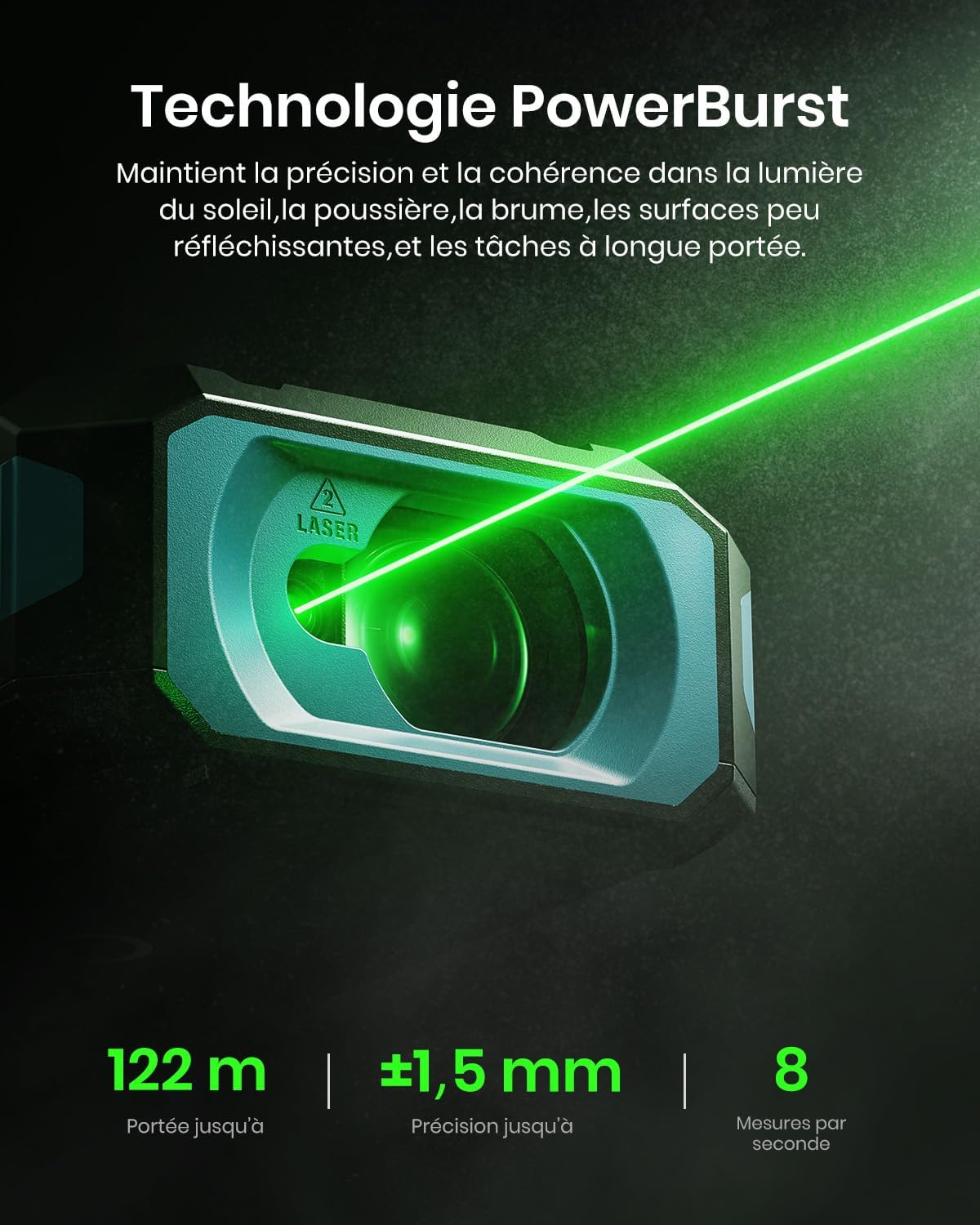
Image: Performing a basic distance measurement.
Changing Units and Reference Points
- Basın Birim button to cycle through available measurement units (e.g., meters, feet, inches).
- Basın Referans button to change the measurement reference point (front, rear, tripod, lateral laser).
Ölçüm Modlarını Seçme
The MiLESEEY S50 offers 18 different measurement modes. Press the Mod button to cycle through the available functions. The screen will display an icon representing the selected mode.

Image: Visual representation of the 18 measurement modes.
5. Gelişmiş Özellikler
P2P (Point-to-Point) Measurement
The P2P mode allows you to measure the distance between two points from a single location, which is particularly useful for inaccessible areas.
- P2P ölçüm modunu seçin.
- Aim the laser at the first target point and take a measurement.
- Aim the laser at the second target point and take another measurement.
- The device will calculate and display the distance between the two points.

Image: Demonstrating P2P measurement functionality.
Akıllı Uygulama Entegrasyonu
Connect your MiLESEEY S50 to the Smart Life app for enhanced functionality and data management.
- Cihazınızın uygulama mağazasından "Akıllı Yaşam" uygulamasını indirin.
- Follow the in-app instructions to pair your S50 device via Bluetooth.
- Bağlandıktan sonra, yapabilirsiniz view measurements on floor plans, export data, create reports, and utilize unlimited cloud storage for your projects.

Image: Smart Life app integration with the MiLESEEY S50.
Lateral Laser Alignment
The red lateral laser alignment feature helps in precise alignment and layout tasks, providing visible markers up to 1 meter.

Image: Using the red lateral laser for alignment.
6. Bakım
- Cihazı yumuşak bir bezle düzenli olarak temizleyin.amp bezle silin. Aşındırıcı temizleyiciler veya çözücüler kullanmayın.
- Ensure the laser lens is clean and free from dust or debris for accurate measurements.
- Cihazı kullanılmadığı zamanlarda hasardan korumak için koruyucu kılıfında saklayın.
- Cihaz uzun süre kullanılmayacaksa pilleri çıkarın.
7. Sorun Giderme
| Sorun | Olası Neden | Çözüm |
|---|---|---|
| Cihaz açılmıyor. | Low or depleted batteries; incorrectly inserted batteries. | Charge or replace batteries; check battery polarity. |
| Hatalı ölçümler. | Dirty laser lens; unstable measurement surface; extreme environmental conditions. | Clean the lens; ensure a stable measurement; avoid measuring in conditions outside specified operating range. |
| Lazer ışını görünmüyor. | Ortam ışığı parlak; lazer kapalı. | Use in lower light conditions or use the green laser for better visibility; ensure laser is activated. |
| Cannot connect to Smart Life app. | Bluetooth is off; device not in pairing mode; app issues. | Ensure Bluetooth is enabled on your phone; restart both devices; check app permissions. |
8. Özellikler
| Özellik | Detay |
|---|---|
| Marka | Mileseey |
| Model Numarası | S50 |
| Ölçüm Aralığı | 120m'ye kadar |
| Ölçüm Doğruluğu | ±1.5 mm |
| Laser Type (Main) | Class II Green Laser (500-530nm, <1mW) |
| Laser Type (Lateral) | Class II Red Laser (630-670nm, <1mW) |
| Görüntülemek | 6.1 cm IPS Backlit Screen |
| Güç Kaynağı | 2xAA NiMH 1800mAh Rechargeable Batteries |
| Şarj Portu | USB-C |
| Malzeme | Akrilonitril Bütadien Stiren, Kauçuk |
| Suya Dayanıklılık | IP54 (Toza ve Suya Dayanıklı) |
| Ağırlık | 150 Gram |
9. Garanti ve Destek
The MiLESEEY S50 Laser Distance Meter comes with a 24 ay üretici garantisi satın alma tarihinden itibaren. Bu garanti, normal kullanımda malzeme ve işçilikteki kusurları kapsar.
For warranty claims, technical support, or any inquiries, please contact Mileseey customer service through the retailer where the product was purchased or visit the official Mileseey webiletişim bilgileri için site.
Lütfen garanti geçerliliği için satın alma belgenizi saklayın.