
1. Ürün Bittiview
The HP All-in-One PC models 27-cr0902in and 27-cr0906in are designed for everyday computing tasks, offering a blend of performance and display quality. This manual provides essential information for setting up, operating, maintaining, and troubleshooting your device.
Temel Özellikler
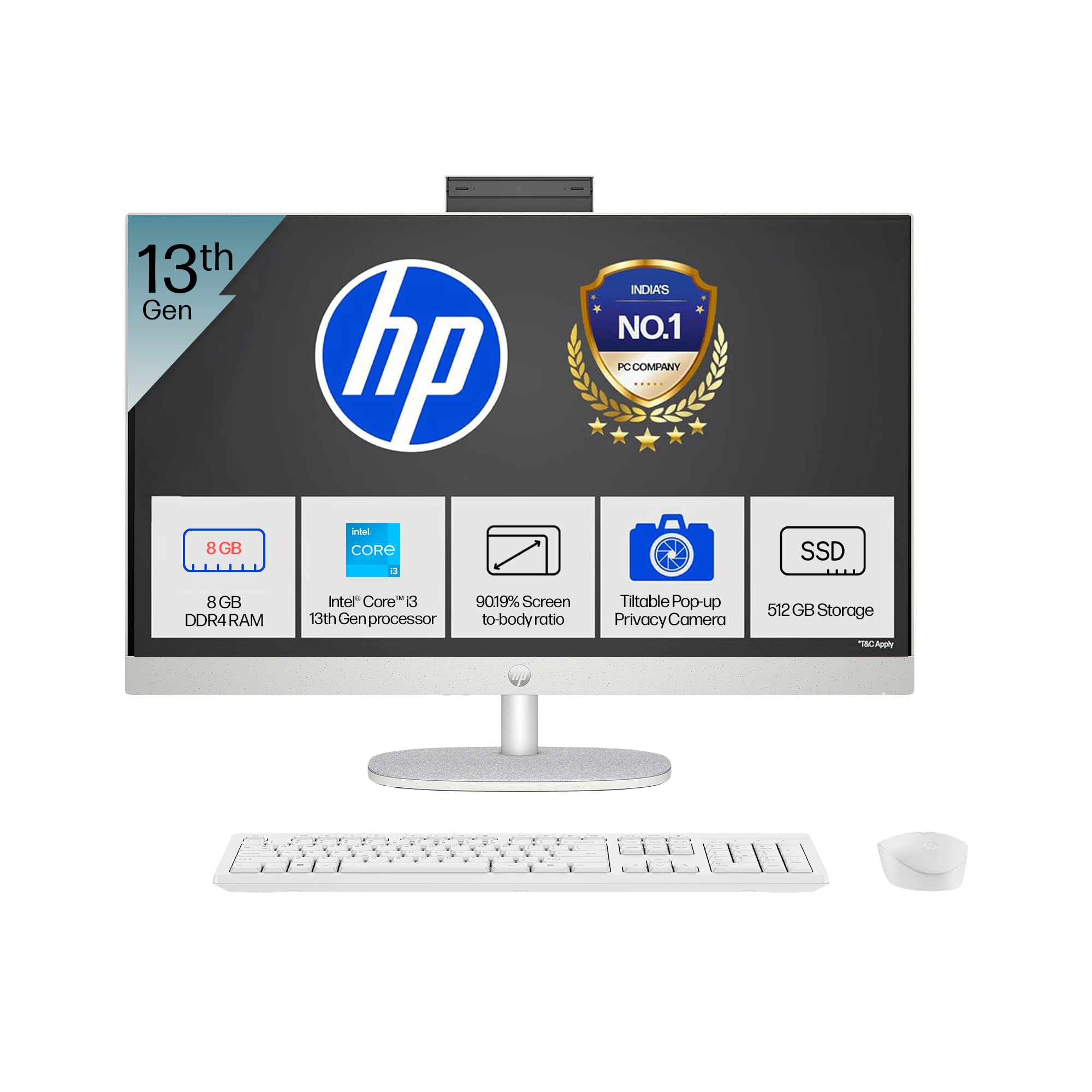
- İşlemci: Intel Core i3-1315U (up to 4.5 GHz with Intel Turbo Boost Technology, 6 cores, 8 threads)
- Hafıza: 8 GB DDR4-3200 MT/s RAM
- Depolamak: 512 GB PCIe NVMe M.2 SSD
- Görüntülemek: 27-inch (68.6 cm) diagonal, FHD (1920 x 1080), touch, IPS, three-sided microedge, anti-glare, 300 nits, 99% sRGB
- Grafikler: Entegre Intel UHD Grafikleri
- İşletim Sistemi: S modunda Windows 11 Home Tek Dil
- Kamera: HP True Vision 1080p FHD IR tilt privacy camera with temporal noise reduction and integrated dual array digital microphones
- Bağlantı: Wi-Fi 6 (2x2), Bluetooth 5.3, 1 USB Type-C 5Gbps, 2 USB Type-A 5Gbps, 2 USB 2.0 Type-A, 1 headphone/microphone combo, 1 RJ-45
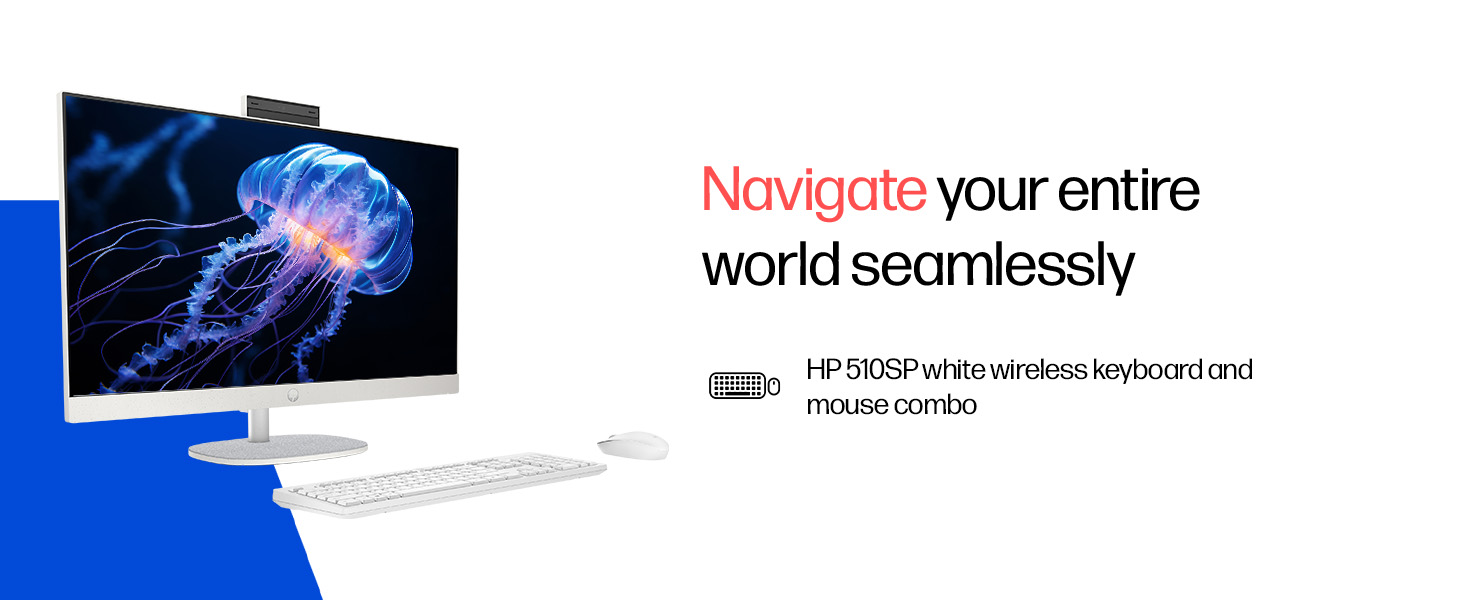
- Included Peripherals: HP 510SP White Wireless Keyboard and Mouse Combo
2. Kurulum Kılavuzu
Follow these steps to set up your HP All-in-One PC.
2.1 Kutunun Ambalajından Çıkarılması
Tüm bileşenleri ambalajından dikkatlice çıkarın. Aşağıdaki öğelerin mevcut olduğundan emin olun:
- HP All-in-One PC unit
- Güç adaptörü ve kablosu
- HP 510SP White Wireless Keyboard
- HP 510SP White Wireless Mouse
- Belgeler (bu kılavuz, garanti bilgileri)
2.2 Çevre Birimlerini Bağlama
- Klavye ve Fareyi Bağlayın: Insert the USB receiver for the wireless keyboard and mouse into an available USB port on the back of the All-in-One PC. Ensure batteries are installed in both the keyboard and mouse.
- Gücü bağlayın: Connect the power adapter to the power input port on the back of the All-in-One PC, then plug the power cable into a wall outlet.
- Opsiyonel Bağlantılar:
- Harici Cihazlar: Connect any external USB devices (e.g., external hard drives, printers) to the available USB ports.
- Ağ kablosu: If using a wired network connection, connect an Ethernet cable to the RJ-45 port.

2.3 İlk Güç Açma
Press the power button, usually located on the side or back of the display. The PC will boot up, and you will be guided through the Windows 11 setup process. Follow the on-screen instructions to configure your operating system, network, and user accounts.
3. Kullanım Talimatları
3.1 Açma/Kapama ve Uyku Modu
- Güç Açık: Güç düğmesine basın.
- Kapat: Windows'ta Başlat düğmesine tıklayın, ardından Güç > Kapat'ı seçin.
- Tekrar başlat: Windows'ta Başlat düğmesine tıklayın, ardından Güç > Yeniden Başlat'ı seçin.
- Uyumak: Click the Start button in Windows, then select Power > Sleep. You can also configure power settings in Windows to automatically enter sleep mode after a period of inactivity.
3.2 Dokunmatik Ekranın Kullanımı
Your HP All-in-One PC features a touch-enabled display. You can interact with the operating system and applications using touch gestures similar to a tablet or smartphone. Common gestures include tapping, swiping, pinching to zoom, and stretching to zoom out.
3.3 Using the HP True Vision Camera
The integrated HP True Vision 1080p FHD IR tilt privacy camera is suitable for video calls and facial recognition login (Windows Hello). The camera can be tilted for optimal viewing angles and includes a privacy shutter for security. To use the camera, open an application that requires camera access (e.g., Camera app, video conferencing software).
3.4 Audio and Microphones
The PC includes integrated dual 2W speakers and dual array digital microphones with temporal noise reduction for clear audio input during calls or recordings. You can adjust volume settings through the Windows sound controls.
4. Bakım
Proper maintenance ensures the longevity and optimal performance of your HP All-in-One PC.
4.1 Cihazın Temizlenmesi
- Görüntülemek: Yumuşak, tiftiksiz bir bez kullanın ve hafifçe kurulayın.ampened with water or a screen cleaning solution. Avoid harsh chemicals or abrasive materials.
- Şasi: Dış yüzeyleri yumuşak ve kuru bir bezle silin.
- Klavye ve Fare: Use a soft brush or compressed air to remove dust and debris.
- Temizlemeden önce mutlaka bilgisayarı kapatın ve fişini çekin.
4.2 Yazılım Güncellemeleri
Regularly check for and install Windows updates and HP driver updates to ensure system stability, security, and performance. You can find Windows updates in the Settings app under "Windows Update." HP drivers can be found on the official HP support webalan.
4.3 Sistem Yedekleme
Veri kaybını önlemek için önemli verilerinizi düzenli olarak harici bir sürücüye veya bulut depolama alanına yedeklemeniz önerilir.
5. Sorun Giderme
Bu bölümde, HP Hepsi Bir Arada bilgisayarınızla karşılaşabileceğiniz yaygın sorunlar ele alınmaktadır.
5.1 Güç Yok / Sistem Açılmıyor
- Güç kablosunun hem bilgisayara hem de duvar prizine güvenli bir şekilde bağlandığından emin olun.
- Başka bir cihaz takarak duvar prizinin çalışır durumda olduğunu doğrulayın.
- Başka bir elektrik prizini deneyin.
5.2 Ekran Sorunları
- Ekranda görüntü yok: Ensure the PC is powered on. If connected to an external monitor, check the input source on the monitor.
- Titreyen veya bozuk görüntü: Update graphics drivers. If the issue persists, contact support.
- Dokunmatik ekran yanıt vermiyor: Restart the PC. Ensure there are no obstructions on the screen. Check for driver updates for the touch display.
5.3 System Performance Issues (Slowdown, Hanging)
- Arka planda çalışan gereksiz uygulamaları kapatın.
- Yüksek CPU, bellek veya disk kullanımı tüketen işlemleri görmek için Görev Yöneticisi'ni (Ctrl+Shift+Esc) kontrol edin.
- İşletim sisteminizin ve sürücülerinizin güncel olduğundan emin olun.
- Kötü amaçlı yazılımlara veya virüslere karşı tam bir sistem taraması çalıştırın.
- Consider freeing up disk space on your SSD.
5.4 Peripheral Connectivity Problems (Keyboard/Mouse)
- USB alıcısının bir USB bağlantı noktasına güvenli bir şekilde takılı olduğundan emin olun.
- Check the batteries in the wireless keyboard and mouse and replace them if necessary.
- USB alıcısını farklı bir USB bağlantı noktasına takmayı deneyin.
- Bilgisayarınızı yeniden başlatın.
6. Teknik Özellikler
Detailed specifications for the HP All-in-One PC 27-cr0902in/cr0906in.
| Özellik | Detay |
|---|---|
| Marka | HP |
| Model Numaraları | 27-cr0902in, 27-cr0906in |
| İşlemci | Intel Core i3-1315U (up to 4.5 GHz, 6 cores, 8 threads, 10 MB L3 cache) |
| İşletim Sistemi | S modunda Windows 11 Home Tek Dil |
| Bellek (RAM) | 8 GB DDR4-3200 MT/s (1 x 8 GB) |
| Depolamak | 512 GB PCIe NVMe M.2 SSD |
| Görüntülemek | 27-inch (68.6 cm) FHD (1920 x 1080) IPS, touch, anti-glare, 300 nits, 99% sRGB |
| Grafikler | Intel UHD Grafikler (Entegre) |
| Kamera | HP True Vision 1080p FHD IR tilt privacy camera with temporal noise reduction |
| Ses | Integrated dual array digital microphones, Dual 2W speakers |
| Kablosuz Bağlantı | Realtek RTL8852BE Wi-Fi 6 (2x2), Bluetooth 5.3 |
| Limanlar | 1 USB Type-C 5Gbps, 2 USB Type-A 5Gbps, 2 USB 2.0 Type-A, 1 headphone/microphone combo, 1 RJ-45 |
| Klavye ve Fare | HP 510SP White Wireless Keyboard and Mouse Combo |
| Boyutlar (G x D x Y) | 61.2 x 18.6 x 44.1 cm (24.11 x 7.33 x 17.36 inç) |
| Ağırlık | 6.42 kilo |
| Renk | Shell White |
| Çevre Sertifikaları | EPEAT Gold Registered, ENERGY STAR certified |
7. Garanti ve Destek
7.1 Garanti Bilgileri
Your HP All-in-One PC comes with a 1 yıllık üretici garantisi on the device from the date of purchase. Please retain your purchase receipt for warranty claims.
7.2 Teknik Destek
For any technical or product-related queries, please contact HP customer support:
- Ücretsiz Çağrı Numaraları: 1800-258-7170 or 1860-258-3079
- Üretici iletişim: HP India Sales Pvt. Ltd.
- İthalatçı İletişim Bilgileri: HP India Sales Private Limited, No. 24, Kothari Arena, Hosur Main Road, Adugodi, Bangalore, Karnataka, India, 560030
You can also visit the official HP support website for drivers, documentation, and further assistance.