
giriiş
The Keenetic Roamer 4G is a portable mobile hotspot designed to provide secure and fast internet access on the go. It supports 4G LTE connectivity and Wi-Fi 6, allowing up to 10 devices to connect simultaneously. This manual provides essential information for setting up, operating, and maintaining your device.
Kutuda Neler Var?
Upon unboxing your Keenetic Roamer 4G, please ensure all the following components are present:
- Roamer 4G Mobile Wi-Fi hotspot
- Removable Lithium-ion battery
- Hızlı başlangıç kılavuzu
- USB-A'dan USB Tip-C'ye kablo
Note: A SIM card and internet subscription are not included and must be acquired separately.
Ürün Bittiview

Şekil 1: Ön view of the Keenetic Roamer 4G, highlighting the color display that shows signal strength, data volume, battery status, and network information.
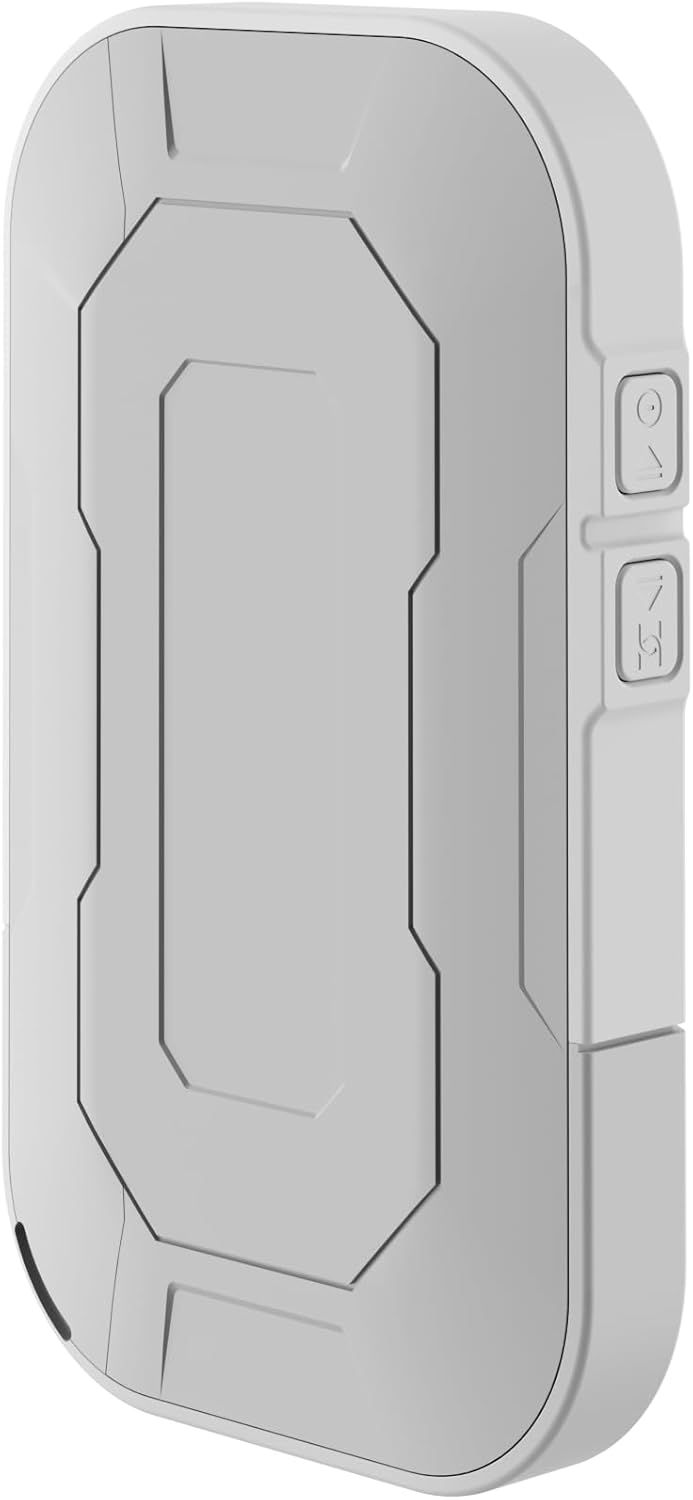
Şekil 2: Arka view of the device, illustrating its compact and portable design.

Şekil 3: Taraf view displaying the USB Type-C port for charging and data transfer.

Şekil 4: Taraf view illustrating the physical buttons for power and navigation.
Kurmak
1. SIM Kartın Takılması
- Locate the SIM card slot, typically found under the battery cover.
- Carefully remove the back cover and the battery.
- Insert your standard-sized SIM card into the designated slot with the gold contacts facing down, ensuring it clicks into place.
- Pili tekrar takın ve arka kapağı yerine takın.
2. Cihazın Şarj Edilmesi
- Connect the provided USB-A to USB Type-C cable to the device's charging port.
- Plug the other end into a USB power adapter (not included) or a computer's USB port.
- The battery indicator on the display will show charging status. Fully charge the device before first use.
3. Açma/Kapama
- To power on, press and hold the Power button (refer to Figure 4) until the display lights up.
- To power off, press and hold the Power button until the shutdown prompt appears on the screen, then confirm.
Kullanım Talimatları
Cihazları Wi-Fi Üzerinden Bağlama
- Ensure the Roamer 4G is powered on and has established a 4G connection (indicated on the display).
- Wi-Fi özellikli cihazınızda (akıllı telefon, tablet, dizüstü bilgisayar) kullanılabilir Wi-Fi ağlarını arayın.
- Locate the network name (SSID) displayed on the Roamer 4G's screen.
- Enter the Wi-Fi password (Key) also shown on the Roamer 4G's screen. Alternatively, you can scan the QR code displayed on the device's screen for quick connection.
- Your device should now be connected to the internet via the Roamer 4G hotspot.
Ekranı Anlamak
The color display provides real-time information about your hotspot's status:
- Sinyal Gücü: Indicates the strength of the 4G cellular signal.
- Pil Seviyesi: Kalan pil şarjını gösterir.
- Veri Kullanımı: Displays current upload/download speeds and total data consumed.
- Ağ Bilgileri: Provides details like SSID, password, and connected devices count.
Bakım
Pil Bakımı
- To maximize battery lifespan, avoid exposing the device to extreme temperatures.
- Pili düzenli olarak şarj edin, ancak uzun süre tamamen boşalmış halde bırakmaktan kaçının.
- If the device will not be used for a long time, charge it to about 50% before storing.
Temizlik
- Use a soft, dry, lint-free cloth to clean the device's exterior.
- Sıvı temizleyiciler, aerosoller veya çözücüler kullanmayın.
Sorun giderme
| Sorun | Olası Neden | Çözüm |
|---|---|---|
| İnternet Bağlantısı Yok | No SIM card inserted, SIM card not activated, no signal, data plan exhausted. | Ensure SIM is correctly inserted and active. Check signal strength on display. Verify data plan with your mobile operator. Try restarting the device. |
| Wi-Fi'ye bağlanılamıyor | Incorrect password, device too far from hotspot, Wi-Fi disabled on hotspot. | Verify Wi-Fi password. Move closer to the hotspot. Ensure Wi-Fi is enabled on the Roamer 4G. |
| Cihaz Açılmıyor | Battery is depleted, battery not inserted correctly. | Charge the device for at least 30 minutes. Ensure the battery is properly seated. |
Özellikler
| Özellik | Detay |
|---|---|
| Marka | Keenetik |
| Örnek | KN-5110-01-EU |
| Boyutlar | 12.1x8.2x4.7 cm |
| Ağırlık | 200 gram |
| Pil Türü | Lityum iyon (1 adet gereklidir, dahildir) |
| Kablosuz Tip | 802.11b (Wi-Fi 6 compatible) |
| Bağlantı Teknolojisi | LTE |
| Uyumlu Cihazlar | PC (and other Wi-Fi enabled devices) |
| Özel Özellikler | LED Indicator, Color Display |
Garanti Bilgileri
For detailed warranty information, please refer to the warranty card included with your product or visit the official Keenetic webSite. Satın alma belgenizi garanti talepleriniz için saklayın.
Müşteri Desteği
If you encounter any issues not covered in this manual or require further assistance, please contact Keenetic customer support. Visit the official Keenetic webİletişim bilgileri ve destek kaynakları için siteyi ziyaret edin.
Ayrıca ziyaret edebilirsiniz Keenetic Store on Amazon Daha fazla bilgi için.