
1. Giriş
This manual provides essential instructions for the safe and efficient use of your Samsung Smart FHD 43'' TV, model LS43F6000FGXZD. Please read this manual thoroughly before operating the device and retain it for future reference. Your new television features Full HD resolution, HDR technology, PurColor, and the Tizen™ operating system for a rich viewDeneyim.
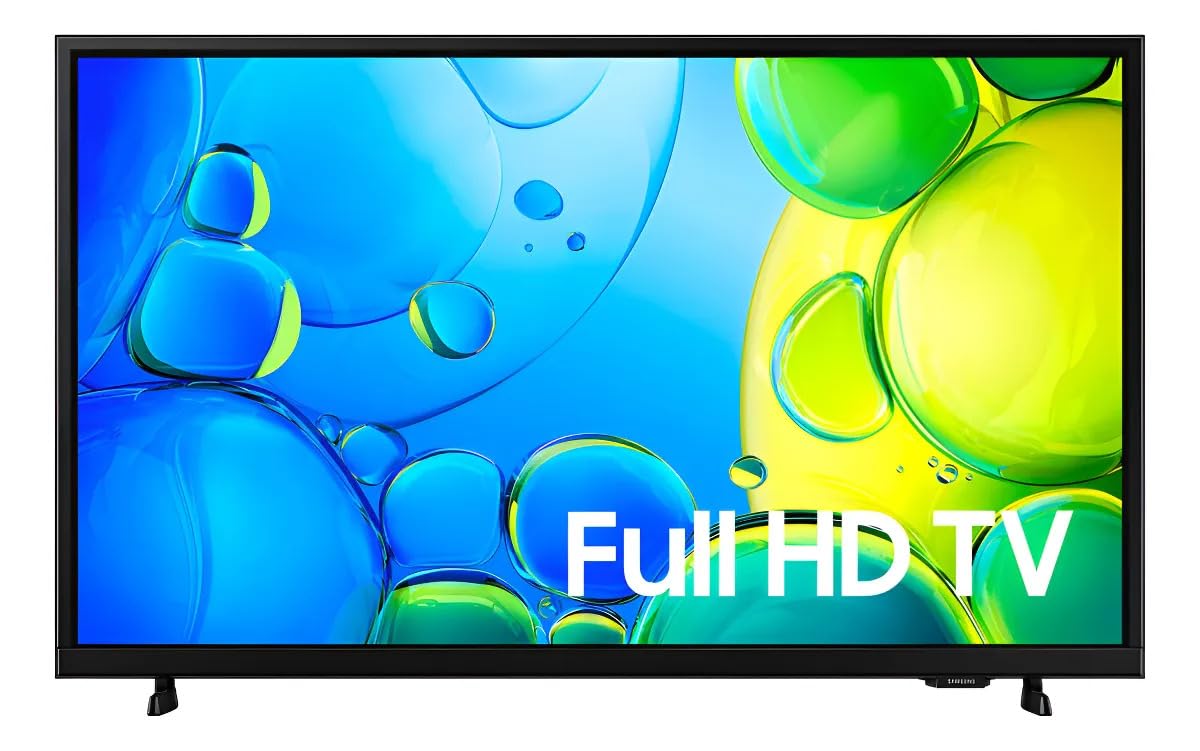
Şekil 1: Ön view of the Samsung Smart FHD 43'' TV.
2. Güvenlik Bilgileri
Yangın, elektrik çarpması ve yaralanma riskini azaltmak için her zaman bu temel güvenlik önlemlerine uyun.
- Bu cihazı yağmura veya neme maruz bırakmayın.
- Havalandırma açıklıklarını kapatmayın. Üreticinin talimatlarına uygun şekilde kurulum yapın.
- Radyatörler, kalorifer ızgaraları, sobalar veya diğer cihazlar (dahil) gibi herhangi bir ısı kaynağının yakınına kurmayın. amp(ısı üreten)
- Güç kablosunun, özellikle fişlerde, prizlerde ve cihazdan çıktığı noktalarda üzerine basılmasını veya sıkışmasını önleyin.
- Sadece üretici tarafından belirtilen aparatları/aksesuarları kullanın.
- Tüm servis işlemleri için kalifiye servis personeline başvurun. Cihaz herhangi bir şekilde hasar gördüğünde servis gereklidir.
- Ensure the TV is placed on a stable surface or securely mounted to prevent tipping.
3. Kutuda Neler Var?
Carefully unpack your TV and ensure all components are present. If any items are missing or damaged, contact your retailer.
- Samsung Smart FHD 43'' TV
- Uzaktan Kumanda (2 adet AA pil gerektirir, piller her zaman dahil değildir)
- Güç kablosu
- Video Adapter (if applicable)
- Stand Components (Base/Feet)
- Kullanım Kılavuzu (bu belge)
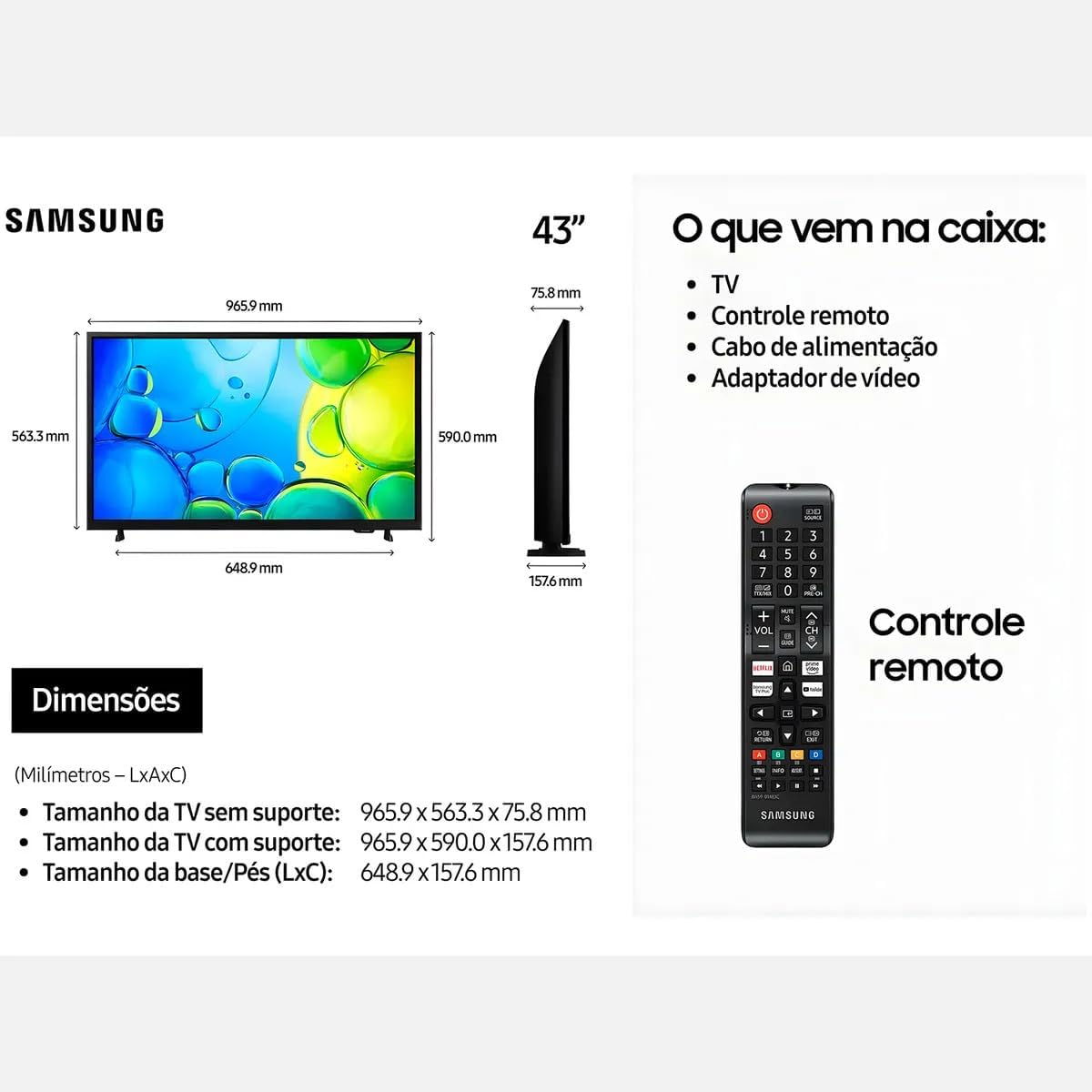
Figure 2: Illustration of items typically included in the product packaging, along with TV dimensions.
4. Kurulum
4.1 Paketin açılması
Remove the TV and all accessories from the packaging. It is recommended to keep the original packaging for future transport or servicing.
4.2 Standın Takılması
If you are placing the TV on a table or cabinet, attach the included stand. Follow the instructions provided in the stand assembly guide. Ensure all screws are tightened securely.
4.3 Duvara Montaj
For wall mounting, use a VESA-compliant wall mount kit (100 x 200 mm, sold separately). Consult a professional for wall mounting to ensure proper installation and safety.
4.4 Çevre Birimlerini Bağlama
Harici cihazlarınızı uygun bağlantı noktalarını kullanarak televizyona bağlayın.
- HDMI: Blu-ray oynatıcıları, oyun konsollarını veya set üstü kutuları HDMI bağlantı noktalarına bağlayın. Bu televizyonda 2 adet HDMI bağlantı noktası bulunmaktadır.
- USB BAĞLANTI: Connect USB storage devices for media playback to the USB 3.0 port. This TV has 1 USB 3.0 port.
- Ağ (LAN): Kablolu internet bağlantısı için, Ethernet kablosunu LAN portuna bağlayın.
- Anten/Kablo: Anteninizi veya kablolu TV bağlantınızı bağlayın.
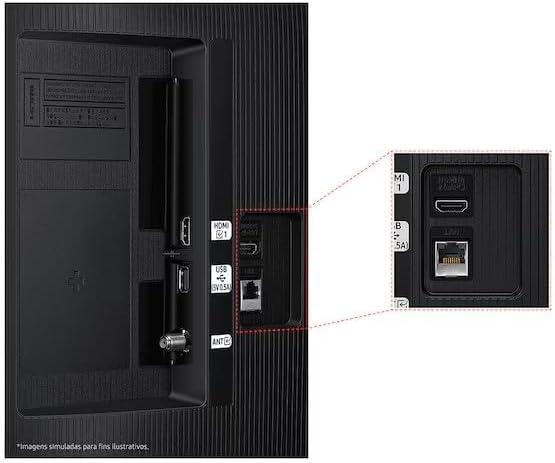
Figure 3: Rear panel connections, highlighting HDMI, USB, and LAN ports.
4.5 İlk Güç Açma ve Kurulum Sihirbazı
After connecting all necessary cables, plug the power cord into an electrical outlet. The TV will power on and guide you through the initial setup wizard, which includes language selection, network connection (Wi-Fi or wired), channel scanning, and smart features configuration.
5. TV'nin çalıştırılması
5.1 Uzaktan Kumandaview
Insert two AA batteries into the remote control. The remote allows you to navigate menus, change channels, adjust volume, and access smart features. Refer to the diagram on the remote control for button functions.
5.2 Temel TV İşlevleri
- Güç: Televizyonu açmak veya kapatmak için uzaktan kumandadaki güç düğmesine basın.
- Hacim: Ses seviyesini ayarlamak için Ses Açma/Kapatma düğmelerini kullanın.
- Kanal: Kanalları değiştirmek için Kanal Yukarı/Aşağı düğmelerini kullanın.
- Kaynak: Press the Source button to switch between connected input devices (HDMI 1, HDMI 2, TV, etc.).
5.3 Akıllı TV Özellikleri (Tizen İşletim Sistemi)
Your Samsung Smart TV runs on the Tizen™ operating system, providing access to a wide range of applications and services. Connect your TV to the internet via Wi-Fi or Ethernet to utilize these features.
- Uygulama Mağazası: Download and install various applications like Netflix, YouTube, and Amazon Prime Video.
- Web Tarayıcı: İnternette doğrudan televizyonunuzdan gezinin.
- Akıllı Merkez: Access all your smart features, apps, and connected devices from one central location.

Figure 4: The Tizen operating system interface, showing available applications.
The TV also features Knox Security, ensuring your data and privacy are protected.
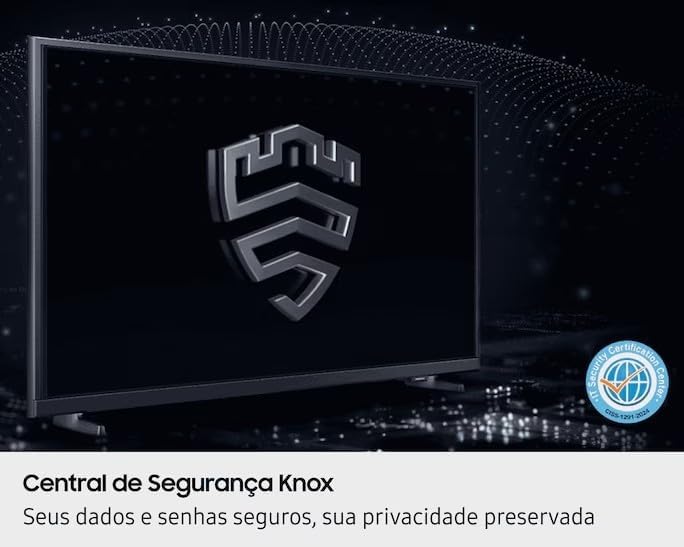
Figure 5: Knox Security Central, highlighting data and privacy protection.
5.4 Resim Ayarları
Görüntü ayarlarınızı optimize etmek için düzenleyin. viewDeneyim.
- Resim Modu: Select from various preset modes (Standard, Dynamic, Movie, etc.) or customize your own.
- Parlaklık/Kontrast: Adjust these settings to suit your environment.
- HDR Teknolojisi: This TV supports HDR10+, providing greater depth in details, even in very bright or dark scenes.
- PurColor: Enhances color accuracy and vibrancy for a more lifelike image.
- Kontrast Arttırıcı: Automatically adjusts contrast for improved picture depth.

Figure 6: HDR Technology in action, showing enhanced detail in both bright and dark areas.
5.5 Ses Ayarları
Customize audio output through the sound settings menu. Options may include sound modes, equalizer settings, and audio output selection (TV speakers, external soundbar, Bluetooth audio).
5.6 Bağlantı
- Bluetooth: Kulaklık veya ses çubuğu gibi uyumlu Bluetooth cihazlarını kablosuz olarak bağlayın.
- Wifi: Connect to your home wireless network for internet access and smart features.
6. Bakım
6.1 TV'nin temizlenmesi
- Ekran: Ekranı yumuşak, tiftiksiz bir bezle nazikçe silin. İnatçı lekeler için hafifçe silin.ampBezi su veya özel bir ekran temizleyici ile temizleyin. Sıvıyı asla doğrudan ekrana püskürtmeyin.
- TV Gövdesi: Televizyonun çerçevesinden ve arka panelinden tozu silmek için yumuşak, kuru bir bez kullanın.
- Önemli: Temizlemeden önce mutlaka televizyonun fişini prizden çekin.
6.2 Yazılım Güncellemeleri
Your TV may receive software updates to improve performance and add new features. You can usually configure the TV to update automatically or check for updates manually through the settings menu (typically under Support > Software Update).
7. Sorun Giderme
Televizyonunuzla ilgili sorunlarla karşılaşırsanız, destek ekibiyle iletişime geçmeden önce aşağıdaki yaygın çözümlere göz atın.
| Sorun | Olası Çözüm |
|---|---|
| Güç yok | Güç kablosunun hem televizyona hem de çalışan bir elektrik prizine sağlam bir şekilde takılı olduğundan emin olun. Prizin çalışıp çalışmadığını başka bir cihazla test edin. |
| Görüntü yok, ancak ses mevcut | Giriş kaynağını kontrol edin. Bağlı cihazın açık ve düzgün çalıştığından emin olun. Farklı bir HDMI kablosu deneyin. |
| Ses yok ama görüntü var | Check the volume level and ensure the TV is not muted. Verify audio output settings. If using external speakers, check their connections and power. |
| Uzaktan kumanda çalışmıyor | Replace the batteries (AA type). Ensure there are no obstructions between the remote and the TV's IR sensor. |
| Wi-Fi'ye bağlanılamıyor | Ensure your router is on and functioning. Re-enter the Wi-Fi password. Try restarting both the TV and your router. |
| Görüntü kalitesi sorunları (örneğin, bulanık, bozuk) | Check the source resolution. Adjust picture settings (brightness, contrast, sharpness). Ensure cables are securely connected. |
8. Özellikler
Key technical specifications for the Samsung Smart FHD 43'' TV (Model: LS43F6000FGXZD).
| Özellik | Detay |
|---|---|
| Model Numarası | LS43F6000FGXZD |
| Ekran Boyutu | 43 inç |
| Ekran Teknolojisi | FHD (Tam Yüksek Çözünürlük) |
| Çözünürlük | FHD (1920 x 1080 pixels) |
| Yenileme Hızı | 60 Hz |
| İşletim Sistemi | Tizen™ |
| HDR Desteği | HDR10+ |
| Resim Geliştirme | HDR Technology, PurColor, Contrast Enhancer |
| Bağlantı | Bluetooth, Wi-Fi, 2x HDMI, 1x USB 3.0 |
| Desteklenen İnternet Hizmetleri | Netflix, YouTube, Amazon Prime |
| VESA Montaj Standardı | 100x200 mm |
| Ayaklık hariç boyutlar (G x D x Y) | 965.9x75.8x563.3 mm |
| Dimensions (W x D x H) with stand | 965.9x157.6x590.0 mm |
| Ağırlık (standsız) | 6.5 kilo |
| Cilttage | 110-220 Volts (check product label for specific range) |
| Uzaktan Kumanda Pil Tipi | AA (x2) |
9. Garanti ve Destek
9.1 Ürün Garantisi
This Samsung Smart FHD 43'' TV (Model: LS43F6000FGXZD) comes with a 12 aylık sınırlı garanti from the date of purchase. This warranty covers manufacturing defects and malfunctions under normal use. Please retain your proof of purchase for warranty claims. For detailed terms and conditions, refer to the warranty card included with your product or visit the official Samsung support webalan.
9.2 Müşteri Desteği
For technical assistance, troubleshooting beyond this manual, or warranty service, please contact Samsung Customer Support. You can find contact information (phone numbers, chat support, service center locations) on the official Samsung webBölgeniz için site.
When contacting support, please have your TV's model number (LS43F6000FGXZD) and serial number ready. The serial number is typically located on a sticker on the back of the TV.