
giriiş
This instruction manual provides essential information for the proper use and care of your BoxWave DirectSync PD Cable. This USB-C to USB-C cable is designed for charging and data transfer with compatible devices, supporting up to 100W Power Delivery.

The BoxWave DirectSync PD Cable features a durable black braided nylon exterior and USB-C connectors on both ends.
Kurmak
The BoxWave DirectSync PD Cable is designed for immediate use without complex setup procedures.
- Bağlantı Noktalarını Belirleyin: Ensure your charging adapter and device both have USB-C ports.
- Güç Kaynağına Bağlan: Insert one end of the USB-C cable into a compatible USB-C power adapter or a computer's USB-C port.
- Cihaza Bağlan: Insert the other end of the USB-C cable into your device's USB-C port.
- Bağlantıyı Doğrulayın: Confirm that your device indicates it is charging or connected for data transfer.

This cable facilitates both charging and high-speed data transfer simultaneously between compatible devices.
Kullanım Talimatları
The DirectSync PD Cable supports both power delivery and data transfer functionalities.
- Güç Dağıtımı (PD): This cable is capable of delivering up to 100 Watts of power. Connect it to a compatible USB-C PD charger and a device that supports USB-C PD for fast charging. The actual charging speed will depend on the power adapter and the device's charging capabilities.
- Veri Transferi: When connected to a computer or other data-enabled device, the cable supports data transfer speeds up to 480Mbps. This allows for quick synchronization of files, photos, and other data.
- Genişletilmiş Erişim: The 10-foot length of the cable provides flexibility, allowing you to comfortably use your device while it is connected to a power source or computer, even if the outlet is not immediately adjacent.

The cable supports up to 100W Power Delivery for efficient charging of compatible devices like laptops.

The 10-foot length of the DirectSync PD Cable provides extended reach for flexible device placement while charging.
Bakım
To ensure the longevity and optimal performance of your DirectSync PD Cable, follow these maintenance guidelines:
- Depolamak: Store the cable in a clean, dry place away from extreme temperatures. Avoid tightly coiling or bending the cable at sharp angles, which can damage internal wires.
- Temizlik: Kablo kirlenirse, yumuşak ve kuru bir bezle nazikçe silin. Sert kimyasallar veya aşındırıcı temizleyiciler kullanmayın.
- İşleme: Kabloyu takarken veya çıkarırken daima kablonun kendisinden çekmek yerine konektör başlığından tutun. Bu, bağlantı noktalarına binen yükü önler.
- Denetleme: Kablo ve konektörlerde aşınma, yıpranma veya hasar belirtileri olup olmadığını periyodik olarak kontrol edin. Hasar tespit edilirse kullanmayı bırakın.

The cable's braided nylon construction enhances durability and resistance to tangles and fraying.

Rubberized grommet strain reliefs at both connectors prevent cable fraying and ensure a secure connection.
Sorun giderme
If you encounter issues with your DirectSync PD Cable, consider the following:
- Cihaz Şarj Olmuyor:
- Ensure both ends of the cable are securely plugged into the power source and the device.
- Güç adaptörünün düzgün çalıştığından ve cihazınızın şarj gereksinimleriyle uyumlu olduğundan emin olun.
- Sorunu tespit etmek için kabloyu başka bir uyumlu cihaz veya güç kaynağıyla test edin.
- Yavaş Şarj:
- Confirm that your power adapter supports Power Delivery (PD) and provides sufficient wattage for your device (up to 100W for this cable).
- Ensure your device also supports fast charging via USB-C PD.
- Veri Aktarım Sorunları:
- Check that the cable is connected to a data-enabled USB-C port on your computer.
- Restart both your computer and the connected device.
- Ensure necessary drivers are installed on your computer for the connected device.
- Fiziksel Hasar: If the cable or connectors show signs of physical damage (e.g., fraying, bent pins), discontinue use immediately to prevent potential hazards.
Özellikler
| Özellik | Şartname |
|---|---|
| Ürün Adı | DirectSync PD Cable |
| Model Numarası | B0F94NGPBB |
| Bağlayıcı Türü | USB-C'den USB-C'ye |
| Güç Dağıtımı (PD) | 100W'a kadar |
| Kablo Uzunluğu | 10 fit (yaklaşık 3 metre) |
| Veri Aktarım Hızı | Up to 480Mbps (USB 2.0 standard) |
| Kablo Malzemesi | Örgülü Naylon |
| Gerilim Azaltma | Rubberized Grommet on both connectors |
| Ürün Ağırlığı | 6 ons |
| Üretici | Kutu dalgası |
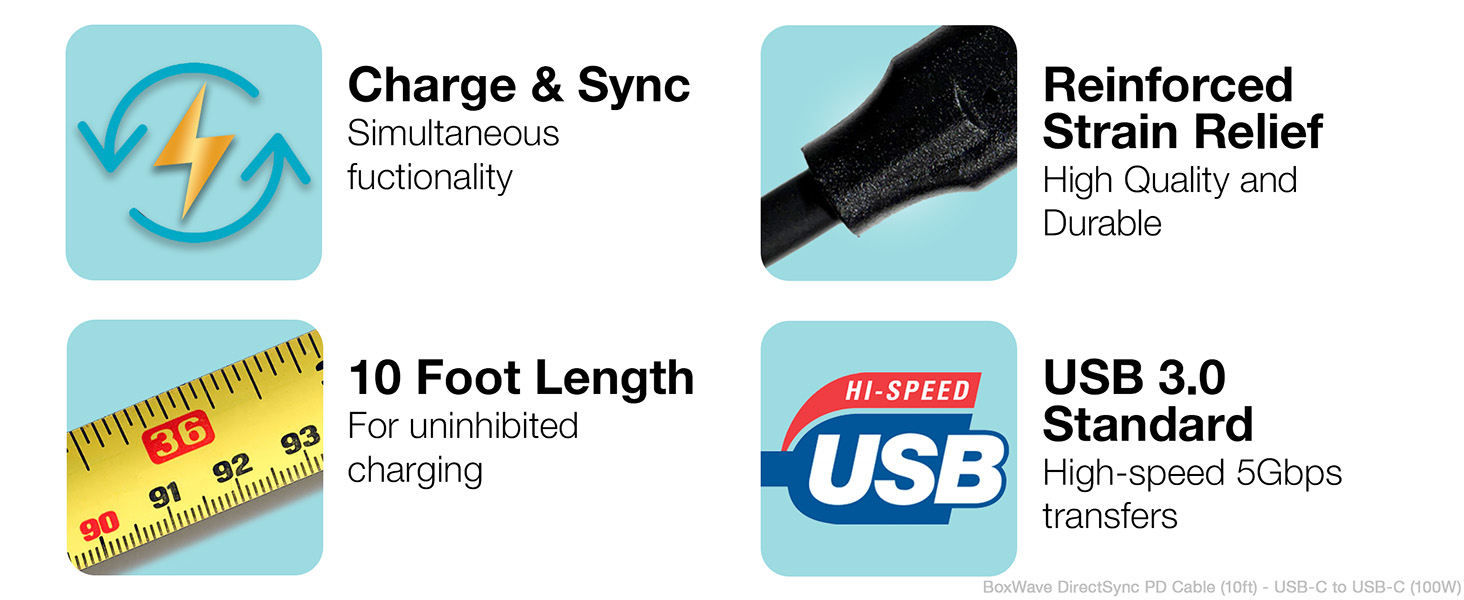
Key features of the DirectSync PD Cable include simultaneous charging and syncing, reinforced strain relief, a 10-foot length, and USB 3.0 standard for high-speed transfers.
Garanti ve Destek
For warranty information or technical support regarding your BoxWave DirectSync PD Cable, please refer to the official BoxWave website or contact their customer service directly. Details are typically available on the product packaging or the manufacturer's official support channels.