1. Giriş
This manual provides instructions for the Generic Translator Earbuds 5.3, Model TM20. These earbuds offer real-time language translation, music playback, and call functionality. Please read this manual thoroughly before using the device to ensure proper operation and to maximize its features.
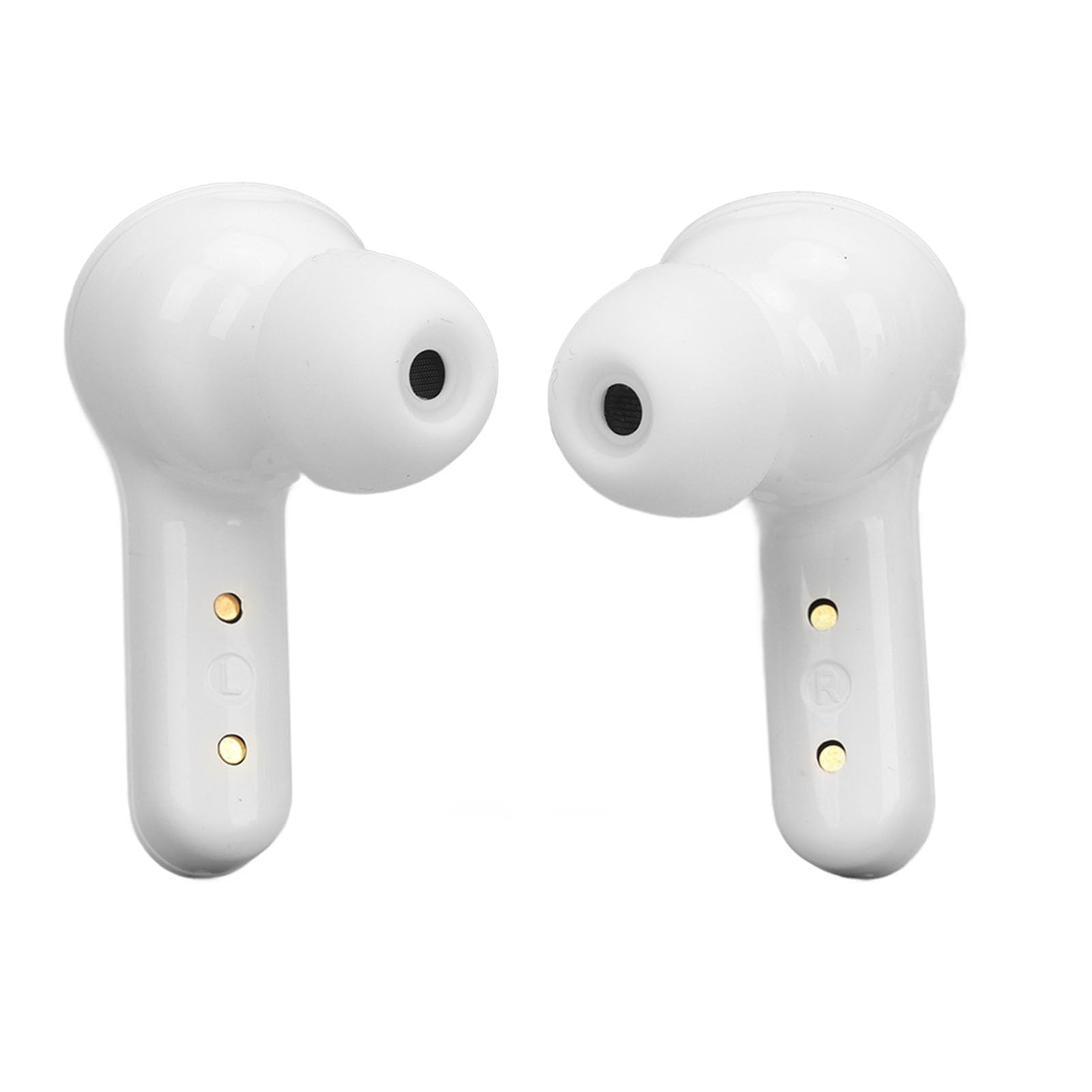
Image 1.1: Translator Earbuds 5.3 highlighting its multi-language translation feature.
2. Ürün Bittiview
The Translator Earbuds 5.3 are designed for seamless communication across language barriers and for general audio use. Key features include:
- Bluetooth 5.3 connectivity for stable connections.
- Intelligent noise reduction for clear audio.
- Support for 144 online languages (free for one year).
- Multiple translation modes: Touch mode, Speaker mode, Free Speech mode.
- High-capacity battery with charging case for extended use.
- Fingerprint control for music and calls.
- Stereo ses sistemi.

Resim 2.1: Üzeriview of the Translator Earbuds 5.3 and charging case.

Resim 2.2: Yan profile kulaklıkların.

Resim 2.3: Açısal view kulaklıkların.
3. Kurulum
3.1 Kulaklıkları ve Kutuyu Şarj Etme
Before first use, fully charge the earbuds and the charging case. The charging case has a built-in 250mAh lithium-ion battery, and each earbud has a 30mAh battery.
- Kulaklıkları şarj kutusuna yerleştirin.
- Sağlanan USB kablosunu kullanarak şarj kutusunu bir güç kaynağına bağlayın.
- Şarj kutusunun üzerindeki dijital ekran, şarj durumunu ve pil seviyesini gösterecektir.
Charging Time: 1-2 hours for a full charge.

Image 3.1: Earbuds, charging case, USB cable, and ear tips included in the package.

Image 3.2: Digital display on the charging case indicating battery status.

Image 3.3: USB charging port on the back of the charging case.
3.2 Bluetooth Eşleştirme
To connect the earbuds to your device:
- Kulaklıkların şarjlı olduğundan ve şarj kutusundan çıkarıldığından emin olun. Kulaklıklar otomatik olarak eşleştirme moduna geçecektir.
- Akıllı telefonunuzda veya tabletinizde Bluetooth'u etkinleştirin.
- Arama available devices and select "TM20" (or similar name) from the list.
- Bağlantı sağlandıktan sonra sesli bir uyarı duyacaksınız ve kulaklıklarınız kullanıma hazır hale gelecektir.
The earbuds are compatible with Android, iOS, and Windows devices.
4. Kullanım Talimatları
4.1 App Installation and Setup for Translation
For translation functionality, you need to download the dedicated application.
- Refer to the operating instructions included in the package for the specific APP name or QR code.
- Uygulamayı akıllı telefonunuza indirin ve kurun.
- Open the APP and ensure your earbuds are connected via Bluetooth.
- Within the APP, select the language you want to translate from and the target language.
4.2 Çeviri Modları
The earbuds support three primary translation modes:
- Dokunma Modu: Designed for two-person conversations.
- Herkes bir kulaklık takar.
- Click or double-click your earbud to speak. The spoken content will be translated in real-time and played through the other person's earbud.
- Hoparlör Modu: Suitable for one-on-one interactions where only one person wears an earbud.
- One person wears an earbud, and the other person holds the smartphone.
- Speak into the earbud, and the translation will be played through the phone's speaker. Conversely, the other person speaks into the phone, and the translation is heard through the earbud.
- Serbest Konuşma Modu: For natural, real-time conversations between two earbud wearers.
- Both individuals wear an earbud.
- The system automatically detects and translates speech in real-time without requiring manual touch input for each turn.
The translation speed is approximately 0.2 seconds.
4.3 Music and Call Functions
The earbuds feature fingerprint control for audio playback and calls.
- Müziği Oynat/Duraklat: Kulaklığa bir kez dokunun.
- Sonraki Şarkı: Sağ kulaklığa iki kez dokunun.
- Önceki Şarkı: Sol kulaklığa iki kez dokunun.
- Çağrıyı Cevapla/Sonlandır: Tap the earbud once during an incoming call.
- Çağrıyı Reddet: Press and hold the earbud for 2 seconds during an incoming call.

Image 4.1: Charging contacts on the earbuds.
5. Bakım
To ensure the longevity and optimal performance of your Translator Earbuds 5.3, follow these maintenance guidelines:
- Temizlik: Kulaklıklarınızı ve şarj kutusunu temizlemek için yumuşak, kuru ve tiftiksiz bir bez kullanın. Aşındırıcı temizleyiciler, alkol veya kimyasal çözücüler kullanmayın.
- Depolamak: Kulaklıkları tozdan ve hasardan korumak için kullanılmadıkları zaman şarj kutusunda saklayın.
- Sudan Kaçının: The earbuds are not waterproof. Avoid exposure to water, moisture, or extreme humidity.
- Sıcaklık: Cihazı aşırı sıcaklıklara (sıcak veya soğuk) maruz bırakmayın.
- Şarj Kişileri: Periodically check and gently clean the charging contacts on both the earbuds and the case to ensure a good connection.
6. Sorun Giderme
| Sorun | Olası Neden | Çözüm |
|---|---|---|
| Kulaklıklar eşleşmiyor | Low battery; Bluetooth off; Out of range; Already paired to another device. | Charge earbuds; Ensure Bluetooth is on; Move closer to device; Disconnect from other devices. |
| Kulaklıklardan ses gelmiyor | Not connected; Volume too low; Earbuds not properly seated. | Check Bluetooth connection; Increase device volume; Re-insert earbuds. |
| Çeviri çalışmıyor | APP not open; Incorrect language settings; No internet connection (for online translation). | Open the translation APP; Verify language settings; Ensure stable internet connection. |
| Kısa pil ömrü | Earbuds not fully charged; Old battery. | Ensure full charge before use; Battery degradation is normal over time. |
7. Özellikler
| Ürün Modeli | TM20 |
| Bluetooth Sürümü | 5.3 |
| Bluetooth Bağlantı Mesafesi | Approx. 10m (32.8ft) |
| Kulaklık Pil Kapasitesi | 2 x 30mAh Lityum İyon Pil |
| Şarj Kutusu Pil Kapasitesi | 250mAh Lityum İyon Pil |
| Earbuds Playback Time | 4-5 Saat |
| Şarj Süresi | 1-2 Saat |
| Bekleme Süresi | 280 Saat |
| Desteklenen Diller | 144 online languages (free for one year) |
| Uyumluluk | Android, iOS, Windows |

Image 7.1: Battery life indication for the earbuds and charging case.
8. Garanti ve Destek
8.1 Garanti Bilgileri
Bu ürün bir 3 ay garanti from the date of purchase. The warranty covers manufacturing defects. It does not cover damage caused by misuse, accidents, unauthorized modifications, or normal wear and tear.
8.2 Müşteri Desteği
For technical support, warranty claims, or further assistance, please contact your retailer or the manufacturer directly. Refer to the packaging or product documentation for specific contact details.


