
E-ACE DMMRUTXB
E-ACE 4.3 İnç Çift Lensli Araç Arka Kameraview Ayna Çizgi Kam Kullanım Kılavuzu
Model: DMMRUTXB
1. Ürün Bittiview
The E-ACE 4.3-inch Dual Lens Car DVR Rearview Mirror Dash Cam is designed to enhance driving safety by providing comprehensive video recording of your journeys. This device integrates a front-facing camera and supports an optional rear-facing camera, offering a wide field of view and continuous recording capabilities. Its sleek design replaces your existing rearview mirror, providing a discreet and integrated solution for vehicle surveillance.
Key features include a 4.3-inch high-definition display, dual-lens recording, night vision, loop recording, and a G-sensor for automatic incident detection.

Image: The E-ACE rearview mirror dash cam displaying both front and rear camera feeds on its integrated screen.
2. Paket İçeriği
Lütfen paketi aşağıdaki öğeler açısından kontrol edin:
- E-ACE Rearview Mirror Dash Cam Unit
- Araba Şarj Cihazı
- Fixed Bandages (for mounting)
- Kullanıcı Kılavuzu
- Kart Okuyucu
- Optional: Rear View Camera + Cable (6M or 10M, depending on variant)
- Optional: Buck Line (for parking monitoring power)
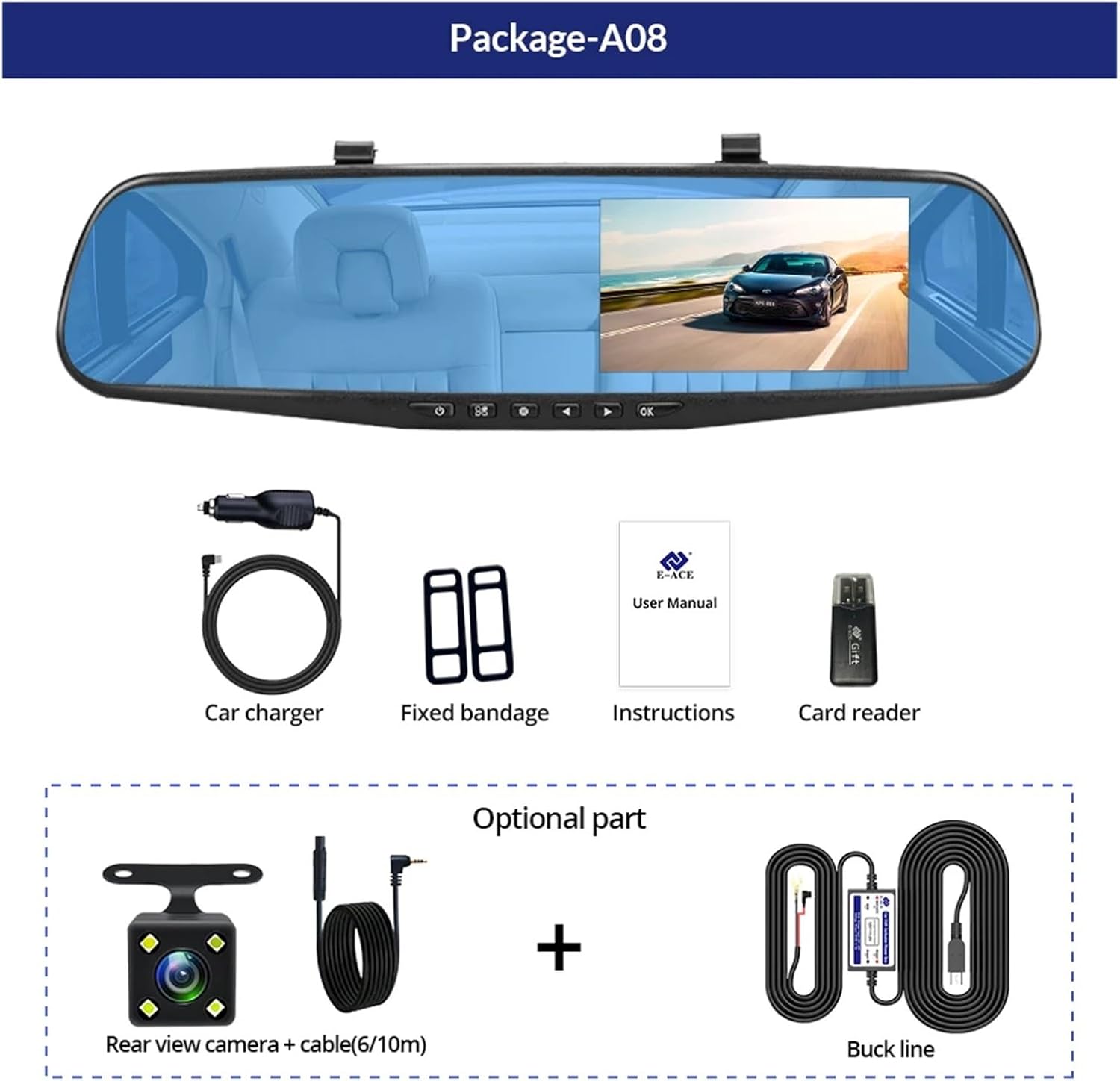
Image: A visual representation of the items included in the E-ACE dash cam package, showing the main unit and accessories.
3. Ürün Özellikleri
- 4.3-inch High-Definition Display: Provides clear visibility for real-time monitoring and playback.
- Çift Lens Tasarımı: Captures both front and rear footage simultaneously for comprehensive coverage.
- Built-in Night Vision Technology: Ensures clear recordings in low-light conditions.
- Kullanıcı Dostu Kurulum: Sleek rearview mirror design integrates seamlessly into your vehicle.
- Döngü Kaydı: En eski foo'yu otomatik olarak üzerine yazartagHafıza kartı dolduğunda, kesintisiz kayıt sağlanması için e harfi kullanılır.
- G-Sensor Feature: Detects sudden movements or impacts and automatically locks the current video file üzerine yazılmasını önlemek için.
- Park İzleme: Records video when motion or impact is detected while the vehicle is parked (requires buck line connection).
- 170-Degree Wide Angle: Geniş bir yelpaze sunar. view Önümüzdeki yolun.
- Ters Görüntü: Displays the rear camera view Geri manevra yaparken park kılavuz çizgilerine dikkat edin.
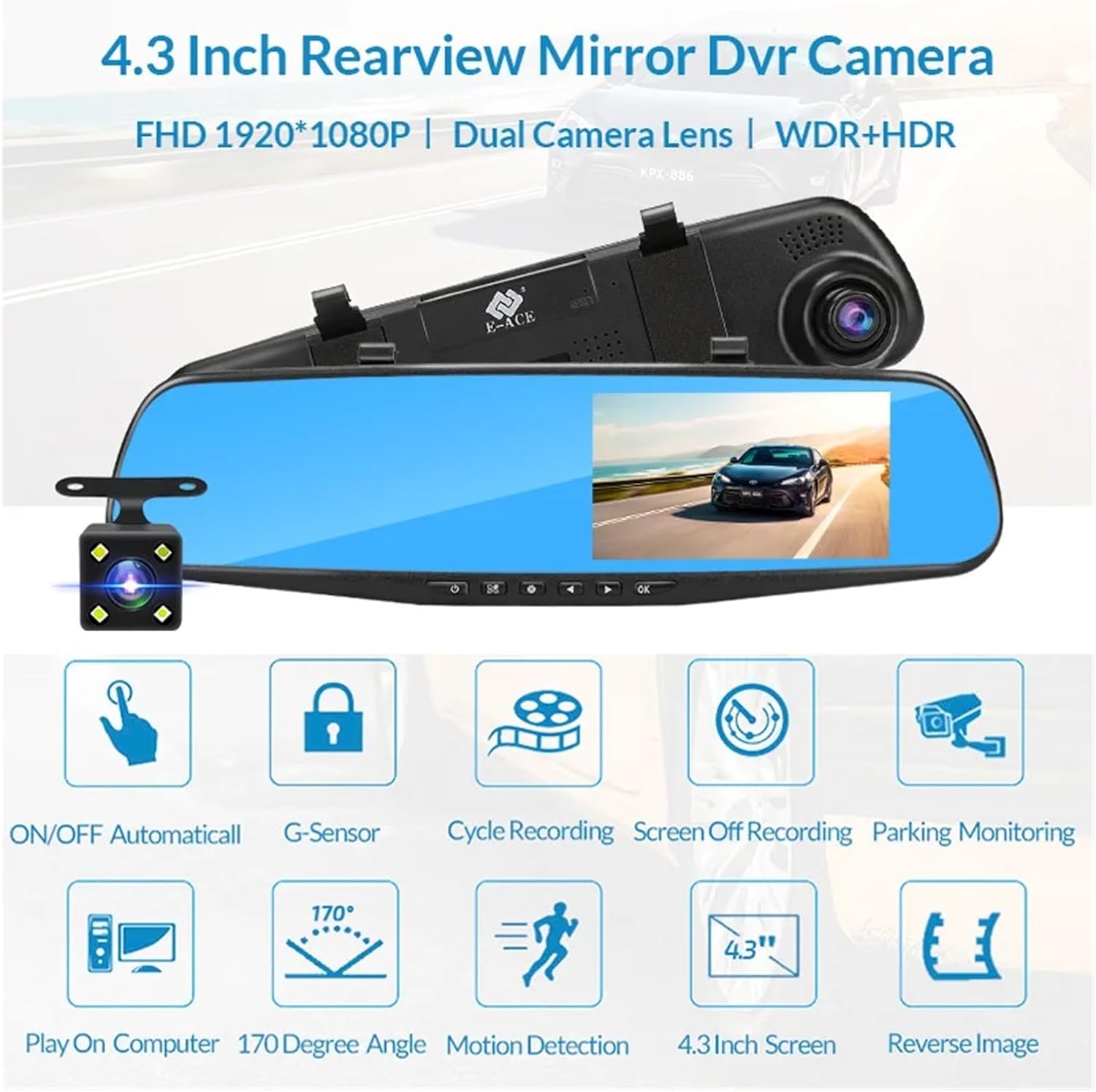
Image: An illustration highlighting the various functional features of the E-ACE dash cam.
4. Bileşen Tanımlaması
Familiarize yourself with the various parts and controls of your E-ACE dash cam:

Image: A detailed diagram identifying the buttons, ports, and features on the E-ACE dash cam unit.
- AÇIK/KAPALI Düğmesi: Cihazı açar veya kapatır.
- Menü Düğmesi: Ayarlara ve seçeneklere erişim sağlar.
- Mod Düğmesi: Switches between video recording, photo, and playback modes.
- YUKARI Düğmesi: Navigates up in menus or adjusts settings.
- Aşağı Düğmesi: Navigates down in menus or adjusts settings.
- Tamam Düğmesi: Confirms selections or starts/stops recording.
- TF Kart Girişi: MicroSD (TF) kartınızı buraya takın.
- AV-IN Bağlantı Noktası: Arka kamerayı bağlar.
- USB Bağlantı Noktası: Güç kaynağı ve veri aktarımı için.
- Sıfırlama Düğmesi: Resets the device to factory settings (use a thin pin).
- Mikrofon: Araç içindeki sesleri kaydeder.
5. Kurulum ve Kurulum
5.1 Hafıza Kartının Takılması
Before installation, insert a high-speed MicroSD (TF) card (Class 10 or higher, up to 64GB recommended) into the TF Card Slot (7) with the contacts facing the screen. Ensure the card is inserted correctly until it clicks into place.
5.2 Dash Cam'in Montajı
- Attach the fixed bandages to the back of the dash cam unit.
- Securely strap the dash cam over your vehicle's existing rearview mirror using the fixed bandages. Ensure it is centered and stable.
5.3 Güç Kaynağının Bağlanması
- Connect the car charger to the USB Port (9) on the dash cam.
- Araç şarj cihazının diğer ucunu aracınızın sigara çakmak soketine takın.
- Route the power cable neatly along the windshield trim to avoid obstructing your view.
5.4 Arka Kameranın Takılması (İsteğe Bağlı)
- Connect the rear camera cable to the AV-IN Port (8) on the dash cam.
- Route the rear camera cable from the dash cam to the rear of your vehicle. This typically involves tucking the cable under the headliner and along the side pillars.
- Mount the rear camera on the rear windshield or near the license plate using its adhesive or screws. Ensure it has a clear view arkasındaki yolun.
- If using the reverse image function, connect the red wire from the rear camera cable to your vehicle's reverse light power supply.
6. Kullanım Talimatları
6.1 Güç Açma/Kapatma
- Otomatik: The dash cam will automatically power on and start recording when your vehicle's ignition is turned on (if connected to a switched power source).
- Manuel: Press and hold the ON/OFF Button (1) to manually power the device on or off.
6.2 Temel İşlemler
- Modları Değiştir: Press the Mode Button (3) to cycle between Video Recording, Photo, and Playback modes.
- Erişim Menüsü: In any mode, press the Menu Button (2) to enter the settings menu. Use the UP (4) and Down (5) buttons to navigate, and OK (6) to select.
- Kaydı Başlat/Durdur: In Video Recording mode, press the OK Button (6) to manually start or stop recording.
6.3 Görüntü Modları
While recording, you can typically switch between different display views by pressing the UP or Down buttons:
- Front Camera Only
- Rear Camera Only
- Picture-in-Picture (Front main, Rear sub-window)
- Picture-in-Picture (Rear main, Front sub-window)
6.4 Döngü Kaydı
Set the loop recording duration (e.g., 1, 3, or 5 minutes) in the settings menu. When the memory card is full, the oldest unlocked files, yeni kayıtlarla üzerine yazılacaktır.
6.5 G-Sensörü
The G-sensor automatically detects collisions or sudden braking. When triggered, it locks the current video file, preventing it from being overwritten by loop recording. Adjust sensitivity in the settings.
6.6 Park İzleme (İsteğe Bağlı)
If the buck line is installed, the dash cam can monitor your vehicle while parked. When motion or impact is detected, it will automatically record a short video. Enable this feature in the settings.
6.7 Tarih ve Saat Ayarı
It is important to set the correct date and time in the system settings for accurate timestampKayıtlarınızda.
7. Bakım
- Temizlik: Lens ve ekranı temizlemek için yumuşak, kuru bir bez kullanın. Aşındırıcı temizleyicilerden veya çözücülerden kaçının.
- Hafıza Kartı: Format the MicroSD card regularly (e.g., once a month) within the dash cam's settings to maintain optimal performance and prevent data corruption. Back up important filebiçimlendirmeden önce.
- Sıcaklık: Avoid exposing the device to extreme temperatures, as this can affect battery life and component integrity.
- Donanım Yazılımı Güncellemeleri: Üreticinin kontrol edin webPerformansı artırabilecek veya özellikler ekleyebilecek aygıt yazılımı güncellemeleri için siteyi düzenli olarak kontrol edin.
8. Sorun Giderme
| Sorun | Olası Neden | Çözüm |
|---|---|---|
| Araç kamerası açılmıyor. | Güç kaynağı yok; şarj cihazı arızalı; bağlantı gevşek. | Check car charger connection and vehicle's cigarette lighter. Try a different USB cable/charger. |
| Kayıt otomatik olarak durur. | Memory card full; slow memory card; G-sensor sensitivity too high. | Format the memory card. Use a Class 10 or higher MicroSD card. Lower G-sensor sensitivity in settings. |
| video footage bulanık. | Lens üzerindeki koruyucu film; kirli lens; yanlış odaklama. | Remove any protective film. Clean the lens with a soft cloth. |
| Arka kamera görüntüsü vermiyor. | Gevşek bağlantı; arızalı kablo/kamera. | Check the AV-IN connection. Ensure the rear camera is properly installed. |
| Cihaz donuyor veya çöküyor. | Yazılım sorunu; hafıza kartı hatası. | Press the Reset Button (10) with a thin pin. Format the memory card. |
9. Özellikler
- Model Adı: DMMRUTXB
- Görüntülemek: 4.3 inç
- Kamera: Dual Lens (Front & Rear support)
- Video Çözünürlüğü: FHD 1920x1080P (Front)
- Özellikler: Loop Recording, G-Sensor, Night Vision, Parking Monitoring, 170-degree wide angle
- Depolamak: Supports MicroSD (TF) card, Class 10 or higher (up to 64GB)
- Bağlantı: USB, AV-IN (for rear camera)
- Ürün Ağırlığı: Yaklaşık 1.76 ons (50 gram)
- Paket Boyutları: Yaklaşık 0.39 x 0.39 x 0.39 inç
- Üretici: DMMRUTXB
10. Garanti ve Destek
For warranty information and technical support, please refer to the documentation provided with your purchase or contact the retailer/manufacturer directly. Keep your purchase receipt as proof of purchase.