
DOMO SLP9
DOMO Slate SLP9 OS12 T310 Tablet PC User Manual
Modeli: SLP9
giriiş
This manual provides essential information for the proper use and maintenance of your DOMO Slate SLP9 OS12 T310 Tablet PC. Please read it thoroughly before operating the device to ensure optimal performance and longevity.
Kutuda Neler Var?
- 1 Pc DOMO Slate SLP9 OS12 T310 Tablet PC
- 1 Pc Charging Power Adapter
- 1 Pc Type-C USB Cable
- 1 Pc Type-C OTG Cable
- 1 Sim Card Tray Eject Pin
- Kullanım Kılavuzu (bu belge)
Ürün Bittiview
Familiarize yourself with the physical components of your DOMO Slate SLP9 OS12 T310 Tablet PC.
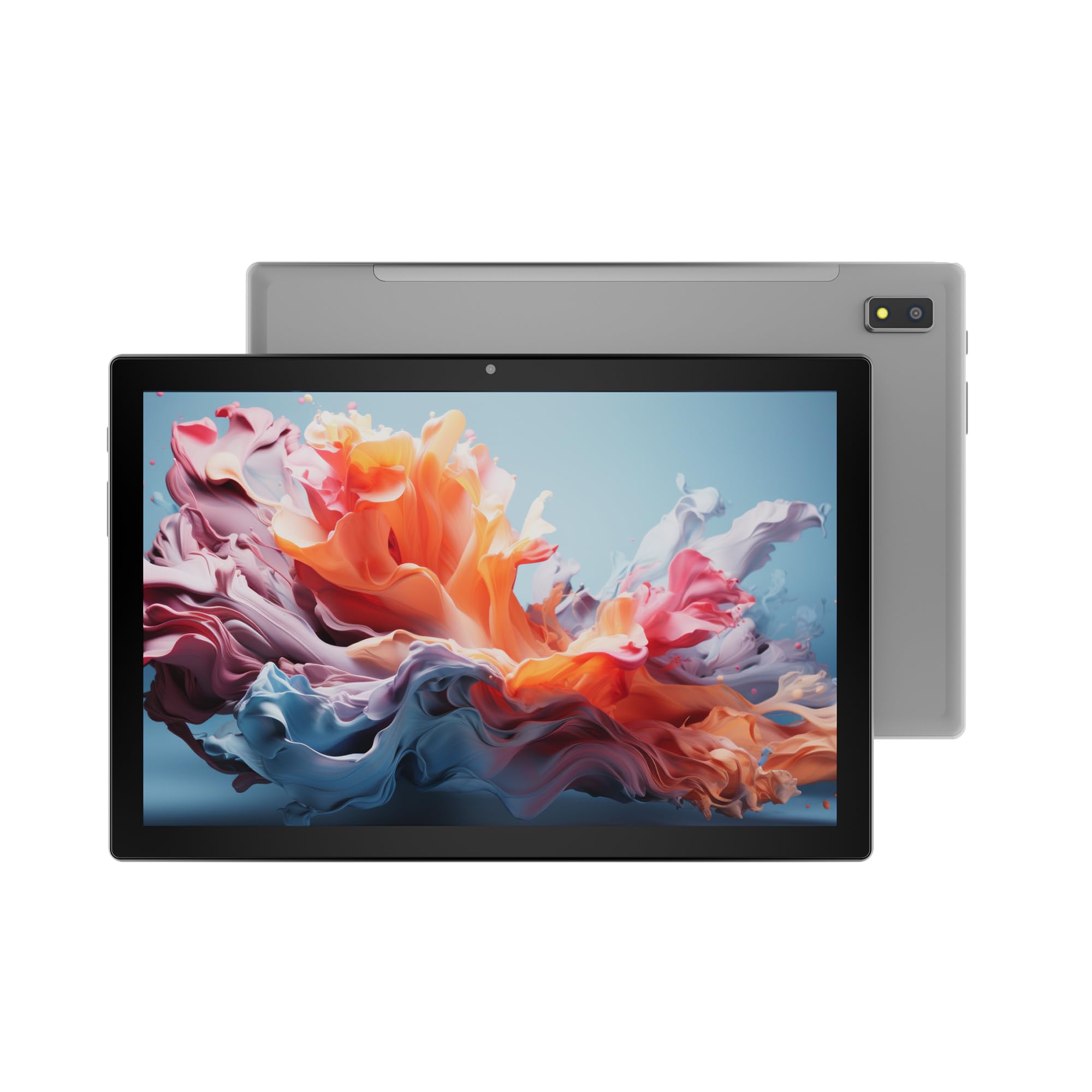
Şekil 1: Ön view of the DOMO Slate SLP9 OS12 T310 Tablet PC, showcasing the 10.1-inch IPS LCD display.

Şekil 2: Açılı view of the tablet, highlighting its slim profile ve ekran.

Şekil 3: Taraf view of the tablet, showing the placement of buttons and ports.

Şekil 4: Arka view of the tablet, displaying the camera module and branding.
Temel Bileşenler
- 10.1-inch IPS HD LCD Display: Net görüntüler için yüksek çözünürlüklü ekran.
- Ön Kamera: Located above the screen for video calls and selfies.
- Rear Camera with LED Flash: Fotoğraf ve video çekimi için.
- Güç Düğmesi: Cihazı açıp/kapatmak veya uyku moduna almak için.
- Ses Düğmeleri: Ses seviyelerini ayarlamak için.
- Type-C USB Bağlantı Noktası: Şarj ve veri aktarımı için.
- Dual SIM Slot: Supports 4G, 3G, and 2G SIM cards for cellular connectivity and voice calling.
- MicroSD Kart Yuvası: For expandable storage up to 1TB.
- Dual Box Type Speakers: Ses çıkışı için.
Kurmak
1. Tableti Şarj Etme
Before first use, fully charge your tablet. Connect the provided Type-C USB cable to the tablet's Type-C port and the other end to the charging power adapter. Plug the adapter into a wall outlet. The battery indicator on the screen will show charging status.
2. SIM ve MicroSD Kartların Takılması
- Tabletin yan tarafında bulunan SIM/MicroSD kart yuvasını bulun.
- Insert the provided SIM eject pin into the small hole next to the tray to open it.
- Carefully place your 4G/3G/2G SIM card(s) and/or MicroSD card into the designated slots on the tray. Ensure correct orientation as indicated on the tray.
- Tepsiyi yerine oturana kadar yavaşça tabletin içine doğru itin.
3. İlk Güç Açma ve Kurulum
- Basılı tutun Güç Düğmesi until the DOMO logo appears on the screen.
- Follow the on-screen prompts to select your language, connect to a Wi-Fi network, set up your Google account, and configure other initial settings.
- Once setup is complete, your tablet is ready for use.
Kullanım Talimatları
Temel Gezinme
- Dokunmak: Bir uygulamayı açmak veya bir öğeyi seçmek için bir simgeye dokunun.
- Dokun ve tut: Bir öğeye basılı tutarak bağlam menülerine erişebilir veya simgeleri taşıyabilirsiniz.
- Tokatlamak: Sayfalar veya listeler arasında gezinmek için parmağınızı ekran üzerinde sürükleyin.
- Tutam: Fotoğrafları yakınlaştırmak veya uzaklaştırmak için iki parmağınızı kullanın ve web sayfalar.
Ağlara Bağlanma
Wi-Fi Bağlantısı
- Git Ayarlar > Ağ ve internet > Wifi.
- Wi-Fi'yi aç/kapat On.
- Listeden istediğiniz ağı seçin ve istendiğinde şifreyi girin.
Bluetooth Eşleştirme
- Git Ayarlar > Bağlı cihazlar > Bluetooth.
- Bluetooth'u aç/kapat On.
- Select the device you wish to pair with from the list of available devices. Confirm the pairing code if prompted.
Cellular Data and Voice Calling (4G)
With a valid SIM card inserted, your tablet supports 4G cellular data and voice calling (VoLTE). Ensure your SIM card is activated for these services.
- To enable/disable mobile data, go to Ayarlar > Ağ ve internet > Mobil ağ.
- Arama yapmak için, Telefon app and dial the number.
Kamera İşlemi
Açın Kamera Uygulamayı ana ekranınızdan veya uygulama çekmecenizden seçin.
- Dokunun Kepenk Fotoğraf çekmek için düğmeye basın.
- Dokunun Video icon to switch to video recording mode.
- Kullanın Kamerayı Değiştir icon to toggle between the front and rear cameras.
GPS İşlevselliği
The tablet has an inbuilt GPS chip and antenna. To use location services, ensure GPS is enabled in Ayarlar > Konum. You can then use navigation apps or other location-based services.
Bakım
Cihazın Temizlenmesi
- Tabletinizin ekranını ve gövdesini temizlemek için yumuşak, tiftiksiz bir bez kullanın.
- Sert kimyasallar, aşındırıcı temizleyiciler veya aerosol spreyler kullanmaktan kaçının.
- Nem girişlerinin açıklıklardan içeri girmesine izin vermeyin.
Pil Bakımı
- Pil ömrünü azaltabileceğinden aşırı sıcaklıklardan kaçının.
- Yalnızca ürünle birlikte verilen şarj aleti ve kablosunu kullanın.
- Tablet tamamen şarj olduktan sonra uzun süre şarjda bırakmayın.
Yazılım Güncellemeleri
Tabletinizin en yeni özelliklere ve güvenlik geliştirmelerine sahip olduğundan emin olmak için sistem güncellemelerini düzenli olarak kontrol edin. Şuraya gidin: Ayarlar > Sistem > Sistem güncellemesi.
Sorun giderme
| Sorun | Olası Çözüm |
|---|---|
| Tablet açılmıyor. | Pilinin dolu olduğundan emin olun. Şarj cihazını bağlayın ve tekrar deneyin. Yanıt vermezse, yeniden başlatmaya zorlamak için güç düğmesini 10-15 saniye basılı tutun. |
| Wi-Fi'ye bağlanılamıyor. | Check if Wi-Fi is enabled in settings. Ensure the Wi-Fi password is correct. Restart your router and the tablet. |
| SIM kart algılanmadı. | Ensure the SIM card is correctly inserted into the tray. Restart the tablet. Check if the SIM card is active with your service provider. |
| Yavaş performans. | Close unused applications. Clear cache. Consider uninstalling unnecessary apps. Perform a factory reset as a last resort (backup data first). |
| Kamera çalışmıyor. | Ensure the camera app has necessary permissions. Restart the tablet. |
Özellikler
| Özellik | Detay |
|---|---|
| Marka | Ev |
| Model Adı | Slate SLP9 OS12 T310 |
| Görüntülemek | 10.1-inch IPS HD LCD, 1920 x 1200 Pixels, 400 NITS Brightness, 2.5D Corning Glass Touch Screen |
| İşlemci | UNISOC Tiger T310 - 64-bit Quadcore @ 3.8Ghz |
| Veri deposu | 4GB LPDDR4 |
| Dahili Depolama | 64 GB |
| Genişletilebilir Depolama | MicroSD kart ile 1 TB'a kadar |
| İşletim Sistemi | Android 12 |
| Arka Kamera | 13MP LED Flaşlı |
| Ön Kamera | 5 MP |
| Pil | 5020 mAh rechargeable polymer battery |
| Bağlantı | Dual SIM (4G VoLTE, 3G, 2G), DualBand Wi-Fi (2.4GHz & 5GHz), Bluetooth 5.0, GPS, FM Radio |
| Limanlar | Type-C USB Port, POGO Connector |
| Dimensions (L x W x Thickness) | 24.4 cm Uzunluk x 16.2 cm Genişlik x 1 cm Kalınlık Santimetre |
| Ağırlık | 505 Gram |
| Konut | Metal |
| Menşei ülke | Hindistan |
Garanti ve Destek
Garanti Bilgileri
The DOMO Slate SLP9 OS12 T310 Tablet PC comes with a 1 yıllık garanti for the device and 3 ay garanti for accessories. The warranty type is Onsite, which includes free pickups and deliveries for service.
Garanti Kapsamı Dışında Kalanlar: Physical damages, water damages, moisture damages, seal tampering, and burnout cases are not covered under warranty.
Müşteri Desteği
For technical assistance, troubleshooting, or warranty claims, please contact DOMO customer support. Support options include an online knowledge base, support tickets, and phone support. Post-warranty services are available as paid onsite services.
Daha fazla bilgi için resmi web sitesini ziyaret edin DOMO Store on Amazon.
Ask a question about this manual
Ask about setup, troubleshooting, compatibility, parts, safety, or missing instructions. Manuals+ will review the question and use this page’s manual context to help answer it.