
1. Giriş
This manual provides essential information for the safe and efficient use of your TCL 50P7K QLED TV. This 50-inch 4K UHD television features HDR10+ and Dolby Vision for enhanced picture quality, an AiPQ Processor for real-time visual optimization, and Google TV for smart functionality. It also includes hands-free voice control for convenient operation.
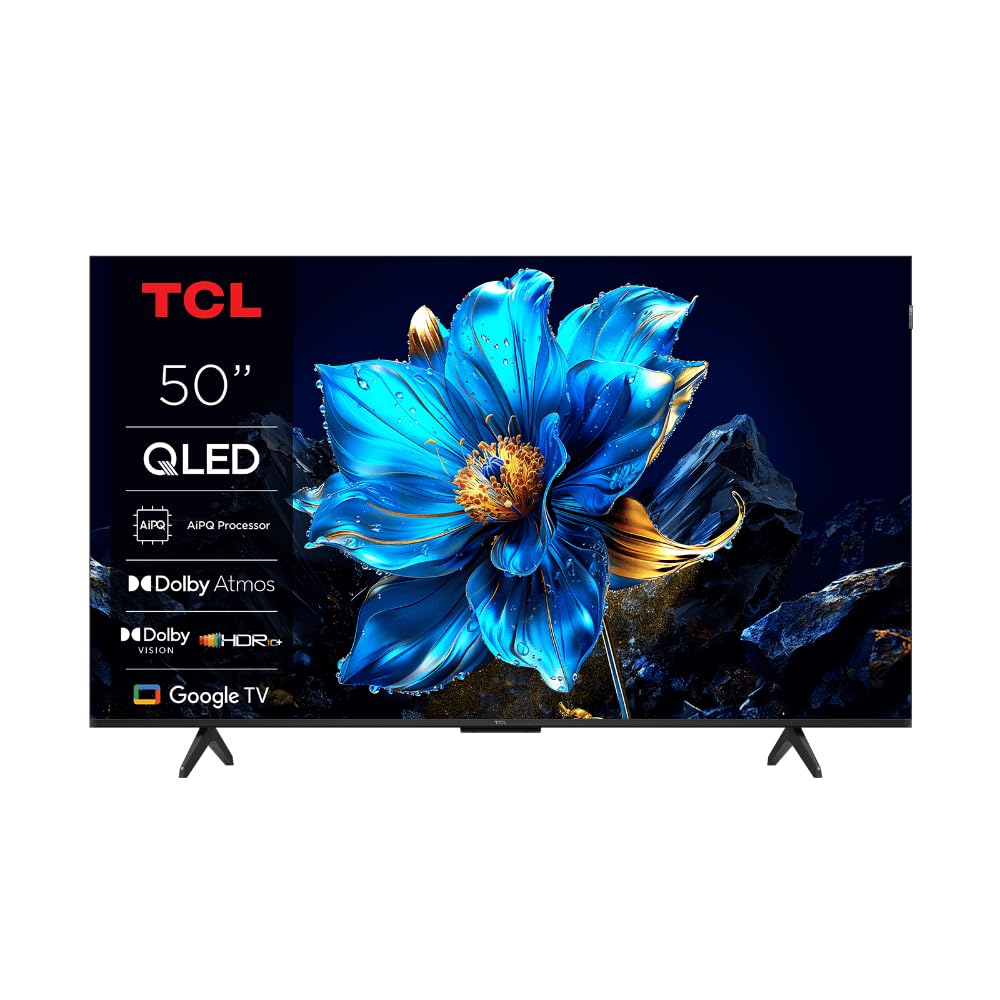
Resim: Ön view of the TCL 50P7K QLED TV, showcasinİnce tasarımı ve ekranıyla.
2. Önemli Güvenlik Talimatları
Please read all safety instructions carefully before operating your TV. Keep this manual for future reference.
- Güç Kaynağı: Televizyonu yalnızca 100-240V, 50/60Hz AC güç kaynağına bağlayın.
- Havalandırma: Televizyonun etrafında yeterli havalandırma olduğundan emin olun. Havalandırma açıklıklarını kapatmayın.
- Su ve Nem: Televizyonunuzu yağmura veya neme maruz bırakmayın. Televizyonun üzerine sıvı dolu nesneler koymayın.
- Temizlik: Temizlemeden önce televizyonun fişini çekin. Yumuşak ve kuru bir bez kullanın. Sıvı veya aerosol temizleyiciler kullanmayın.
- Atama: Televizyonunuzu sabit ve düz bir yüzeye yerleştirin. Doğrudan güneş ışığına veya ısı kaynaklarının yakınına yerleştirmekten kaçının.
- Çocuklar: Çocukların televizyona veya sehpaya tırmanmasını önlemek için onları gözetim altında tutun.
- Yıldırım: Yıldırımlı havalarda veya uzun süre kullanılmayacaksa televizyonun fişini çekin.
- Servis: Bu ürüne kendiniz servis vermeye çalışmayın. Tüm servis işlemleri için kalifiye servis personeline başvurun.
3. Neler Dahil?
Ambalajda tüm bileşenlerin mevcut olduğunu doğrulayın:
- TCL 50P7K QLED TV
- Uzaktan kumanda
- Güç kablosu
- TV Sehpası (2 adet)
- Stand Montajı için Vidalar
- Kullanım Kılavuzu (bu belge)
4. Kurulum
4.1 Paketin açılması
Carefully remove the TV from its packaging. It is recommended to have two people for this process due to the size and weight of the television. Retain the packaging materials for future transport or servicing.
4.2 Stand Kurulumu
TV sehpasını kurmak için:
- Place the TV face-down on a soft, flat surface (e.g., a blanket or foam) to prevent screen damage.
- Her bir stand parçasını televizyonun alt kısmındaki ilgili yuvalara hizalayın.
- Her bir ayak parçasını birlikte verilen vidaları kullanarak sabitleyin. Vidaların iyice sıkıldığından emin olun.
- Televizyonu dikkatlice kaldırıp sabit bir yüzeye dik konumda yerleştirin.

Resim: Ön view of the TCL 50P7K QLED TV with its two-leg stand attached.

Resim: Yan view of the TCL 50P7K QLED TV, showing the profile stand ile.
4.3 Duvara Montaj
The TV is compatible with VESA standard wall mounts. A wall mount kit is sold separately. Refer to the instructions provided with your wall mount for proper installation. Ensure the wall can support the weight of the TV.
4.4 Çevre Birimlerini Bağlama
Connect your devices (e.g., cable box, Blu-ray player, gaming console) to the TV's input ports. The TV features multiple HDMI ports, including HDMI 2.1 for smoother gameplay.
- HDMI: Connect HDMI cables from your devices to the HDMI ports on the TV.
- Güç: Güç kablosunu televizyonun güç girişine bağlayın, ardından duvardaki prize takın.
- USB BAĞLANTI: Use the USB 3.0 port for connecting external storage devices.

Resim: Arka view of the TCL 50P7K QLED TV, showing the location of various input and output ports.

Görüntü: Açılı arka view of the TCL 50P7K QLED TV, providing a clearer look at the port arrangement.
4.5 İlk Çalıştırma ve İlk Kurulum
After connecting all cables, plug in the TV and press the power button on the remote control. Follow the on-screen instructions to complete the initial setup, which typically includes:
- Dil seçimi
- Ağ bağlantısı (Wi-Fi)
- Google hesabıyla oturum açma
- Kanal taraması (uygulanabilirse)
5. TV'nizi Çalıştırma
5.1 Uzaktan Kumandaview
Uzaktan kumanda, televizyonun özelliklerini kontrol etmenizi sağlar. Başlıca işlevler şunlardır:
- Güç Düğmesi: Televizyonu açar veya kapatır.
- Yön Tuş Takımı (D-Pad): Menülerde gezinir ve öğeleri seçer.
- Tamam/Giriş Düğmesi: Seçimleri onaylar.
- Geri Düğmesi: Önceki ekrana döner.
- Ana menü tuşu: Google TV ana ekranına erişir.
- Sesi Aç/Kapat: Ses seviyesini ayarlar.
- Giriş Düğmesi: Giriş kaynaklarını seçer (HDMI 1, HDMI 2, vb.).
- Google Asistan Düğmesi: Ses kontrolünü etkinleştirir.
5.2 Google TV Arayüzü Gezinme
The Google TV interface organizes content from your apps and subscriptions. Use the D-Pad on your remote to browse recommendations, access your installed apps, and manage settings.
5.3 Using Hands-Free Voice Control
Your TCL 50P7K TV supports hands-free voice control. To activate, simply say "Hey Google" or "Ok Google" followed by your command. You can ask it to:
- Arama movies or shows.
- Control playback (play, pause, skip).
- Adjust volume or change channels.
- Başvuruları açın.
- Bilgi edinin (hava durumu, haberler).
5.4 Görüntü ve Ses Ayarları
Access the TV's settings menu to customize picture and sound. Navigate to Settings > Display & Sound. Here you can adjust:
- Resim Modu: Standard, Dynamic, Movie, Sport, etc.
- Parlaklık, Kontrast, Renk: Görsel çıktıyı ince ayar yapın.
- Ses modu: Standard, Music, Movie, Clear Voice, etc.
- Ekolayzer: Ses frekanslarını özelleştirin.
5.5 Wi-Fi'ye Bağlanma
To connect your TV to the internet:
- Git Ayarlar> Ağ ve İnternet.
- Listeden Wi-Fi ağınızı seçin.
- İstenirse Wi-Fi şifresini girin.
5.6 Akıllı Özelliklerin Kullanımı
Your Google TV provides access to a wide range of streaming services. Popular pre-installed applications include Netflix, YouTube, and Amazon Prime Video. You can download additional apps from the Google Play Store.
6. Bakım
6.1 Ekranı Temizleme
To clean the TV screen, gently wipe it with a soft, dry, lint-free cloth. Do not use liquid cleaners, abrasive pads, or chemical sprays, as these can damage the screen surface.
6.2 TV Gövdesinin Temizlenmesi
Wipe the TV's frame and back panel with a soft, slightly damp cloth. Avoid using harsh detergents or solvents. Ensure no moisture enters the ventilation openings.
6.3 Yazılım Güncellemeleri
Periodically check for software updates to ensure your TV has the latest features and performance improvements. Go to Ayarlar > Sistem > Hakkında > Sistem güncellemesi güncellemeleri kontrol etmek ve yüklemek için.
7. Sorun Giderme
Yaygın sorunlar ve çözümleri için aşağıdaki tabloya bakın:
| Sorun | Olası Neden | Çözüm |
|---|---|---|
| Güç yok | Güç kablosu bağlantısı kesildi; elektrik prizi arızalı. | Güç kablosunun güvenli bir şekilde bağlı olduğundan emin olun. Prizin açık olup olmadığını başka bir cihazla test edin. |
| Görüntü yok, ancak ses mevcut | Yanlış giriş kaynağı seçildi; harici cihaz sorunu. | Press the Input button on the remote to select the correct source. Check the external device's connection and power. |
| Ses yok ama görüntü var | Volume muted or too low; audio settings incorrect. | Televizyonun sesini açın veya ses seviyesini artırın. Televizyon menüsünden ses çıkışı ayarlarını kontrol edin. |
| Uzaktan kumanda çalışmıyor | Piller bitmiş; kumanda ile televizyon arasında engel var. | Replace batteries. Ensure no objects block the remote's signal path to the TV. |
| Wi-Fi'ye bağlanılamıyor | Yanlış şifre; yönlendirici sorunu; TV yönlendiriciden çok uzakta. | Wi-Fi şifresini doğrulayın. Yönlendiricinizi yeniden başlatın. TV'yi yönlendiriciye daha yakın bir yere taşıyın veya Wi-Fi genişletici kullanın. |
8. Özellikler
Detailed technical specifications for the TCL 50P7K QLED TV:
| Özellik | Detay |
|---|---|
| Model Adı | 50P7K |
| Ekran Boyutu | 50 inç |
| Ekran Teknolojisi | LCD (QLED) |
| Çözünürlük | 4K UHD (3840x2160) |
| Yenileme Hızı | 60 Hz |
| Desteklenen HDR Formatı | Dolby Vision, HDR10+ |
| Resim Geliştirme | AiPQ İşlemcisi |
| İşletim Sistemi | Google televizyon |
| Desteklenen İnternet Hizmetleri | Google TV, Netflix, YouTube, Amazon Prime |
| Bağlantı Teknolojisi | HDMI, Wi-Fi |
| HDMI Bağlantı Noktaları | Multiple (including HDMI 2.1) |
| USB Bağlantı Noktaları | 1 (USB 3.0) |
| Kontrol Yöntemi | Remote, Voice (Hands-free) |
| Montaj Tipi | Wall Mount (VESA compatible) |
| Ürün Boyutları (D x G x Y) | 28D x 111.1W x 69.7H Centimeters (with stand) |
| Ürün Ağırlığı | 16 Kilogram |
9. Garanti ve Destek
Your TCL 50P7K QLED TV comes with a manufacturer's warranty. Please refer to the warranty card included in your product packaging for specific terms and conditions, including warranty period and coverage details. For technical support, service requests, or further assistance, please contact TCL customer service through their official webSiteyi veya garanti belgelerinizde yer alan iletişim bilgilerini kullanın.