
1. Giriş
The Muddy Mitigator 2.0 Cellular Camera is designed for versatile and reliable performance in outdoor monitoring applications, such as game and trail observation. This manual provides detailed instructions for the setup, operation, and maintenance of your Mitigator 2.0 camera to ensure optimal performance and longevity.
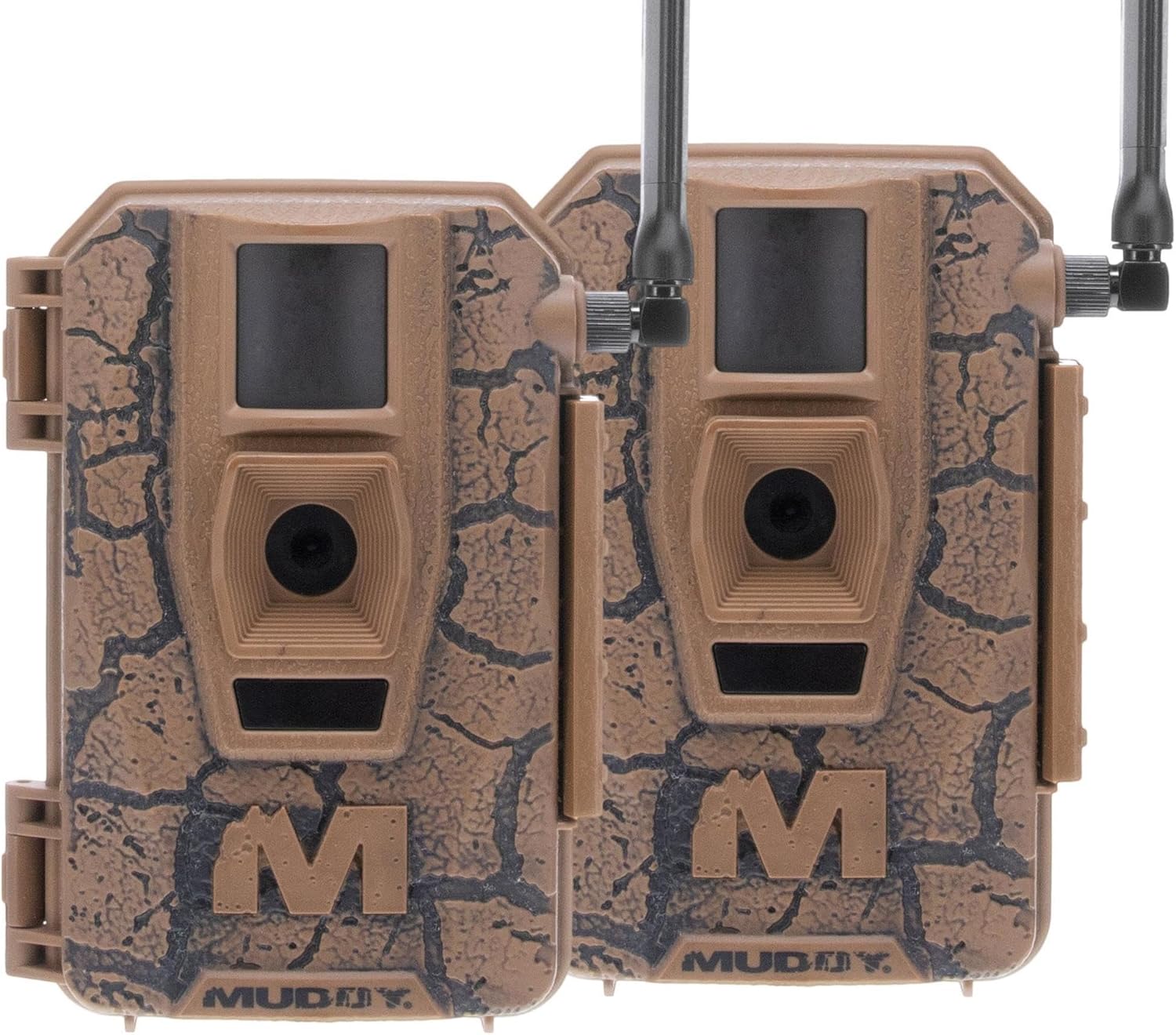
Resim 1.1: Ön view of two Muddy Mitigator 2.0 cellular cameras, highlighting their design and dual-camera setup.
2. Ürün Özellikleri
The Mitigator 2.0 camera is equipped with advanced features for high-quality imaging and remote monitoring:
- Yüksek Çözünürlüklü Görüntüleme: Selectable photo resolution of 4MP, 8MP, 16MP, or 20MP, up to 24MP.
- Video Kaydı: Captures 720P video for clear visual recordings.
- Hızlı Tetikleme Hızı: A rapid 0.5-second trigger speed ensures quick capture of moving subjects.
- Fotoğraf Seri Çekim Modu: Features a 1-3 photo burst mode for capturing multiple images in rapid succession.
- Customizable Time Delay: Adjustable time-out delay from 2-59 seconds or 1-59 minutes.
- Extended Detection & Flash Range: An 80ft detection and flash range for broad area coverage.
- Pil Uyumluluğu: 8-piece battery tray compatible with AA batteries.
- Command PRO App Compatibility: Convenient control and management via the Command PRO App.
- On-Demand Functionality: Supports photo and video on demand.
- Çok Yönlü Montaj: Integrated multi-position mount and a ¼-20 threaded insert for flexible attachment.
- Gelişmiş Güvenlik: Includes a python cable provision for securing the camera.

Image 2.1: Visual representation of key features for the Mitigator 2.0 camera.
3. Paket İçeriği
Paketinizde tüm öğelerin mevcut olduğundan emin olun:
- Muddy Mitigator 2.0 Cellular Camera (x2)
- AA piller (16 adet dahildir)
- Güç Adaptörü
4. Kurulum
4.1 Pil Kurulumu
- Open the camera housing latch.
- Locate the 8-piece battery tray.
- Pil yuvasına 8 adet AA pil yerleştirin ve kutupların doğru (+/-) olduğundan emin olun.
- Close the battery tray and secure the camera housing latch.
4.2 SD Kart Kurulumu
- Kamera gövdesi açıkken SD kart yuvasını bulun.
- Uyumlu bir SD kartı (en fazla 128 GB) yerine oturana kadar yuvaya yerleştirin. Kartın doğru yönde takıldığından emin olun.
4.3 Kamerayı Monte Etme
The Mitigator 2.0 offers multiple mounting options:
- Integrated Multi-Position Mount: Utilize the built-in mount to attach the camera to a tree or pole.
- ¼-20 Threaded Insert: For more flexible mounting, attach the camera to a tripod or other compatible mounting accessory using the threaded insert at the bottom.
- Python Cable Provision: For added security, thread a python cable through the designated provision to deter theft.

Resim 4.1: Yan view of the camera mounted on a pole in a natural environment.

Resim 4.2: Ön view of the camera mounted on a pole, showing its position relative to the surroundings.
4.4 App Connection (Command PRO App)
To utilize the cellular features and remote control, download and set up the Command PRO App on your smartphone. Follow the in-app instructions for pairing your camera. The camera supports Bluetooth connectivity for initial setup and cellular for data transmission.
5. Operasyon
5.1 Açma/Kapatma
Locate the power switch inside the camera housing. Toggle it to the 'ON' position to power on the camera. To power off, toggle the switch to 'OFF'.
5.2 Configuring Settings
Most camera settings can be configured via the Command PRO App. Connect to your camera through the app to adjust:
- Photo Resolution (4MP, 8MP, 16MP, 20MP, 24MP)
- Video Resolution (720P)
- Photo Burst Count (1-3 photos)
- Time-Out Delay (2-59 seconds or 1-59 minutes)
- Operating Modes (Photo, Video, Photo+Video)
- Algılama Hassasiyeti
5.3 Photo and Video On Demand
The Command PRO App allows you to request photos or videos from your camera in real-time, provided the camera has a stable cellular connection.
6. Bakım
- Pil Değişimi: Replace all 8 AA batteries when the battery indicator on the camera or in the app shows low power. Use high-quality alkaline batteries for best performance.
- SD Kart Yönetimi: Regularly check the SD card capacity. Format the SD card periodically to maintain optimal performance and prevent data corruption.
- Temizlik: Gently wipe the camera lens and PIR sensor window with a soft, clean cloth to remove dirt or debris. Do not use abrasive cleaners.
- Depolamak: When not in use for extended periods, remove batteries and the SD card, and store the camera in a cool, dry place.
7. Sorun Giderme
| Sorun | Olası Neden | Çözüm |
|---|---|---|
| Kamera açılmıyor | Low or dead batteries; incorrect battery polarity; power switch off. | Replace batteries with new ones, ensuring correct polarity. Check if the power switch is in the 'ON' position. |
| Hiçbir görüntü/video yakalanmadı | SD card full or corrupted; incorrect settings; PIR sensor obstructed; trigger speed too slow for subject. | Format or replace SD card. Verify settings in the Command PRO App (e.g., time-out delay, operating mode). Ensure PIR sensor is clear. Adjust trigger speed if applicable. |
| Kötü görüntü/video kalitesi | Dirty lens; low light conditions; incorrect resolution setting. | Clean the camera lens. Ensure adequate lighting or adjust camera placement. Increase photo/video resolution in settings. |
| Camera not connecting to app/network | Weak cellular signal; incorrect SIM card (if applicable); app issues; camera out of Bluetooth range. | Relocate camera to an area with better cellular reception. Ensure SIM card is compatible with the network. Restart the app and camera. Move closer to the camera for Bluetooth connection. |
| Camera takes pictures too frequently/infrequently | Time-out delay setting; environmental factors (e.g., moving branches). | Adjust the time-out delay setting in the app. Ensure camera is mounted in a stable location away from excessive foliage movement. |
8. Özellikler
| Şartname | Detay |
|---|---|
| Model Adı | Mitigator 2.0 |
| Ürün Model Numarası | MUD-MTGTR2-2PK |
| Fotoğraf Çözünürlüğü | Up to 24MP (selectable: 4MP, 8MP, 16MP, 20MP) |
| Video Çözünürlüğü | 720P |
| Tetik Hızı | 0.5 saniye |
| Detection & Flash Range | 80 ayak |
| Güç Kaynağı | 16 AA Batteries (8 per camera) |
| Bağlantı | Kablosuz, Bluetooth |
| Depolamak | SD Kart (128GB'a kadar) |
| Montaj Tipi | Tree Mount, ¼-20 Threaded Insert |
| Boyutlar (U x G x Y) | 16 x 10 x 6 inç (paket) |
| Ağırlık | 1.96 pounds (package) |
| İç/Dış Mekan Kullanımı | Dış mekan |
| Özel Özellikler | HD Resolution, Motion Sensor, Weather Proof |
9. Garanti ve Destek
For warranty information and technical support, please refer to the official MUDDY website or contact GSM Outdoors, the manufacturer of the Muddy Mitigator 2.0 camera. Additional support and resources may be available through the Command PRO App.
Ziyaret edin MUDDY Store on Amazon Daha fazla ürün bilgisi için.