
1. Giriş
This manual provides essential information for setting up, operating, and maintaining your ASUS AiO V470 Series All-in-One PC. Please read this guide thoroughly before using your device to ensure proper function and longevity.

Image: ASUS V470 AiO PC showcasing its minimalist design and thoughtful functionality.
2. Kutuda Neler Var?
Tüm öğelerin ambalajda mevcut olduğunu doğrulayın:
- ASUS AiO V470 All-in-One PC
- Kablosuz Klavye
- Kablosuz Fare
- Güç Adaptörü
- Belgeler (Hızlı Başlangıç Kılavuzu, Garanti Kartı)
3. Kurulum
3.1 Paketten Çıkarma ve Yerleştirme
- Carefully remove the All-in-One PC and accessories from the packaging.
- Place the PC on a stable, flat surface with adequate ventilation around the unit.
- Ensure the area is free from direct sunlight, heat sources, and excessive dust.
3.2 Çevre Birimlerini Bağlama
- Güç Bağlantısı: Connect the power adapter to the DC-in port on the back of the PC, then plug the power cord into a wall outlet.
- Kablosuz Klavye ve Fare: Insert batteries into the wireless keyboard and mouse. The devices are pre-paired; if not, follow the instructions provided with the peripherals for pairing.
- Harici Cihazlar: Connect any external devices such as printers, external hard drives, or additional monitors to the appropriate ports.
4. Bileşenler ve Bağlantı Noktaları
Familiarize yourself with the various ports and components of your ASUS AiO V470 PC.

Resim: Ayrıntılı view of the I/O ports for connectivity.
4.1 Side I/O Ports
- Kensington Kilit Yuvası: Cihazınızı uyumlu bir kilitle güvence altına almak için.
- 3.5 mm Kombo Ses Jakı: Mikrofonlu kulaklık veya mikrofonlu bir kulaklığı bağlamak için.
- USB 2.0 A Tipi Bağlantı Noktası: USB 2.0 uyumlu cihazları bağlamak için.
4.2 Arka G/Ç Bağlantı Noktaları
- DC-in Port: Güç adaptörünü bağlamak için.
- RJ45 Gigabit Ethernet Port: Kablolu ağ bağlantısı için.
- HDMI In 1.4 Port: For connecting external video sources to use the AiO as a monitor.
- HDMI Out 1.4 Port: Harici bir ekran bağlamak için.
- USB 3.2 Gen 1 Tip-C Bağlantı Noktası: Yüksek hızlı veri aktarımı ve uyumlu Type-C cihazlarının bağlanması için.
- 3 adet USB 3.2 Gen 1 Tip-A bağlantı noktası: For connecting high-speed USB 3.2 compatible devices.
5. Kullanım Talimatları
5.1 Açma/Kapatma
- Güç Açık: Press the power button located on the bottom right side of the display.
- Kapat: In Windows, click Start > Power > Shut down. Alternatively, press and hold the power button for 4 seconds to force a shutdown (use only when necessary).
5.2 Ekran Özellikleri
Your ASUS AiO V470 features a high-quality display designed for clarity and comfort.
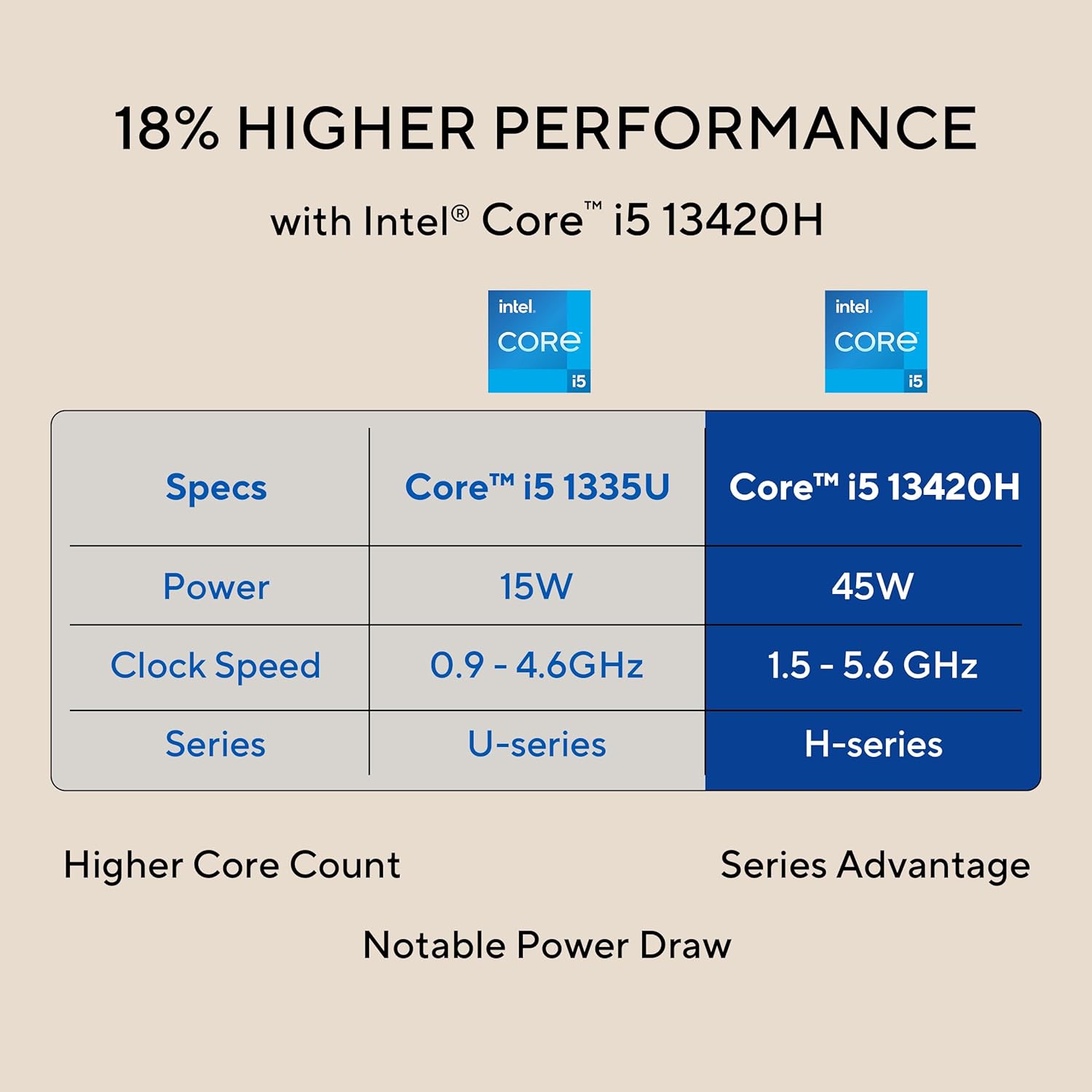
Image: The 27-inch FHD NanoEdge display with TÜV Rheinland-certified eye care.
- 27.0-inch FHD (1920 x 1080) Display: Net ve canlı görseller sunar.
- Yansıma önleyici: Konfor için yansımaları azaltır. viewIng.
- 100Hz Yenileme Hızı: Offers smoother motion for an enhanced visual experience.
- TÜV Rheinland-certified Eye Care: Designed to reduce blue light emissions and flicker for eye comfort during extended use.
5.3 Camera and Audio Features
The integrated camera and audio system enhance your communication and multimedia experience.

Image: Retractable camera for privacy and security features.
- Retractable 1080p HD Camera: Push to hide the camera for instant privacy.
- Yapay Zeka Gürültü Engelleme: Reduces background noise during video calls and recordings for clearer audio.
- 5W x 2 Speakers with Dolby Atmos: Delivers immersive and high-quality sound.

Image: Advanced and immersive sound experience with integrated speakers.
5.4 Bağlantı
Your AiO PC offers robust connectivity options.
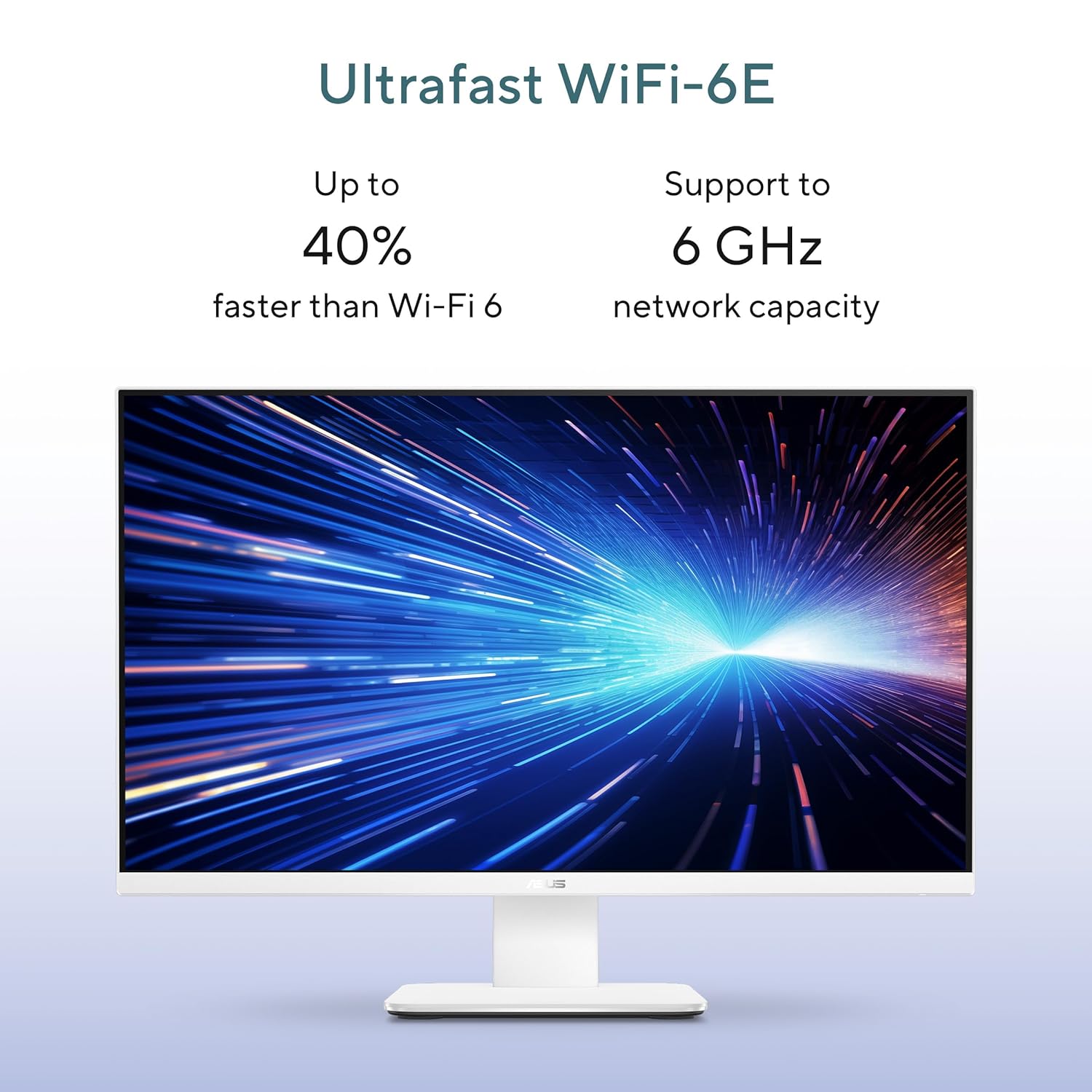
Image: Ultrafast Wi-Fi 6E for high-speed wireless connectivity.
- Kablosuz 7: Yüksek hızlı kablosuz internet erişimi için.
- Gigabit-Ethernet: For stable and fast wired network connections.
- Bluetooth: For connecting wireless peripherals like headphones and speakers.
6. Bakım
Proper maintenance ensures the longevity and optimal performance of your ASUS AiO V470 PC.
- Ekranın Temizlenmesi: Özellikle elektronik cihazlar için tasarlanmış yumuşak, tiftiksiz bir bez kullanın.ampBezi su veya ekran temizleyici ile hafifçe nemlendirin, ardından ekranı nazikçe silin. Sert kimyasallardan kaçının.
- Şasinin Temizlenmesi: Use a soft, dry cloth to wipe down the exterior. For stubborn marks, a slightly damp Önce bir bez, ardından kuru bir bez kullanılabilir.
- Havalandırma: Ensure that the ventilation openings are not blocked to prevent overheating. Regularly check for dust accumulation and gently clean with compressed air if necessary.
- Yazılım Güncellemeleri: Güvenlik ve performans için işletim sisteminizi ve sürücülerinizi güncel tutun.
- Veri Yedekleme: Önemli verilerinizi düzenli olarak harici bir sürücüye veya bulut depolama alanına yedekleyin.
7. Sorun Giderme
Bu bölümde karşılaşabileceğiniz yaygın sorunlar ele alınmaktadır.
7.1 Güç Yok
- Güç adaptörünün bilgisayara ve duvar prizine güvenli bir şekilde bağlandığından emin olun.
- Başka bir cihaz takarak duvar prizinin çalışır durumda olduğunu doğrulayın.
- Güç adaptöründe gözle görülür bir hasar olup olmadığını kontrol edin.
7.2 Ekran Sorunları
- If the screen is blank, ensure the PC is powered on and not in sleep mode.
- If using an external video source via HDMI In, ensure the correct input is selected (refer to your PC's on-screen display settings).
- Adjust brightness settings in Windows.
7.3 Peripheral Not Responding
- For wireless keyboard/mouse, check battery levels and ensure they are within range.
- For wired devices, ensure they are properly connected to the correct USB ports.
- Çevre birimini farklı bir USB portuna bağlamayı deneyin.
8. Özellikler
Detailed technical specifications for your ASUS AiO V470 PC.

Image: Key performance specifications including processor, memory, and storage.
| Özellik | Şartname |
|---|---|
| İşlemci | Intel Core i5-13420H (2.1 GHz, up to 4.6 GHz, 8 cores, 12 threads, 12MB Cache) |
| İşletim Sistemi | Windows 11 Ev |
| Görüntülemek | 27.0-inch FHD (1920 x 1080), 16:9, 300nits, 100Hz, Anti-glare, TÜV Rheinland-certified Eye Care |
| Grafikler | Entegre Intel UHD Grafikleri |
| Hafıza | 16GB DDR5 RAM |
| Depolamak | 1TB M.2 NVMe PCIe 4.0 SSD |
| Kamera | Retractable 1080p HD Camera |
| Ses | 5W x 2 Speakers, AI Noise Cancellation, Dolby Atmos |
| Kablosuz Bağlantı | Wi-Fi 7, Bluetooth |
| Kablolu Bağlantı | RJ45 Gigabit Ethernet |
| G/Ç Bağlantı Noktaları | 1x USB 2.0 Type-A, 3x USB 3.2 Gen 1 Type-A, 1x USB 3.2 Gen 1 Type-C, 1x HDMI In 1.4, 1x HDMI Out 1.4, 1x 3.5mm Combo Audio Jack, 1x DC-in, 1x Kensington Lock Slot |
| Boyutlar (G x D x Y) | 61.3x1.7x44.7 cm |
| Ağırlık | 9 Kilogram |
| Dahil Edilen Çevre Birimleri | Wireless Keyboard, Wireless Mouse |
9. Garanti ve Destek
Your ASUS AiO V470 PC comes with comprehensive warranty and support services.

Image: ASUS 4A Guarantee and support contact details.
9.1 Garanti Bilgileri
This genuine ASUS AiO PC includes a 1-year Global Warranty ve bir Onsite Domestic Warranty from ASUS. The warranty covers manufacturing defects and does not cover physical damage. To activate your warranty, please register your product on the official ASUS webalan.
9.2 Müşteri Desteği
For product-related queries or immediate assistance, please contact ASUS support:
- Ücretsiz Numara: 1800-2090365 (Monday - Saturday, 09:00 AM - 06:00 PM)
- E-posta: rc_india@asus.com
- Service Center Information: ASUS destek sayfasını ziyaret edin. website for an extensive network of over 180 service centers across India: https://www.asus.com/in/support/Service-Center/India