
PGST PG107
PGST Home Security Alarm System User Manual
Modeli: PG107
1. Ürün Bittiview
The PGST Home Security Alarm System is a comprehensive, DIY-friendly solution designed to protect your home or business without monthly fees. It features a 4.3-inch color IPS capacitive touchscreen for intuitive operation, real-time status display, and supports multilingual menus, voice operation, and SMS alerts.
This system is highly customizable, allowing you to easily expand your security setup with additional PGST accessories, such as door sensors, motion detectors, SOS buttons, remote controls, doorbells, and outdoor sirens. It supports multi-channel alarm modes and can be configured manually to suit your specific needs.

Şekil 1: Üzeriview of the PGST Home Security Alarm System and its included components.
2. Neler Dahil?
The 12-piece PGST Home Security Alarm Kit typically includes:
- 1 x Alarm Host (Main Control Panel with 4.3-inch color IPS display)
- 2 x Uzaktan Kumanda
- 2 x Motion Detection Sensors (Infrared)
- 4 x Door/Window Contact Sensors
- 2 adet RFID Tags
- 1 x Wireless Siren
- Power Adapter for Alarm Host
- Montaj Donanımı

Figure 2: The alarm host provides complete control over all connected accessories.
3. Setup and Accessory Pairing
The system is designed for easy DIY installation. Follow the steps below to pair your accessories with the main alarm host. For a visual guide, please refer to the official accessory connection video.
Official Accessory Connection Video
Video 1: Detailed guide on connecting and pairing accessories with the PGST Home Security System.
3.1. Uzaktan Kumandaları Eşleştirme
- Ana menüden şuraya gidin: Parçalar.
- Seçme Uzak.
- Dokunun (+) ekle simge.
- Press any button on your remote control. The system will confirm successful learning.
- Repeat for all remote controls.
3.2. Pairing Infrared (Motion) Detectors

Figure 3: Motion detection sensor with its effective range and field of view.
- Ana menüden şuraya gidin: Parçalar.
- Seçme Detektör.
- Dokunun (+) ekle simge.
- Choose the desired alarm type (e.g., Panik Alarmı) and arming mode (e.g., Dışarı Kol Aktif).
- Wave your hand in front of the infrared detector to trigger it. The system will confirm successful learning.
3.3. Pairing Magnetic Door/Window Sensors

Figure 4: Door and window sensors provide real-time monitoring and trigger alarms upon unauthorized entry.
- Ana menüden şuraya gidin: Parçalar.
- Seçme Detektör.
- Dokunun (+) ekle simge.
- Choose the desired alarm type (e.g., Sistem Alarmı) and arming mode (e.g., Dışarı Kol Aktif).
- Separate the two parts of the magnetic door sensor to trigger it. The system will confirm successful learning.
3.4. Pairing RFID Tags
- Ana menüden şuraya gidin: Parçalar.
- Seçme RFID.
- Dokunun (+) ekle simge.
- RFID'yi yerleştirin tag on the designated RFID sensing area of the alarm host. The system will confirm successful learning.
3.5. Pairing SOS Buttons (Panic Alarm)
- Ana menüden şuraya gidin: Parçalar.
- Seçme Detektör.
- Dokunun (+) ekle simge.
- Choose the desired alarm type (e.g., Panik Alarmı) and arming mode (e.g., Dışarı Kol Aktif).
- Press the SOS button. The system will confirm successful learning.
3.6. Pairing Doorbells
- Ana menüden şuraya gidin: Parçalar.
- Seçme Detektör.
- Dokunun (+) ekle simge.
- Choose the desired alarm type (e.g., Living Room Alarm) and arming mode (e.g., Kapı zili).
- Press the doorbell button. The system will confirm successful learning.
3.7. Pairing Wireless Siren
- Ana menüden şuraya gidin: Parçalar.
- Seçme siren öğren.
- Turn on the siren switch.
- Long-press the button on the siren until you hear three beeps. The system will confirm successful learning.
3.8. Pairing Smoke/Gas Alarm
- Ana menüden şuraya gidin: Parçalar.
- Seçme Detektör.
- Dokunun (+) ekle simge.
- Choose the desired alarm type (e.g., Gaz Alarm) and arming mode (e.g., Dışarı Kol Aktif).
- Press and hold the button on the smoke/gas alarm. The system will confirm successful learning.
4. Kullanım Talimatları
4.1. Sistemin Devreye Alınması ve Devre Dışı Bırakılması
- Uzaktan kumanda: Uzaktan kumandadaki kurma/devre dışı bırakma düğmelerini kullanın.
- RFID Tag: RFID'ye dokunun tag on the designated area of the alarm host to arm or disarm.
- Dokunmatik ekran: Use the intuitive touchscreen interface to arm, stay arm, or disarm the system.
- Telefon Uygulaması: Control all systems in your home from your cell phone using the dedicated app.
- Ses Kontrolü: The system is compatible with Alexa, allowing for convenient voice control.

Figure 5: Control your security system remotely via the mobile application.
4.2. Sensor Functionality
- Hareket Algılama: When armed, motion detectors will trigger an immediate alarm upon sensing movement.
- Kapı/Pencere Sensörleri: Monitor door/window status in real-time. When opened while armed, they trigger a 120dB siren and send instant push alerts to your smartphone.
- SOS İşlevi: In an emergency, pressing the SOS button will trigger an alarm and notify pre-set contacts.

Figure 6: Versatile door/window sensors for various entry points.
4.3. Power Failure Backup
The alarm system is designed to continue functioning for up to 5-8 hours during a sudden loss of power or internet connection at home, ensuring continuous protection.
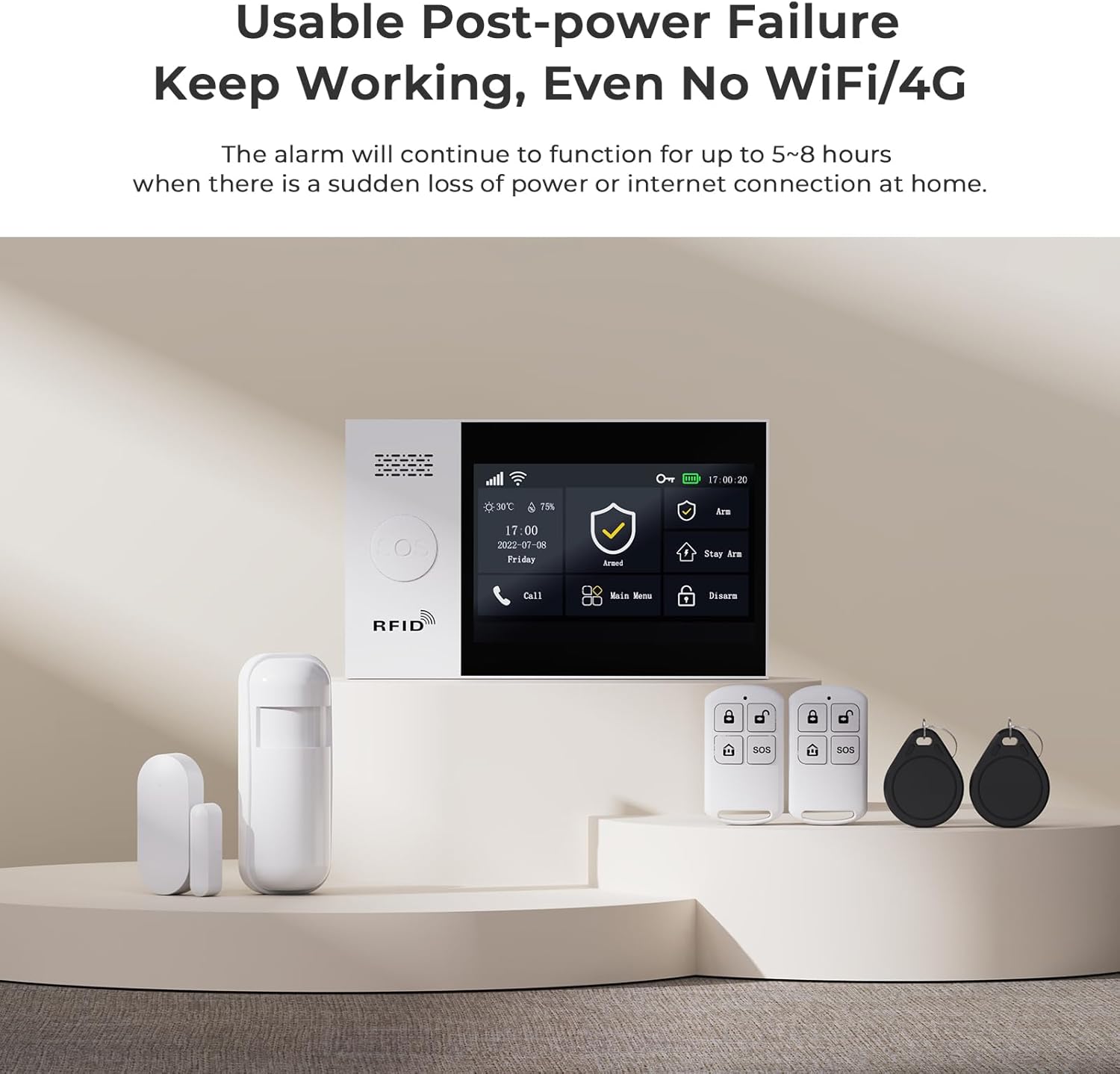
Figure 7: The system maintains functionality even during power outages or loss of internet connection.
5. Bakım
Regular maintenance is crucial for optimal performance. Keep sensors clean and free from obstructions. Check battery levels periodically for wireless components and replace them as needed. Ensure the main unit's power supply is secure.
6. Sorun Giderme
Herhangi bir sorunla karşılaşırsanız, lütfen aşağıdaki yaygın sorun giderme ipuçlarına bakın:
- Aksesuar Uyumlu Değil: Ensure the accessory is powered on and within range of the main unit. Re-attempt the pairing process carefully following the steps in Section 3.
- Yanlış alarm: Check motion sensor placement to avoid triggering by pets or environmental factors. Ensure door/window sensors are securely mounted and not misaligned.
- No Alerts on Phone: Verify your phone's internet connection and app notification settings. Ensure the alarm host has a stable internet connection (Wi-Fi or 4G/2G/3G if applicable).
- Sistem Yanıt Vermiyor: Try restarting the main alarm host by disconnecting and reconnecting its power.
For persistent issues, please contact customer support as detailed in Section 8.
7. Özellikler
| Özellik | Detay |
|---|---|
| Marka | PGST |
| Model Numarası | PG107 |
| Güç Kaynağı | Battery Powered (Lithium Ion battery included) |
| Bağlantı Teknolojisi | Wired (for main unit power), Wireless (for sensors) |
| Ürün Boyutları (U x G x Y) | 1 x 0.98 x 1 inches (main unit) |
| Ürün Ağırlığı | 1.68 pound (0.76 Kilogram) |
| Görüntülemek | 4.3 inch color IPS display, capacitive touch screen |
| Dahil Bileşenler | Alarm Host, Remote Control, Motion Detection, Door Sensor (as part of 12-piece kit) |
8. Garanti ve Destek
PGST is committed to providing reliable security solutions. This product comes with:
- Ömür Boyu Teknik Destek: Access to professional assistance for any technical queries or issues.
- Hızlı Yanıt: Dedicated support available within 365 days for prompt resolution of concerns.
For support, please refer to the contact information provided with your product packaging or visit the official PGST webalan.
Ask a question about this manual
Ask about setup, troubleshooting, compatibility, parts, safety, or missing instructions. Manuals+ will review the question and use this page’s manual context to help answer it.