
DigiLand MID1057-MX
DigiLand MID1057-MX 10.1-inch Android 14 Tablet
Kullanıcı Talimat Kılavuzu
giriiş
This manual provides essential information for the proper setup, operation, and maintenance of your DigiLand MID1057-MX 10.1-inch Android 14 Tablet. Please read this manual thoroughly before using the device to ensure optimal performance and longevity.

Image: DigiLand MID1057-MX Android 14 Tablet.
Kurmak
1. Paket İçeriği
Paketin içinde tüm öğelerin mevcut olduğundan emin olun:
- DigiLand MID1057-MX Tablet
- USB C Tipi Kablo
- Güç Adaptörü
- Koruyucu Kılıf
- Hızlı Başlangıç Kılavuzu
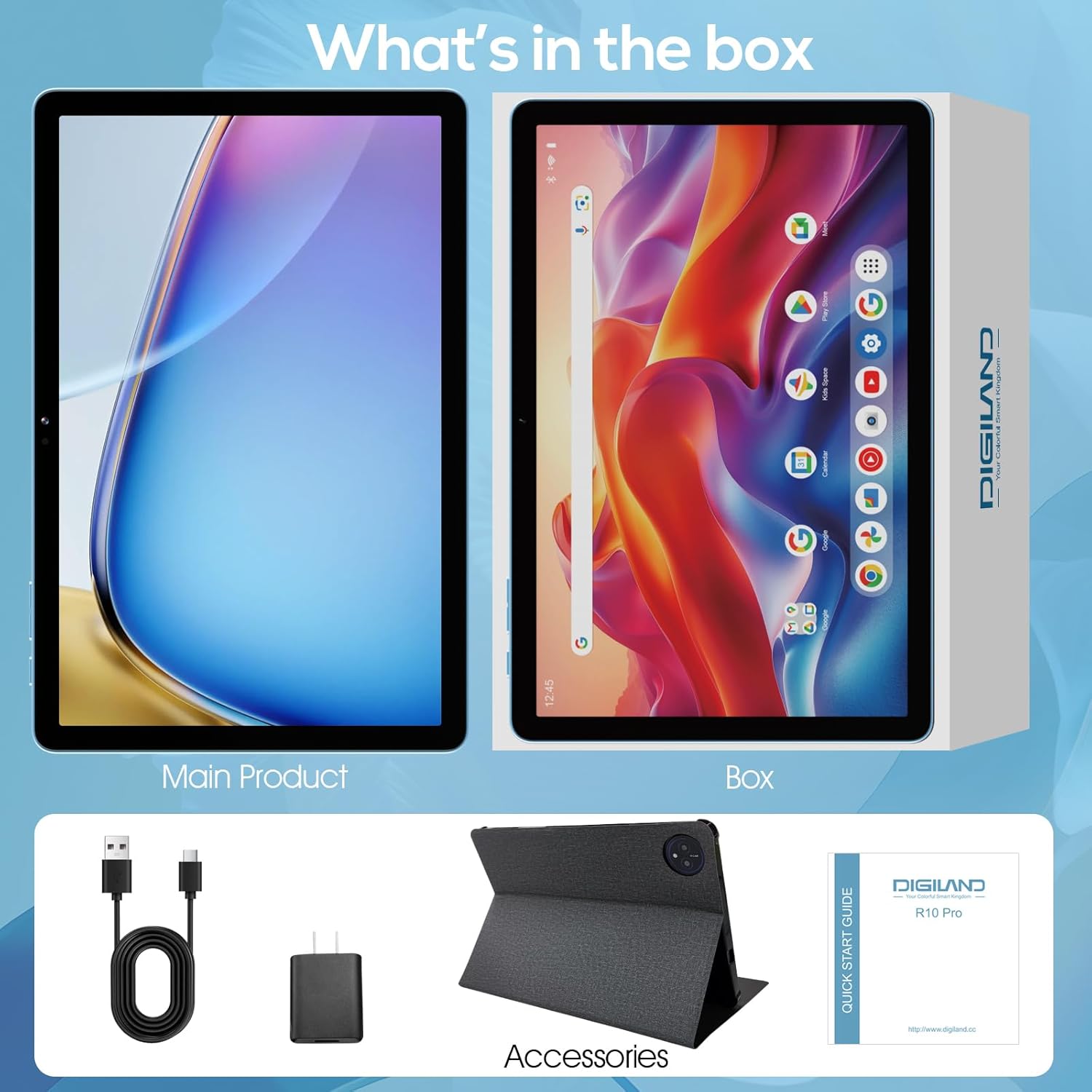
Image: Package contents of the DigiLand MID1057-MX Tablet.
2. Cihaz Düzeni
Familiarize yourself with the tablet's physical features:
- Güç Düğmesi: Cihazın yan tarafında bulunur ve cihazı açıp kapatmak veya ekranı uyandırmak/uyku moduna geçirmek için kullanılır.
- Ses Düğmeleri: Ses seviyelerini ayarlayın.
- USB Tip-C Bağlantı Noktası: Şarj ve veri aktarımı için.
- Kulaklık Girişi: Kulaklık bağlamak için.
- MicroSD Kart Yuvası: For expandable storage (up to 1TB).
- Ön Kamera: Görüntülü görüşmeler ve selfieler için.
- Arka Kamera: Fotoğraf ve video çekimi için.

Resim: Üzeriview of tablet ports and buttons.
3. İlk Ücret
Before first use, fully charge the tablet. Connect the USB Type-C cable to the tablet's port and the power adapter to a wall outlet. The battery indicator on the screen will show charging status.
4. Güç Açma/Kapatma
- Açmak İçin: Press and hold the Power button until the DigiLand logo appears.
- Kapatmak İçin: Press and hold the Power button until the power options menu appears, then select "Power off."
- Uyumak/Uyanmak: Güç düğmesine kısaca basın.
5. İlk Kurulum
İlk açılışta, ekrandaki talimatları izleyin:
- Dilinizi seçin.
- Bir Wi-Fi ağına bağlanın.
- Google hesabınızla giriş yapın veya yeni bir hesap oluşturun.
- Ekran kilidi ve diğer güvenlik özelliklerini ayarlayın.
İşletim
1. Dokunmatik Ekran Hareketleri
Navigate the tablet using standard Android gestures:
- Musluk: Bir öğeyi seçin veya bir uygulamayı açın.
- Bas ve basılı tut: Bağlamsal menülere erişin veya simgeleri taşıyın.
- Tokatlamak: Scroll through pages or navigate between screens.
- Tutam: Görüntüleri yakınlaştırın veya uzaklaştırın ve web sayfalar.
2. Wi-Fi'ye Bağlanma
- Git Ayarlar > Ağ ve internet > Wifi.
- Wi-Fi'yi aç/kapat On.
- İstediğiniz ağı listeden seçin.
- İstendiğinde şifreyi girin ve ardından dokunun Bağlamak.
3. Bluetooth Eşleştirme
- Git Ayarlar > Bağlı cihazlar > Bluetooth.
- Bluetooth'u aç/kapat On.
- Bluetooth cihazınızın eşleştirme modunda olduğundan emin olun.
- Select the device from the list and follow any on-screen prompts to complete pairing.
4. Uygulamaları Yükleme ve Kaldırma
- Düzenlemek: Open the Google Play Store app, search for the desired application, and tap Düzenlemek.
- Kaldır: Git Ayarlar > Uygulamalar > Tüm uygulamaları görün, select the app, then tap Kaldır.
5. Depolama Alanının Yönetimi
Your tablet comes with 128GB of internal storage. You can expand this by up to 1TB using a MicroSD card (not included).
- To Insert MicroSD Card: Locate the MicroSD card slot, gently insert the card until it clicks into place.
- To Remove MicroSD Card: Git Ayarlar > Depolamak, tap on the SD card, and select Çıkarmak before physically removing it.

Image: Storage capacity and expansion.
6. Kamera Kullanımı
The tablet features a 13MP rear camera and an 8MP front camera.
- Açın Kamera uygulama.
- Fotoğraf çekmek için deklanşöre dokunun.
- Tap the video icon to record a video.
- Ön ve arka kameralar arasında geçiş yapmak için kamera değiştirme simgesini kullanın.
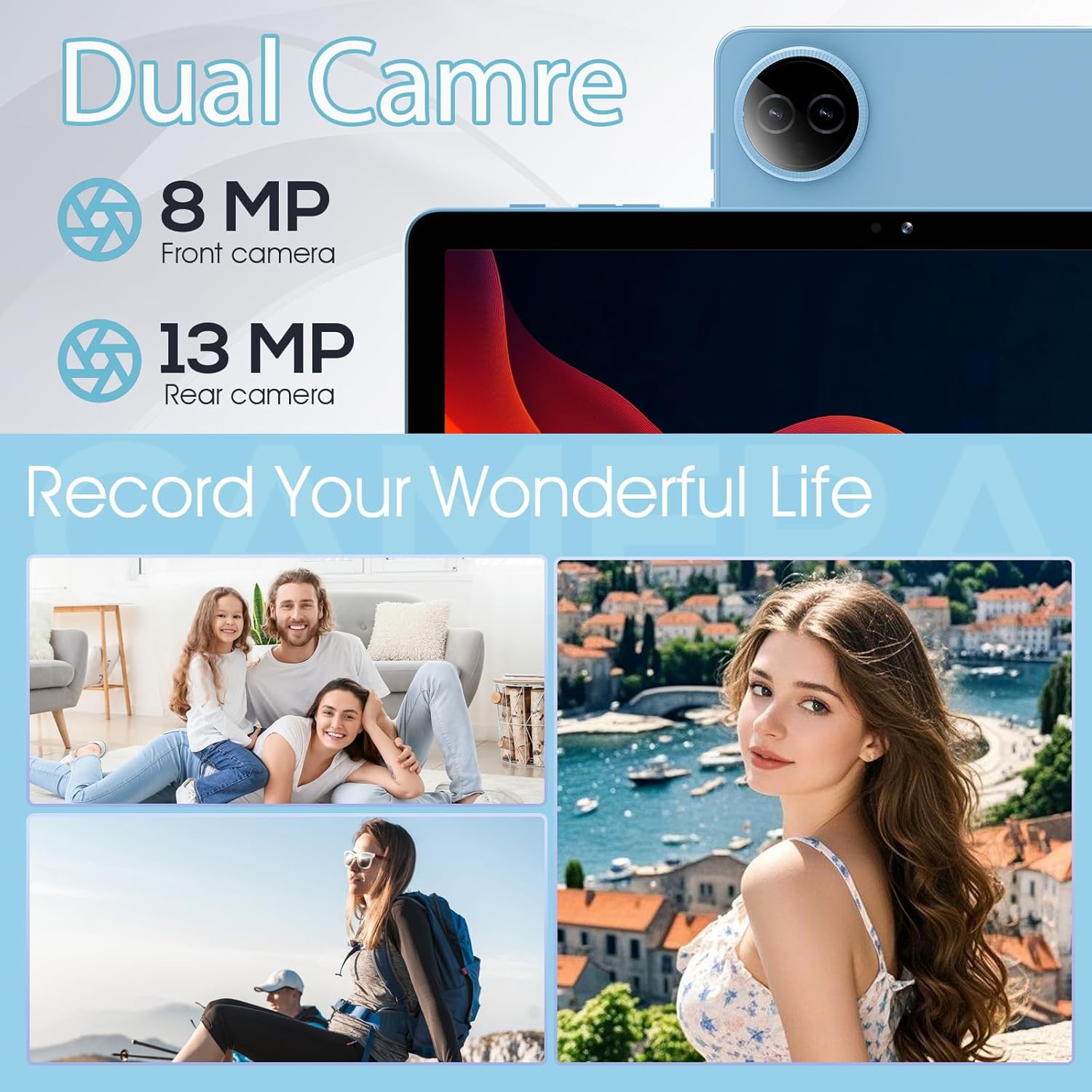
Image: Dual camera features and examples.
7. Pil Yönetimi
The 6000mAh battery provides extended usage time. To optimize battery life:
- Ekran parlaklığını rahat edeceğiniz bir seviyeye ayarlayın.
- Kullanmadığınız zaman Wi-Fi ve Bluetooth'u kapatın.
- Arka planda çalışan kullanılmayan uygulamaları kapatın.
- Pil tasarrufu modunu etkinleştirin Ayarlar > Pil.

Görsel: Pil kapasitesi ve kullanım tahminleri.
Bakım
1. Cihazın Temizlenmesi
Tabletin ekranını ve gövdesini temizlemek için yumuşak, tiftiksiz bir bez kullanın. Sert kimyasallar veya aşındırıcı malzemeler kullanmaktan kaçının.
2. Yazılım Güncellemeleri
Regularly check for and install system updates to ensure your tablet has the latest features and security patches. Go to Ayarlar > Sistem > Sistem güncellemesi.
3. Depolama Optimizasyonu
Periyodik olarak yenidenview ve gereksiz olanları silin files, photos, and applications to free up storage space and maintain performance. Consider moving large media files to an external MicroSD card.
Sorun giderme
Yaygın sorunlar ve çözümleri için aşağıdaki tabloya bakın:
| Sorun | Olası Çözüm |
|---|---|
| Tablet açılmıyor | Pilin şarjlı olduğundan emin olun. Şarj cihazına en az 30 dakika takın, ardından tekrar açmayı deneyin. |
| Wi-Fi bağlantı sorunları | Tabletinizi ve Wi-Fi yönlendiricinizi yeniden başlatın. Ayarlardan ağı unutun ve yeniden bağlanın. |
| Yavaş performans | Close unused apps. Clear cache for frequently used apps. Check for system updates. Free up storage space. |
| Pil çabuk bitiyor | Reduce screen brightness. Disable Wi-Fi/Bluetooth when not in use. Limit background app activity. |
| Uygulamalar çöküyor veya donuyor | Restart the app. Clear the app's cache and data in settings. Reinstall the app. |
Özellikler
Key technical specifications for the DigiLand MID1057-MX Tablet:
| Özellik | Şartname |
|---|---|
| Örnek | MID1057-MX |
| İşletim Sistemi | Android 14 |
| Ekran Boyutu | 10.1 inç |
| Ekran Çözünürlüğü | 1280 x 800 piksel (IPS HD) |
| İşlemci | MTK Helio G80 Octa-Core (A523, Cortex A55@1.8 GHz, 22nm) |
| Veri deposu | 12 GB (4 GB fiziksel + 8 GB genişletme) |
| Dahili Depolama | 128GB ROM |
| Genişletilebilir Depolama | Up to 1TB via MicroSD card (TF card slot) |
| Pil Kapasitesi | 6000mAh |
| Ön Kamera | 8 MP |
| Arka Kamera | 13 MP |
| Bağlantı | Dual-band Wi-Fi (2.4G+5G), Bluetooth 5.0, USB Type-C (OTG) |
| Boyutlar (UxGxY) | 9.5 x 6.3 x 0.3 inç |
| Ürün Ağırlığı | 2.79 pounds (485g for tablet only) |

Resim: Ürünün detaylı özellikleri.
Garanti ve Destek
1. Garanti Bilgileri
Please refer to the warranty card included with your product for specific warranty terms and conditions. DigiLand provides after-sales support to address any product-related concerns.
2. Müşteri Desteği
For technical assistance, troubleshooting, or any questions regarding your DigiLand MID1057-MX Tablet, please contact DigiLand customer support through the contact information provided in your Quick Start Guide or on the official DigiLand webalan.