
1. Giriş
This manual provides essential information for the safe installation, operation, and maintenance of your CREATE WIND CLEAR STUDIO M ceiling fan. This silent ceiling fan features a 40W DC motor, retractable blades, 6 speed settings, an integrated LED light with 3 color temperatures, a programmable timer, and options for remote or WiFi app control. Please read these instructions thoroughly before installation and use, and retain them for future reference.

Figure 1: CREATE WIND CLEAR STUDIO M Ceiling Fan installed in a living room with blades retracted.
2. Güvenlik Talimatları
- Kurulum, bakım veya temizlik işlemlerinden önce güç kaynağının bağlantısının kesildiğinden emin olun.
- Kurulum, yerel elektrik yönetmeliklerine uygun olarak kalifiye bir elektrikçi tarafından yapılmalıdır.
- The mounting structure must be capable of supporting the fan's weight (refer to specifications).
- Maintain a minimum clearance of 2.3 meters (7.5 feet) from the floor to the lowest point of the fan blades.
- Dönen bıçakların hareket yoluna herhangi bir cisim sokmayın.
- Bu cihaz yalnızca iç mekanlarda kullanıma uygundur.
3. Paket İçeriği
Kuruluma başlamadan önce tüm bileşenlerin mevcut olduğundan emin olun:
- Ceiling Fan Unit with Integrated LED Light
- Uzaktan kumanda
- Montaj Braketi ve Donanımı
- Two Fixing Rods (for double height installation)
- Kullanım Kılavuzu ve Montaj Kılavuzu
4. Kurulum
Refer to the detailed Assembly Guide included in your package for step-by-step installation instructions. Professional installation is recommended to ensure safety and proper function.
- Montaj: Secure the mounting bracket to a ceiling joist or a suitable electrical junction box capable of supporting the fan's weight.
- Kablolama: Connect the fan's electrical wires to your household wiring according to the wiring diagram in the Assembly Guide. Ensure all connections are secure.
- Toplantı: Attach the fan motor housing and light kit. The fan includes two fixing rods to accommodate different ceiling heights.

Figure 2: CREATE WIND CLEAR STUDIO M Ceiling Fan with blades extended.
5. Kullanım Talimatları
5.1 Uzaktan Kumanda İşlemi
The included remote control allows full functionality of your ceiling fan. Insert 2 AAA batteries (not included) into the remote.
- Güç Açma/Kapatma: Fanı ve ışığı açmak veya kapatmak için güç düğmesine basın.
- Fan Hızı: Use the speed buttons to cycle through 6 available fan speeds.
- Işık Açık/Kapalı: Control the integrated LED light independently.
- Açık Renk Sıcaklığı: Adjust between 3 light color temperatures (Warm White 2700K, Neutral White 3300K, Cool White 4000K).
- Zamanlayıcı: Set the fan to automatically turn off after 1, 2, or 4 hours.
- Yaz/Kış Modu: Switch between airflow directions.
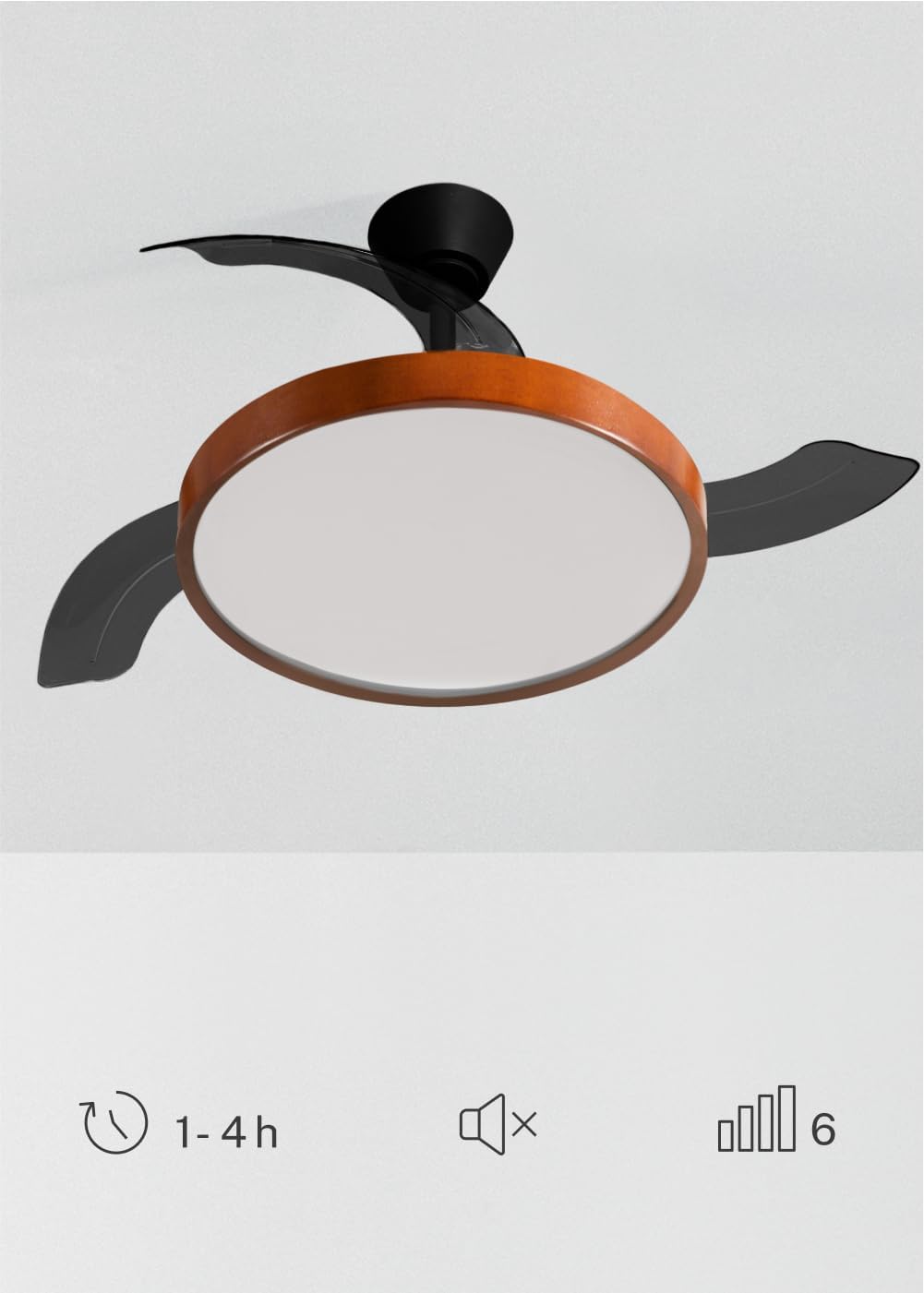
Figure 3: Fan features including timer, silent operation, and 6 speeds.
5.2 WiFi Uygulama Kontrolü
For advanced control and smart home integration, download the 'Create' app (or compatible smart home app like Tuya Smart) on your mobile device. Follow the in-app instructions to pair your fan. This allows control from your smartphone, including scheduling and remote access.
5.3 Summer/Winter Function
Bu vantilatör, yıl boyunca konfor sağlamak için tersine çevrilebilir bir motora sahiptir:
- Yaz Modu: Blades rotate counter-clockwise, pushing cool air downwards to create a refreshing breeze.
- Kış Modu: Blades rotate clockwise, drawing cool air up and redistributing warm air trapped near the ceiling, helping to warm the room more efficiently.

Figure 4: Summer and Winter mode airflow diagrams.
5.4 Işık Ayarları
The integrated LED light offers three distinct color temperatures to suit your preference and environment:
- 2700K: Warm White, ideal for a cozy and relaxing atmosphere.
- 3300K: Neutral White, suitable for general illumination.
- 4000K: Cool White, best for tasks requiring bright, focused light.
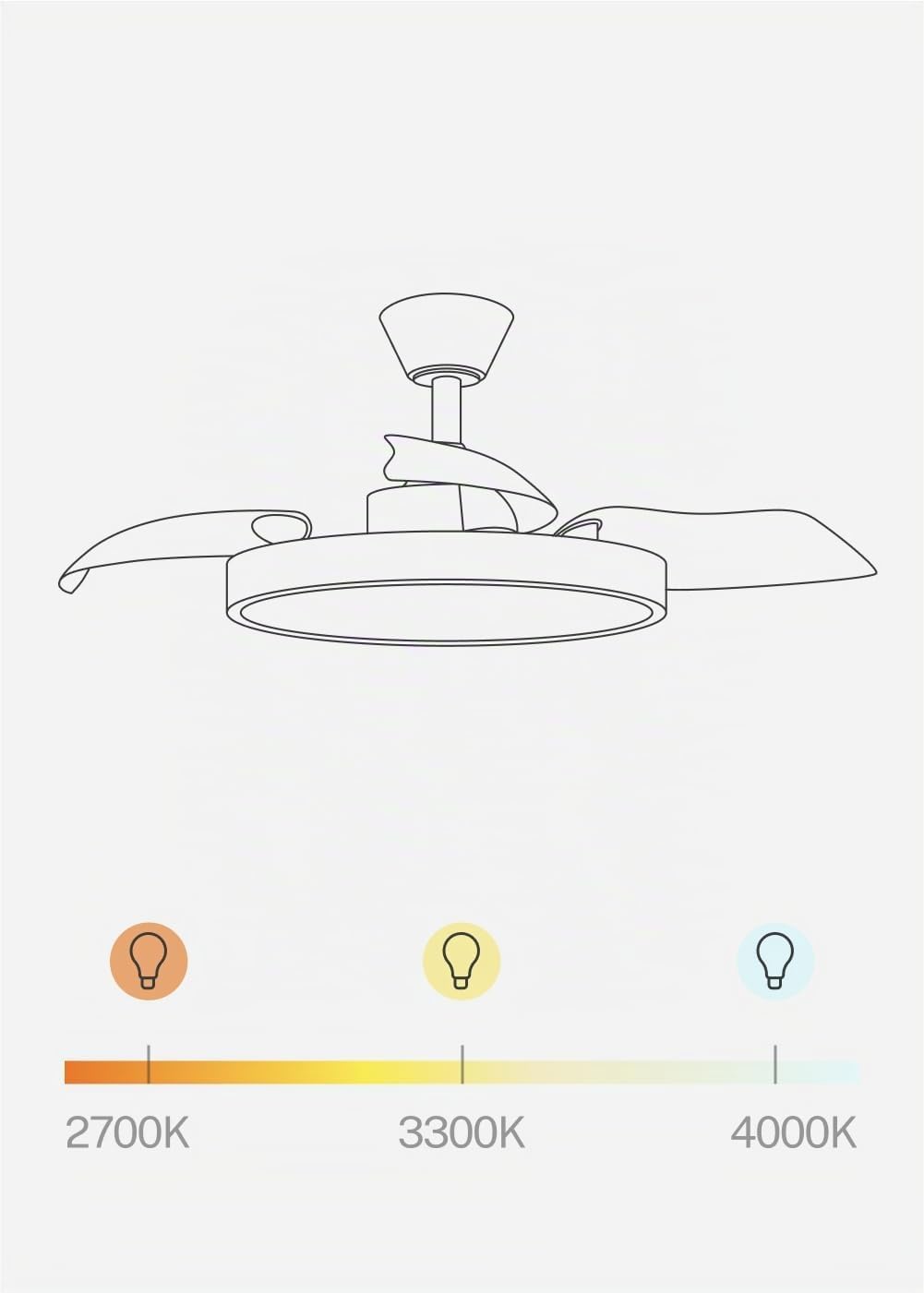
Figure 5: Adjustable light color temperatures.
6. Bakım
Düzenli bakım, tavan vantilatörünüzün optimum performans göstermesini ve uzun ömürlü olmasını sağlar.
- Temizlik: Periyodik olarak fan kanatlarını ve motor gövdesini yumuşak bir toz beziyle temizleyin.amp cloth. Do not use abrasive cleaners or solvents. Ensure the fan is turned off and power is disconnected before cleaning.
- Bıçak Denetimi: Check the retractable blades for any signs of damage or imbalance.
- Bağlantı elemanlarını sıkın: Periodically check and tighten all screws and fasteners on the mounting bracket and fan assembly.
7. Sorun Giderme
| Sorun | Olası Neden | Çözüm |
|---|---|---|
| Fan başlamıyor | No power; Loose wiring; Remote battery dead | Check circuit breaker; Verify wiring connections; Replace remote batteries. |
| Işık çalışmıyor | No power; Loose wiring; LED module fault | Check power; Verify wiring; Contact support if LED module is faulty. |
| Fan sallanıyor | Loose mounting; Unbalanced blades | Ensure mounting bracket is secure; Check all blade screws; Use a balancing kit if necessary. |
| Uzaktan yanıt vermiyor | Dead batteries; Remote not paired | Replace batteries; Refer to pairing instructions in the Assembly Guide. |
| WiFi connectivity issues | Incorrect network; App issues; Router distance | Ensure 2.4GHz WiFi; Re-pair with app; Move router closer or use extender. |
Burada listelenmeyen sorunlarla karşılaşırsanız veya çözümler sorunu çözmezse, lütfen müşteri desteğiyle iletişime geçin.
8. Özellikler

Figure 6: Recommended room size for fan operation.
| Özellik | Detay |
|---|---|
| Marka | YARATMAK |
| Model Adı | WIND CLEAR STUDIO M |
| Model Numarası | 194916_500603 |
| Renk | Black and Dark Wood |
| Malzeme | Plastic, Wood (Lampgölge) |
| Boyut | Ø108cm |
| Netage | 40 Watt |
| Cilttage | 240 Volt |
| Ampul Tipi | NEDEN OLMUŞ |
| Işık Renk Sıcaklıkları | 2700K, 3300K, 4000K |
| Kontrol Yöntemi | Remote Control, Application (WiFi) |
| Bağlantı Protokolü | Wifi |
| Özellikler | 6 Speeds, Retractable Blades, Summer/Winter Function, Programmable Timer (1-4h) |
| Kurulum Türü | Tavan Montajı |
| İç/Dış Mekan Kullanımı | Kapalı |
| Montaj Gerekli | Evet |
| Menşei ülke | İspanya |
9. Garanti ve Destek
Your CREATE WIND CLEAR STUDIO M ceiling fan is covered by a manufacturer's warranty. Please refer to the warranty card included in your package for specific terms and conditions.
For technical assistance, troubleshooting, or warranty claims, please contact CREATE customer support through their official website veya ürün dokümantasyonunuzda sağlanan iletişim bilgileri.
Please have your model number (194916_500603) and purchase date ready when contacting support.