
giriiş
This manual provides detailed instructions for the safe and efficient operation of your Kuephom PM24 Portable CD Player with Speakers. Please read this manual thoroughly before using the device and retain it for future reference.
The Kuephom PM24 is a versatile audio device offering multiple playback options including CD, Bluetooth, FM Radio, USB, and TF card. It features built-in stereo speakers, a rechargeable battery for portability, and a remote control for convenient operation.

Image: The Kuephom PM24 Portable CD Player, showcasing its design with an open CD lid, remote control, and an indicator for its rechargeable battery.
Paket İçeriği
Paketin içinde tüm öğelerin mevcut olduğundan emin olun:
- Kuephom PM24 Portable CD Player with Speakers x 1
- Şarj Kablosu x 1
- Uzaktan Kumanda x 1
- Kullanıcı Kılavuzu x 1
Ürün Bittiview
The PM24 offers a range of features for diverse audio playback. Familiarize yourself with the device's components and capabilities.

Image: A visual representation of the PM24's key features, including CD/MP3 playback, Bluetooth connectivity, USB and TF card support, FM radio, audio input, headphone jack, remote control, rechargeable battery, and sleep timer.
Temel Özellikler:
- CD/MP3 Playback: Supports standard audio CDs and MP3 files from CD-R/RW discs.
- Bluetooth Bağlantısı: Uyumlu cihazlardan kablosuz ses akışı.
- USB & TF Card Support: MP3/WMA ses dosyalarını oynatın files directly from USB flash drives or TF cards (up to 32GB).
- FM Radyo: Built-in FM tuner with retractable antenna and programmable presets.
- Yardımcı Giriş: Harici ses kaynaklarını 3.5 mm ses kablosuyla bağlayın.
- Kulaklık girişi: Özel dinleme için.
- Uzaktan kumanda: Full function remote for convenient operation.
- Şarj Edilebilir Pil: Uzun süreli kullanım için taşınabilir güç sağlar.
- Uyku Zamanlayıcısı: Automatically turns off the device after a set period.
- Stereo Hoparlörler: Integrated speakers for clear audio output.
Kurmak
1. Cihazın Şarj Edilmesi
Before first use, fully charge the PM24. Connect the provided charging cable to the DC 5V input port on the device and the other end to a standard USB power adapter (not included) or a computer USB port.
- Şarj esnasında şarj gösterge ışığı yanacaktır.
- Tam şarj genellikle yaklaşık 4 saat sürer.
- The device provides approximately 5-8 hours of playback on a full charge, depending on volume and mode.

Image: Visual representation of the PM24's rechargeable nature, highlighting its play time and charge time.
2. Güç Açma/Kapatma
Basılı tutun GÜÇ button on the device or remote control to turn the unit on or off.
3. Uzaktan Kumanda Pilinin Kurulumu
The remote control requires 2 AAA batteries (not included). Open the battery compartment on the back of the remote and insert the batteries, observing the correct polarity (+/-).
Kullanım Talimatları
1. Uzaktan Kumandanın Kullanımı
The remote control allows for convenient operation of all functions from a distance.

Image: A user interacting with the PM24 using the remote control, illustrating various functions accessible from the remote.
- Güç Düğmesi: Cihazı açar veya kapatır.
- Mod Düğmesi: Switches between CD, Bluetooth, FM, USB, TF, and AUX modes.
- Oynat/Duraklat Düğmesi: Oynatmayı başlatır veya duraklatır.
- Önceki/Sonraki Parça Düğmeleri: Önceki veya sonraki parçaya/istasyona atlar.
- Ses +/- Düğmeleri: Ses seviyesini ayarlar.
- Repeat/Shuffle Button: Changes playback repeat modes (e.g., repeat one, repeat all, shuffle).
- Uyku Düğmesi: Uyku zamanlayıcısını etkinleştirir ve ayarlar.
2. CD Çalma
- CD bölmesinin kapağını açın.
- Carefully place a CD (audio CD or MP3 CD) onto the spindle with the label side facing up.
- CD bölmesi kapağını kapatın.
- Basın MOD button until "CD" mode is selected.
- CD otomatik olarak çalmaya başlayacaktır. Başlamazsa, tuşuna basın. OYNAT/DURDUR düğme.

Image: Icons illustrating various CD playback options such as sequential play, random play, repeating a single track, repeating all tracks, and the play memory function.
3. Bluetooth Modu
- Basın MOD button until "BT" (Bluetooth) mode is selected. The display will show "bt" and flash, indicating it's in pairing mode.
- Bluetooth özellikli cihazınızda (akıllı telefon, tablet vb.) Bluetooth'u etkinleştirin ve kullanılabilir cihazları arayın.
- Select "PM24" from the list of devices.
- Once paired, the "bt" indicator will stop flashing, and you can stream audio wirelessly to the PM24.

Image: A smartphone screen showing a successful Bluetooth connection to the PM24, with the player's display confirming 'bt' mode.
4. FM Radyo Modu
- En iyi sinyal alımı için cihazın arkasındaki teleskopik anteni uzatın.
- Basın MOD "FM" modu seçilene kadar düğmeye basın.
- Basılı tutun OYNAT/DURDUR button to initiate an automatic station scan. The radio will scan and save available stations.
- Kullanın ÖNCEKİ/SONRAKİ PARÇA Kayıtlı istasyonlar arasında gezinmek için düğmeler.

Image: A user enjoying FM radio on the PM24, with visual cues indicating different radio frequencies.
5. USB/TF Kart Oynatma
- Insert a USB flash drive into the USB port or a TF card into the TF card slot. Ensure the card is inserted correctly.
- Basın MOD button until "USB" or "TF" mode is selected.
- The device will automatically detect and begin playing MP3/WMA audio files from the inserted storage.
- Kullanın ÖNCEKİ/SONRAKİ PARÇA düğmeler arasında gezinmek için files.

Resim: Yakın çekim view of the USB and TF card slots on the PM24, indicating their function for playing media from external storage.
6. Yardımcı Giriş (AUX)
- Connect one end of a 3.5mm audio cable (not included) to the AUX IN port on the PM24.
- Connect the other end to the headphone jack or audio output of an external audio device (e.g., smartphone, MP3 player).
- Basın MOD "AUX" modu seçilene kadar düğmeye basın.
- Harici ses aygıtınızdan oynatmayı ve ses seviyesini kontrol edin.
7. Uyku Zamanlayıcı Fonksiyonu
The sleep timer allows the device to automatically turn off after a set period.
- While the device is playing, press the UYUMAK Uzaktan kumandadaki düğmeye basın.
- Tekrar tekrar basın UYUMAK button to cycle through available timer settings (e.g., 10, 20, 30, 60, 90 minutes).
- The selected time will be displayed. The device will automatically power off once the timer expires.

Image: A visual demonstration of the sleep timer function, showing the PM24 on a nightstand while a person sleeps.
8. Kulaklık Kullanmak
For private listening, connect 3.5mm headphones (not included) to the KULAKLIK GİRİŞİ on the device. The built-in speakers will automatically mute when headphones are connected.
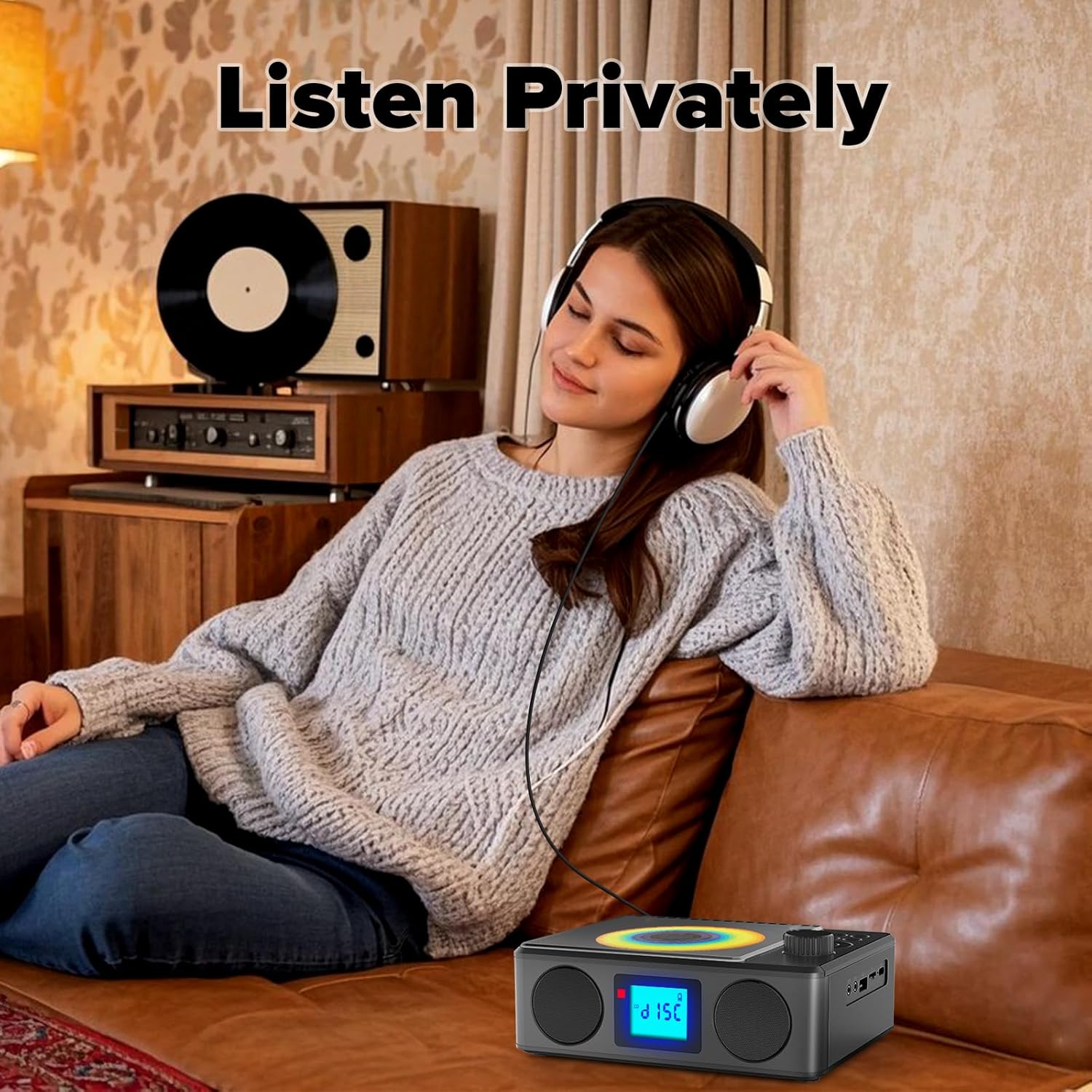
Image: A user enjoying private audio through headphones connected to the PM24.
Bakım
- Temizlik: Cihazın dışını temizlemek için yumuşak ve kuru bir bez kullanın. Aşındırıcı temizleyiciler veya çözücüler kullanmayın.
- CD Bakımı: CD'leri kenarlarından tutarak taşıyın. Kirli CD'leri yumuşak, tüy bırakmayan bir bezle, merkezden dışa doğru silerek temizleyin.
- Depolamak: Uzun süre kullanılmayacaksa, cihazı serin ve kuru bir yerde, doğrudan güneş ışığından ve aşırı sıcaklıklardan uzakta saklayın.
- Pil: Pil ömrünü uzatmak için pili sık sık tamamen boşaltmaktan kaçının. Cihaz kullanılmasa bile düzenli olarak şarj edin.
Sorun giderme
| Sorun | Olası Neden | Çözüm |
|---|---|---|
| Cihaz açılmıyor. | Pil bitmiş. | Connect the charging cable and allow the device to charge. |
| Hoparlörlerden ses gelmiyor. | Ses seviyesi çok düşük veya tamamen kapalı. Kulaklık bağlı. | Sesi artırın. Kulaklıkları çıkarın. |
| CD atlıyor veya çalmıyor. | CD kirli, çizik veya yanlış takılmış. | Clean the CD. Ensure it is placed correctly. Try another CD. |
| Bluetooth eşleştirme başarısız. | Device is too far, not in pairing mode, or already paired. | Ensure PM24 is in BT mode and flashing. Move devices closer. Disconnect from other devices. |
| FM radyo alımı zayıf. | Anten uzatılmamış veya sinyal alanı zayıf. | Fully extend the telescopic antenna. Reposition the device for better signal. |
| Uzaktan kumanda çalışmıyor. | Batteries are depleted or inserted incorrectly. Obstruction between remote and device. | Replace batteries, check polarity. Remove obstructions. Ensure remote is pointed at the device. |
Özellikler
- Modeli: PM24
- Marka: Kuepom
- Ürün Ölçüleri: 7.5 x 6.3 x 2.5 inç (19.05 x 16.00 x 6.35 cm)
- Ürün Ağırlığı: 1.96 pound (0.89 kg)
- Bağlantı Teknolojisi: Yardımcı, Bluetooth, USB
- Renk: Siyah
- Hoparlör Tipi: Stereo
- Piller: 1 Standart Dışı Pil (dahil)
- Oyun Zamanı: 5-8 saat (yaklaşık)
- Şarj Süresi: 4 saat (yaklaşık)
Garanti ve Destek
Kuephom products are designed for reliability and performance. For warranty information or technical support, please refer to the contact details provided on the product packaging or visit the official Kuephom webalan.
Garanti talepleri için lütfen satın alma belgenizi saklayın.