
1. Giriş
This manual provides detailed instructions for the AGPTEK A53PL 64GB MP3 Player. Please read this manual carefully before using the device to ensure proper operation and to maximize its lifespan. The A53PL is a compact and lightweight portable music player designed for ease of use, featuring Bluetooth 5.3 connectivity, FM radio, and a clip-on design suitable for sports and active lifestyles.
2. Kutuda Neler Var?
Paketi açtığınızda lütfen aşağıdaki tüm öğelerin dahil olduğunu doğrulayın:
- 1x AGPTEK A53PL MP3 Player
- 1 adet Kablolu Kulaklık
- 1x USB-C Şarj Kablosu
- 1x Kullanım Kılavuzu

Image: Package contents of the AGPTEK A53PL MP3 Player.
3. Cihaz Bittiview
Familiarize yourself with the buttons and ports of your AGPTEK A53PL MP3 player.

Resim: Ön ve yan view of the AGPTEK A53PL, highlighting its clip, buttons, and ports.
- Klip: Located on the back for attaching to clothing or accessories.
- Güç Düğmesi: Press and hold to turn on/off. Short press to adjust volume (when not in playback).
- Ses seviyesi + / -: Artırma için özel düğmelerasing veya decreasing hacim.
- Kulaklık girişi: 3.5mm port for wired earphones.
- Oynat/Duraklat Düğmesi: Central button for controlling playback.
- Previous Track / Rewind: Navigate to the previous track or rewind within a track.
- Next Track / Fast Forward: Navigate to the next track or fast forward within a track.
- Mode Button (Music/FM): Switch between Music playback and FM Radio mode.
- Bluetooth Düğmesi: Activate Bluetooth pairing mode.
- LED Göstergesi: Provides status information (e.g., charging, Bluetooth pairing).
- Playback Mode Switch: Slide switch for sequential or shuffle playback.
- USB-C Bağlantı Noktası: Şarj ve veri aktarımı için.
4. Kurulum
4.1 Cihazı Şarj Etme
Before first use, fully charge the MP3 player. Connect the provided USB-C cable to the device's USB-C port and the other end to a USB power adapter (not included) or a computer's USB port. The LED indicator will show charging status.
- Tam şarj süresi: Yaklaşık 2 saat.
- Battery life: Up to 21 hours for music playback with wired earphones, 9.5 hours with Bluetooth.

Image: Battery capacity and estimated playback times.
4.2 Müzik Yükleniyor Files
The AGPTEK A53PL has 64GB of internal storage. To transfer music:
- Connect the MP3 player to your computer using the USB-C cable.
- Aygıt bilgisayarınızda çıkarılabilir disk sürücüsü olarak görünecektir.
- Müziğinizi sürükleyip bırakın files (MP3, APE, FLAC, ACELP, WAV) into the device's storage.
- Kabloyu çıkarmadan önce cihazı bilgisayarınızdan güvenli bir şekilde çıkarın.
The device also supports OTG transmission for direct file transfer from compatible smartphones (OTG cable not included).

Image: OTG transmission for direct file Aktar.
5. Kullanım Talimatları
5.1 Güç Açma/Kapatma
- To turn on: Press and hold the Power button until the LED indicator lights up.
- To turn off: Press and hold the Power button until the LED indicator turns off.
5.2 Temel Müzik Çalma
- Ensure the device is in Music mode (use the Mode button if necessary).
- Connect your wired earphones to the 3.5mm jack or pair a Bluetooth device (see 5.3 Bluetooth Pairing).
- Basın Oynat/Duraklat button to start or pause music.
- Basın Sonraki Parça düğmesine basarak sonraki şarkıya geçin.
- Basın Önceki Parça button to go back to the beginning of the current song or to the previous song.
- Basmak Cilt + or Hacim - Sesi ayarlamak için.
- Kullanın Oynatma Modu Anahtarı on the side to toggle between sequential and shuffle playback.
5.3 Bluetooth Eşleştirme
The A53PL supports Bluetooth 5.3 for connecting to Bluetooth speakers and headphones. It does not support connection to smartphones.
- Bluetooth kulaklığınızı veya hoparlörünüzü açın ve eşleştirme moduna getirin.
- On the A53PL, press the Bluetooth düğmesi. The LED indicator will flash, indicating it's searching for devices.
- Once paired, the LED indicator will change its pattern (e.g., slow green blink).
- The device will automatically reconnect to the last paired device if it's available.
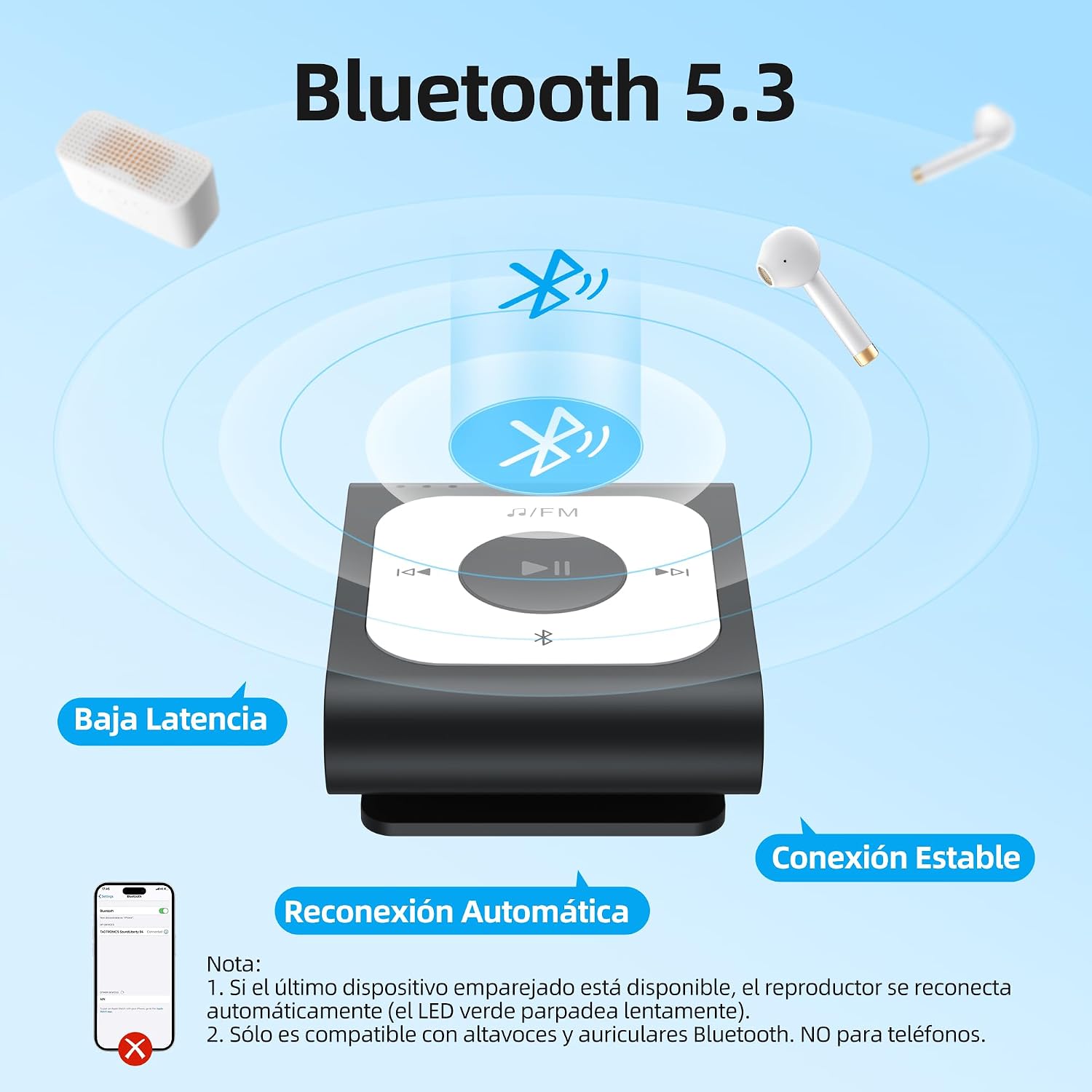
Image: Bluetooth 5.3 features and pairing process.
5.4 FM Radyo
FM radyo işlevini kullanmak için:
- Connect wired earphones; they act as the antenna for the FM radio.
- Basın Mod düğmesi FM radyo moduna geçmek için.
- The device will automatically search for available FM stations.
- Kullanın Sonraki Parça Ve Önceki Parça İstasyonlar arasında gezinmek için kullanılan düğmeler.

Image: Automatic FM search function.
6. Bakım
- Cihazı kuru tutun. Nem, elektronik bileşenlere zarar verebilir.
- Aşırı sıcaklıklardan kaçının.
- Cihazı yumuşak, kuru bir bezle temizleyin. Sert kimyasallar veya çözücüler kullanmayın.
- Cihazı düşürmeyin veya güçlü darbelere maruz bırakmayın.
- Cihazı kullanmadığınız zamanlarda temiz ve tozsuz bir ortamda saklayın.
7. Sorun Giderme
7.1 Device does not turn on.
- Ensure the battery is charged. Connect the device to a power source and charge for at least 10 minutes before attempting to turn it on again.
- Try pressing and holding the Power button for a longer duration (e.g., 10-15 seconds) to perform a hard reset.
7.2 Cannot transfer filecihaza.
- USB-C kablosunun hem cihaza hem de bilgisayara güvenli bir şekilde bağlı olduğundan emin olun.
- Bilgisayarınızda farklı bir USB bağlantı noktası deneyin.
- Ensure the device is recognized as a removable disk drive. If not, try restarting both the device and the computer.
- Check if the device's storage is full.
7.3 Bluetooth pairing fails.
- Ensure your Bluetooth headphones/speaker are in pairing mode and within range.
- Make sure the A53PL is in Bluetooth pairing mode (LED flashing).
- The A53PL only connects to Bluetooth audio devices (headphones, speakers), not smartphones.
- Try turning off and on both the A53PL and the Bluetooth audio device.
7.4 No sound from earphones.
- Check if the earphones are properly plugged into the 3.5mm jack.
- Ses seviyesinin minimuma veya tamamen sessize alınmadığından emin olun.
- Test with another pair of earphones to rule out faulty earphones.
- If using Bluetooth, ensure it is properly paired and connected.
8. Özellikler
| Model Adı | A53PL |
| Depolama Kapasitesi | 64 GB |
| Bağlantı Teknolojisi | Bluetooth 5.3 |
| Desteklenen Ses Biçimleri | MP3, APE, FLAC, ACELP, WAV |
| Özel Özellikler | FM Radio, Shuffle Function, Clip Design |
| Pil Ömrü (Müzik Çalma) | Up to 21 hours (wired earphones) |
| Battery Life (Bluetooth Playback) | 9.5 saate kadar |
| Şarj Süresi | Yaklaşık 2 saat |
| Boyutlar | 4.4 cm x 3.7 cm x 1.8 cm (yaklaşık 1.72 x 1.46 x 0.7 inç) |
| Ağırlık | 20 gr (0.71 ons) |

Image: Device dimensions.

Image: Supported audio formats.
9. Garanti ve Destek
AGPTEK products come with a standard manufacturer's warranty. For specific warranty terms and conditions, please refer to the warranty card included with your purchase or visit the official AGPTEK webalan.
For technical support, troubleshooting assistance, or any inquiries regarding your AGPTEK A53PL MP3 Player, please contact AGPTEK customer service through their official website veya ürün ambalajınızda yer alan iletişim bilgileri.