
1. Giriş
Welcome to your Blackview W80PRO Smartwatch. This manual provides detailed instructions on how to set up, operate, and maintain your device. Please read this manual carefully before use to ensure optimal performance and longevity of your smartwatch.
Siyahview W80PRO is a rugged smartwatch designed for active lifestyles, featuring Bluetooth calling, GPS, health monitoring, and a durable build.

Resim: Siyahview W80PRO Smartwatch, highlighting its rugged design and display.
Video: Bir fazlaview Siyahlarınview W80PRO Smartwatch's key features, including charging, GPS, notifications, and durability.
2. Kutuda Neler Var?
Siyahınızı açtığınızdaview W80PRO Smartwatch package, you should find the following items:
- 1x Siyahview W80PRO Smartwatch
- 1x USB Şarj Kablosu
- 1x Kullanım Kılavuzu

Resim: Siyahın İçeriğiview W80PRO Smartwatch package, showing the smartwatch, a USB charging cable, the user manual, and a diagram of the product's dimensions.
3. Kurulum
3.1 Akıllı Saati Şarj Etme
Before first use, fully charge your smartwatch. Connect the USB charging cable to the charging port on the back of the watch and to a USB power adapter (not included) or a computer's USB port.
3.2 Uygulama Kurulumu ve Eşleştirme
To unlock all features, download the "GloryFit" app from your smartphone's app store (compatible with Android and iOS). Follow the in-app instructions to pair your smartwatch via Bluetooth.
- Download the "GloryFit" app.
- Akıllı telefonunuzda Bluetooth’u etkinleştirin.
- GloryFit uygulamasını açın ve bir hesap oluşturun veya giriş yapın.
- Follow the prompts to add a new device and select "Blackview W80PRO".
- Eşleştirme isteğini hem telefonunuzda hem de akıllı saatinizde onaylayın.
4. Akıllı Saatin Çalıştırılması
4.1 Düğme Fonksiyonları
Siyahview W80PRO features four physical buttons:
- Top Left Button: Flashlight Power On/Off
- Bottom Left Button: GPS İşlevi
- Sağ Üst Buton: Power On/Off / Screen On/Off / Menu Access
- Sağ Alt Buton: Geri / Geri Dön
Resim: Ayrıntılı view of the smartwatch screen and side buttons, indicating their respective functions such as Flashlight, GPS, Power, and Back.
4.2 Temel Gezinme
The smartwatch features a 1.91-inch ultra-HD color touchscreen. Swipe left/right or up/down to navigate through menus and functions. Tap to select items.
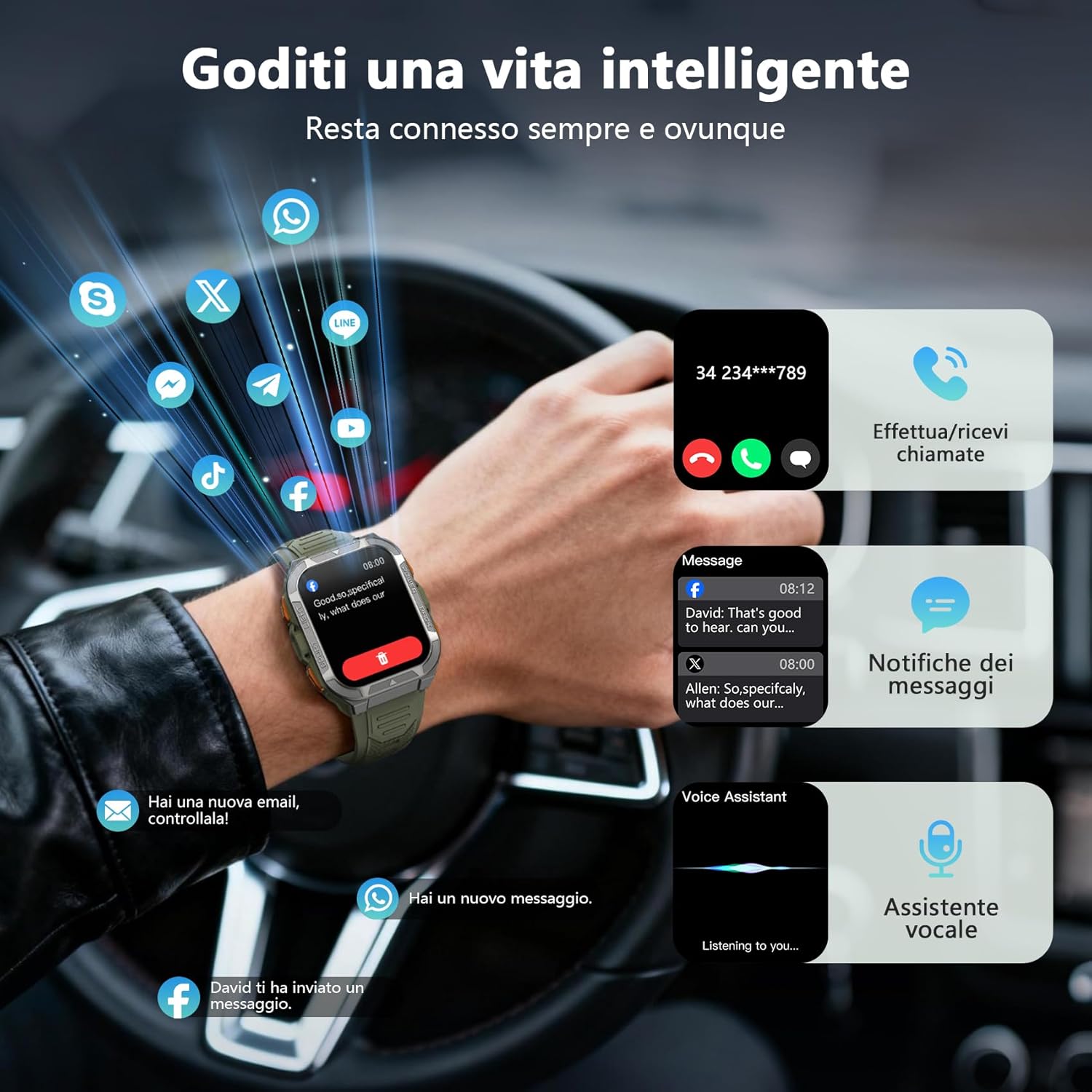
4.3 Bluetooth Arama ve Bildirimler
Once paired, you can make and receive calls directly from your smartwatch using its built-in speaker and microphone. You will also receive real-time notifications from your smartphone for messages, social media apps, and emails.
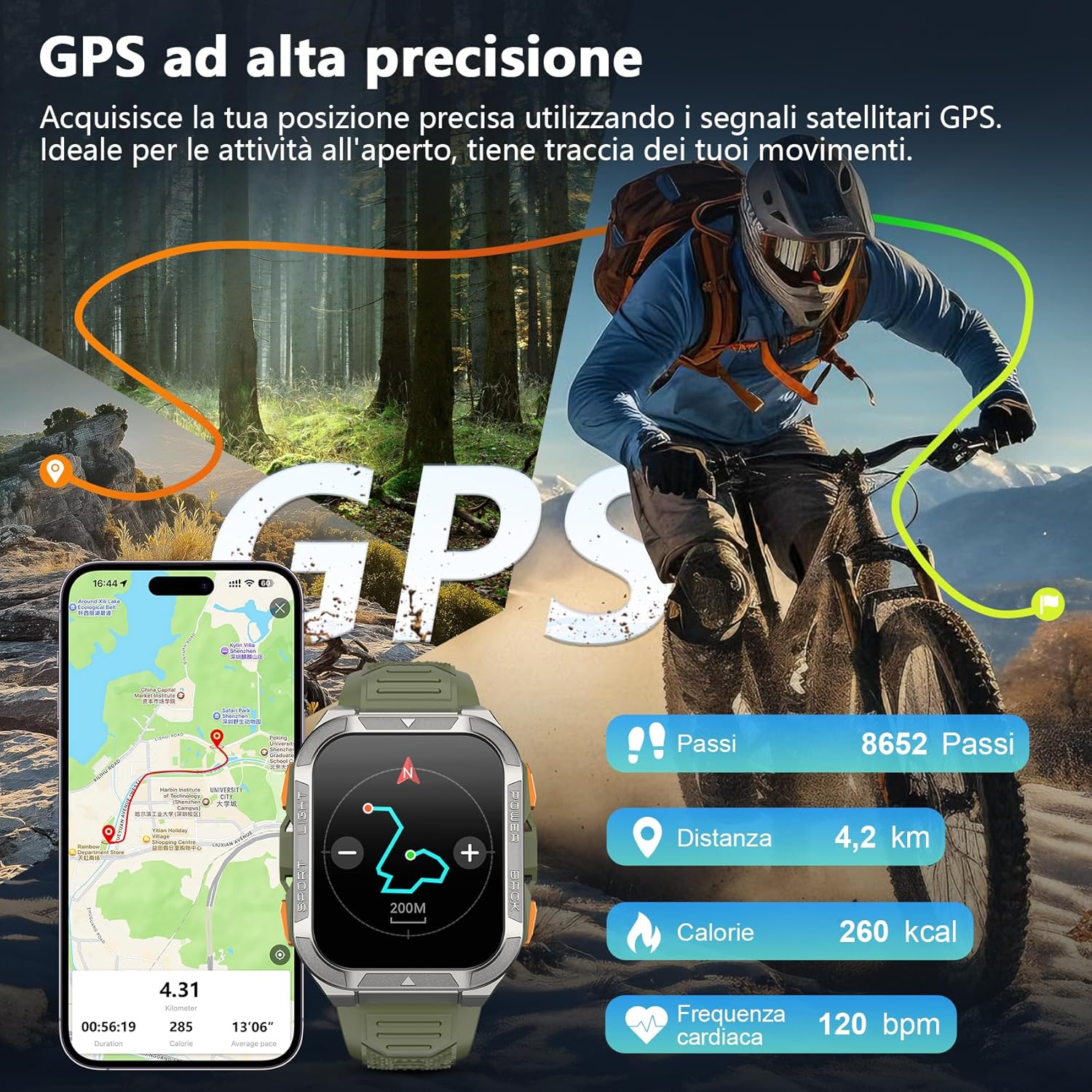
Image: The smartwatch screen displaying an incoming call and various message notifications from social media apps.
4.4 Sağlık İzleme
The smartwatch continuously monitors your health data, including heart rate, blood oxygen (SpO2), emotional stress, and sleep quality. Access these metrics through the watch interface or the GloryFit app for detailed insights.
- Nabız İzleme: Gün boyunca kalp atış hızınızı takip eder.
- Kan Oksijen (SpO2) İzlemesi: Kanınızdaki oksijen satürasyon seviyelerini ölçer.
- Uyku İzleme: Uyku düzeninizi ve kalitesini analiz eder.
- Stres İzleme: Provides insights into your emotional stress levels.

Image: A composite image illustrating the smartwatch's health monitoring capabilities, including heart rate, blood oxygen, sleep, and stress tracking, with corresponding data displays.
4.5 Spor Modları ve GPS
The W80PRO supports over 110 sports modes. Select the appropriate mode for your activity (running, cycling, hiking, etc.) to track your performance. The integrated high-precision GPS accurately records your location, distance, steps, and calorie consumption during outdoor activities.
Image: The smartwatch screen displaying GPS data, including steps, distance, calories, and heart rate, overlaid on an image of a person cycling outdoors.
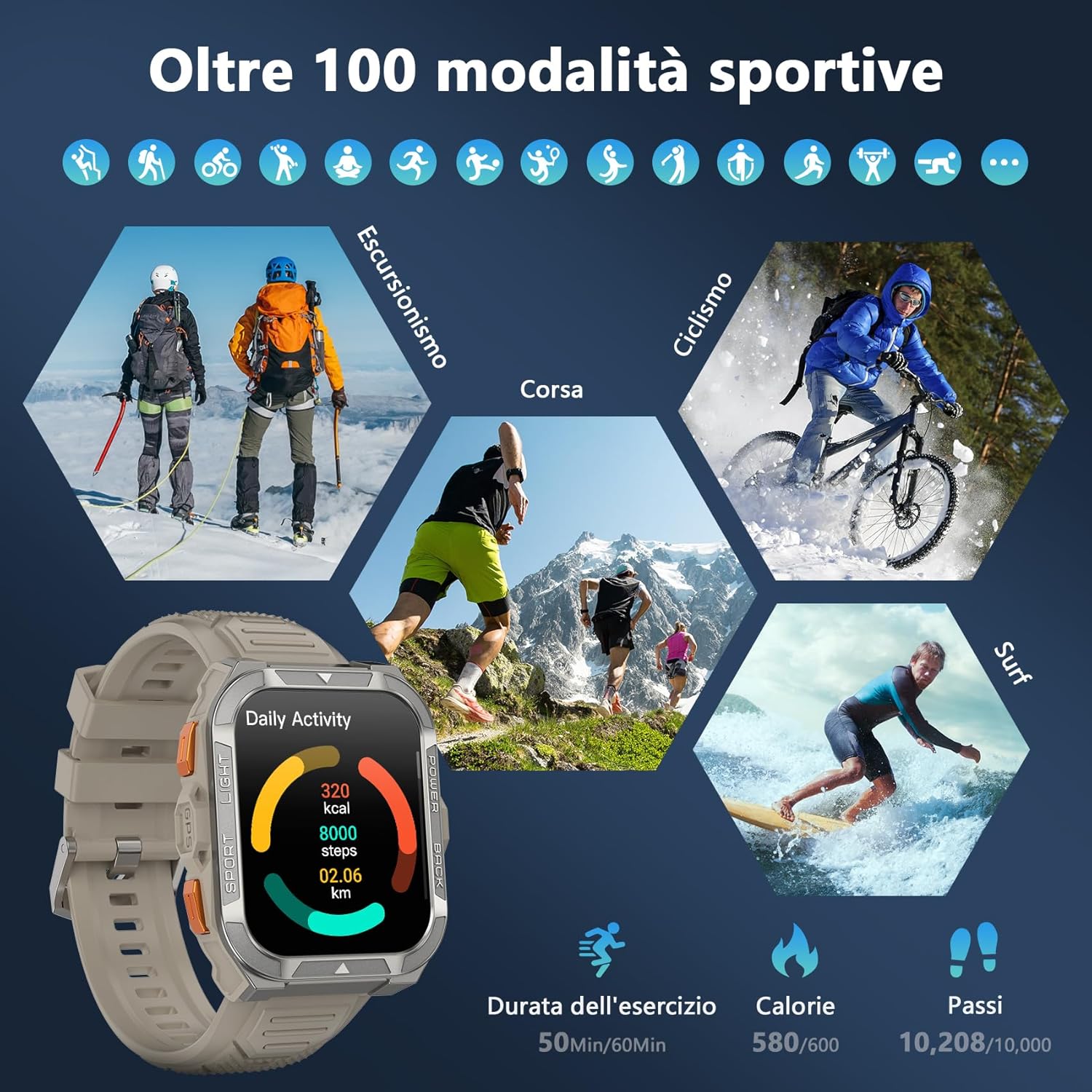
Image: A visual representation of the smartwatch's extensive sports mode selection, featuring icons for activities like hiking, cycling, and running.
4.6 Flashlight and Compass
The smartwatch includes a powerful LED flashlight with constant and SOS modes for outdoor adventures. The high-precision anti-magnetic compass provides accurate real-time directions, even in remote areas.

Image: The smartwatch demonstrating its LED flashlight feature in a dark environment and its compass function showing directional readings.
4.7 Diğer Akıllı Özellikler
The W80PRO offers a range of additional features for convenience and intelligence:
- AI Watch Face: Customize your watch face with AI-generated designs or personal photos via the GloryFit app.
- ChatGPT & Translator: Access AI chat and translation functions directly from your wrist.
- Müzik Kontrolü: Akıllı telefonunuzda müzik çalmayı kontrol edin.
- Hava Durumu tahmini: Gerçek zamanlı hava durumu güncellemelerini alın.
- Alarm Clock, Timer, Calculator: Essential utility tools.
- Kamera Kontrolü: Telefonunuzun kamerasını uzaktan tetikleyin.
- Sesli Asistan: Telefonunuzun sesli asistanıyla etkileşim kurun.
- Telefon Bul: Kaybettiğiniz akıllı telefonunuzu bulun.
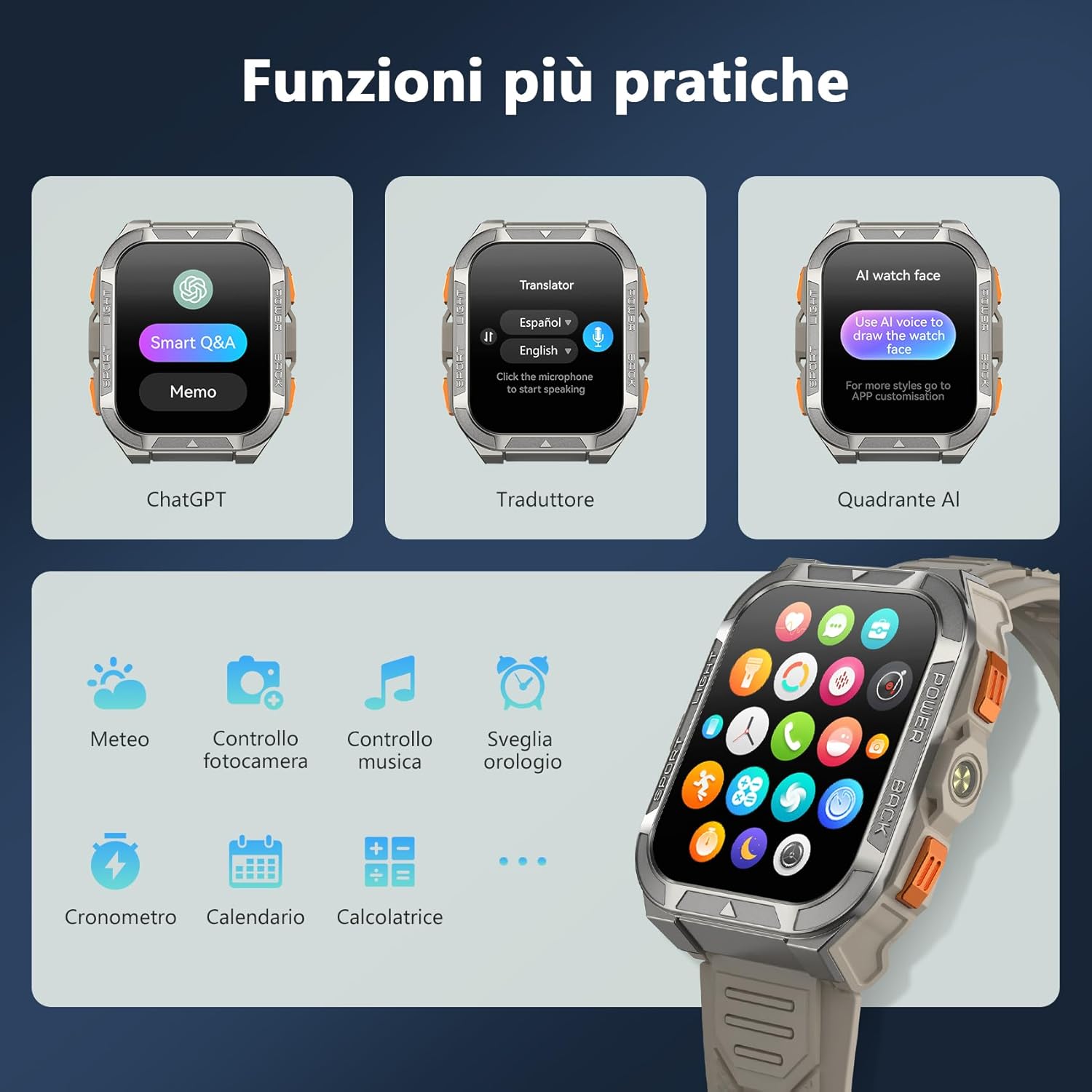
Image: A collage of smartwatch screens showcasing features like ChatGPT, a language translator, AI watch face customization, music control, weather, and other utility applications.
5. Bakım
5.1 Dayanıklılık Özellikleri
Siyahview W80PRO is built to withstand harsh conditions:
- Su geçirmez: IP68 rated, suitable for swimming and exposure to rain. Avoid hot water or steam.
- Toz geçirmez: Designed to resist dust ingress.
- Cold Resistant: Operates effectively in low temperatures.
- Düşmeye Dayanıklı: Built with a zinc alloy bezel and stainless steel back case for enhanced shock resistance.

Image: The smartwatch being tested for dust resistance.

Image: The smartwatch undergoing a drop test, showcasing its resistance to impacts.

Image: The smartwatch submerged in water, illustrating its waterproof design.

Image: The smartwatch being used in a snowy environment, highlighting its cold resistance.
5.2 Temizlik ve Bakım
To maintain your smartwatch, regularly wipe it with a soft, dry cloth. For stubborn dirt, use a slightly damp Önce bir bezle silin ve ardından iyice kurulayın. Sert kimyasallar veya aşındırıcı malzemeler kullanmaktan kaçının.
6. Sorun Giderme
- Akıllı saat açılmıyor: Ensure the device is fully charged. If not, connect it to the charger.
- Akıllı telefonla eşleştirilemiyor:
- Telefonunuzda Bluetooth'un etkin olduğundan emin olun.
- Akıllı saatin menzil içinde olduğundan emin olun.
- Hem akıllı saatinizi hem de telefonunuzu yeniden başlatın.
- GloryFit uygulamasının en son sürüme güncellenmiş olup olmadığını kontrol edin.
- Yanlış sağlık verileri: Saatin bileğinize tam oturduğundan, çok sıkı veya çok gevşek olmadığından emin olun. Sensörleri düzenli olarak temizleyin.
- Alınmayan bildirimler: Check app permissions in your phone settings and ensure notifications are enabled for the GloryFit app.
7. Özellikler
| Özellik | Detay |
|---|---|
| Model Adı | W80PRO |
| Marka | Siyahview |
| İşletim Sistemi | Android ve iOS uyumlu |
| Ekran Boyutu | 1.91 inç |
| Çözünürlük | 320x320 |
| Bağlantı Teknolojisi | Bluetooth |
| Küresel Konumlama Sistemi | Entegre GPS |
| Pil Kapasitesi | 900 mAh |
| Ortalama Pil Ömrü | 15 Days (normal use), 60+ Days (standby) |
| Su Direnç Seviyesi | Suya Dayanıklı (IP68) |
| Bant Malzeme Türü | Silikon |
| Sağlık İzleme | Heart Rate Monitor, Blood Oxygen Monitor, Sleep Duration, Stress |
| Özel Özellikler | Long battery life, ChatGPT, Translator, AI Watch Face, LED flashlight, Compass, Call answering/making, Notifications, 110+ Sports Modes, Weather, Alarm, Timer, Calculator, Menstrual Cycle Tracking, Sedentary/Water Reminder, Music Control, Camera Remote. |
8. Garanti ve Destek
Siyahview W80PRO Smartwatch comes with a 1 yıllık sınırlı garanti Satın alma tarihinden itibaren geçerlidir. Bu garanti, üretim hatalarını ve normal kullanım koşullarındaki arızaları kapsar.
For technical support, warranty claims, or further assistance, please contact Blackview müşteri hizmetleri resmi aracılığıyla webÜrünü satın aldığınız site veya perakendeciyle iletişime geçin. Garanti geçerliliği için lütfen satın alma belgenizi saklayın.
AB Yedek Parça Temin Edilebilirliği: 2 Yıl.