
1. Giriş
Thank you for choosing the ACCUWEIGHT CK780 Bluetooth Kitchen Scale. This smart food scale is designed to provide precise measurements and integrate with a companion app for comprehensive nutrition tracking. Please read this manual carefully before use to ensure proper operation and maintenance.
2. Paket İçeriği
Paketi açtığınızda lütfen aşağıda listelenen tüm öğelerin mevcut ve iyi durumda olduğundan emin olun:
- 1 x ACCUWEIGHT CK780 Bluetooth Digital Kitchen Scale
- 1 x Kullanım Kılavuzu
- 4 x AAA Pil
3. Kurulum
3.1 Pil Kurulumu
- Terazinin alt tarafında bulunan pil bölmesi kapağını açın.
- 4 adet AAA pili kutupların doğru olmasına dikkat ederek (+/-) takın.
- Pil bölmesi kapağını sıkıca kapatın.
3.2 Uygulama Kurulumu ve Bluetooth Eşleştirme
The ACCUWEIGHT CK780 scale connects to a companion app for advanced nutrition tracking.
- Download the ACCUWEIGHT companion app from your device's app store (iOS or Android).
- Akıllı telefonunuzda veya tabletinizde Bluetooth'un etkin olduğundan emin olun.
- Open the ACCUWEIGHT app and follow the on-screen instructions to pair your scale. The app will guide you through the connection process.
- Once paired, the scale's measurements will synchronize with the app, allowing for nutrition analysis and diet tracking.

4. Kullanım Talimatları
4.1 Temel Tartım
- Place the scale on a hard, flat, and stable surface to ensure accurate readings.
- Press the power button (usually the 'TARE' button or a dedicated power button) to turn on the scale. The display will show '0' or '0.0'.
- Place the item to be weighed directly onto the center of the scale platform.
- Read the weight displayed on the backlit LCD screen. The scale has a maximum capacity of 5kg (11lb) and measures in precise 1g / 0.04oz increments.

4.2 Birim Dönüşümü
The scale supports multiple measurement units.
- Press the 'UNIT' button to cycle through the available units: grams (g), pounds & ounces (lb:oz), milliliters (ml for water), milliliters (ml for milk), and fluid ounces (fl:oz).
- Ölçümünüz için istediğiniz birimi seçin.

4.3 Dara İşlevi
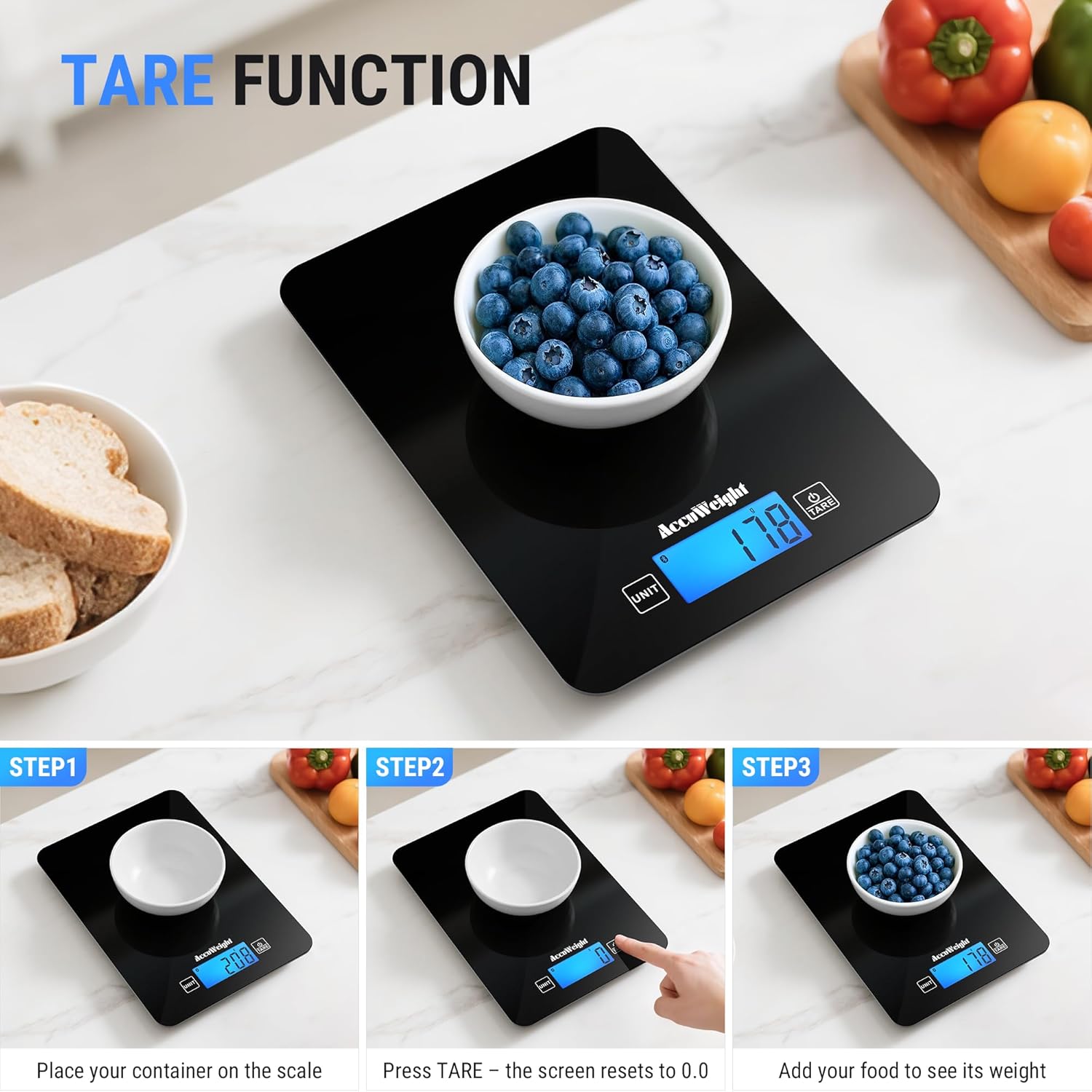
The Tare function allows you to subtract the weight of a container, ensuring only the ingredients are measured.
- Place an empty container on the scale platform.
- 'TARE' düğmesine basın. Ekran '0' veya '0.0' değerine sıfırlanacaktır.
- Add your ingredients to the container. The scale will display the net weight of the ingredients.
4.4 Nutrition Tracking with App
Once connected via Bluetooth, the scale integrates with the companion app for detailed nutrition analysis.
- Weigh your food item on the scale. The weight will automatically transfer to the app.
- In the app, select the food item from the extensive database (covering 17 countries).
- The app will analyze up to 25 nutrients, including protein, fat, carbohydrates, and more, helping you manage your diet goals.
- You can log your food intake, track daily trends, and combine food data from multiple countries.

5. Bakım
5.1 Temizlik
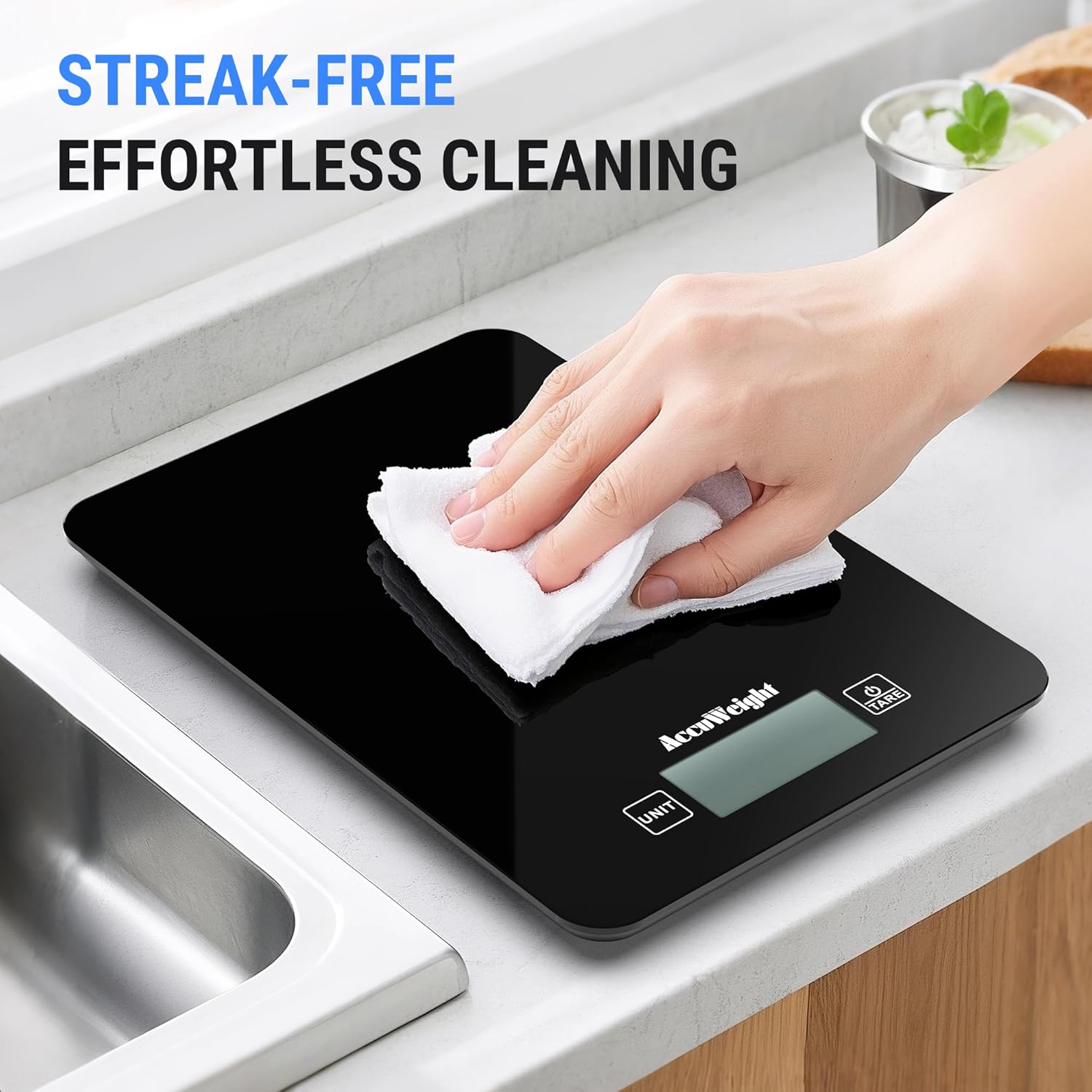
The scale features a smooth black design for easy cleaning.
- Yumuşak bir bezle ölçek yüzeyini silin.amp kullanımdan hemen sonra bez.
- Aşındırıcı temizleyiciler, sert kimyasallar kullanmayın ve kireci suya batırmayın.
- Saklamadan veya bir sonraki kullanımdan önce terazinin tamamen kuru olduğundan emin olun.
5.2 Depolama
Teraziyi serin, kuru ve doğrudan güneş ışığından ve aşırı sıcaklıklardan uzak bir yerde saklayın.
5.3 Pil Değişimi
When the battery indicator appears on the display, replace all four AAA batteries simultaneously to ensure optimal performance.
6. Sorun Giderme
If you encounter any issues with your ACCUWEIGHT CK780 scale, please refer to the following common solutions:
- Terazi açılmıyor: Pillerin doğru takılıp takılmadığını ve bitmemiş olup olmadığını kontrol edin. Gerekirse pilleri değiştirin.
- Yanlış okumalar: Ensure the scale is placed on a hard, flat, and stable surface. Re-tare the scale before weighing. Avoid placing the scale near strong electromagnetic fields.
- Bluetooth bağlantı sorunları: Ensure Bluetooth is enabled on your device. Restart the scale and the app. Try re-pairing the scale through the app settings.
- App data not updating: Check your internet connection. Ensure the app is updated to the latest version. Close and reopen the app.
- Display error messages: If the display shows 'Lo', batteries are low and need replacement. If 'O-Ld' or 'EEEE' appears, the scale is overloaded; remove items immediately to prevent damage.
7. Özellikler
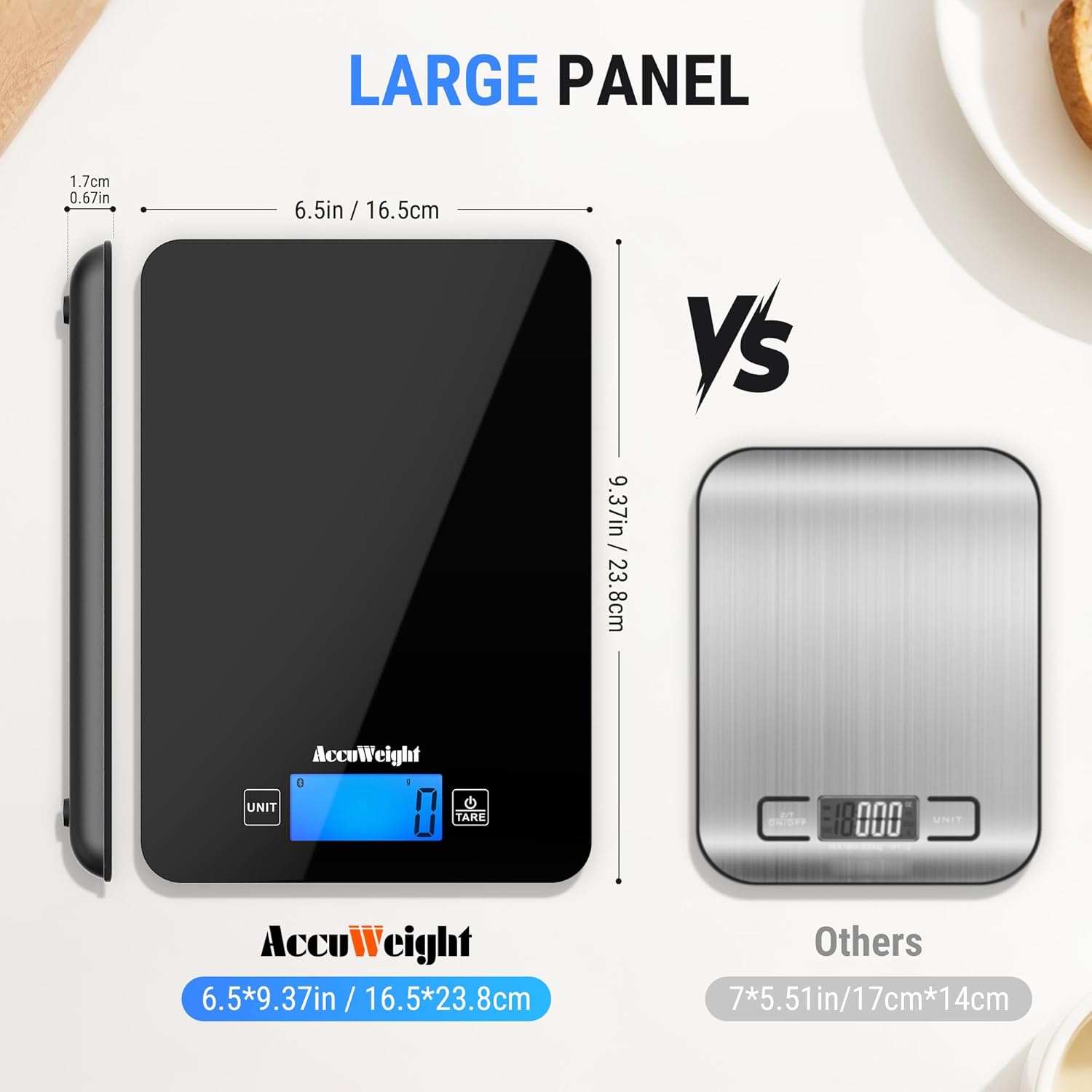
| Marka | ACCUWEIGHT |
| Model Numarası | CK780 |
| Ağırlık Kapasitesi Maksimum | 5 Kilogram (11 lbs) |
| Okuma Doğruluğu | 1g / 0.04oz |
| Görüntü Türü | Arka aydınlatmalı LCD |
| Ölçüm Türleri | g, lb:oz, ml (water), fl:oz, ml (milk) |
| Malzeme Türü | Temperli Cam |
| Özel Özellikler | Backlit Display, Calorie Consumption, Large Display, Smart, Tare Function |
| Güç Kaynağı | 4 x AAA Pil (Dahil) |
8. Garanti ve Destek
ACCUWEIGHT products are manufactured to high-quality standards. For any questions, technical support, or warranty claims, please contact ACCUWEIGHT customer service through the contact information provided with your purchase or on the official ACCUWEIGHT webLütfen garanti işlemleri için satın alma belgenizi saklayın.