1. Giriş
Satın aldığınız için teşekkür ederizasing the Generic 1080p Digital Camera. This manual provides essential information for setting up, operating, and maintaining your camera. Please read this manual thoroughly before using the product to ensure proper operation and to prevent damage.
Güvenlik Önlemleri:
- Kamerayı suya veya aşırı neme maruz bırakmayın.
- Kamerayı düşürmekten veya sert darbelere maruz bırakmaktan kaçının.
- Çocukların erişemeyeceği yerde saklayınız.
- Yalnızca onaylı şarj kabloları ve adaptörleri kullanın.
2. Ürün Bittiview
The Generic 1080p Digital Camera is a compact and portable device designed for capturing photos and videos. It features a 2.4-inch flip screen, 8X optical zoom, and various functions including filters and games.
2.1. Kamera Bileşenleri

Resim Açıklaması: This diagram illustrates the camera's physical dimensions (117mm length, 64mm height, 29mm width) and labels key components. These include the Power button, T (Magnify) and W (Shrink down) buttons for zoom, an OK button, and directional buttons for navigation (upturning, right, on the left, flip down verify). The flip screen is shown in an open position.
- Güç Düğmesi: Kamerayı açar/kapatır.
- T/W Buttons: Control optical zoom (T for Magnify, W for Shrink down).
- Tamam Düğmesi: Confirms selections or takes a picture/starts recording.
- Yön Düğmeleri: Menülerde ve ayarlarda gezinme.
- Çevirme Ekranı: 2.4-inch high-definition display that can be flipped for various shooting angles, including self-portraits.
- Mercek: Periscope lens with 8X optical zoom.
- Flash Fill: Provides additional light in low-light conditions.
2.2. Temel Özellikler
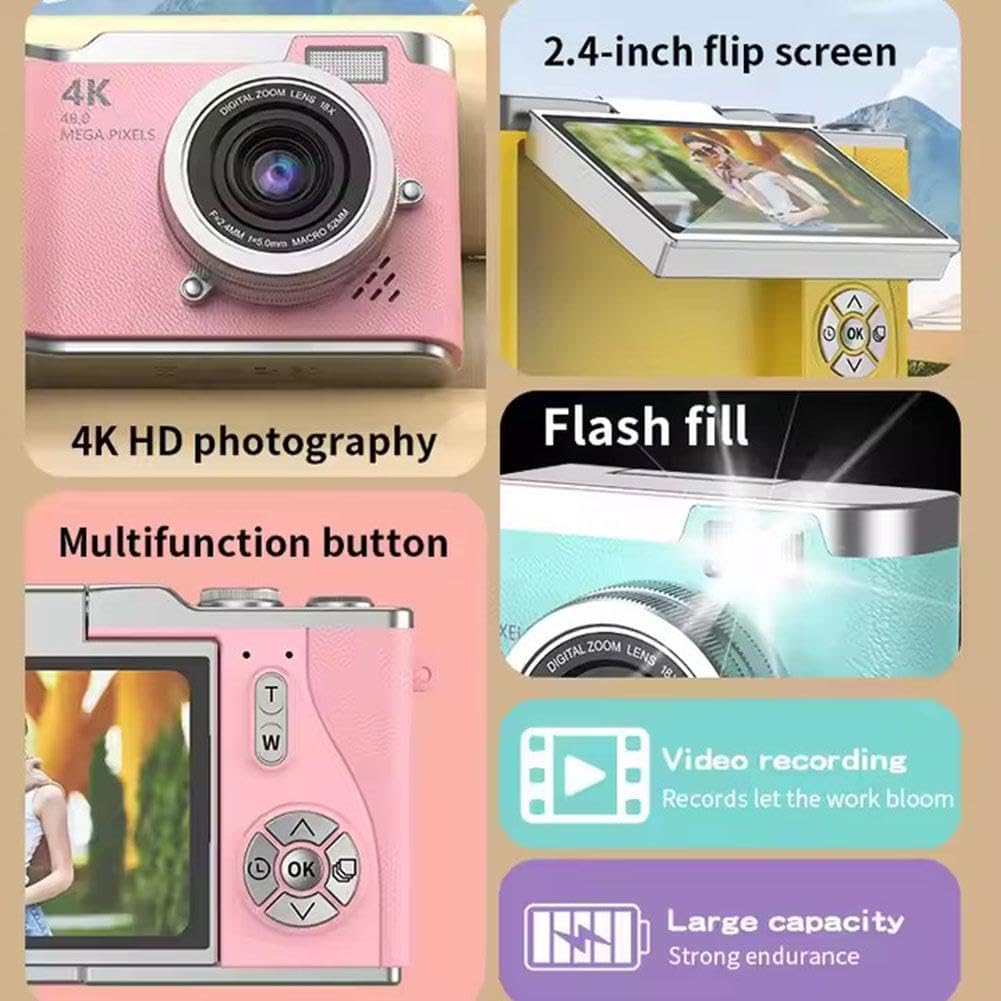
Resim Açıklaması: A collage highlighting several camera features. It shows the 2.4-inch flip screen in action, mentions "4K HD photography" (note: actual video resolution is 1080p, effective still resolution is 0.31MP), indicates a flash fill, points to a multifunction button, and highlights video recording capabilities and a large capacity battery.
- Görüntülemek: 2.4-inch high-definition flip screen.
- Video Çözünürlüğü: 1080p video kaydını destekler.
- Optik Yakınlaştırma: 8X optical zoom for capturing distant subjects.
- Ana Fonksiyonlar: Photo, video, filter effects, games, and MP3 playback.
- Pil: 800mAh capacity Lithium Ion battery.
- Malzeme: Durable ABS plastic and hardware construction.
3. Kurulum
3.1. Pilin Şarj Edilmesi
- Connect the provided charging cable to the camera's charging port.
- Connect the other end of the cable to the adapter, then plug the adapter into a power outlet.
- The charging indicator light will illuminate. Charging typically takes 1.5-2 hours.
- Once fully charged, the indicator light may change or turn off. Disconnect the camera from the charger.
Not: The camera's average battery life is approximately 3-4 hours for photos and 2 hours for recording.
3.2. Hafıza Kartının Takılması
This camera requires a memory card for storing photos and videos. A memory card is dahil değil with the product and must be purchased separately.
- Kameradaki hafıza kartı yuvasını bulun.
- Insert a compatible memory card (e.g., microSD) into the slot until it clicks into place. Ensure the card is inserted in the correct orientation.
- Kartı çıkarmak için, tık sesi duyana kadar hafifçe içeri itin, ardından bırakın; kart dışarı çıkacaktır.
3.3. İlk Güç Açma
- Ekran aydınlanana kadar Güç düğmesini basılı tutun.
- The camera will boot up and display the main interface.
- If prompted, set the date and time using the directional buttons and the OK button.
4. Kullanım Talimatları
4.1. Fotoğraf Çekmek
- Kamerayı aç.
- Frame your shot using the 2.4-inch flip screen. You can flip the screen to face forward for self-portraits.
- Fotoğraf çekmek için Tamam düğmesine basın.
4.2. Videoları Kaydetme
- Kamerayı aç.
- Navigate to video mode using the menu or a dedicated button (refer to on-screen icons).
- Press the OK button to start recording. Press it again to stop recording.
4.3. Yakınlaştırma Kullanımı
Use the 'T' button to zoom in (magnify) and the 'W' button to zoom out (shrink down). The camera features 8X optical zoom.
4.4. Autofocus and Anti-Shake
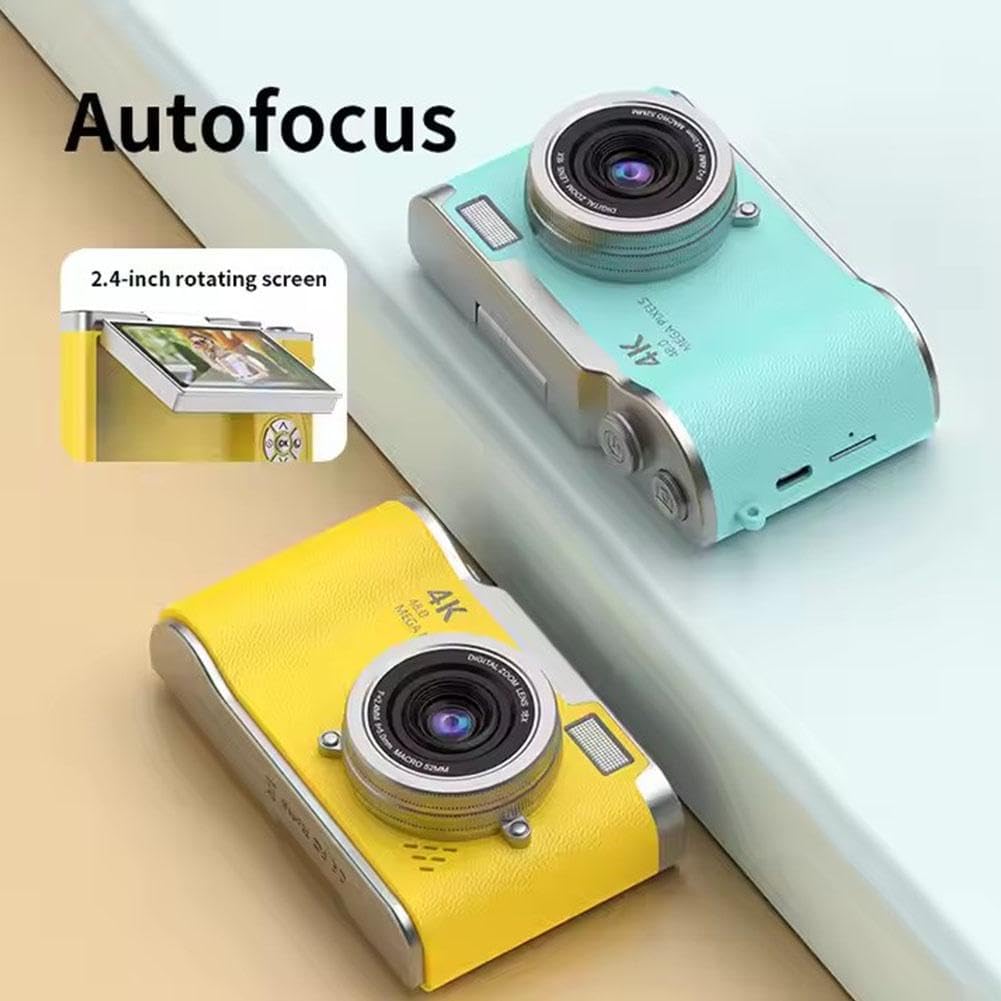
Resim Açıklaması: This image highlights the camera's autofocus capability and its 2.4-inch rotating (flip) screen. The camera is shown in yellow and blue variants.

Resim Açıklaması: This image demonstrates the camera's electronic anti-shake feature, indicating that it helps prevent blur and 'flutter' in photos and videos, even during dynamic movements.
The camera is equipped with autofocus technology to help achieve clear images. It also features electronic anti-shake to reduce blur caused by camera movement, particularly useful for active shots.
4.5. YenidenviewFotoğraflar ve Videolar
- Enter playback mode (usually via a dedicated button or menu option).
- Use the directional buttons to scroll through your captured media.
- OK düğmesine basın. view bir fotoğraf çekin veya bir video oynatın.
4.6. Aktarma Files
The included multi-card reader allows for quick and easy transfer of files from your memory card to a computer, laptop, or other compatible devices.
- Remove the memory card from the camera.
- Hafıza kartını kart okuyucuya takın.
- Kart okuyucuyu bilgisayarınızın USB portuna bağlayın.
- Erişim fileHafıza kartındaki verileri bilgisayarınız aracılığıyla görüntüleyin. file kaşif.
5. Bakım
5.1. Kamerayı Temizleme
- Kamera gövdesini temizlemek için yumuşak ve kuru bir bez kullanın.
- For the lens and screen, use a specialized lens cleaning cloth and solution to avoid scratches.
- Sert kimyasallar veya aşındırıcı malzemeler kullanmayın.
5.2. Depolama
- Kamerayı serin, kuru ve doğrudan güneş ışığından ve aşırı sıcaklıklardan uzak bir yerde saklayın.
- If storing for an extended period, ensure the battery is partially charged (around 50%) and remove it if possible to prolong battery life.
6. Sorun Giderme
| Sorun | Olası Neden | Çözüm |
|---|---|---|
| Kamera açılmıyor. | Pil bitmiş veya doğru takılmamış. | Pili tamamen şarj edin. Pilin doğru şekilde takıldığından emin olun. |
| Fotoğraf/video çekmek yasaktır. | No memory card inserted or card is full/corrupted. | Hafıza kartı takın. Gereksiz olanları silin. files or replace the card. Format the card if corrupted (this will erase all data). |
| Görüntüler bulanık. | Kamera titremesi, kirli lens veya odak dışı olma durumu. | Hold the camera steady. Clean the lens. Ensure autofocus is engaged. |
| Ekran boş veya donmuş. | Yazılım hatası. | Turn off the camera and restart it. If unresponsive, remove and reinsert the battery. |
7. Özellikler
| Özellik | Şartname |
|---|---|
| Model Adı | B0F488P9MD |
| Görüntülemek | 2.4-inch high-definition flip screen |
| Video Çözünürlüğü | 1080p (AVI formatı) |
| Etkili Hareketsiz Çözünürlük | 0.31 MP (Advertised as 4K HD photography and 48.0 Mega Pixels in some marketing materials) |
| Fotoğraf Sensörü Teknolojisi | CMOS |
| Optik Yakınlaştırma | 8X |
| Pil Türü | Lityum İyon |
| Pil Kapasitesi | 800mAh |
| Pil Ömrü (Ortalama) | 3-4 hours (photo), 2 hours (recording) |
| Şarj Süresi | 1.5-2 saat |
| Bellek Genişletme | Hafıza kartı dahil değildir |
| Ürün Boyutları | 117mm x 64mm x 29mm |
| Ürün Ağırlığı | 140 gr |
| Malzeme | ABS Plastic and Metal |
| Özel Özellikler | Flip Screen, Periscope Lens, Electronic Anti-shake, Autofocus |
8. Garanti ve Destek
Garanti bilgileri ve müşteri desteği için lütfen satın alma sırasında sağlanan belgelere bakın veya satıcınızla iletişime geçin. Satın alma belgenizi saklayın.