
Tuya Outdoor Wireless Doorbell
Tuya Outdoor Wireless Doorbell User Manual
Model: Tuya Outdoor Wireless Doorbell
1. Ürün Bittiview
The Tuya Outdoor Wireless Doorbell is a smart home security device featuring a 4.3-inch video display, night vision capabilities, and WiFi connectivity. It allows for remote monitoring, two-way audio communication via a mobile app, and motion detection to enhance your home security. This device is designed for easy installation and integrates with the Tuya Smart APP.
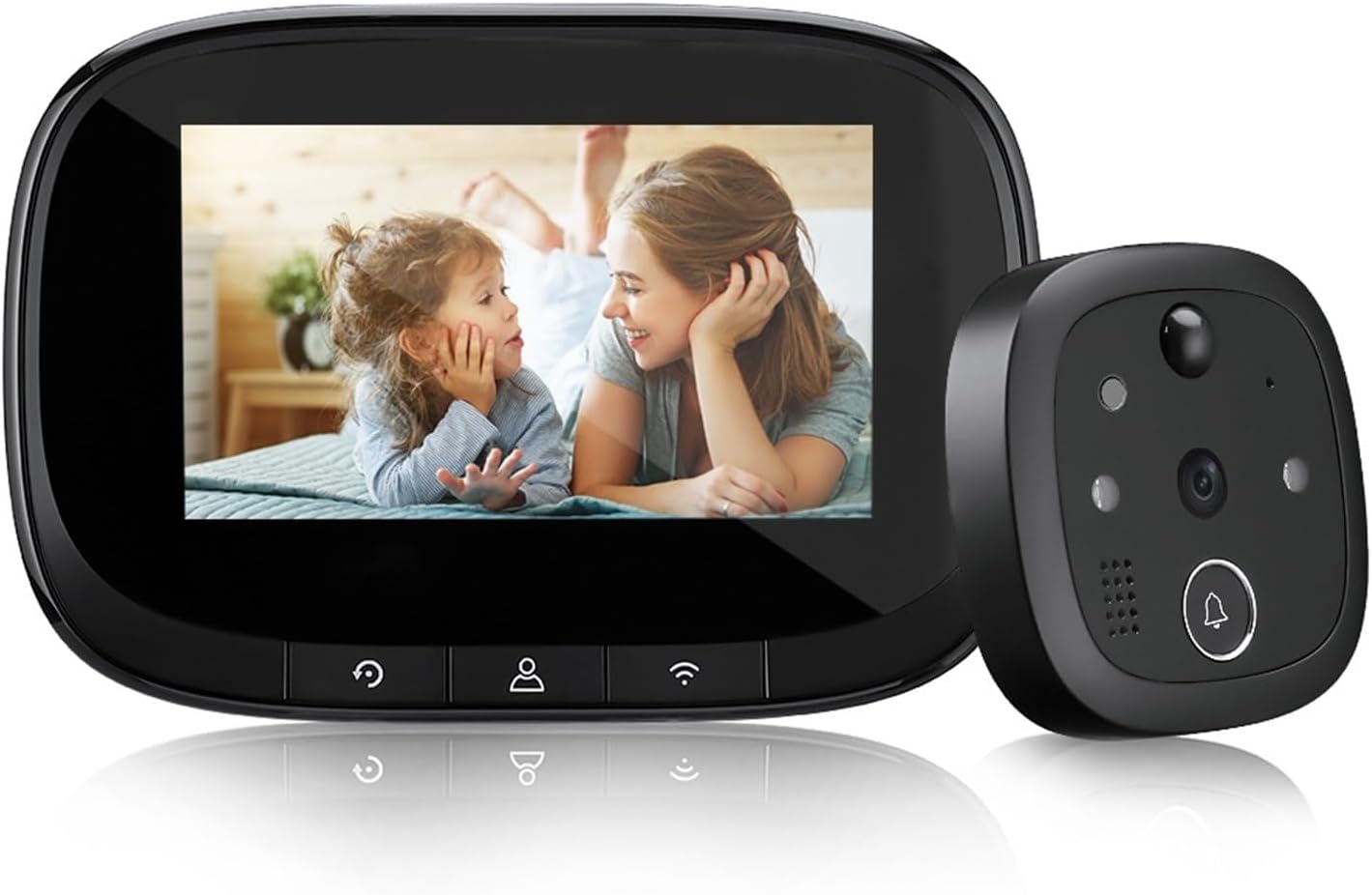
Image: The Tuya Outdoor Wireless Doorbell system, showing the indoor display unit and the outdoor camera unit.
2. Paket İçeriği
Lütfen kurulumdan önce tüm bileşenlerin eksiksiz olduğundan emin olun:
- Outdoor Camera Unit
- Indoor Display Unit (4.3-inch IPS screen)
- Montaj Braketi
- Montaj Vidaları ve Somunları
- USB Charging Cable (for 5V/2A charger, not included)
- Kullanıcı Kılavuzu
3. Kurulum ve Kurulum
Follow these steps to install your Tuya Wireless Doorbell:
- Pili Şarj Edin: Ensure the indoor display unit's built-in 3000mAh battery is fully charged using a 5V/2A charger (not supplied).
- Micro SD Kartı Takın: If desired, insert a Micro SD card (up to 128GB, not included) into the designated slot on the indoor unit for local storage of recordings.
- Prepare Door Hole: Verify your door has a peephole with a diameter between 14-35 mm and a thickness between 35-100 mm.
- Dış Üniteyi Monte Edin: Select screws of suitable length based on your door's thickness. Twist the screw into the rod nut of the outdoor unit.
- Secure Outdoor Unit: Pass the outdoor unit's cable through the door hole. Position the outdoor unit flush against the door.
- Attach Indoor Unit: Connect the cable from the outdoor unit to the indoor display unit. Secure the indoor unit to the mounting bracket on the inside of the door.
- WiFi'ye bağlanın: Power on the indoor unit. Follow the on-screen prompts or refer to the Tuya Smart APP instructions to connect the doorbell to your 2.4GHz WiFi network (5GHz WiFi is not supported).

Image: Highlights key features like Tuya Smart APP compatibility, 720P HD resolution, WiFi, 3000mAh battery, and Micro SD card support.
4. Kullanım Talimatları
4.1. Temel İşlem
- Viewing Visitors: When a visitor presses the doorbell button on the outdoor unit, the indoor display will activate, showing a live view ziyaretçinin.
- Manuel View: You can manually activate the indoor display at any time to view the outside area.
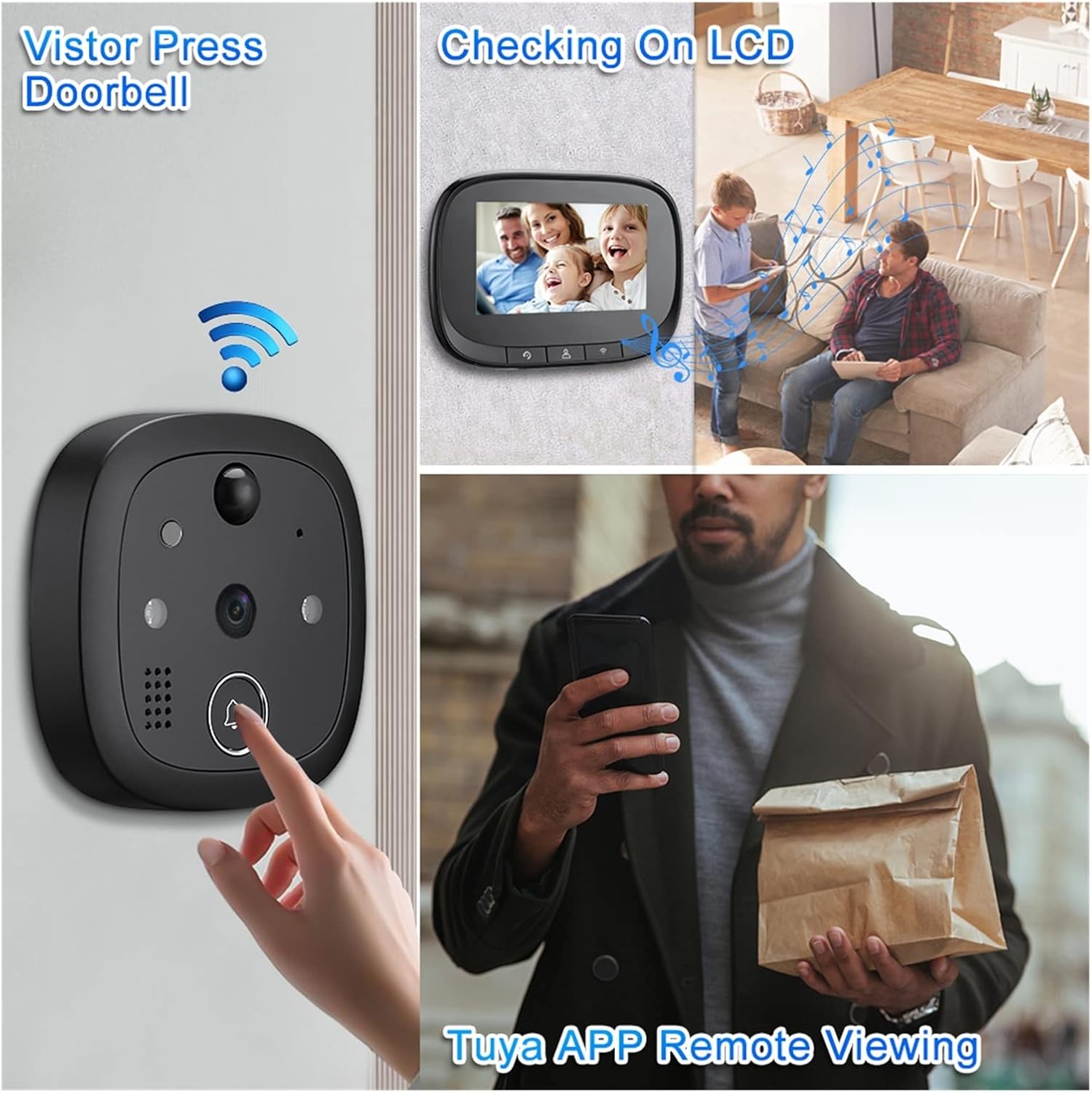
Image: Illustrates the process of a visitor pressing the doorbell, viewing on the LCD screen, and remote viewing via the Tuya APP.
4.2. Tuya Smart APP Features
Download the Tuya Smart APP from your mobile app store to unlock advanced functionalities:
- Uzak ViewTürkçe: Access live video feed from your doorbell camera anytime, anywhere.
- İki Yönlü Ses: Communicate with visitors in real-time through the app. The display screen does not support two-way audio.
- PIR Hareket Algılama: Receive instant notifications on your phone when motion is detected outside your door. The system can automatically record video or take photos upon detection.
- Video Recording & Photo Capture: Record video clips or capture still images directly from the app.
- Mesaj Gönderme: Get alerts for doorbell presses, motion detection, and other events.
- Çok Kullanıcılı Erişim: Up to 8 mobile phones can be linked to the doorbell simultaneously for shared access.

Image: A visual representation of the doorbell's various smart functions, including video calls, remote monitoring, motion detection, and night vision.

Image: Demonstrates remote access and two-way audio capabilities, highlighting mobile notifications for motion detection and the ability to link up to 8 mobile phones.
4.3. Gece Görüşü
The doorbell is equipped with 940nm invisible infrared night vision. It automatically switches to night mode in low-light conditions, providing clear visibility even in complete darkness.

Image: Illustrates the clear visibility provided by the 720P HD WiFi Night Vision Doorbell during both day and night conditions.
4.4. Geniş Açı View
The 130° ultra-wide-angle lens provides a broad field of view, allowing you to see a wider area outside your door.

Image: Demonstrates the 130-degree wide-angle view of the doorbell camera, highlighting its ability to capture a broad area and detect motion.
5. Bakım
- Temizlik: Use a soft, dry cloth to clean the display screen and camera lens. Do not use liquid cleaners or abrasive materials.
- Pil Ömrü: Recharge the indoor unit's battery when the low battery indicator appears. Battery life varies based on usage.
- SD Kart Yönetimi: Periodically check the Micro SD card for storage space. Format the card through the device settings or app if needed to clear old recordings.
- Donanım Yazılımı Güncellemeleri: Check the Tuya Smart APP regularly for any available firmware updates to ensure optimal performance and security.
6. Sorun Giderme
- Cihaz Açılmıyor: Ensure the indoor unit's battery is charged. Connect it to a 5V/2A charger and try again.
- WiFi Bağlantısı Yok:
- Ensure your WiFi network is 2.4GHz. 5GHz networks are not supported.
- WiFi şifrenizi kontrol edin.
- Move the doorbell closer to your WiFi router or consider a WiFi extender.
- Yönlendiricinizi ve kapı zilini yeniden başlatın.
- Kötü Video Kalitesi:
- Check your WiFi signal strength. A weak signal can affect video quality.
- Kamera lensinin temiz ve herhangi bir engel içermediğinden emin olun.
- Çift Yönlü Ses Çalışmıyor:
- Remember that two-way audio is only supported via the Tuya Smart APP, not the indoor display screen.
- Ensure your phone's microphone is enabled for the Tuya Smart APP.
- İnternet bağlantınızı kontrol edin.
- Hareket Algılama Tetiklenmiyor:
- Adjust the motion detection sensitivity settings in the Tuya Smart APP.
- Ensure there are no physical obstructions blocking the sensor.
7. Özellikler
| İşlemci | Merhaba3518E |
| Hafıza | RAM 512M |
| İşletim Sistemi | liveOS |
| Imaging Chip | 720p |
| Ekran Özellikleri | 4.3 inches, IPS, 480*272 |
| Pil Kapasitesi | 3000mAh |
| Night Vision Wavelength | 940nm (görünmez ışık) |
| Şarj Girişi | 5V/2A |
| Suitable Door Hole Diameter | 14-35 mm |
| Uygulanabilir Kapı Kalınlığı | 35-100 mm |
| Kablosuz wifi | IEEE802.11b/G/N 2.4GHz (Does not support 5G WiFi) |
| Harici Depolama | Mikro SD kart (maksimum destek 128GB) |
| Üretici | YUD5DAS |
| Menşei ülke | Çin |
8. Garanti ve Destek
Bu ürün bir 3 ay garanti from the date of purchase. For any technical support or warranty claims, please refer to the contact information provided by your retailer or the product packaging.
İlgili belgelerTuya Outdoor Wireless Doorbell


Ask a question about this manual
Ask about setup, troubleshooting, compatibility, parts, safety, or missing instructions. Manuals+ will review the question and use this page’s manual context to help answer it.