
giriiş
Thank you for choosing the GOBOULT Flex On-Ear Bluetooth Headphones. This manual provides essential information for setting up, operating, and maintaining your headphones to ensure optimal performance and longevity. Please read this manual thoroughly before using the product.
Kutuda Neler Var?
- GOBOULT Flex On-Ear Bluetooth Headphones
- Type-C Hızlı Şarj Kablosu
- Kullanıcı Kılavuzu
- Garanti Kartı
Ürün Bittiview
The GOBOULT Flex headphones are designed for comfort and high-quality audio. They feature 40mm bass-boosted drivers, Bluetooth 5.4 connectivity, and an adjustable, foldable design.

Resim: Üzeriview of GOBOULT Flex features including 40mm drivers, Bluetooth 5.4, 4 EQ modes, 60ms low latency, 80-hour battery, and ENC calling.
Temel Bileşenler:
- Kulaklıklar: Soft, cushioned earcups for comfort.
- Ayarlanabilir Kafa Bandı: Allows for a customized fit.
- Kontrol Düğmeleri: Located on the earcups for power, volume, playback, and call management.
- C Tipi Şarj Bağlantı Noktası: Kulaklıkları şarj etmek için.
- AUX Girişi: Kablolu ses bağlantısı için.
- Mikrofon: Integrated Zen™ ENC mic for clear calls.

Image: The adjustable headband and earcups of the GOBOULT Flex headphones, designed for a comfortable fit.
Kurmak
1. Kulaklıkları Şarj Etme
Before first use, fully charge your GOBOULT Flex headphones. Use the provided Type-C charging cable.
- Connect the Type-C cable to the charging port on the headphones.
- Kablonun diğer ucunu bir USB güç kaynağına (örneğin duvar adaptörü, bilgisayar USB portu) bağlayın.
- The LED indicator will show charging status (refer to product for specific light patterns).
- A full charge takes approximately 60 minutes and provides up to 80 hours of playtime.
- Fast charging provides 5 hours of playtime with just 10 minutes of charging.
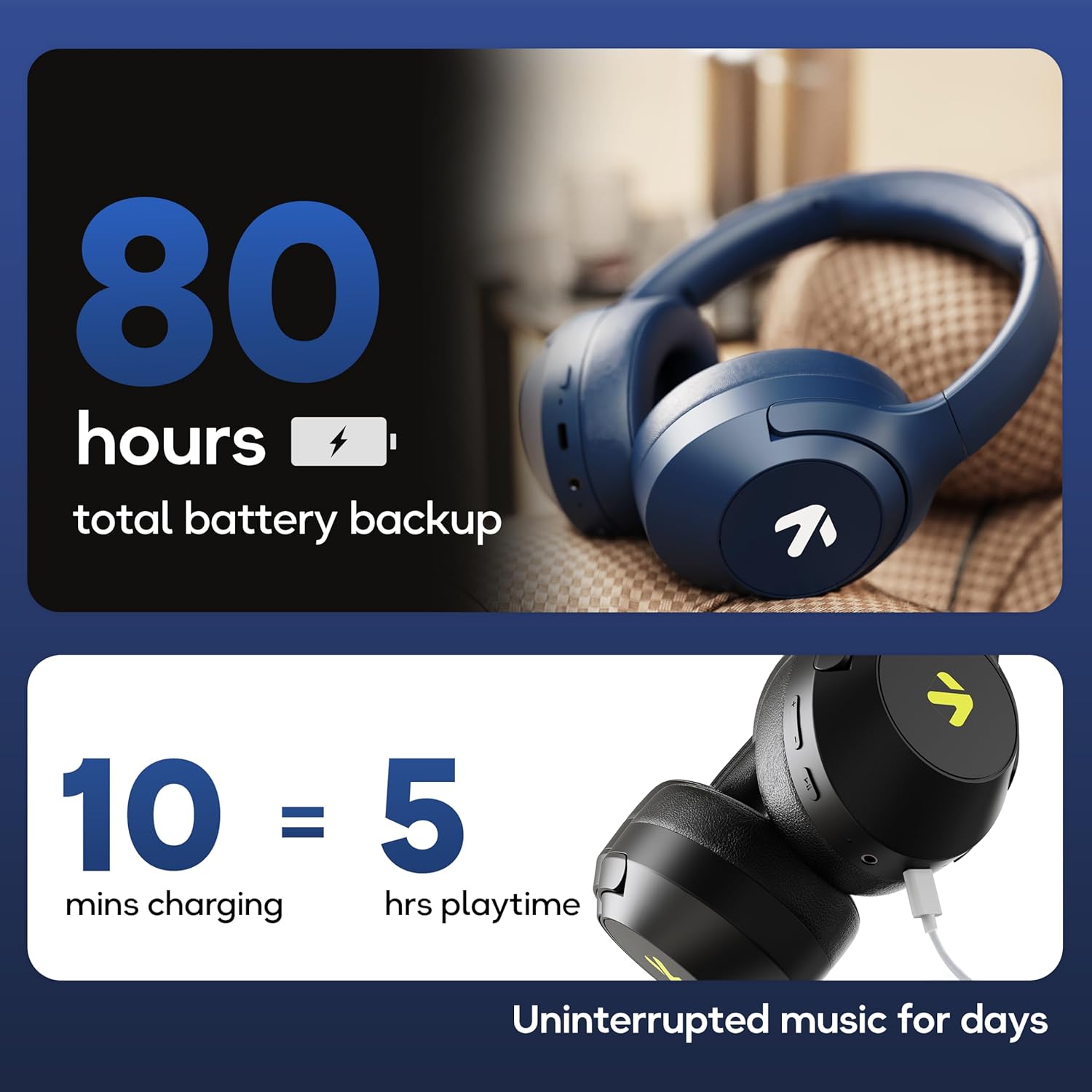
Image: Visual representation of the 80-hour battery life and fast charging capability (10 minutes charge for 5 hours playback).
2. Bluetooth Eşleştirme
Kablosuz ses için kulaklığınızı cihazınızla eşleştirin.
- Kulaklığın şarjlı ve kapalı olduğundan emin olun.
- Press and hold the Power button until the LED indicator flashes (usually blue and red alternately), indicating pairing mode.
- Cihazınızda (akıllı telefon, tablet, dizüstü bilgisayar) Bluetooth'u etkinleştirin ve kullanılabilir cihazları arayın.
- Select "GOBOULT Flex" from the list of devices.
- Bağlantı sağlandıktan sonra LED göstergesi genellikle sabit mavi renkte yanar veya yavaşça yanıp söner.
- The headphones feature Bluetooth 5.4 and Blink & Pair™ technology for fast and stable connections.

Image: The headphones connected via Bluetooth 5.4, highlighting the Blink & Pair feature for quick device connection.
Kullanım Talimatları
Güç Açık/Kapalı
- Güç Açık: Güç düğmesini yaklaşık 3 saniye basılı tutun.
- Kapat: Güç düğmesini yaklaşık 5 saniye basılı tutun.
Müzik Kontrolü
- Oynat/Duraklat: Çok işlevli düğmeye bir kez basın.
- Sonraki Parça: Sesi Açma tuşuna basılı tutun.
- Önceki parça: Sesi Azaltma düğmesini basılı tutun.
- Sesi aç: Sesi Açma tuşuna kısa basın.
- Sesi kıs: Sesi Azaltma düğmesine kısa basın.
Çağrı Kontrolü
The Zen™ ENC mic ensures clear communication by reducing environmental noise.

Resim: Ayrıntılı view of the Zen™ ENC microphone technology for effective environmental noise cancellation during calls.
- Çağrıyı Cevapla/Sonlandır: Çok işlevli düğmeye bir kez basın.
- Çağrıyı Reddet: Çok işlevli düğmeyi 2 saniye basılı tutun.
- Son Numarayı Tekrar Ara: Çok işlevli düğmeye iki kez basın.
Sesli asistan
Activate your device's voice assistant (e.g., Google Assistant) directly from the headphones.
- Voice Assistant'ı etkinleştirin: Çok işlevli düğmeye üç kez basın.

Image: The headphones featuring voice assistant compatibility and IPX5 water resistance for protection against sweat and splashes.
Oyun Modu (60 ms Düşük Gecikme Süresi)
Engage Combat™ Gaming Mode for ultra-low latency audio, ideal for gaming.
- Oyun Modunu Etkinleştir: Refer to the specific button combination in your quick start guide (often a dedicated button or a long press of a volume button).
- This mode reduces audio latency to 60ms for a synchronized gaming experience.
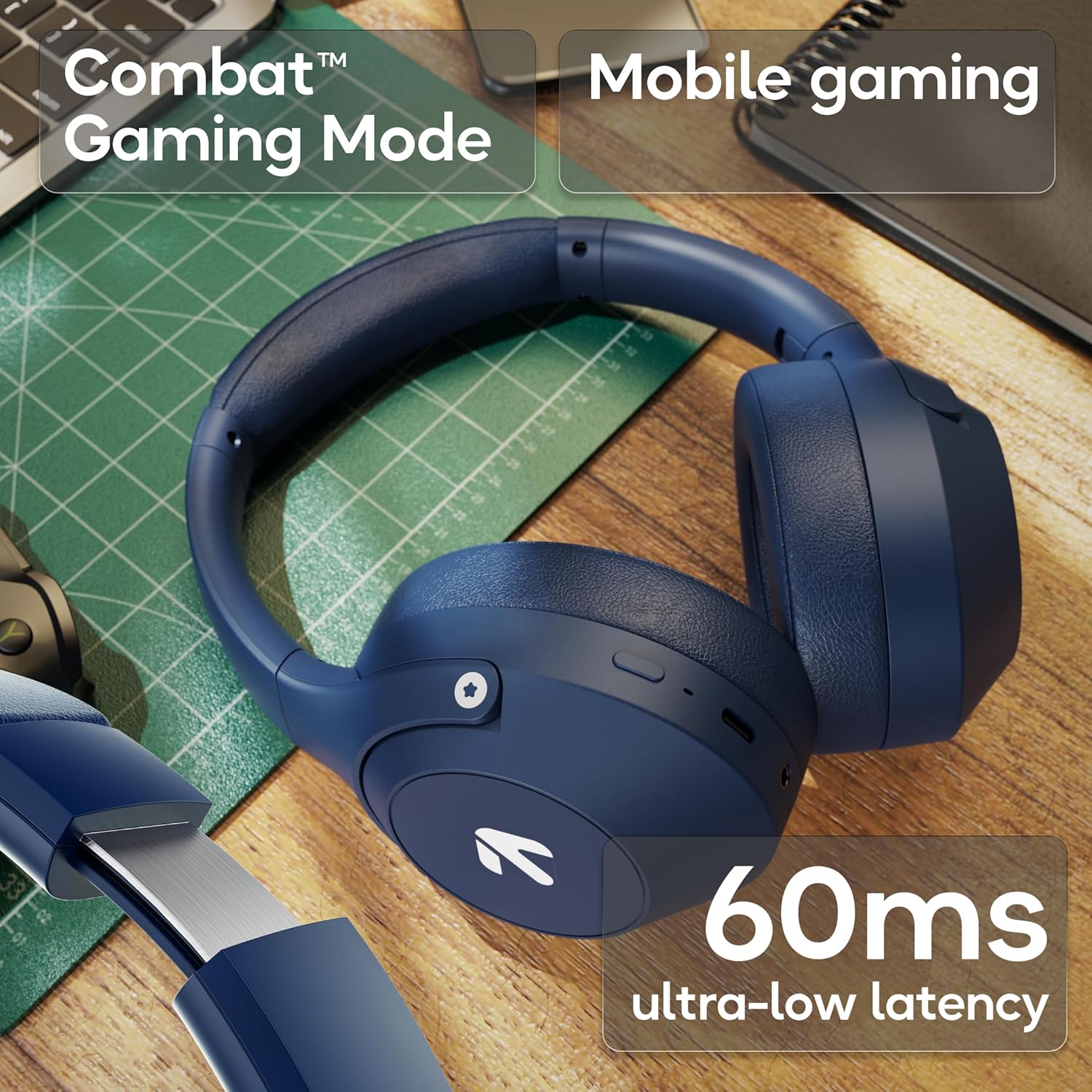
Image: The headphones highlighting the Combat™ Gaming Mode with 60ms ultra-low latency for an enhanced gaming experience.
Kablolu Mod
Use the included AUX cable for a wired connection when wireless is not preferred or the battery is low. Note that the microphone is typically off in wired mode.
- Connect one end of the 3.5mm AUX cable to the headphone's AUX port.
- Connect the other end to your audio source's 3.5mm jack.
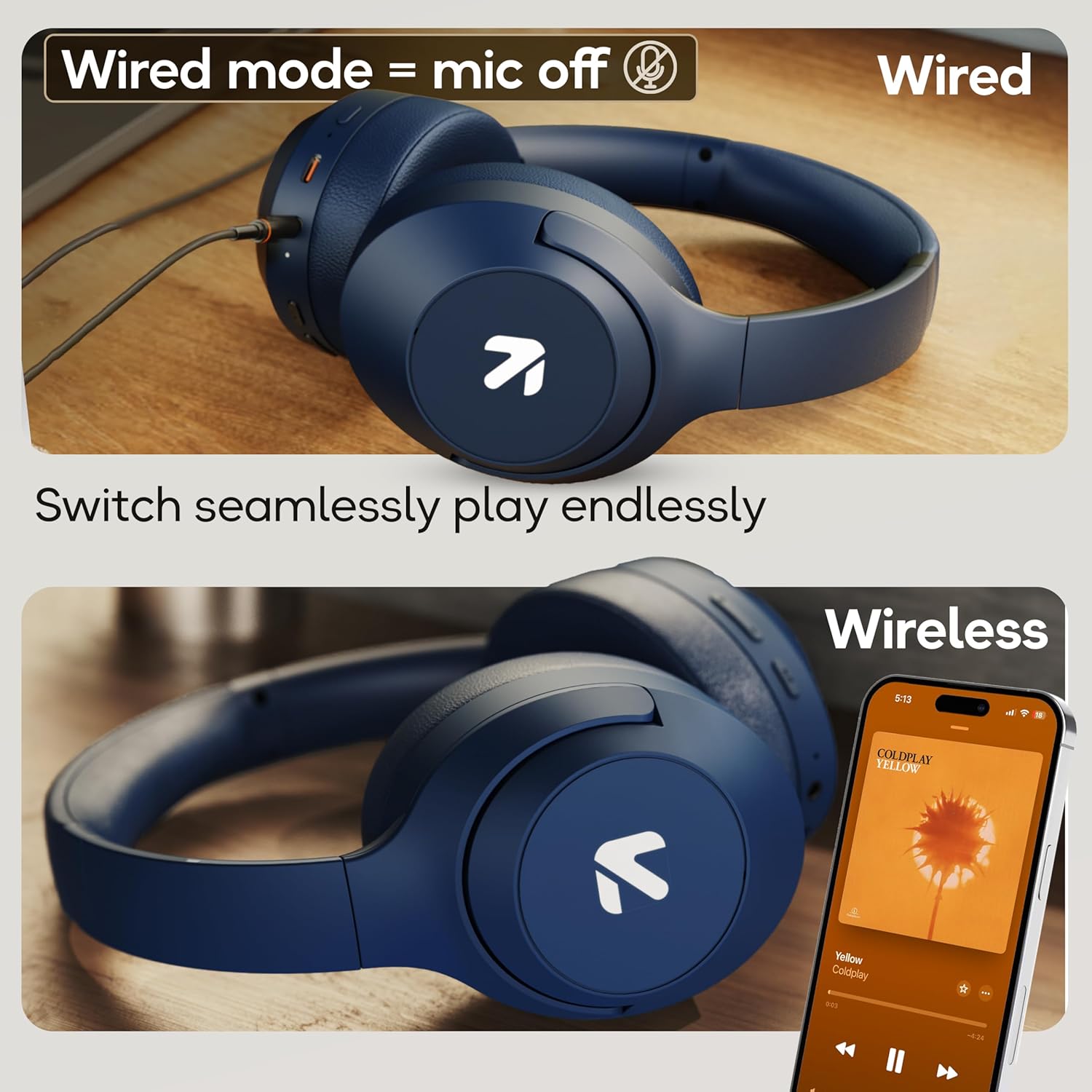
Image: Comparison of wired mode (with mic off) and wireless mode, demonstrating the flexibility of connection options.
EQ Modları
The headphones offer 4 Equalizer (EQ) modes to customize your audio experience.
- Mevcut Modlar: Bass, Rock, Pop, Vocal.
- Anahtarlama Modları: Refer to the specific button combination in your quick start guide (often a dedicated EQ button or a combination press).

Image: The headphones emphasizing powerful bass delivered by 40mm boosted drivers with Boomx™ technology, and support for AAC/SBC codecs.

Resim: Dahili view of the headphones showing the DSP processor, indicating features like seamless VoIP calls, adaptive audio equalization, and 16-bit dual-audio processing.
Bakım
Proper maintenance ensures the longevity of your headphones.
- Temizlik: Kulaklığınızı yumuşak ve kuru bir bezle silin. Sert kimyasallar veya aşındırıcı malzemeler kullanmayın.
- Depolamak: Kulaklıkları serin, kuru ve doğrudan güneş ışığından ve aşırı sıcaklıklardan uzak bir yerde saklayın. Katlanabilir tasarımı sayesinde kompakt bir şekilde saklanabilir.
- Suya Dayanıklılık: The headphones are IPX5 rated, meaning they are resistant to sweat and light splashes. Do not submerge them in water or expose them to heavy rain.
Sorun giderme
Güç Yok
- Kulaklığın tam şarjlı olduğundan emin olun.
- Şarj kablosunu ve güç kaynağını kontrol edin.
Bluetooth ile Eşleştirilemiyor
- Ensure the headphones are in pairing mode (LED flashing blue/red).
- Cihazınızda Bluetooth'un etkinleştirildiğinden ve kulaklıklara 10 metre mesafede olduğundan emin olun.
- Forget "GOBOULT Flex" from your device's Bluetooth list and try pairing again.
- Hem kulaklığınızı hem de cihazınızı yeniden başlatın.
Ses Yok
- Hem kulaklığınızdaki hem de bağlı cihazınızdaki ses seviyelerini kontrol edin.
- Kulaklıkların doğru şekilde eşleştirildiğinden ve bağlandığından emin olun.
- Kablolu bağlantı kullanıyorsanız, AUX kablosunun hem kulaklıklara hem de ses kaynağına tam olarak takılı olduğundan emin olun.
Zayıf Çağrı Kalitesi
- Mikrofonun engellenmediğinden emin olun.
- Move to a quieter environment to allow the ENC mic to function optimally.
- Cihazınızın çağrı ayarlarını kontrol edin.
Özellikler
| Özellik | Şartname |
|---|---|
| Model Adı | Esneklik |
| Marka | GOBOULT |
| Bağlantı Teknolojisi | Bluetooth, Kablosuz |
| Bluetooth Sürümü | 5.4 (Product Title says 5.4, Specs say 5.3, using 5.4 as per title) |
| Bluetooth Menzili | 10 Metre |
| Ses Sürücüsü Boyutu | 40 Milimetre |
| Ses Sürücüsü Türü | Dinamik Sürücü |
| Pil Ömrü | 80 Saat (Oyun Süresi) |
| Şarj Süresi | 60 Dakika |
| Hızlı Şarj | 10 saatlik oynatma süresi için 5 dakika |
| Kulaklık Girişi | Type-C Fast Charging Jack, 3.5mm AUX |
| Mikrofon | Zen™ ENC Mic |
| Düşük Gecikme Modu | 60ms (Combat™ Gaming Mode) |
| Su Direnç Seviyesi | IPX5 (Sweatproof, Water-resistant, Splashproof) |
| Gürültü Kontrolü | Pasif Gürültü Önleme |
| Ürün Ağırlığı | 214 Gram |
| Ürün Boyutları | 5x19x20 cm |
| Dahil Bileşenler | Cable, Headphone, Type-C Fast Charging Cable, User Manual, Warranty Card |
Garanti ve Destek
The GOBOULT Flex On-Ear Bluetooth Headphones come with a 1 Yıl Garanti.
For warranty registration, technical support, or customer service inquiries, please visit the official GOBOULT website or contact their customer support team using the information provided on the warranty card.