
giriiş
Satın aldığınız için teşekkür ederizasing the MONODEAL Portable CD Player. This device is designed to provide high-quality audio playback from your favorite CDs, with the added convenience of Bluetooth connectivity and built-in stereo speakers. Please read this manual carefully before using the product to ensure proper operation and to maximize its lifespan.
Paket İçeriği

Figure 1: Package Contents. The image displays the MONODEAL Portable CD Player alongside its included accessories: a dual AUX cable, a USB-C charging cable, wired earphones, and the user manual.
- MONODEAL Portable CD Player (Model: MD-602)
- USB-C Şarj Kablosu
- Dual AUX Cable
- Kablolu kulaklık
- Kullanıcı Kılavuzu
Ürün Bittiview

Şekil 2: Ön view of the MONODEAL Portable CD Player, highlighting the central control panel with playback buttons, mode selection, volume, and the digital display showing track information and battery status.
The MONODEAL Portable CD Player features a compact design with intuitive controls. It includes a digital display for track information, battery status, and mode indicators. Key features include:
- Dahili Stereo Hoparlörler: Enjoy audio without headphones.
- Bluetooth 5.0 Bağlantısı: Easily connect to Bluetooth headphones, earphones, or speakers.
- Çoklu Çalma Modları: Play in order, repeat track, repeat all, A-B repeat, and shuffle.
- EQ Ses Efektleri: Choose from BBS, Pop, Jazz, Rock, and Classic.
- Resume Function: Remembers the last played track.
- FM Verici: Connect to car stereos or home radios via FM.
- Şarj Edilebilir Pil: Long-lasting 2000mAh battery for extended playback.
Kurmak
1. Cihazın Şarj Edilmesi
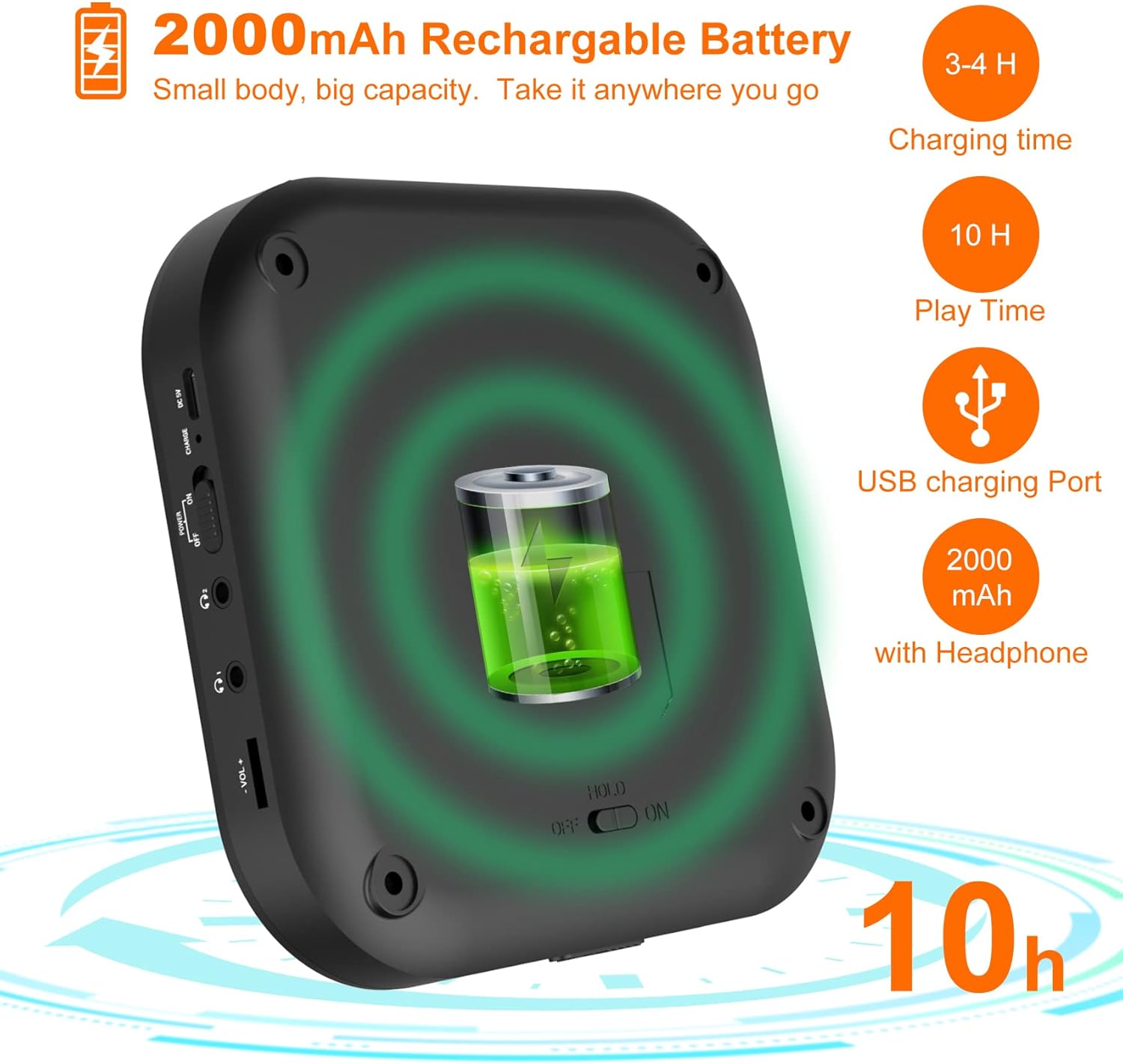
Figure 3: Battery and Charging. This image illustrates the 2000mAh rechargeable battery capacity, indicating a charging time of 3-4 hours and a play time of up to 10 hours with headphones, using the USB charging port.
Before first use, fully charge the CD player. Connect the supplied USB-C charging cable to the device's USB-C port and the other end to a USB power adapter (not included) or a computer's USB port. The charging indicator light will show the charging status. A full charge typically takes 3-4 hours and provides up to 10 hours of playback with headphones.
2. CD Takma
- Gently slide the "OPEN" switch to open the CD compartment lid.
- CD'yi etiketli tarafı yukarı bakacak şekilde milin üzerine yerleştirin.
- CD'nin ortasına hafifçe bastırın, yerine oturana kadar tık sesi duyacaksınız.
- CD bölmesinin kapağını yerine oturana kadar sıkıca kapatın.
Kullanım Talimatları
Temel Oynatma
- Ensure the "HOLD" switch on the side of the player is in the "OFF" position.
- Basın OYNAT/DURDUR düğme (▶‖) oynatmayı başlatmak için.
- Basın OYNAT/DURDUR Oynatmayı duraklatmak için tekrar düğmeye basın.
- Kullanın ÖNCESİ (⏮) Ve SONRAKİ (⏭) buttons to skip tracks. Press and hold to fast forward or rewind.
- Kullanarak ses seviyesini ayarlayın. HACİM+ Ve cilt düğmeler.
Bluetooth Bağlantısı

Figure 4: Bluetooth Connectivity. This image demonstrates the player's built-in Bluetooth 5.0, showing its compatibility with Bluetooth headphones, earphones, and speakers, with a woman enjoying music wirelessly.
- CD çaları açın.
- Basın Bluetooth düğme (&B;) to activate Bluetooth pairing mode. The Bluetooth indicator will flash.
- Enable Bluetooth on your desired device (headphones, speaker, etc.) and set it to pairing mode.
- Select "MONODEAL CD Player" from the list of available devices.
- Bağlantı kurulduktan sonra, Bluetooth göstergesi yanıp sönmeyi bırakacak ve sabit kalacaktır.
FM Verici Fonksiyonu

Figure 5: Car Connection Options. This image illustrates two methods to connect the CD player to a car audio system: via AUX connection or FM connection, highlighting its suitability for cars without a built-in CD player.
The player can transmit audio to an FM radio, ideal for car stereos without a CD player.
- Basın PROG/FM button to enter FM transmission mode.
- The display will show the FM frequency. Use the ÖNCESİ (⏮) Ve SONRAKİ (⏭) buttons to adjust the frequency.
- Tune your car radio or home radio to the same FM frequency.
- Adjust the volume on your radio for optimal sound.
Play Modes and EQ Settings

Figure 6: Play Modes and EQ. This image shows a family enjoying music, with text detailing the 5 available play modes (Play in order, Repeat a track, Repeat all, A-B repeat, Shuffle) and 5 EQ sound effects (BBS, Pop, Jazz, Rock, Classic).
- MOD Düğmesi: Press to cycle through different play modes:
- Tek Döngü: Geçerli parçayı tekrarlar.
- TÜM: Repeats all tracks on the CD.
- GİRİŞ: Plays the first 10 seconds of each track.
- -Şuf: Parçaları rastgele sırayla oynatır.
- AB Tekrarı: Basın AB button at the start point (A) and again at the end point (B) of the desired section to repeat it. Press a third time to cancel.
- EQ Düğmesi: Press to cycle through different equalizer sound effects: BBS, Pop, Jazz, Rock, Classic.
Bakım
- Keep the device clean by wiping it with a soft, dry cloth. Do not use liquid cleaners or aerosols.
- Oyuncuyu aşırı sıcaklıklara, doğrudan güneş ışığına veya yüksek neme maruz bırakmaktan kaçının.
- Do not disassemble the device. Repairs should only be performed by qualified personnel.
- When not in use for extended periods, store the player in a cool, dry place.
Sorun giderme
| Sorun | Olası Neden | Çözüm |
|---|---|---|
| Oynatıcı açılmıyor. | Pil bitmiş. HOLD switch is ON. | Pili şarj edin. Set HOLD switch to OFF. |
| Hoparlörlerden/kulaklıklardan ses gelmiyor. | Ses çok düşük. Kulaklıklar düzgün bağlanmamış. Bluetooth device not connected. | Sesi artırın. Kulaklıkların tamamen takılı olduğundan emin olun. Re-pair Bluetooth device. |
| CD skips or stops. | CD kirli veya çizik. Player is subjected to strong vibrations. | CD'yi yumuşak bir bezle temizleyin. Sağlam bir yüzeyde kullanın. |
| Bluetooth üzerinden bağlantı kurulamıyor. | Cihaz menzil dışında. Bluetooth eşleştirme modunda değil. | Cihazı daha yakına getirin. Ensure player and receiving device are in pairing mode. |
Özellikler
| Özellik | Detay |
|---|---|
| Marka | TEK DEĞER |
| Model Numarası | MD-602 |
| Renk | Gümüş |
| Bağlantı Teknolojisi | Bluetooth, USB |
| Desteklenen Ses Biçimi | CD |
| Includes MP3 Player | Evet |
| Pil Türü | 1 Lityum-iyon pil gerekli |
| Pil Kapasitesi | 2000mAh (approx. 10 hours playback with headphones) |
| UPC | 673143964531 |
Garanti ve Destek
For warranty information or technical support, please refer to the contact details provided with your purchase or visit the official MONODEAL website. Herhangi bir garanti talebi için satın alma belgeniz olarak satın alma makbuzunuzu saklayın.