
1. Giriş
The MEETION DirectorD-KB is a wireless ergonomic keyboard designed for comfortable and natural typing. It features a scientific wave key design and a built-in firm wrist rest to support your hands during extended use. This keyboard offers broad compatibility with Windows and macOS devices through a 2.4GHz wireless connection.

Image: The MEETION DirectorD-KB Wireless Ergonomic Keyboard positioned on a wooden desk, showcasing its wave-curved design and integrated wrist rest.
2. Paket İçeriği
Paketin içerisinde tüm ürünlerin mevcut olduğundan emin olun:
- 1 x MEETION DirectorD-KB Wireless Ergonomic Keyboard
- 1 x Kullanım Kılavuzu
- 1 x USB-A 2.4GHz Wireless Receiver
- 1 x USB-C Adaptörü
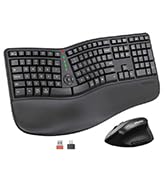
Image: Contents of the MEETION DirectorD-KB package, including the keyboard, user manual, USB-A receiver, and USB-C adapter.
3. Kurulum Talimatları
3.1. Pil Kurulumu
- Klavyenin alt tarafındaki pil yuvasını bulun.
- Pil bölmesinin kapağını açın.
- Pil yuvasına iki adet AAA pil (dahil değildir) yerleştirin ve doğru kutuplara dikkat edin.
- Pil bölmesi kapağını sıkıca kapatın.

Image: The underside of the keyboard showing the battery compartment for two AAA batteries and details on power saving features.
3.2. Alıcının Bağlanması
- Locate the USB-A 2.4GHz wireless receiver, typically found in the slot inside the keyboard's battery compartment or in the accessory pouch.
- For devices with a USB-A port: Plug the USB-A receiver directly into an available USB-A port on your computer.
- For devices with a USB-C port: Attach the provided USB-C adapter to the USB-A receiver, then plug the combined unit into an available USB-C port on your computer.
- The keyboard is plug-and-play and should connect automatically.
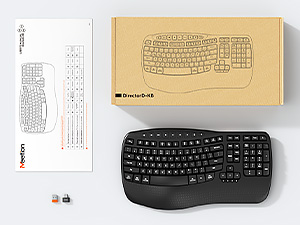
Image: Step-by-step guide on connecting the USB-A receiver with the USB-C adapter to a computer's USB-C port.
3.3. Açma
After installing batteries and connecting the receiver, slide the power switch on the keyboard to the 'ON' position. The keyboard is now ready for use.
4. Kullanım Talimatları
4.1. Ergonomic Design and Wrist Rest
The keyboard features a wave-shaped key layout and a firm, integrated wrist rest. This design guides your hands and wrists into a natural, relaxed typing position, reducing strain during long typing sessions.

Image: A user's hands resting comfortably on the integrated wrist rest while typing on the ergonomic keyboard.
4.2. Ayarlanabilir Eğim
Utilize the adjustable tilt legs on the underside of the keyboard to find your preferred typing angle. Different angles can further enhance comfort and reduce wrist fatigue.

Resim: Yan profiles of the keyboard demonstrating three different adjustable tilt angles for personalized comfort.
4.3. Dual System Layout (Windows/macOS)
The keyboard supports both Windows and macOS layouts. To switch between operating systems:
- Basmak FN + S Windows düzeni için.
- Basmak FN + B macOS düzeni için.
4.4. Multimedya Tuşları
The keyboard includes dedicated and combined multimedia keys for quick access to functions like volume control, media playback, and more.
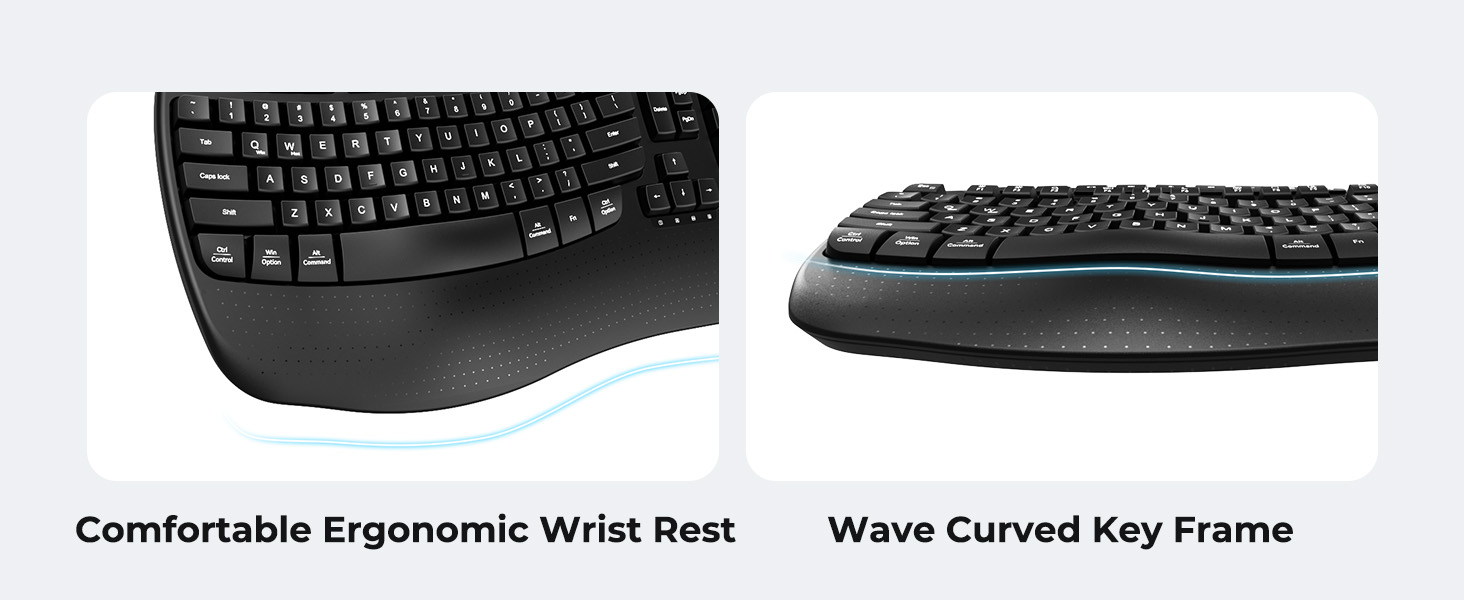
Image: A visual representation of the independent and combined multimedia keys available on the keyboard.
4.5. Akıllı Enerji Tasarrufu
The keyboard features an auto-sleep mode to conserve battery life. After 20 minutes of inactivity, it will enter hibernation. To wake it up, simply press any key.

Image: Close-up of the keyboard's indicator lights, showing status for Num Lock, Caps Lock, FN Lock, and low battery warning.
5. Bakım
Klavyenizin uzun ömürlü ve optimum performans göstermesini sağlamak için aşağıdaki bakım yönergelerini izleyin:
- Temizlik: Klavyenin yüzeyini silmek için yumuşak, kuru bir bez kullanın. Daha derinlemesine temizlik için, biraz daha kuru bir bez kullanabilirsiniz.amp Tuş kapaklarına veya iç bileşenlere sıvı girmemesine dikkat edilerek, hafif sabunlu bir bez kullanılabilir.
- Sıvılardan Kaçının: Do not expose the keyboard to excessive moisture or spill liquids on it.
- Depolamak: Klavyeyi serin, kuru ve doğrudan güneş ışığından ve aşırı sıcaklıklardan uzak bir yerde saklayın.
- Pil Değişimi: Replace batteries promptly when the low battery indicator appears to maintain consistent performance.
6. Sorun Giderme
If you encounter issues with your MEETION DirectorD-KB keyboard, refer to the following common solutions:
- Klavye yanıt vermiyor:
- Klavyenin açık olup olmadığını kontrol edin.
- Ensure the batteries are correctly installed and not depleted. Replace if necessary.
- Verify that the USB receiver is securely plugged into your computer's USB port (or via the USB-C adapter).
- Alıcıyı farklı bir USB portuna takmayı deneyin.
- Bilgisayarınızı yeniden başlatın.
- Bağlantıda gecikme veya kesinti:
- Klavyenin alıcının etkili menzili içinde (genellikle 10 metreye kadar) olduğundan emin olun.
- Diğer kablosuz cihazlardan kaynaklanan paraziti en aza indirmek için onları daha uzağa taşıyın.
- Alıcıyı büyük metal nesnelerin yakınına koymaktan kaçının.
- Keys not functioning correctly:
- Tuş başlıklarının altında herhangi bir fiziksel engel olup olmadığını kontrol edin.
- Ensure the correct operating system layout (Windows/macOS) is selected using FN+Q or FN+W.
7. Özellikler
| Özellik | Detay |
|---|---|
| Marka | TOPLANTI |
| Model Numarası | DirectorD-KB |
| Bağlantı Teknolojisi | 2.4G Wireless (USB-A, USB-C Adapter) |
| Uyumlu Cihazlar | Laptop, PC (Windows XP/7/8/10/11 & macOS X 10.6 or later) |
| Klavye Düzeni | Q klavye |
| Anahtar Sayısı | 113 |
| Özel Özellikler | Ergonomic, Hotkeys and Media Keys, Integrated Stand, Wave Keys, Wrist Rest |
| Ürün Boyutları (U x G x Y) | 17.39" x 9.43" x 1.81" |
| Malzeme | Plastik |
| Güç Kaynağı | Pille Çalışır (2 x AAA, piller dahil değildir) |
8. Resmi Ürün Videosu
Video: Resmi bir ürün videosu gösterimiasing the features and ergonomic design of the MEETION DirectorD-KB Wave Ergonomic Wireless Keyboard. (Duration: 0:39)
9. Garanti ve Destek
This MEETION DirectorD-KB Wireless Ergonomic Keyboard comes with a 1-year manufacturer's warranty.
For further assistance, troubleshooting, or warranty claims, please visit the official MEETION store or contact customer support.
Resmi MEETION Mağazası: MEETION Mağazası Amazon'da