
1. Giriş
Satın aldığınız için teşekkür ederizasing the Generic 100,000 mAh Portable Solar Power Bank. This high-capacity power bank is designed to provide reliable power for your mobile devices, featuring both wired and wireless charging capabilities, an integrated LED indicator, and a powerful flashlight. Its robust, waterproof design makes it an ideal companion for outdoor activities. Please read this manual carefully before use to ensure proper operation and maintenance.
2. Güvenlik Bilgileri
Önemli Güvenlik Önlemleri:
- Do not plug the mobile power bank into a car's power outlet for charging.
- Avoid exposing the power bank to direct sunlight for extended periods, especially in enclosed spaces like a car, as this can lead to overheating and damage.
- Keep the power bank out of reach of children to prevent improper use or accidents.
- Cihazı kendiniz sökmeyin, değiştirmeyin veya tamir etmeyin. Yetkili servis personeline başvurun.
- Avoid extreme temperatures, humidity, and corrosive environments.
- Do not drop, impact, or subject the device to strong vibrations.
- Şarj ve deşarj sırasında uygun havalandırmayı sağlayın.
- Equipped with overcurrent, overcharge, overheat, and short-circuit protection to ensure the safety of the device and yourself.
3. Ürün Bittiview
The Generic 100,000 mAh Portable Solar Power Bank is designed for versatility and durability. It features multiple charging ports, wireless charging, an LED indicator, and a built-in flashlight.

Şekil 3.1: Ürün Bileşenleri ve Özellikleri
- 1. Wireless Charging Area: Qi özellikli cihazlar için.
- 2. AÇMA/KAPAMA Düğmesi: Power control and flashlight activation.
- 3. USB Output Ports (x4): For wired charging of various devices.
- 4. Type-C Input/Output Port: Universal charging port.
- 5. iOS Input Port: For charging with Apple Lightning cables.
- 6. Android Input Port: For charging with Micro USB cables.
- 7. LED Indicator Lights: Pil seviyesini ve şarj durumunu göster.
- 8. Güneş Paneli: For emergency solar charging.
- 9. El feneri: Entegre LED ışık.

Şekil 3.2: Çok açılı view of the Power Bank
4. Kurulum
Before first use, it is recommended to fully charge your power bank using a wall adapter for optimal performance.
- İlk Şarj: Connect the power bank to a USB wall adapter using the provided USB cable or your own Type-C/Micro USB/Lightning cable. The LED indicator lights will illuminate to show charging progress. All four lights will be solid when fully charged.
- Solar Charging (Emergency Use): Place the power bank in direct sunlight. The solar panel will begin to charge the internal battery. Note that solar charging is slower and primarily intended for emergency power replenishment, not as a primary charging method.

Figure 4.1: Compatible Charging Cable Types
5. Kullanım Talimatları
5.1. Charging Mobile Devices (Wired)
- Connect your device's USB charging cable to one of the power bank's USB output ports.
- Kablonun diğer ucunu mobil cihazınıza bağlayın.
- Power bank, cihazınızı otomatik olarak şarj etmeye başlayacaktır. LED göstergeler kalan pil seviyesini gösterecektir.
- The power bank supports charging up to 5 phones simultaneously using its 4 USB ports and wireless charging.

Figure 5.1: Simultaneous Wired and Wireless Charging
5.2. Charging Mobile Devices (Wireless)
This power bank supports Qi-enabled wireless charging.
- Press the ON/OFF button to activate the power bank.
- Place your Qi-enabled smartphone directly onto the wireless charging area of the power bank.
- Ensure the phone is centered on the wireless charging icon for optimal connection.
- The phone's screen should indicate that it is charging.
- Wireless charging supports mainstream wireless phones, including Apple (7.5W) and Android (10W fast charge).
- The power bank supports charging with phone cases up to 6mm thick.

Figure 5.2: Wireless Charging in Use

Figure 5.3: Compatible Qi-Enabled Devices
5.3. LED El Fenerinin Kullanımı
The power bank includes a multi-mode LED flashlight.
- Açmak/Kapatmak için: Long press the ON/OFF button for approximately 3 seconds.
- SOS Işığı: Once the flashlight is on, press the ON/OFF button briefly to switch to SOS mode.
- Flaş ışığı: Press the ON/OFF button briefly again to switch to Strobe mode.
- The dual LED flashlight is a perfect handy tool for outdoor activities or emergency power outages at night.
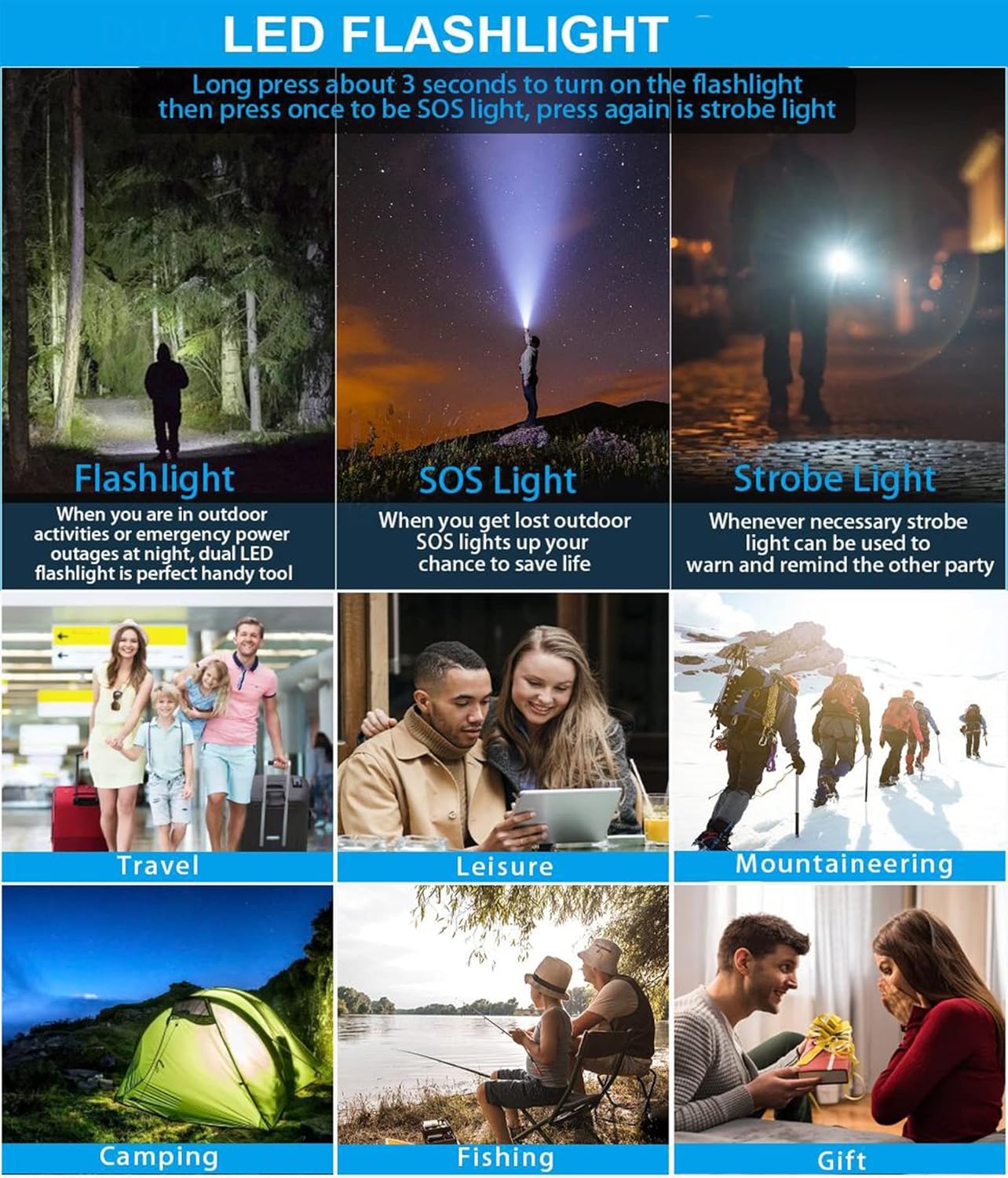
Şekil 5.4: LED El Feneri Modları
6. Bakım
- Power bank'i yumuşak, kuru bir bezle temizleyin. Sert kimyasallar veya aşındırıcı temizleyiciler kullanmayın.
- Powerbank cihazınızı serin, kuru ve doğrudan güneş ışığından ve aşırı sıcaklıklardan uzak bir yerde saklayın.
- If not used for a long period, charge the power bank at least once every three months to maintain battery health.
- The power bank is waterproof, making it suitable for rainy or snowy conditions. However, avoid submerging it in water.
7. Sorun Giderme
| Sorun | Olası Neden | Çözüm |
|---|---|---|
| Güç bankası şarj olmuyor | Kablo düzgün bağlanmamış; kablo/adaptör arızalı; powerbank tam şarjlı. | Ensure all connections are secure. Try a different cable or wall adapter. Check LED indicators; if all are solid, it's fully charged. |
| Cihaz güç bankasından şarj olmuyor | Power bank battery low; cable not connected properly; device not compatible; power bank not activated. | Check power bank battery level. Ensure cable is securely connected to both power bank and device. Press the ON/OFF button to activate. Verify device compatibility (especially for wireless charging). |
| Kablosuz şarj çalışmıyor | Device not Qi-enabled; phone not centered; thick phone case; power bank not activated. | Ensure your device supports Qi wireless charging. Reposition the phone on the charging area. Remove thick phone cases (over 6mm). Press the ON/OFF button. |
| El feneri açılmıyor | Insufficient battery; incorrect button press. | Charge the power bank. Long press the ON/OFF button for 3 seconds to activate. |
| Yavaş şarj oluyor | Using solar charging; cable quality; device input limit. | Solar charging is slow and for emergency use. Use a high-quality USB cable. Ensure your device supports fast charging if expecting high speeds. |
8. Özellikler
| Özellik | Detay |
|---|---|
| Örnek | Genel |
| Pil Kapasitesi | 100,000 mAh |
| Pil Türü | Polimer Lityum Pil |
| Malzeme | ABS + Alüminyum Alaşım |
| Giriş | 5V/2.1A |
| Çıktı | 5V/2.1A (Wired), 10W (Android Wireless), 7.5W (Apple Wireless) |
| Güneş Enerjisi | 1.8W |
| Ürün Boyutları (U x G x Y) | 15.7 x 8.1 x 3.3 cm (6.5 x 3.2 x 1.3 inç) |
| Ağırlık | Yaklaşık 0.6 kg (1.3 lb) |
| Özellikler | LED Indicator, Flashlight (Normal, SOS, Strobe), Wireless Charging, Multiple USB Outputs, Waterproof Design |
9. Garanti ve Destek
This product comes with a standard manufacturer's warranty. For specific warranty terms and conditions, please refer to the documentation provided at the time of purchase or contact your retailer. If you encounter any issues or require technical assistance, please contact the seller or manufacturer's customer support. Contact information can typically be found on the product packaging or the retailer's webalan.
Paket İçeriği:
- Portable Solar Charger x 1
- USB Kablosu x 1
- Karabina x 1
- Bilek Kayışı x 1
- Kullanım Kılavuzu x 1 (Bu belge)