
1. Giriş
The TMEZON H4 Trail Camera is designed for wildlife monitoring, security surveillance, and game tracking. It features 4K video recording, 48MP still image capture, integrated WiFi and Bluetooth connectivity, and a solar panel for extended operation. This manual provides detailed instructions for setting up, operating, and maintaining your camera to ensure optimal performance.
2. Paket İçeriği
- TMEZON H4 Trail Camera
- Güneş paneli
- Montaj Kayışı
- Montaj Vidaları
- USB kablosu
- 64 GB SD Kart
- Kullanıcı Kılavuzu
3. Ürün Bittiview
Familiarize yourself with the main components of your TMEZON H4 Trail Camera.
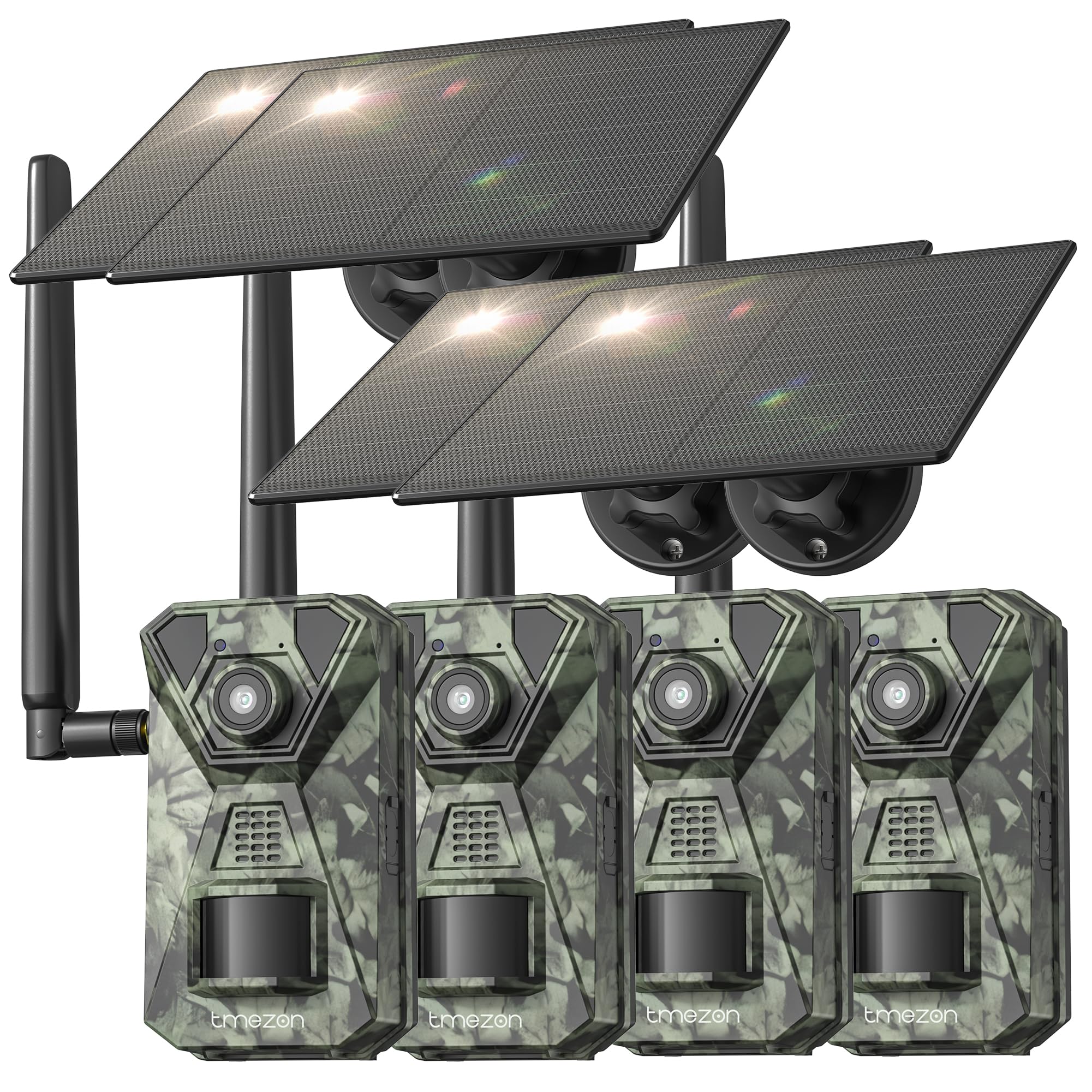
Resim 1: Ön view of the TMEZON H4 Trail Camera, showing the lens, PIR sensors, and integrated solar panel. This image illustrates the compact, camouflage design suitable for outdoor environments.
Kamera Bileşenleri:
- Mercek: Görüntüleri ve videoları yakalar.
- PIR Sensörleri: Passive Infrared sensors detect motion.
- IR LED'leri: Gece görüşü için kızılötesi LED'ler.
- LCD Ekran: Menü navigasyonu için ve viewyakalanan medyayı ele geçirmek.
- Kontrol Düğmeleri: Menülerde ve ayarlarda gezinme.
- SD Kart Yuvası: Insert the provided 64GB SD card.
- USB Bağlantı Noktası: Bilgisayara bağlanmak için.
- Harici Güç Bağlantı Noktası: For connecting the solar panel or external power source.
- Pil Bölmesi: Holds 8 AA batteries (not included) for backup power.
4. Kurulum
4.1. Batarya ve Güneş Paneli Kurulumu
- Kameranın pil bölmesini açın.
- Insert 8 new AA batteries (alkaline or rechargeable NiMH recommended) according to the polarity indicators. These batteries serve as a backup to the solar panel.
- Connect the solar panel cable to the camera's external power port. Ensure the solar panel is positioned to receive maximum sunlight.
4.2. SD Kart Takılması
- Kameranın yan veya alt tarafında bulunan SD kart yuvasını bulun.
- Insert the provided 64GB SD card with the metal contacts facing the correct direction until it clicks into place.
- To remove, push the card in gently until it springs out.
4.3. Kameranın Montajı
- Birlikte verilen montaj kayışını kullanarak kamerayı bir ağaca veya direğe sabitleyin. Kayışı kameranın arkasındaki yuvalardan geçirin ve sıkın.
- Alternatively, use the mounting screws to attach the camera to a wall or other flat surface.
- Position the camera at a height of 3-6 feet (1-2 meters) and aim it towards the desired monitoring area. Ensure no obstacles block the PIR sensors.
4.4. Uygulama İndirme ve Eşleştirme
- Download the official TMEZON app from your smartphone's app store (iOS or Android). Arama "TMEZON Trail Camera" or scan the QR code provided in the quick start guide.
- Akıllı telefonunuzda Bluetooth’u etkinleştirin.
- Kamerayı aç.
- Open the TMEZON app, select "Add Device," and follow the on-screen instructions to connect via Bluetooth.
- Once connected via Bluetooth, the app will prompt you to connect to the camera's WiFi network for faster data transfer and live view.
5. Kameranın Çalıştırılması
5.1. Güç Açma/Kapatma ve Mod Seçimi
- KAPALI: Kamerayı kapatın.
- KURMAK: Enter setup mode to configure settings, view photos/videos, or connect to the app.
- AÇIK: Activate the camera for monitoring. The camera will enter monitoring mode after a short countdown.
5.2. Menü Gezinme ve Ayarlar
In SETUP mode, use the control buttons to navigate the menu on the LCD screen. Press the 'MENU' button to access settings. Key settings include:
- Mod: Select Photo, Video, or Photo+Video (Hybrid).
- Fotoğraf Çözünürlüğü: 48MP, 30MP, 20MP, etc.
- Video Çözünürlüğü: 4K, 2.7K, 1080P, 720P.
- PIR Hassasiyeti: High, Medium, Low. Adjust based on environment to avoid false triggers.
- PIR Aralığı: Time delay between detections.
- Zaman Atlaması: Hareketten bağımsız olarak, belirlenmiş aralıklarla görüntü yakalayın.
- Tarih & Saat: Geçerli tarih ve saati ayarlayın.
- SD Kartı Biçimlendir: SD karttaki tüm verileri silin. Caution: This will delete all files.
5.3. Remote Monitoring via App
Once connected to the TMEZON app:
- View canlı footage kameradan.
- Adjust camera settings remotely.
- Browse and download captured photos and videos to your smartphone.
- Receive notifications for detected motion (if 4G LTE cellular transmission is enabled and configured).
6. Bakım
6.1. Temizlik
- Wipe the camera lens and PIR sensors with a soft, dry cloth to remove dust or smudges.
- Verimli şarj için güneş panelinin temiz olduğundan emin olun.
- Aşındırıcı temizleyiciler veya çözücüler kullanmayınız.
6.2. Depolama
- If storing the camera for an extended period, remove the AA batteries.
- Kamerayı serin, kuru ve doğrudan güneş ışığından uzak bir yerde saklayın.
7. Sorun Giderme
- Kamera açılmıyor: Check battery installation and charge level. Ensure solar panel is connected and receiving sunlight.
- Kötü görüntü/video kalitesi: Clean the lens. Ensure sufficient lighting or proper night vision settings. Check resolution settings.
- Hareket algılama yok: Adjust PIR sensitivity (High for sparse areas, Low for busy areas). Ensure PIR sensors are not obstructed. Check PIR interval settings.
- SD kart hatası: Format the SD card in the camera's settings. If the issue persists, try a different compatible SD card.
- Uygulama bağlantı sorunları: Ensure Bluetooth and WiFi are enabled on your phone. Restart both the camera and the app. Ensure the camera is in SETUP mode for initial pairing.
- Güneş paneli şarj olmuyor: Ensure the solar panel is clean and positioned to receive direct sunlight. Check the connection cable.
8. Özellikler
| Model Adı | H4 |
| Etkili Hareketsiz Çözünürlük | 48 MP |
| Etkili Video Çözünürlüğü | 4K |
| Bağlantı Teknolojisi | Wireless (WiFi, Bluetooth, 4G LTE) |
| Güç Kaynağı | Solar Powered, 8x AA Battery Backup |
| Flash Bellek Türü | SD Card (64GB included, max 64GB supported) |
| Gece Görüş Aralığı | 65 Ayak |
| Tetik Hızı | 0.2 saniye |
| PIR Algılama Açısı | 120° |
| Su Geçirmezlik Derecesi | IP66 |
| Ürün Boyutları | 4 x 3.5 x 6 inç |
| Malzeme | Metal, Plastik |
9. Garanti ve Destek
TMEZON products come with a standard manufacturer's warranty. For detailed warranty information, technical support, or service inquiries, please refer to the warranty card included in your package or visit the official TMEZON website. You can also contact customer support through the TMEZON app or the contact information provided on the product packaging.