
Teskee LX30-7KW-APP
Teskee Wallbox Type 2 Single-Phase 7.4 kW EV Charging Station User Manual
Model: LX30-7KW-APP
1. Giriş
This manual provides essential instructions for the safe and efficient installation, operation, and maintenance of your Teskee Wallbox Type 2 Single-Phase 7.4 kW EV Charging Station. Please read this manual thoroughly before using the product and retain it for future reference.
2. Güvenlik Bilgileri
Ürüne ve mülke zarar gelmesini veya yaralanmayı önlemek için her zaman aşağıdaki güvenlik önlemlerine uyun:
- Kurulum, tüm yerel ve ulusal elektrik yönetmeliklerine ve kurallarına uygun olarak, yetkili bir elektrikçi tarafından yapılmalıdır.
- Do not attempt to open, disassemble, repair, or modify the charging station. This may cause electric shock, fire, or other hazards.
- Her kullanımdan önce şarj kablosunun ve konektörünün hasarsız olduğundan emin olun. Hasarlıysa kullanmayın.
- Keep the charging station away from flammable, explosive, or corrosive materials.
- Do not immerse the charging station or its components in water or other liquids.
- This product is designed for charging electric vehicles equipped with a Type 2 charging port.
3. Ürün Bittiview
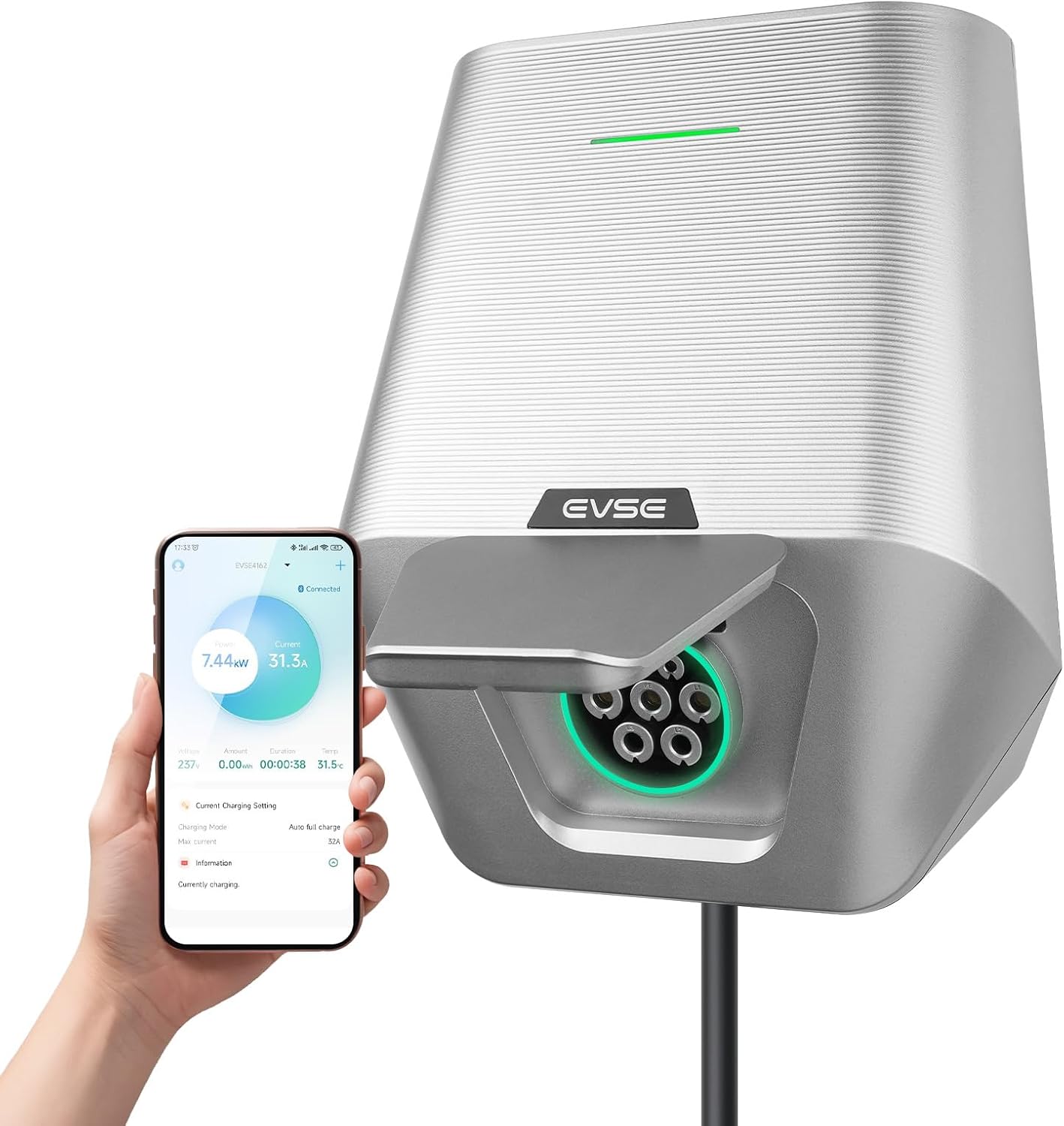
The Teskee Wallbox is a robust and efficient EV charging solution designed for home use, offering a maximum charging power of 7.4 kW. It features app control for adjustable current and scheduling, ensuring safe and reliable charging for all Type 2 electric and plug-in hybrid vehicles.
Temel Özellikler:
- Fast and Stable Charging: Maximum 7.4 kW power, 32 Amp output, single-phase, Type 2 EV cable connection.
- Ayarlanabilir Şarj Akımı: Set current from 6 A to 32 A via mobile application.
- Sağlam ve Dayanıklı Tasarım: IP65 protection against dust and water, suitable for outdoor and indoor installation.
- Kapsamlı Güvenlik Mekanizmaları: Aşırı gerilime karşı dahili korumatage, overcurrent, leakage, overtemperature, and lightning. CE and FCC certified.
- Uygulama Kontrolü: Remote adjustment of current and charging duration.

4. Kurulum ve Kurulum
The Teskee Wallbox is designed for easy installation, but electrical connections must be handled by a certified professional to ensure safety and compliance.
4.1 Paket İçeriği
Tüm bileşenlerin mevcut olduğunu doğrulayın:
- Teskee Wallbox Charging Station
- Montaj Braketi
- Kurulum Kılavuzu
- Necessary accessories for installation (screws, anchors)
4.2 Duvar Kutusunun Montajı
- Choose a suitable location for installation, ensuring it is within reach of your vehicle's charging port and a power source. The location should be flat and sturdy enough to support the weight of the unit.
- Duvarda delme noktalarını işaretlemek için şablon olarak verilen montaj braketini kullanın.
- Delikler açın ve duvar dübellerini takın.
- Montaj braketini verilen vidaları kullanarak duvara sabitleyin.
- Carefully attach the Teskee Wallbox to the mounted bracket.

4.3 Elektrik Bağlantısı
WARNING: Electrical installation must be performed by a qualified and licensed electrician.
- Kurulum alanına giden ana güç kaynağının devre kesiciden kapatıldığından emin olun.
- Connect the single-phase power supply cables (L1, N, and PE) to the corresponding terminals inside the Wallbox. Refer to the internal wiring diagram.
- Tüm bağlantıların güvenli ve uygun şekilde yalıtıldığını doğrulayın.
- Close the Wallbox cover securely.
- Restore power to the circuit. The Wallbox should power on and indicate readiness.

5. Kullanım Talimatları
The Teskee Wallbox offers convenient charging controlled via its dedicated mobile application.
5.1 İlk Kurulum ve Uygulama Bağlantısı
- Download the Teskee EV charging app from your smartphone's app store.
- Open the app and follow the on-screen instructions to create an account and pair your Wallbox via Bluetooth. Ensure your phone's Bluetooth is enabled and you are within range of the Wallbox.
- Once connected, the app will display the Wallbox status and charging options.
5.2 Elektrikli Aracınızı Şarj Etme
- Ensure your vehicle is parked safely and the Wallbox is powered on.
- Connect the Type 2 charging cable from the Wallbox to your vehicle's charging port. Ensure a secure connection.
- Open the Teskee app. You can initiate charging directly or adjust settings.
- Akımın Ayarlanması: Within the app, navigate to the current settings. You can select a desired charging current between 6 A and 32 A to match your vehicle's needs or your home's electrical capacity.
- Scheduling Charging: The app allows you to set custom charging schedules, including start/stop times and repeated charging days. This is useful for taking advantagDüşük tarifeli elektrik tarifeleri.
- Once charging is complete, safely disconnect the cable from your vehicle first, then from the Wallbox.


6. Bakım
Regular maintenance ensures the longevity and optimal performance of your Teskee Wallbox.
- Temizlik: Periodically wipe the exterior of the Wallbox with a soft, damp Bez kullanın. Aşındırıcı temizleyiciler veya çözücüler kullanmayın. Temizlemeden önce cihazın kapalı olduğundan emin olun.
- Kablo Denetimi: Regularly inspect the charging cable and connector for any signs of wear, cuts, cracks, or damage. If any damage is found, discontinue use immediately and contact customer support.
- Bağlantı Kontrolü: Occasionally check that the Wallbox is securely mounted and that all visible connections are tight.
7. Sorun Giderme
If you encounter issues with your Teskee Wallbox, refer to the following common problems and solutions:
| Sorun | Olası Neden | Çözüm |
|---|---|---|
| Wallbox does not power on | Elektrik kesintisi; devre kesici atmış. | Check the main power supply and circuit breaker. Ensure proper electrical installation. |
| Araç şarj olmuyor | Cable not properly connected; charging schedule active; vehicle fault | Ensure cable is securely connected. Check app for active charging schedules. Consult vehicle manual. |
| App cannot connect to Wallbox | Bluetooth off; out of range; app issue | Ensure phone Bluetooth is on. Move closer to Wallbox. Restart app or phone. |
| Şarj işlemi beklenmedik bir şekilde duruyor | Overtemperature protection; power fluctuation; vehicle fault | Allow Wallbox to cool down. Check power supply stability. Consult vehicle manual. |
If the problem persists after attempting these solutions, please contact Teskee customer support.
8. Özellikler
Detailed technical specifications for the Teskee Wallbox Model LX30-7KW-APP:
| Şartname | Değer |
|---|---|
| Örnek | LX30-7KW-APP |
| Üretici | Jiangsu Wissenergy Technology Co., Ltd |
| Şarj Gücü | 7.4 kW (Maksimum) |
| Anma Akımı | 32 Amporada |
| Faz | Tek Fazlı |
| Bağlayıcı Türü | Tip 2 |
| Koruma Derecesi | IP65 (Toza ve Suya Dayanıklı) |
| Sertifikalar | CE, FCC |
| Ürün Ağırlığı | 2.8 kilo |
| Boyutlar (U x G x Y) | Yaklaşık. 23.6 cm x 19 cm x 26.5 cm |

9. Garanti ve Destek
Teskee products are manufactured to high-quality standards. For warranty information, technical support, or service inquiries, please refer to the warranty card included with your product or visit the official Teskee website. Please have your product model number (LX30-7KW-APP) and purchase details ready when contacting support.
Ask a question about this manual
Ask about setup, troubleshooting, compatibility, parts, safety, or missing instructions. Manuals+ will review the question and use this page’s manual context to help answer it.