
1. Ürün Bittiview
The huupe mini is the world's first smart mini basketball hoop game console, designed for interactive indoor gameplay. It features cutting-edge technology within the backboard, allowing users to play and compete globally through various game modes. Advanced AI sensor technology tracks all shots without the need for cameras. Additionally, the huupe mini functions as a full smart TV, enabling streaming of favorite shows and live sports directly to the backboard while playing.
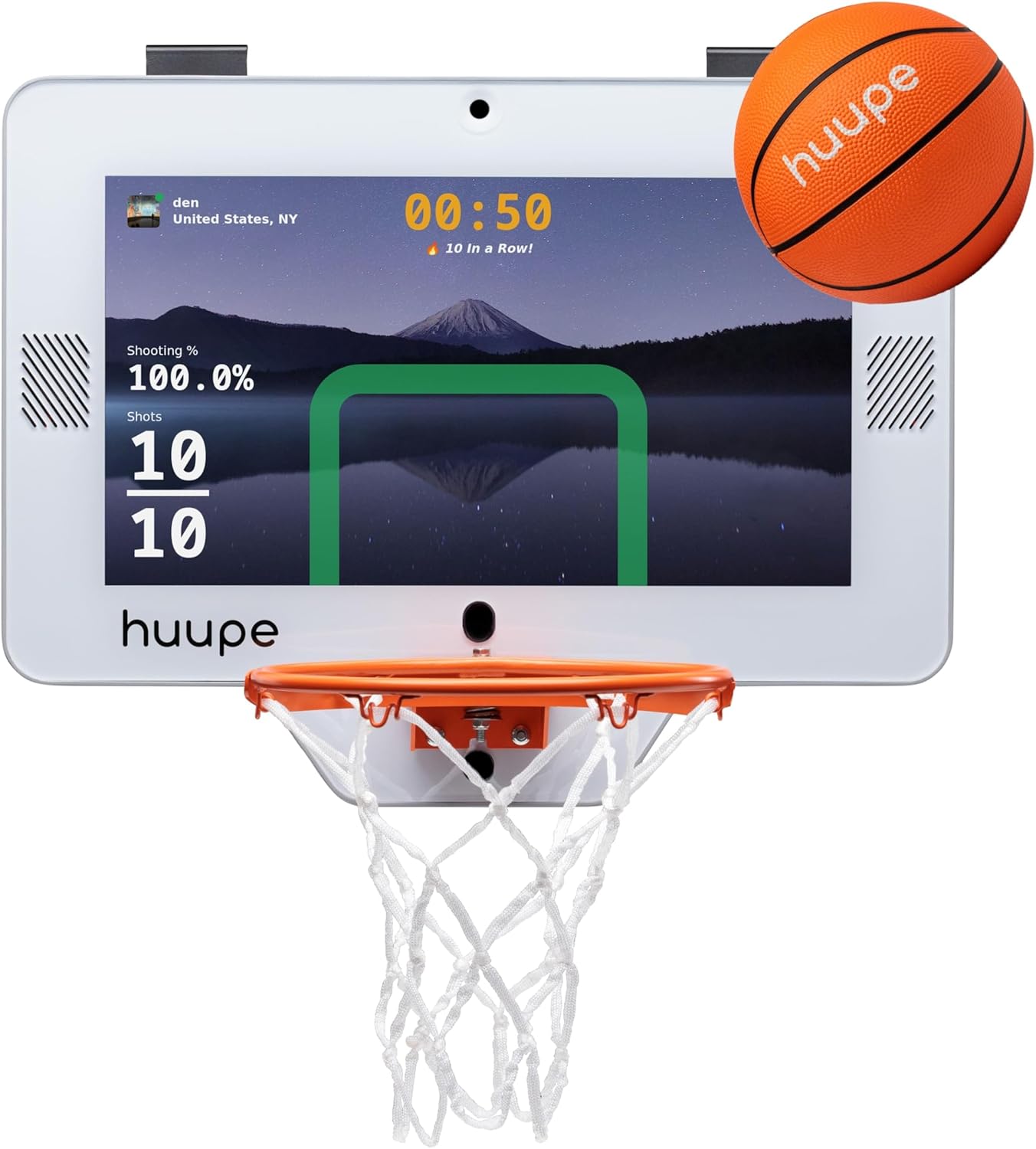
Image: The huupe mini smart basketball hoop displaying an interactive game interface with score and shooting percentage.
2. Kurulum Talimatları
Setting up your huupe mini is quick and easy, typically taking 3-5 minutes. All necessary components are included in the box.
Kutuda Neler Var:
- huupe mini system
- Jant
- Açık
- huupe mini official pro grip ball
- Uzaktan kumanda
- Door hooks for over-the-door installation
- USB-C charger and cord
- Pompa
- Tools for door hooks and rim (no tools needed for assembly, only for tightening)

Image: All components included in the huupe mini package, such as the backboard, rim, net, ball, remote, and tools.
Adım Adım Montaj:
- Remove the huupe mini from its packaging.
- Attach the rim to the backboard using the provided screws and tools.
- Secure the net to the rim.
- Attach the door hooks to the top of the backboard.
- Charge the huupe mini using the provided USB-C charger and cord overnight before first use.
- Once assembled and charged, place the huupe mini in your desired location (e.g., over a door in a bedroom, living room, office, or dorm room).
Video: Official huupe mini unboxing and initial assembly guide, demonstrating how to put together the hoop and attach it to a door.

Image: A person easily installing the huupe mini over a door, highlighting its simple setup process.
3. Kullanım Talimatları
The huupe mini offers a dynamic and interactive experience with its smart features.
Başlarken:
- Turn on the huupe mini using the remote control.
- Select your desired game mode or streaming app using the remote control.
- Connect to Wi-Fi and Bluetooth as prompted for online features and updates.
Etkileşimli Oyun:
- Atış Takibi: The advanced AI sensor technology tracks all your shots, providing real-time feedback on your performance.
- Oyun Modları: Enjoy a variety of free game modes, including worldwide competitions, family challenges, and 1v1 matches with players globally.
- Physically Active Gaming: The huupe mini encourages physical activity and interactive fun through its engaging games and leaderboards.

Image: A family enjoying physically active gaming with the huupe mini, showing interactive graphics on the backboard.

Image: The huupe mini display showcasing a selection of free game modes available for play.
Akıllı TV İşlevselliği:
- The huupe mini comes pre-loaded with popular streaming apps.
- Stream live sports, your favorite shows, and highlights directly to the backboard.
- Press the basketball button on the remote control while streaming to track your shots simultaneously.
Video: A demonstration of the huupe mini's smart features, including game modes and streaming capabilities.
Video: Bir fazlaview of the huupe mini's smart mini basketball hoop game console features and interactive elements.
4. Bakım
The huupe mini is engineered for durability, with a screen protected by multiple layers of shock absorption. To ensure longevity and optimal performance:
- Keep the backboard and screen clean using a soft, dry cloth. Avoid abrasive cleaners.
- Ensure the USB-C charging port is free from dust and debris.
- Store the huupe mini in a dry environment when not in use.
- Regularly check the net and rim for any signs of wear and tear.
5. Sorun Giderme
If you encounter any issues with your huupe mini, please consider the following:
- Cihaz açılmıyor: Ensure the device is fully charged using the provided USB-C charger. Check the power button on the remote and the device itself.
- Shot tracking issues: Verify that the ball is the official huupe mini pro grip ball and is properly inflated. Ensure no obstructions are blocking the sensor area.
- Bağlantı sorunları: Check your Wi-Fi and Bluetooth connections. Restart the device and your router if necessary.
- Ekran görüntüleme sorunları: Restart the device. If the problem persists, ensure the device is adequately charged.
6. Özellikler
| Özellik | Detay |
|---|---|
| Marka Adı | huupe |
| Model Numarası | 990440022 |
| Boyutlar | 22 inç x 17 inç x 1.75 inç |
| Ürün Ağırlığı | 9.16 Kilogram |
| Renk | Beyaz |
| Malzeme Türü | Fabric, Metal, Plastic, Rubber |
| Güç Kaynağı | Pil ile çalışır |
| Desteklenen Pil Türleri | 1 Lityum Polimer pil (dahil) |
| Çalışma Modu | Manuel |
| Montaj Gerekli | Hayır (minimum kurulum gerektirir) |
| Önerilen Yaş | 5 - 99 Months |
7. Garanti ve Destek
The huupe mini is sold without a manufacturer's warranty. For any product-related inquiries or support, please refer to the contact information provided with your purchase or visit the official huupe webalan.