
giriiş
This manual provides comprehensive instructions for the LogiLink ID0212 Wireless 28-Key Bluetooth 5.0 Scissor Mechanism Keyboard. It covers setup, operation, maintenance, and troubleshooting to ensure optimal performance and user experience. Please read this manual thoroughly before using the device.
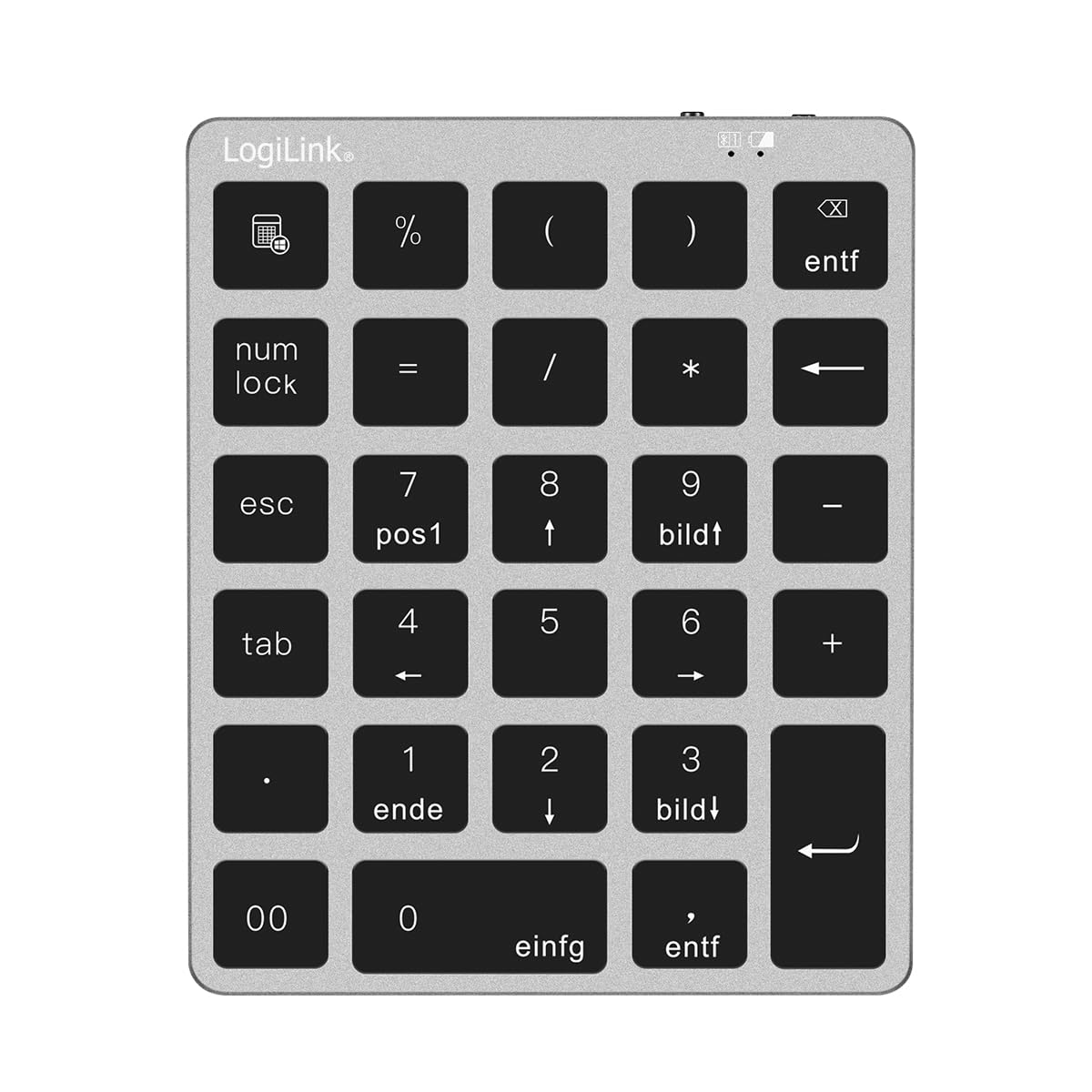
Figure 1: LogiLink ID0212 Wireless 28-Key Bluetooth 5.0 Scissor Mechanism Keyboard. This image shows the overall design of the numeric keypad.
Paket İçeriği
Paketin içerisinde tüm ürünlerin mevcut olduğundan emin olun:
- LogiLink ID0212 Wireless 28-Key Bluetooth 5.0 Keyboard
- USB-C Şarj Kablosu
- Kullanım Kılavuzu (bu belge)
Kurmak
1. Klavyeyi Şarj Etme
İlk kullanımdan önce klavyeyi tamamen şarj edin. Birlikte verilen USB-C kablosunu klavyenin şarj portuna ve diğer ucunu bir USB güç kaynağına (örneğin, bilgisayarın USB portuna, USB duvar adaptörüne) bağlayın.
- LED göstergesi şunu gösterecektir: kırmızı şarj sırasında.
- The LED indicator will turn off or change color (depending on model) when fully charged.
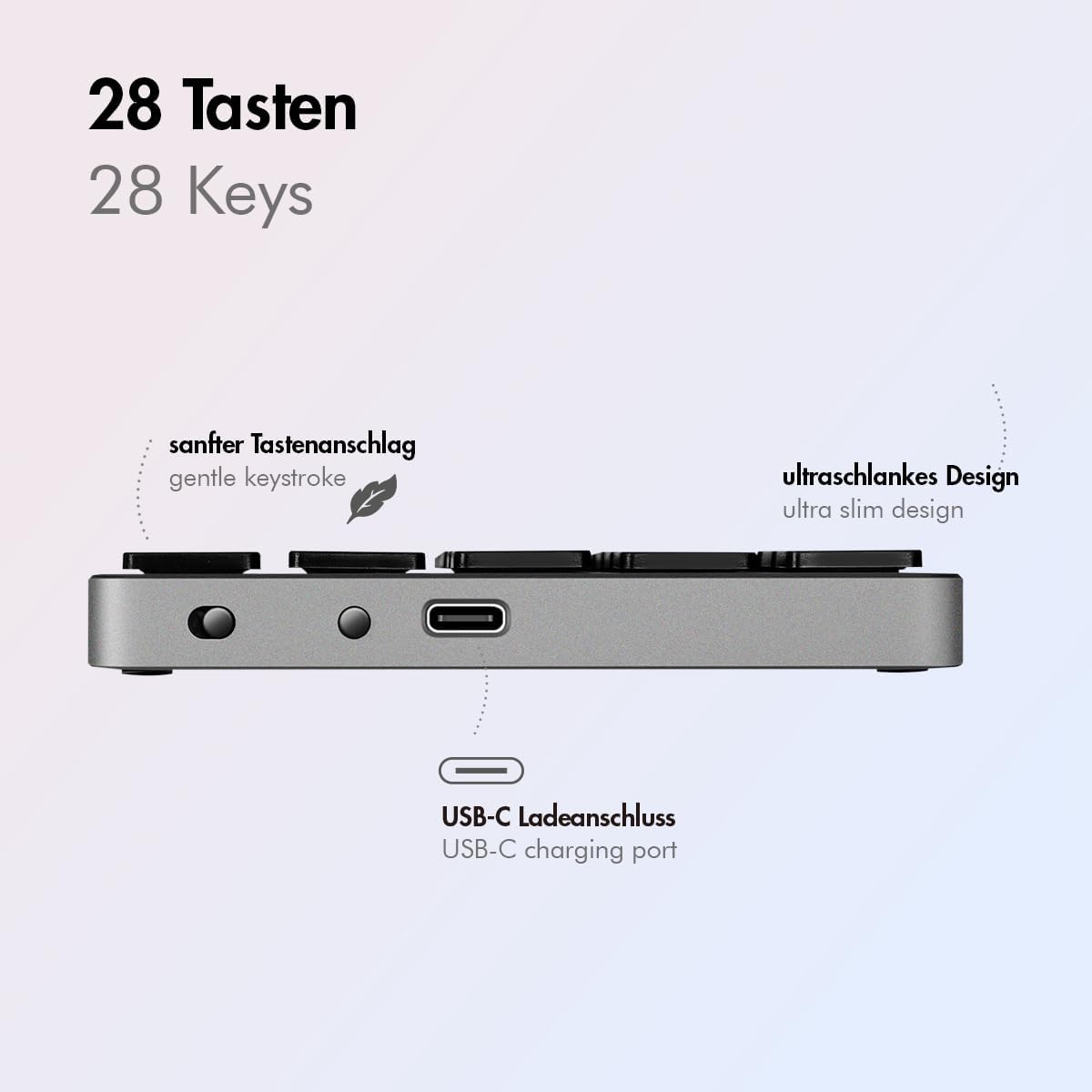
Şekil 2: Yan view of the LogiLink ID0212 keyboard showing the USB-C charging port. This image highlights the location of the charging port and the ultra-slim design.

Şekil 3: Ayrıntılı view of the LogiLink ID0212 keyboard's side profile, indicating the USB-C charging port, gentle keystroke mechanism, and ultra-slim design.
2. Bluetooth Eşleştirme
Follow these steps to connect your LogiLink ID0212 keyboard via Bluetooth 5.0:
- Klavyenin şarjlı ve açık olduğundan emin olun.
- Activate Bluetooth on your device (computer, tablet, smartphone).
- Put the keyboard into pairing mode. Look for a small button on the back or side, or a key combination like Fn + C (common for Bluetooth keyboards). The LED indicator will flash mavi when in pairing mode.
- Cihazınızda mevcut Bluetooth cihazlarını arayın.
- Select "LogiLink ID0212" or a similar name from the list of found devices.
- If prompted, enter the pairing code displayed on your screen using the LogiLink ID0212 keyboard and press Girmek.
- Once paired, the blue LED indicator will stop flashing and remain solid for a few seconds, then turn off. The keyboard is now ready for use.
The keyboard supports a stable connection up to 10 meters (33 feet) and is compatible with iOS, Android, Windows, MacOS, Chrome OS, and iPadOS.
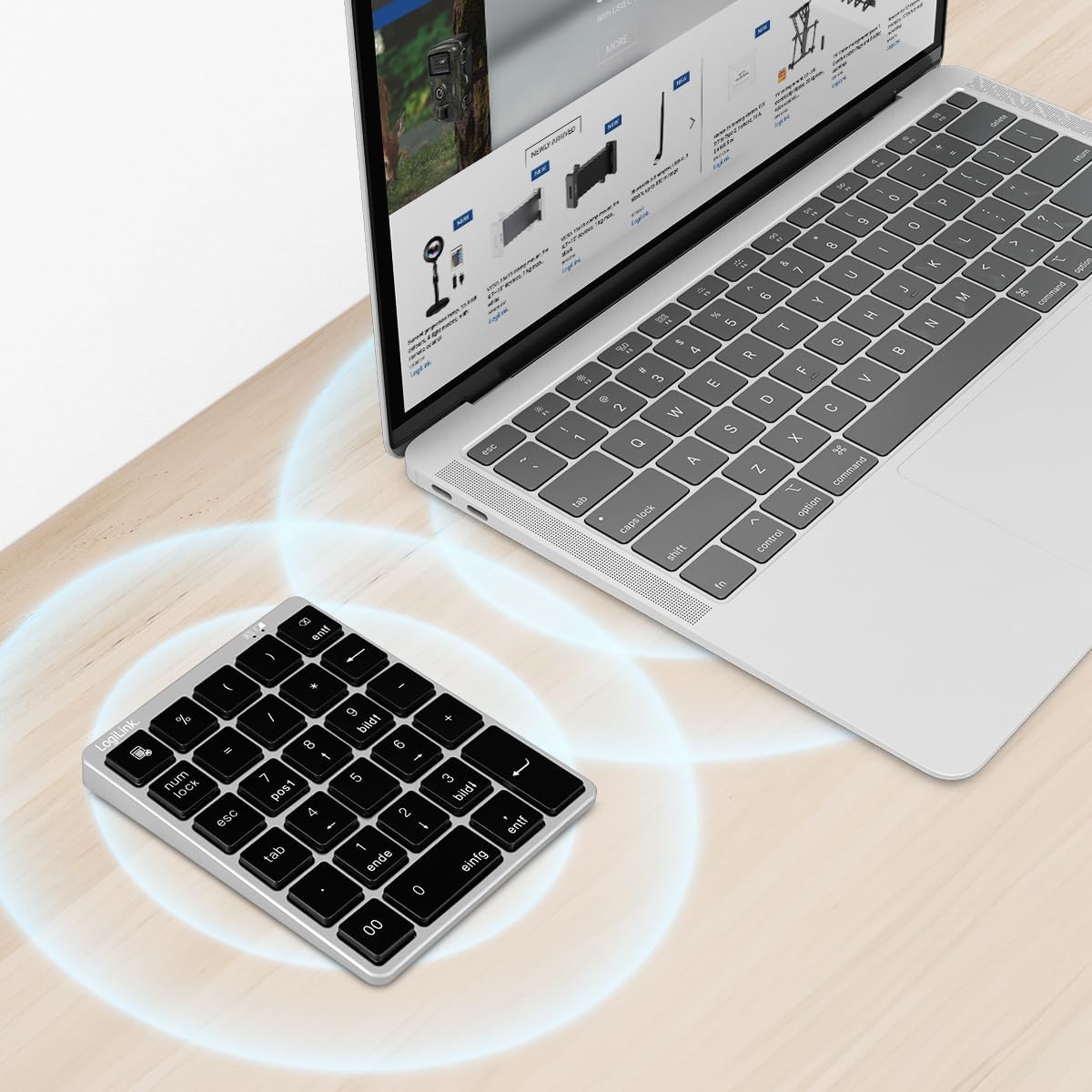
Figure 4: The LogiLink ID0212 keyboard positioned next to a laptop, illustrating its wireless connectivity. This image demonstrates the keyboard's use in a typical workspace setup.
Kullanım Talimatları
Temel Anahtar Fonksiyonları
The LogiLink ID0212 features 28 keys designed for efficient data entry and calculations. Key functions include:
- Sayısal Tuşlar (0-9)Standart sayı girişi.
- Aritmetik Operatörler (+, -, *, /): For calculations.
- Ondalık nokta (.): For fractional numbers.
- Sayısal Kilit: Toggles the numeric keypad function. When NumLock is active, the green LED indicator will be on.
- ESC: Escape key, typically used to cancel operations or close menus.
- Delete (DEL): Deletes characters.
- Calculator Button: Launches the calculator application on compatible operating systems.
- Sekmeİmleci bir sonraki sekme durağına veya alana taşır.
- Home/End/PgUp/PgDn: These keys (often labeled as 'pos1', 'ende', 'bildt', 'bildl' or similar) provide navigation functions.
The scissor mechanism keys provide a gentle and quiet keystroke, enhancing typing comfort.

Figure 5: The LogiLink ID0212 keyboard in active use, demonstrating its compact layout and key functions alongside a laptop. This image provides a clear view of the keypad's design and key labels.
LED Göstergeleri
The keyboard features LED indicators to provide status information:
- Kırmızı LED: Indicates the keyboard is charging.
- Mavi LED: Flashes during Bluetooth pairing mode; solid when successfully paired (then turns off).
- Yeşil LED: Indicates that NumLock is active.
Bakım
Temizlik
Klavyenin görünümünü ve işlevselliğini korumak için:
- Use a soft, dry, lint-free cloth to wipe the surface.
- İnatçı kirler için hafifçeampBezi su veya hafif bir temizleme solüsyonuyla silin. Aşırı nemden kaçının.
- Klavyeye doğrudan aşındırıcı temizleyiciler, çözücüler veya aerosol spreyler kullanmayın.
Pil Bakımı
The integrated 140 mAh lithium battery provides long-lasting power. To prolong battery life:
- Klavyeyi kutu içeriğinde bulunan USB-C kablosuyla şarj edin.
- Pilin sık sık tamamen boşaltılmasından kaçının.
- Klavyeyi uzun süre saklayacaksanız, yaklaşık %50 şarj edin ve serin, kuru bir yerde saklayın.
Sorun giderme
Klavye Bağlanmıyor/Eşleşmiyor
- Pil Seviyesini Kontrol Edin: Ensure the keyboard is sufficiently charged. Charge it if the red LED indicates low battery.
- Eşleştirme Moduna Yeniden Girin: Turn the keyboard off and on, then re-enter Bluetooth pairing mode (blue LED flashing).
- Device Bluetooth: Ensure Bluetooth is enabled on your computer/device and it's discoverable.
- Cihazı Unut: On your device, remove or "forget" the keyboard from your Bluetooth device list, then attempt to pair again.
- Mesafe: Ensure the keyboard is within the 10-meter (33 feet) operating range of your device.
- Parazit yapmak: Move away from other wireless devices that might cause interference.
Tuşlar Yanıt Vermiyor
- Bağlantı: Verify the keyboard is still connected via Bluetooth (blue LED should not be flashing).
- Sayısal Kilit: If numeric keys are not working as expected, check the green NumLock LED. Press the NumLock key to toggle its state.
- Cihazı yeniden başlat: Sometimes, restarting your computer or device can resolve input issues.
- Uyumluluk: While compatible with many OS, specific key functions might behave differently on certain systems (e.g., some special characters on macOS, as noted in reviewS).
Şarj Sorunları
- Kablo Kontrolü: Ensure the USB-C cable is securely connected to both the keyboard and the power source.
- Güç Kaynağı: Try a different USB port or power adapter.
- Kırmızı LED: Confirm the red LED illuminates when charging. If not, the cable or port might be faulty.
Özellikler
| Özellik | Detay |
|---|---|
| Model Numarası | Kimlik0212 |
| Anahtarlar | 28 keys (NumLock, ESC, Delete, Calculator button) |
| Ana Mekanizma | Makas mekanizması |
| Bağlantı | Bluetooth 5.0 |
| Çalışma Aralığı | 10 metreye (33 feet) kadar |
| Pil | 140 mAh Lityum pil |
| Şarj Portu | USB-C |
| LED Göstergeleri | Red (Charging), Blue (Pairing/Connected), Green (NumLock) |
| Malzeme | Alüminyum + ABS |
| Renk | Uzay Grisi |
| Boyutlar (U x G x Y) | 12.1 x 10 x 1.3 cm (4.76 x 3.94 x 0.51 inç) |
| Ağırlık | 95 gram (0.21 lb) |
| Uyumluluk | iOS, Android, Windows, MacOS, Chrome OS, iPadOS |
| Dahil Bileşenler | USB-C Kablosu |
| Menşei ülke | Çin |
Garanti Bilgileri
Specific warranty details for the LogiLink ID0212 keyboard are typically provided at the point of purchase or included with the product packaging. Please refer to your purchase documentation or the official LogiLink webEn doğru ve güncel garanti şartları ve koşulları için lütfen bu siteyi ziyaret edin.
Müşteri Desteği
If you encounter issues not covered in this manual or require further assistance, please contact LogiLink customer support. You can usually find contact information, FAQs, and additional resources on the official LogiLink webalan:
When contacting support, please have your product model number (ID0212) and purchase information ready.