
1. Giriş
Welcome to the Noise ColorFit Pulse 4 Pro Smartwatch user manual. This guide provides essential information for setting up, operating, and maintaining your new smartwatch. Please read this manual thoroughly to ensure proper use and to maximize your device's features.
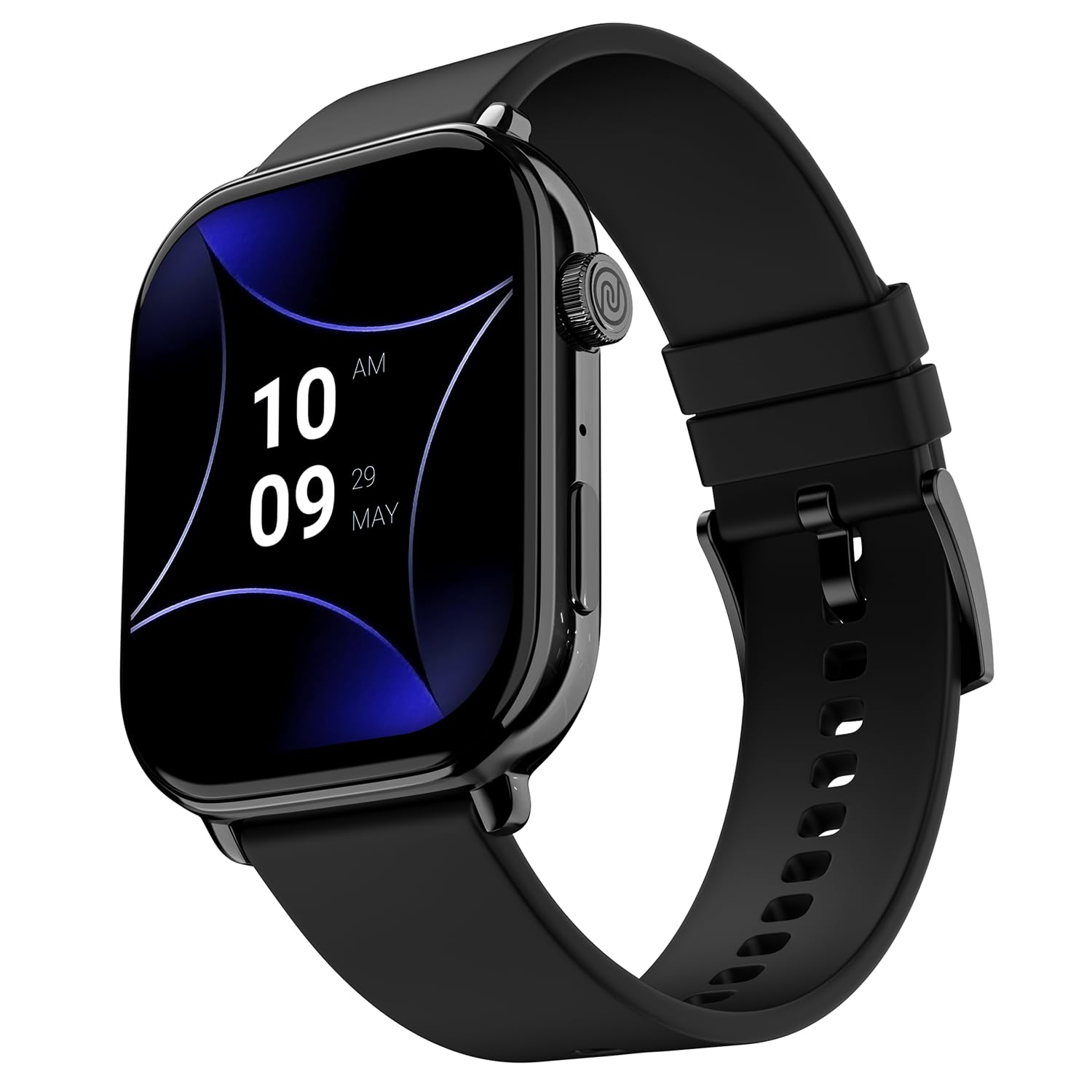
Image 1.1: The Noise ColorFit Pulse 4 Pro Smartwatch in Jet Black.
2. Kutuda Neler Var?
Upon unboxing your Noise ColorFit Pulse 4 Pro Smartwatch, please verify that all the following items are included:
- Noise ColorFit Pulse 4 Pro Smartwatch
- Manyetik Şarj Aleti
- Kullanım Kılavuzu (bu belge)
- Garanti Kartı
Video 2.1: Bir overview of the Noise ColorFit Pulse 4 Pro Smartwatch and its contents, including the watch, color options, and items found in the box.
3. Kurulum
3.1 İlk Şarj
Before first use, fully charge your smartwatch. Connect the magnetic charger to the charging pins on the back of the watch and plug the USB end into a power adapter (not included) or a computer's USB port. The watch display will indicate charging status.
3.2 Uygulama İndirme ve Eşleştirme
Akıllı saatinizin tüm potansiyelini ortaya çıkarmak için uygulamayı indirin. Gürültü Uygun application on your smartphone. The app is compatible with both Android and iOS devices.
- Scan the QR code below or search for 'NoiseFit' in your smartphone's app store.
- Install and open the NoiseFit app.
- Follow the on-screen instructions in the app to create an account and pair your smartwatch via Bluetooth. Ensure Bluetooth is enabled on your smartphone.
- Hem akıllı telefonunuzda hem de akıllı saatinizde eşleştirme isteğini onaylayın.

Image 3.1: The smartwatch display showing a QR code for payments, which can also be used to illustrate app download. For app download, please refer to the official NoiseFit app store page or bu bağlantı.
4. Kullanım Talimatları
4.1 Güç Açma/Kapatma
- Güç Açık: Press and hold the functional crown button on the side of the watch until the Noise logo appears.
- Kapat: Swipe down from the watch face, tap the settings icon, then select 'Power Off'. Alternatively, press and hold the functional crown button and select 'Power Off' when prompted.
4.2 Gezinme
The Noise ColorFit Pulse 4 Pro features a responsive touchscreen and a functional crown for intuitive navigation.
- Dokunmatik ekran: Swipe left, right, up, or down to access different menus, notifications, and widgets. Tap to select items.
- Fonksiyonel Taç: Rotate the crown to scroll through lists and menus. Press the crown to return to the watch face or to confirm a selection.

Resim 4.1: Ayrıntılı view of the functional crown on the Noise ColorFit Pulse 4 Pro Smartwatch, used for navigation.
4.3 Ekran
The smartwatch features a 1.96-inch AMOLED display with Always-on Display functionality for clear visibility and quick access to information.

Image 4.2: The smartwatch display highlighting its 1.96-inch AMOLED screen with Always-on Display capabilities.
5. Sağlık İzleme
The Noise ColorFit Pulse 4 Pro integrates the Noise Health Suite™ to help you monitor various aspects of your well-being. Access these features via the watch menu or the NoiseFit app.
- 24*7 Heart Rate Monitor: Gün boyunca kalp atış hızınızı sürekli olarak takip eder.
- SpO2 Measure: Kanınızdaki oksijen satürasyon seviyelerini ölçer.
- Stres İzleme Cihazı: Stres seviyeniz hakkında bilgi sağlar.
- Uyku Monitörü: Tracks your sleep patterns, including awake, REM, and deep sleep stagee.
- Breathe Practice: Rahatlamanıza yardımcı olacak rehberli nefes egzersizleri.
- Kadın Döngüsü Takip Cihazı: Adet döngülerini takip etmeye ve tahmin etmeye yardımcı olur.

Image 5.1: An illustration of the Noise Health Suite™ features available on the smartwatch.
6. Akıllı Özellikler
6.1 Bluetooth Araması
Stay connected directly from your wrist. The Noise ColorFit Pulse 4 Pro supports Bluetooth calling, allowing you to make and receive calls without reaching for your phone.
- Tuş takımı: Use the on-screen dial pad to initiate calls.
- Favori Kişiler: Save up to 10 favorite contacts for quick dialing.
- In-built Speaker: Listen to calls directly from the watch.

Image 6.1: The smartwatch interface displaying Bluetooth calling options.
6.2 AI Voice Assistance
Control your smartwatch and connected devices using voice commands. Simply activate the AI Voice Assistant and speak your commands.

Image 6.2: The smartwatch displaying the AI Voice Assistance feature, ready for voice commands.
6.3 QR Code Payments
Facilitate quick and convenient payments directly from your wrist by displaying your UPI QR code on the smartwatch screen.
6.4 Güvenlik ve Kolaylık Özellikleri
- Scheduled DND: Set specific time windows during which notifications will be silenced.
- Şifre Koruması: Secure your smartwatch with a password to prevent unauthorized access.

Image 6.3: Smartwatch screens illustrating the Scheduled DND and Password Protection functionalities.
7. Bakım
7.1 Akıllı Saatinizi Temizleme
Regular cleaning helps maintain the performance and appearance of your device.
- Ekranı ve gövdeyi yumuşak, tiftiksiz bir bezle silin.
- İnatçı kirler için hafifçeampBezi suyla yıkayın. Sert kimyasallar veya aşındırıcı malzemeler kullanmaktan kaçının.
- Şarj işlemine başlamadan önce şarj pimlerinin temiz ve kuru olduğundan emin olun.
7.2 Suya Dayanıklılık
The Noise ColorFit Pulse 4 Pro is rated IP68 for water resistance, meaning it can withstand immersion in water up to 1.5 meters for a limited time. It is suitable for daily use, such as hand washing or light rain. However, it is not recommended for swimming, diving, or high-pressure water activities.
7.3 Ücretlendirme Yönergeleri
Use only the provided magnetic charger. Do not attempt to charge the watch if it or the charger is wet. Avoid exposing the charger to extreme temperatures.
8. Sorun Giderme
If you encounter issues with your Noise ColorFit Pulse 4 Pro Smartwatch, refer to the following common solutions:
- Saat açılmıyor: Saatin tamamen şarj olduğundan emin olun. Manyetik şarj cihazına bağlayın ve tekrar açmayı denemeden önce birkaç dakika bekleyin.
- Akıllı telefonla eşleştirilemiyor: Make sure Bluetooth is enabled on your phone and the watch is within range. Restart both devices and try pairing again through the NoiseFit app.
- Yanlış sağlık verileri: Saatin bileğinize tam oturduğundan, çok sıkı veya çok gevşek olmadığından emin olun. Saatin arkasındaki sensörleri temizleyin.
- Bildirimler görünmüyor: Check notification settings in the NoiseFit app and on your smartphone. Ensure the app has necessary permissions.
- Kısa pil ömrü: Reduce screen brightness, disable unnecessary features like Always-on Display, and limit background app refresh.
For persistent issues, consult the NoiseFit app's help section or contact customer support.
9. Özellikler
Key technical specifications for the Noise ColorFit Pulse 4 Pro Smartwatch:
| Görüntü Türü | AMOLED |
| Ekran Boyutu | 1.96 inç |
| Bant Malzemesi | Silikon |
| Kasa Malzemesi | Çinko Alaşımı |
| Ürün Ağırlığı | 45 Gram |
| Bağlantı Teknolojisi | Bluetooth |
| Suya Dayanıklılık Derecesi | IP68 (1.5 Metres) |
| İşletim Sistemi | Android (Uyumlu) |
| Uyumlu Cihazlar | Laptop, Smartphone, Tablet (Android, iOS) |
| Ölçülen Metrikler | Calories Burned, Distance, Heart Rate, Step Count |
| Özel Özellikler | Activity Tracker, Alarm Clock, Lightweight, Notifications, Touchscreen, Voice Call |
10. Garanti ve Destek
10.1 Garanti Bilgileri
The Noise ColorFit Pulse 4 Pro Smartwatch comes with a 1 yıllık sınırlı garanti provided by the manufacturer from the date of purchase. Please retain your purchase receipt and warranty card for any warranty claims.
10.2 Müşteri Desteği
Teknik destek, garanti talepleri veya diğer sorularınız için lütfen Noise müşteri destek ekibiyle iletişime geçin:
- Telefon: 02268056289
- E-posta: yardım@nexxbase.com
- Üretici: Nexxbase Pazarlama Pvt. Ltd, Khasra No-146/25/2/1, Jail Road Badshahpur, Gurugram Haryana-122101