
1. Giriş
This manual provides essential information for setting up, operating, maintaining, and troubleshooting your new CyberPowerPC Gamer Xtreme GXiVR8060A47 Gaming PC. This system is designed for high-performance gaming and demanding multimedia tasks, featuring an Intel Core i5-14400F processor and NVIDIA GeForce RTX 5060 graphics.
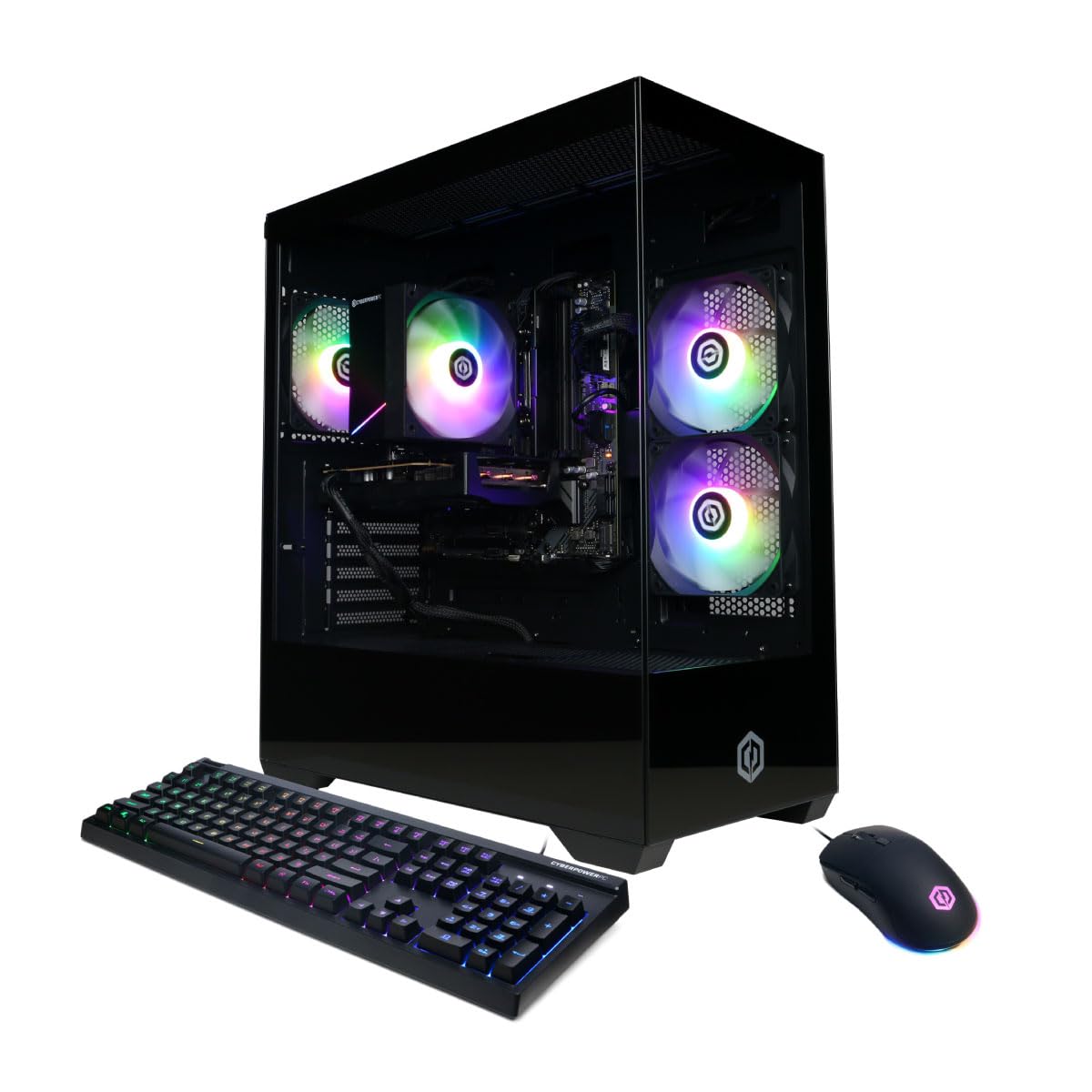
Resim: Ön view of the CyberPowerPC Gamer Xtreme GXiVR8060A47 Gaming PC with RGB lighting.
2. Paket İçeriği
Paketin içinde tüm öğelerin mevcut olduğundan emin olun:
- CyberPowerPC Gamer Xtreme GXiVR8060A47 Gaming PC
- Güç Kablosu
- Oyun Klavyesi
- Oyun Faresi
- Belgeler (bu kılavuz dahil)

Image: The CyberPowerPC gaming desktop tower, keyboard, and mouse.
3. Kurulum Kılavuzu
3.1 Kutudan Çıkarma ve Yerleştirme
- Carefully remove the PC and all accessories from the packaging. Retain packaging for future transport or warranty claims.
- Bilgisayarı yeterli havalandırmaya sahip, sabit ve düz bir yüzeye yerleştirin. Hava giriş ve çıkış deliklerinin etrafında yeterli boşluk olduğundan emin olun.
- Remove any internal packing foam or protective films from the PC components.
3.2 Çevre Birimlerini Bağlama
Connect your monitor, keyboard, mouse, and other peripherals to the appropriate ports on the back of the PC.
- İzleme: Connect your monitor to the graphics card (NVIDIA GeForce RTX 5060) ports (HDMI or DisplayPort). Do not connect to the motherboard's video outputs if a dedicated graphics card is installed.
- Klavye ve Fare: Mevcut herhangi bir USB portuna bağlanın.
- Güç: Connect the power cord to the PC's power supply unit (PSU) and then to a grounded electrical outlet.
- Ağ: For wired internet, connect an Ethernet cable to the LAN port. For wireless internet, the system is WiFi 6 ready.

Resim: Arka view of the PC showing various connectivity ports for peripherals.
3.3 İlk Başlatma
- Press the power button located on the front or top of the PC.
- The system will boot into Windows 11 Home. Follow the on-screen instructions to complete the initial Windows setup, including language, region, and user account creation.
- It is recommended to check that the graphics card is securely seated in its slot after shipping. Gently press down on the graphics card near the PCIe slot to ensure it is fully engaged.
4. Kullanım Talimatları
4.1 Güç Açma/Kapatma
- Güç Açık: Güç düğmesine bir kez basın.
- Kapat: Click the Start button in Windows, then select Power > Shut down. Avoid directly holding the power button to turn off the PC, as this can lead to data loss or system corruption.
- Tekrar başlat: Windows'ta Başlat düğmesine tıklayın, ardından Güç > Yeniden Başlat'ı seçin.
4.2 Windows 11 Home
Your PC comes pre-installed with Windows 11 Home. Familiarize yourself with its interface and features. Regular updates are crucial for security and performance.
4.3 Oyun ve Performans
The CyberPowerPC Gamer Xtreme GXiVR8060A47 is optimized for gaming. For optimal performance:
- Ensure graphics drivers are up to date. Visit the NVIDIA webEn son sürücüler için site.
- Close unnecessary background applications when gaming.
- Oyun içi grafik ayarlarını, tercihlerinize göre görsel kalite ve kare hızı arasında denge kuracak şekilde düzenleyin.
4.4 RGB Aydınlatma Kontrolü
Your PC features custom RGB lighting. Control options may include:
- Kasa Düğmesi: A dedicated button on the PC case allows cycling through various lighting modes and colors.
- Yazılım Kontrolü: For advanced customization, connect the RGB fan cables to the motherboard's RGB headers and use compatible motherboard software (if available) to synchronize and control lighting effects. Refer to your motherboard manual for specific instructions.

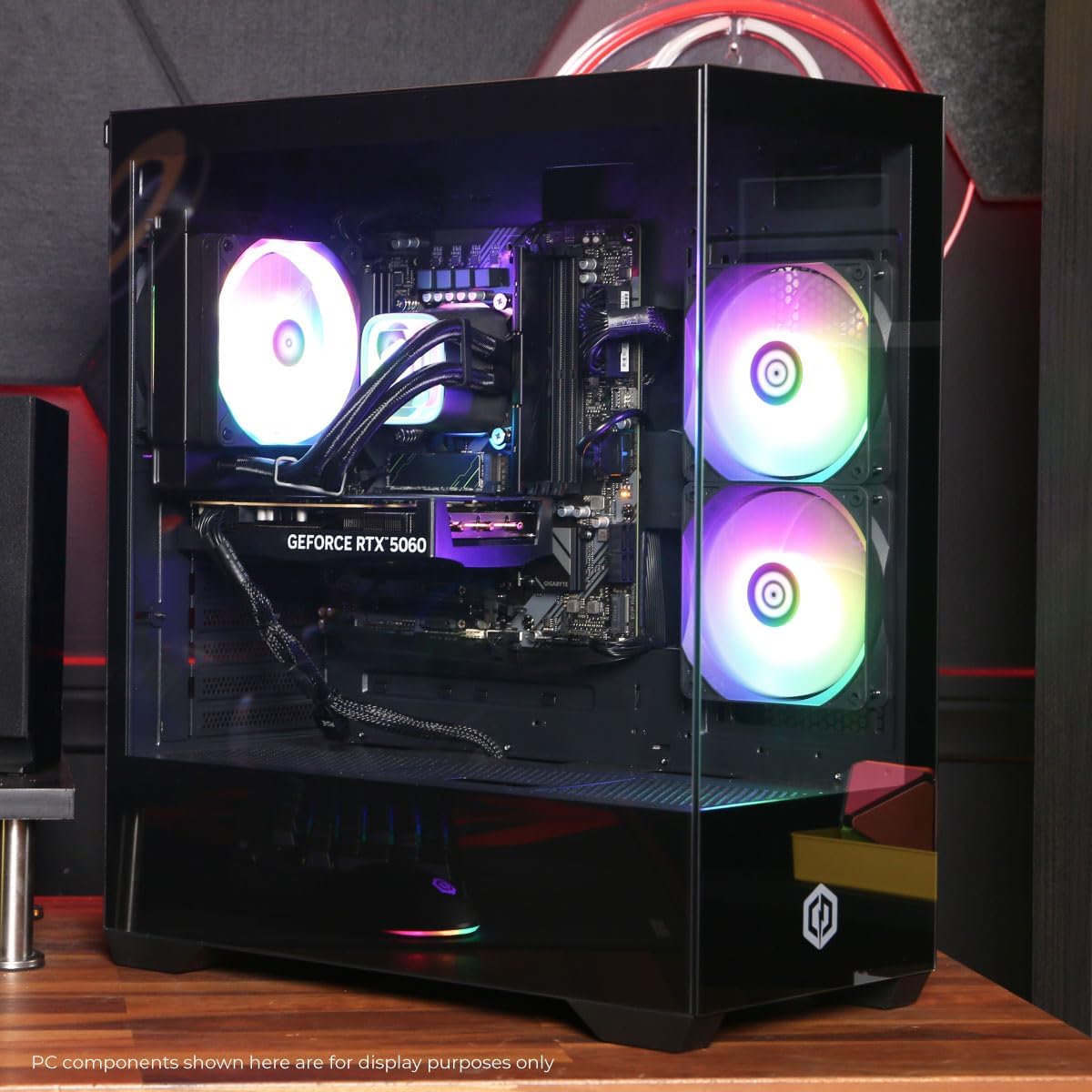
Resim: Dahili view PC gösterisininasing the RGB fans and components.
5. Bakım
5.1 Cleaning Your PC
- Dış: Yumuşak bir d kullanınamp Kılıfın dış yüzeyini silmek için bir bez kullanın. Sert kimyasallardan kaçının.
- İç mekan: Periodically clean dust from inside the PC using compressed air. Focus on fans (CPU cooler, case fans, GPU fans) and heatsinks. Ensure the PC is powered off and unplugged before opening the case.
- Toz Filtreleri: If your case has removable dust filters, clean them regularly to maintain optimal airflow.
5.2 Yazılım Güncellemeleri
Regularly update your operating system, drivers (especially graphics drivers), and antivirus software to ensure system stability, security, and performance.
5.3 Hava Akışı ve Soğutma
Proper airflow is critical for component longevity. Ensure the PC is placed in an open area, not confined in a cabinet, to allow for unrestricted air circulation.
Resim: Üst view of the PC, highlighting the mesh panel for ventilation.
6. Sorun Giderme
Sorunlarla karşılaşırsanız aşağıdaki genel sorun giderme adımlarına bakın:
- Görüntü yok: Ensure your monitor is connected to the graphics card's output, not the motherboard's. Check all cable connections (power, video). Try a different video cable or monitor if possible.
- Bilgisayar Açılmıyor: Verify the power cord is securely connected to both the PC and the wall outlet. Check the power switch on the PSU (if present) is in the 'On' position. Try a different power outlet.
- Aşırı Fan Gürültüsü: This can indicate dust buildup or a fan issue. Clean the interior of the PC as described in the Maintenance section. If the noise persists, contact support.
- System Instability/Blue Screen Errors (BSOD): Ensure all drivers are updated. Check for Windows updates. Run a memory diagnostic tool (Windows Memory Diagnostic) to check RAM integrity. Ensure components are properly seated.
- Çalışmayan Çevre Birimleri: Try connecting the keyboard or mouse to different USB ports. Ensure drivers are installed for specialized peripherals.
Sürekli devam eden sorunlar için, iletişim bilgileri için Garanti ve Destek bölümüne bakın.
7. Özellikler
| Bileşen | Detay |
|---|---|
| Model Adı | Gamer Xtreme GXiVR8060A47 |
| İşlemci | Intel Core i5-14400F 2.5GHz (10 Cores) |
| Yonga seti | Intel B760 |
| Grafik Kartı | NVIDIA GeForce RTX 5060 8GB GDDR7 |
| Veri deposu | 16GB DDR5 (4800 MT/s) |
| Depolamak | 1TB PCIe 4.0 NVMe SSD |
| İşletim Sistemi | Windows 11 Ev |
| Bağlantı | WiFi 6, Bluetooth 5.3, 1x LAN |
| USB Bağlantı Noktaları | 2 x USB-A 3.2, 6 x USB-A 2.0 (Total 8) |
| Video Çıkışı | 1x HDMI, 2x DisplayPort |
| Ses | 7.1 Kanal Ses |
| Boyutlar (U x G x Y) | Yaklaşık. 19.09 x 8.27 x 18.90 inç (54.5 x 52.5 x 29.5 cm) |
| Ağırlık | Yaklaşık 13.96 kg |

Resim: Detaylı iç tasarım view of the PC showing the CPU cooler, RAM, and graphics card.
8. Garanti ve Destek
8.1 Garanti Bilgileri
Your CyberPowerPC Gamer Xtreme GXiVR8060A47 Gaming PC comes with a 1 Yıllık Sınırlı Garanti Parça ve işçilik dahildir. Lütfen garanti talepleriniz için satın alma belgenizi saklayın.
8.2 Teknik Destek
CyberPowerPC offers Ücretsiz Ömür Boyu Teknik Destek for your product. For assistance with setup, troubleshooting, or any other technical inquiries, please contact CyberPowerPC customer service.
Contact information can typically be found on the CyberPowerPC official website or in the documentation included with your PC.