
1. Giriş
Welcome to the world of boAt Nirvana Zenith Pro TWS Earbuds. These earbuds are designed to provide a superior audio experience with advanced features such as Hybrid Adaptive Active Noise Cancellation, Spatial Audio, and Hi-Res Audio with LDAC support. This manual will guide you through the setup, operation, and maintenance of your new earbuds.
2. Kutuda Neler Var?
- boAt Nirvana Zenith Pro TWS Earbuds
- Şarj Kutusu
- Additional Earbuds (various sizes)
- USB Type-C Şarj Kablosu
- Kullanıcı Kılavuzu

Image: boAt Nirvana Zenith Pro TWS Earbuds and Charging Case in Platinum Gold.
3. Kurulum ve İlk Kullanım
3.1 İlk Şarj
Before first use, fully charge your earbuds and charging case. Connect the USB Type-C cable to the charging port on the case and a power source. The LED indicator on the case will show charging status.
3.2 Cihazınızla Eşleştirme
- Şarj kutusunu açın. Kulaklıklar otomatik olarak eşleştirme moduna geçecektir.
- Akıllı telefonunuzda veya Bluetooth özellikli diğer cihazınızda Bluetooth ayarlarına gidin.
- Arama 'boAt Nirvana Zenith Pro' in the list of available devices.
- Bağlantı kurmak için seçin. Bağlantı kurulduktan sonra sesli bir uyarı duyacaksınız.

Image: Earbuds resting in their open charging case, indicating readiness for Bluetooth pairing.
4. Kullanım Talimatları
4.1 Dokunmatik Kontroller
The boAt Nirvana Zenith Pro features intuitive touch controls on each earbud. Specific functions can be customized via the boAt Hearables App.
| Aksiyon | İşlev |
|---|---|
| Tek Dokunuş (Sol/Sağ) | Müzik Çal/Duraklat, Çağrıyı Cevapla/Sonlandır |
| Çift Dokunma (Sağ) | Sonraki Parça |
| Çift Dokunma (Sol) | Önceki Parça |
| Üçlü Musluk (Sol/Sağ) | Sesli Asistanı Etkinleştir |
| Uzun Basma (Sol/Sağ) | Toggle ANC/Ambient Mode |
4.2 Active Noise Cancellation (ANC) & Ambient Mode
The earbuds feature 50dB Hybrid Adaptive ANC to minimize external noise, allowing for an immersive listening experience. Ambient Mode allows you to hear your surroundings while still enjoying your audio.

Image: Graphic demonstrating the effectiveness of 50dB Hybrid Adaptive Noise Cancellation.
4.3 Mekansal Ses
Experience a theater-like sound from all directions with boAt Spatial Audio, co-tuned by filmmaker Imtiaz Ali. This feature provides a 360-degree immersive audio experience.
Video: Filmmaker Imtiaz Ali discussing the co-tuning of Spatial Audio for an immersive experience.

Image: Visual representation of Spatial Audio creating a 360-degree sound field around the listener.
4.4 LDAC özellikli Yüksek Çözünürlüklü Ses
The Nirvana Zenith Pro supports Hi-Res Audio powered by the LDAC codec, ensuring high-quality sound transmission and a rich listening experience through its 12mm drivers.

Resim: Ayrıntılı view of the 12mm audio drivers, highlighting Hi-Res Audio and LDAC compatibility.
4.5 boAt Hearables App Compatibility
Unlock Pro Mode and customize your listening experience with the boAt Hearables App. Adjust EQ modes, customize touch functions, control ANC settings, and receive software updates.

Image: Screenshot of the boAt Hearables App, showing various settings and customization options.
Uygulamayı buradan indirin: boAt İşitme Cihazları Uygulaması
4.6 Çok Noktalı Bağlantı
Connect and switch seamlessly between two devices simultaneously. For example, watch a movie on your tablet and answer an incoming call on your phone without manually reconnecting.
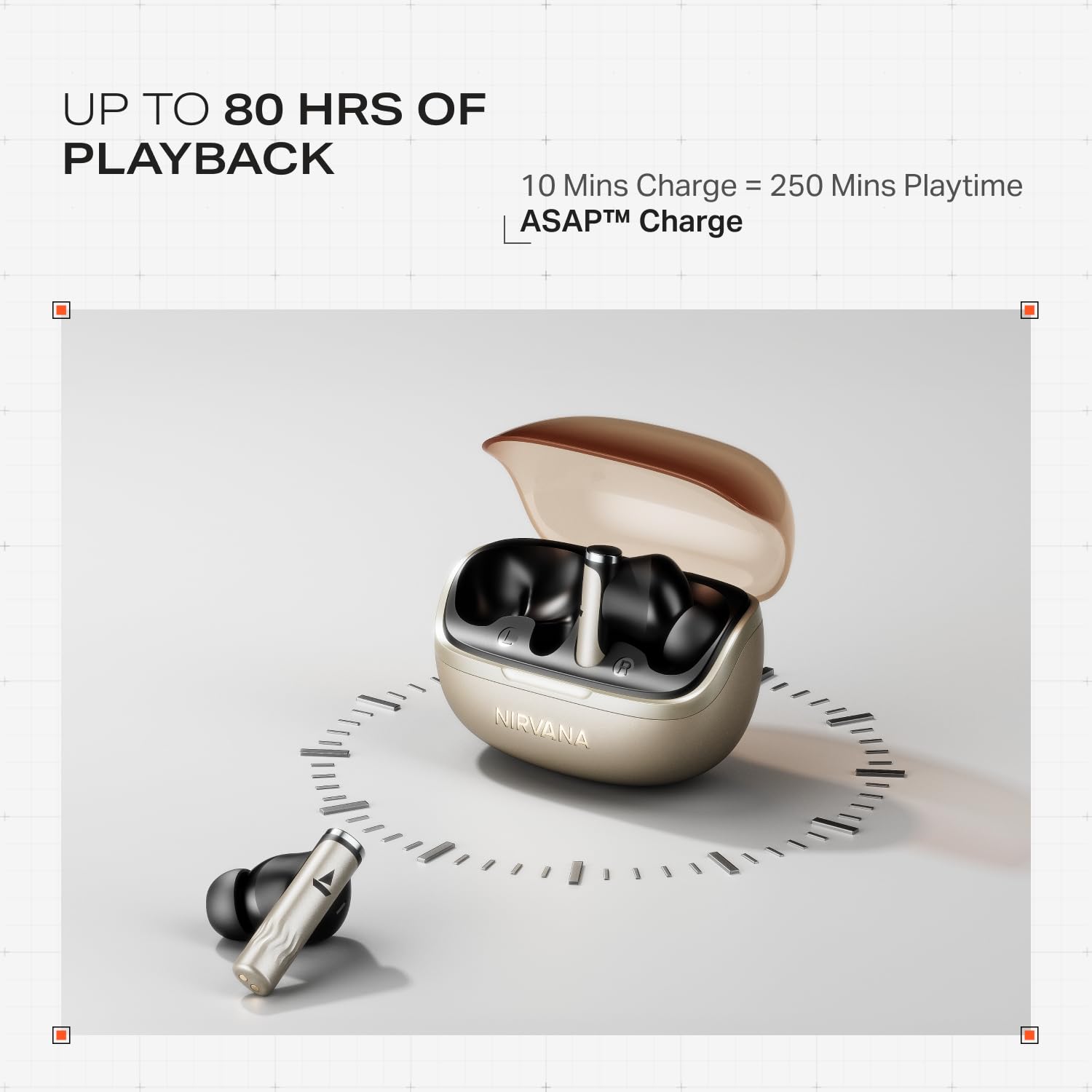
Image: Illustration of multipoint connectivity, with earbuds linked to both a smartphone and a tablet.
4.7 Kulak İçi Algılama
The earbuds automatically pause playback when removed from your ears and resume when placed back in, providing a seamless listening experience.

Image: Diagram showing an earbud in an ear, with text indicating 'Plug-in to Play' and 'Plug-Out to Pause'.
4.8 Beast Mode (Low Latency)
Activate Beast Mode for an ultra-low latency of 60ms, ideal for gaming to ensure synchronized audio and visuals.

Image: A smartphone displaying a racing game, with earbuds positioned nearby, illustrating the Beast Mode for low-latency gaming.
4.9 Google Fast Pair Service
Enjoy quick and effortless pairing with Android devices using Google Fast Pair Service, allowing for instant connection upon opening the case.

Image: A smartphone displaying a Google Fast Pair notification, prompting connection to the Nirvana Zenith Pro earbuds.
5. Şarj ve Pil
The earbuds offer up to 80 hours of total playtime with the charging case. The ASAP Charge feature provides 250 minutes of playtime after just 10 minutes of charging.
- Pil Ömrü: 80 saate kadar (şarj kutusu ile)
- ASAP Ücreti: 10 dakikalık şarj = 250 dakika oyun süresi
- Tam Şarj Süresi: Approximately 110 minutes for earbuds and case.

Image: Visual representation of the earbuds and charging case, highlighting 80 hours of playback and ASAP Charge capabilities.
6. Bakım ve Özen
- Temizlik: Regularly clean the earbuds and charging contacts with a soft, dry cloth. Avoid using harsh chemicals.
- Depolamak: Kulakiçi kulaklıkları, kullanılmadığında onları korumak ve şarjlı halde tutmak için şarj kutusunda saklayın.
- Suya Dayanıklılık: The earbuds are IPX4 rated, meaning they are resistant to splashes and sweat. Do not submerge them in water.
Video: A short animation demonstrating the IPX4 water resistance of the earbuds, showing protection against splashes.
7. Sorun Giderme
7.1 Kulaklıklar Eşleşmiyor
- Her iki kulaklığın da şarjlı olduğundan emin olun.
- Kulaklıkları kutusuna geri yerleştirin, kapağı kapatın, birkaç saniye bekleyin, ardından tekrar açarak eşleştirme moduna yeniden girin.
- Cihazı telefonunuzun Bluetooth ayarlarından silin ve tekrar eşleştirmeyi deneyin.
7.2 Low Volume/Poor Sound Quality
- Hem cihazınızın hem de kulaklıklarınızın ses seviyelerini kontrol edin.
- Kulaklıkların temiz ve tozdan arındırılmış olduğundan emin olun.
- Daha iyi bir sızdırmazlık için farklı kulak ucu boyutlarını deneyin.
- Disable ANC temporarily to see if it improves sound in certain environments.
7.3 Kulaklık Şarj Olmuyor
- Şarj kablosunun hem kasaya hem de güç kaynağına güvenli bir şekilde bağlandığından emin olun.
- Hem kulaklıkların hem de kutunun şarj temas noktalarını temizleyin.
- Farklı bir şarj kablosu veya güç adaptörü deneyin.
8. Özellikler
| Özellik | Detay |
|---|---|
| Model Adı | Nirvana Zenith Pro |
| Model Numarası | PP0010 |
| Gürültü Kontrolü | 50dB Hybrid Adaptive Active Noise Cancellation |
| Ses Kodlayıcısı | LDAC (Hi-Res Audio) |
| Sürücüler | 12mm Dinamik Sürücüler |
| Mikrofonlar | 6 Mics with AI-ENx Technology |
| Pil Ömrü | 80 saate kadar (kılıfıyla birlikte) |
| Bluetooth Sürümü | 5.4 |
| Suya Dayanıklılık | IPX4 |
| Düşük Gecikme | 60ms (Beast Mode) |
| Ağırlık | 45 Gram |
9. Garanti ve Destek
Your boAt Nirvana Zenith Pro TWS Earbuds come with a 1 yıllık garanti Satın alma tarihinden itibaren geçerlidir. Lütfen garanti talepleriniz için satın alma fişinizi saklayın.
For further assistance, technical support, or warranty claims, please visit the official boAt website or contact their customer service. Contact information can typically be found on the product packaging or the official brand webalan.