
LiNKFOR ULKVC655
LiNKFOR 5.8G Wireless HDMI Transmitter and Receiver User Manual
Model: ULKVC655
Marka: LiNKFOR
1. Giriş
Thank you for choosing the LiNKFOR 5.8G Wireless HDMI Transmitter and Receiver. This kit provides a seamless, high-definition wireless solution for extending HDMI signals up to 50 meters (164 feet). It is ideal for various applications, including home entertainment, office presentations, and educational settings, offering a plug-and-play experience without the need for drivers or Wi-Fi.
2. Paket İçeriği
Lütfen aşağıda listelenen tüm öğelerin paketinizde yer aldığından emin olun:
- 1 x Kablosuz HDMI Vericisi (TX)
- 1 x Kablosuz HDMI Alıcı (RX)
- 2 x Ayrılabilir Antenler
- 2 x HDMI Male to Female Adapters
- 1 x Mikro HDMI Adaptörü
- 1 x Mini HDMI Adaptör
- 2 x Type-C Power Cables (5V/1A)
- 1 x Kullanım Kılavuzu

Şekil 2.1: Paket İçeriğinin Tamamı
3. Ürün Bittiview
3.1 Temel Özellikler
- 1080P Wireless Video Transmission: Delivers stunning 1080P@60Hz video quality for a seamless and noise-free viewDeneyim.
- Uzun Menzilli İletim: Equipped with a 5.8G chip and external gain antennas, offering stable transmission up to 164 feet (50 meters).
- Tak ve Çalıştır Basitliği: No drivers, apps, or Wi-Fi connections required. Simple setup for instant streaming.
- Mirroring and Extended Display Modes: Supports both screen mirroring and extended display modes for versatile application.
- Geniş Uyumluluk: Compatible with PCs, laptops, cameras, TV boxes (TX) and projectors, monitors, HDTVs (RX).
- Easy Power Supply: Powered via Type-C (5V/1A) or USB.
3.2 Bileşenler
The kit consists of two main units: the Transmitter (TX) and the Receiver (RX), both featuring a sleek design with external gain antennas for enhanced signal stability.

Figure 3.1: LiNKFOR Wireless HDMI Transmitter and Receiver

Figure 3.2: Sleek Design with External Gain Antenna
4. Kurulum Talimatları
Follow these simple steps to set up your LiNKFOR Wireless HDMI Extender:
- Alıcıyı (RX) bağlayın: Plug the HDMI end of the Receiver unit into an available HDMI input port on your display device (e.g., HDTV, monitor, projector). Connect a Type-C power cable to the RX unit and plug the other end into a USB power source (5V/1A).
- Vericiyi (TX) bağlayın: Plug the HDMI end of the Transmitter unit into an available HDMI output port on your source device (e.g., laptop, PC, TV box, camera). Connect a Type-C power cable to the TX unit and plug the other end into a USB power source (5V/1A).
- Antenleri takın: Screw the two detachable antennas onto their respective ports on both the Transmitter and Receiver units. Ensure they are securely fastened and oriented for optimal signal reception.
- Gücü Açın ve Bekleyin: Ensure both the TX and RX units are powered on. The devices will automatically pair. Wait approximately 5-30 seconds for the connection to establish and for the video signal to appear on your display.

Figure 4.1: Wireless Connection Between TX and RX

Figure 4.2: Installation Steps and Status Indicator
5. Kullanım Talimatları
Once connected, the LiNKFOR Wireless HDMI Extender operates automatically. It supports both mirroring and extended display modes, depending on your source device's settings.
- Yansıtma Modu: The content displayed on your source device (e.g., laptop screen) will be duplicated on the connected display.
- Genişletilmiş Ekran Modu: Your connected display will act as an extension of your source device's screen, allowing you to have more desktop space.
No additional software or configuration is needed for basic operation. The system is designed for immediate use upon power-up and connection.

Figure 5.1: Seamless Wireless Transmission in Living Room
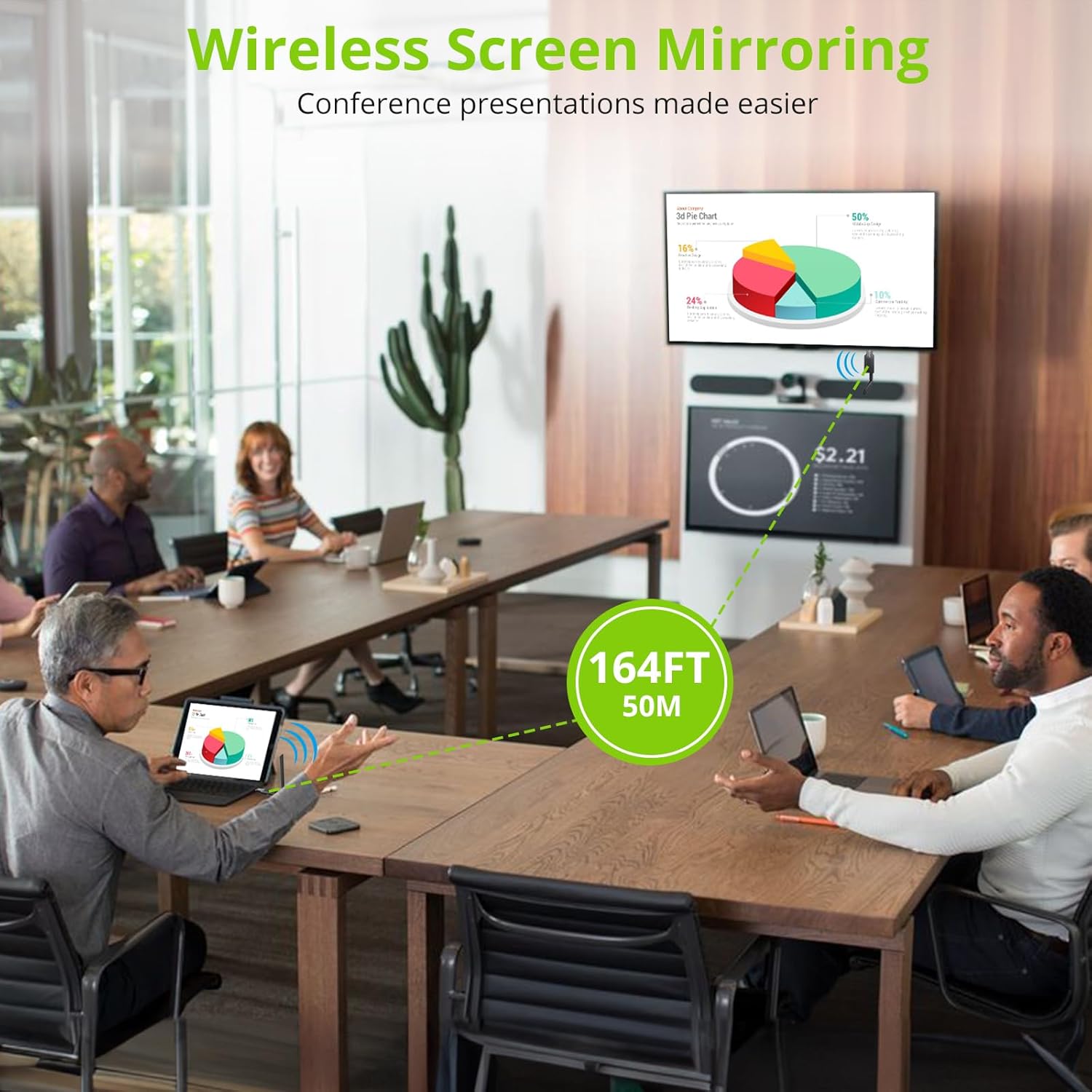
Figure 5.2: Wireless Screen Mirroring for Presentations
6. Uygulama Senaryoları
The LiNKFOR Wireless HDMI Extender is versatile and can be used in various environments:
- Ev Sineması: Stream movies and shows from your PC or laptop to your living room TV without long cables.
- Ofis Toplantıları: Facilitate presentations and screen sharing in conference rooms.
- Multimedia Teaching: Project educational content from a computer to a classroom display.
- Oyun: Enjoy low-latency wireless gaming on a larger screen.
- Video Konferans: Share screens during virtual meetings with ease.

Şekil 6.1: Çeşitli Uygulama Senaryoları
7. Sorun Giderme
Sorunlarla karşılaşırsanız, lütfen aşağıdaki yaygın sorunlar ve çözümlerine bakın:
| Sorun | Olası Neden | Çözüm |
|---|---|---|
| Sinyal Yok / Siyah Ekran | Loose connections, insufficient power, incorrect input selection on display, pairing issue. | Ensure all HDMI and power cables are securely connected. Verify both TX and RX units are powered. Select the correct HDMI input on your display. Power cycle both units. |
| Flickering Image / Unstable Signal | Interference, excessive distance, obstacles, low power. | Reduce distance between TX and RX. Remove obstacles. Ensure antennas are properly oriented. Use a stable 5V/1A power source for both units. Avoid strong electromagnetic interference. |
| Kısa İletim Menzili | Obstacles, signal interference, antenna orientation. | Ensure a clear line of sight between TX and RX. Reorient antennas for better signal. Minimize walls or large objects between units. |
| Güç Gösterge Işığı Yok | Power cable not connected, faulty power source. | Check Type-C power cable connection. Try a different USB power adapter or USB port. |
8. Özellikler
| Özellik | Detay |
|---|---|
| Ürün Boyutları | 17 x 12 x 1.81 inç (43.18 x 30.48 x 4.6 cm) |
| Ürün Ağırlığı | 2.82 ons (80 Gram) |
| Model Numarası | ULKVC655 |
| Donanım Arayüzü | USB 3.0 Type C, HDMI |
| Uyumlu Cihazlar | Projector, TV, Monitor, PC, Laptop, Camera, TV Box |
| Kablosuz Frekans | 5.8G |
| Video Çözünürlüğü | 1080P @ 60Hz |
| transmisyon Menzili | 164 feet'e (50 metre) kadar |
| Güç Kaynağı | Type-C (5V/1A) or USB |
9. Bakım
To ensure the longevity and optimal performance of your LiNKFOR Wireless HDMI Extender, follow these maintenance guidelines:
- Temizlik: Use a soft, dry cloth to clean the units. Do not use liquid cleaners or aerosols.
- Depolamak: Cihazı serin, kuru ve doğrudan güneş ışığından ve aşırı sıcaklıklardan uzak bir yerde saklayın.
- İşleme: Avoid dropping or subjecting the units to strong impacts. Do not disassemble the units, as this will void the warranty.
- Antenler: Handle the antennas carefully to prevent bending or breaking.
10. Garanti ve Destek
LiNKFOR products are designed for reliability and performance. For any questions, technical support, or warranty inquiries, please contact LiNKFOR customer service through the retailer where you purchased the product or visit the official LiNKFOR webiletişim bilgileri için site.
Garanti talepleri için lütfen satın alma belgenizi saklayın.
Ask a question about this manual
Ask about setup, troubleshooting, compatibility, parts, safety, or missing instructions. Manuals+ will review the question and use this page’s manual context to help answer it.