
1. Ürün Bittiview
The QRD Junior E5 Wireless Controller is a compact and versatile gaming controller designed for a wide range of platforms, including Nintendo Switch, Switch Lite, Switch OLED, PC (Windows), Mac, iOS, and Android devices. Its ergonomic design and advanced features provide an enhanced gaming experience.

Resim 1.1: Ön view of two QRD Junior E5 Wireless Controllers.

Image 1.2: Back and front views of the QRD Junior E5 Wireless Controller, highlighting its design.
2. Paket İçeriği
- QRD Junior E5 Wireless Controller (2 units for this package)
- USB-C Şarj Kablosu
- Kullanım Kılavuzu (bu belge)
3. Kurulum ve Bağlantı
3.1 Kontrol Ünitesinin Şarj Edilmesi
Before first use, fully charge the controller. Connect the provided USB-C cable to the controller's charging port and the other end to a USB power source (e.g., console, PC, or USB wall adapter). The indicator lights will show charging status and turn off when fully charged.
3.2 Nintendo Switch'e Bağlanma
- On the Nintendo Switch HOME Menu, select Kontrolörler > Tutma Yerini/Sırayı Değiştir.
- Basılı tutun Ana sayfa düğmesi on the QRD Junior E5 controller for 3-5 seconds until the indicator lights start flashing rapidly.
- Once connected, the corresponding player indicator light(s) on the controller will remain solid.
3.3 Connecting to PC (Windows/Mac)
The controller supports both wireless Bluetooth and wired USB-C connections for PC and Mac.
3.3.1 Wireless Bluetooth Connection
- Ensure your PC/Mac has Bluetooth enabled.
- On your PC/Mac, go to Bluetooth settings and search for new devices.
- Basılı tutun Ana sayfa düğmesi on the QRD Junior E5 controller for 3-5 seconds until the indicator lights start flashing rapidly.
- Select "QRD Controller" or similar from the list of available devices to pair.
- The controller supports X girişi for PC games.
3.3.2 Kablolu USB-C Bağlantısı
Connect the controller to your PC/Mac using the provided USB-C cable. The controller will be automatically recognized, and no driver installation is required.
3.4 Connecting to iOS/Android Devices
- Enable Bluetooth on your iOS/Android device.
- Basılı tutun Ana sayfa düğmesi on the QRD Junior E5 controller for 3-5 seconds until the indicator lights start flashing rapidly.
- Arama "QRD Controller" or similar in your device's Bluetooth settings and pair.
4. Kullanım Talimatları ve Özellikler
4.1 Temel Kontroller
The QRD Junior E5 controller features standard button layouts including A/B/X/Y buttons, D-pad, Left/Right joysticks, L/R/ZL/ZR triggers, Home button, and +/- buttons.
4.2 TURBO Fonksiyonu
The TURBO function allows for continuous or automatic rapid firing of buttons. This feature can be customized for different games and play styles.
- To set TURBO: Press and hold the desired action button (e.g., A) and then press the TURBO düğmesi once. The button will now continuously fire when held.
- To set Auto-TURBO: Press and hold the desired action button and then press the TURBO düğmesi a second time. The button will automatically fire without being held.
- To clear TURBO: Press and hold the desired action button and then press the TURBO düğmesi üçüncü kez.
- Adjusting TURBO Speed: Basın TURBO düğmesi ve Up/Down D-pad simultaneously to cycle through speeds: 8 times/sec, 15 times/sec, 25 times/sec.

Image 4.1: Illustration of the Turbo function for rapid actions in games.
4.3 6-Axis Gyro Motion Sensor
The controller is equipped with an advanced 6-axis gyro motion sensor, allowing for precise viewpoint and tilt operations in compatible games. Tilt, turn, and twist the controller to interact with game environments dynamically.

Image 4.2: Demonstrating the 6-Axis Gyro motion sensor capability.
4.4 Ayarlanabilir Titreşim Geri Bildirimi
Dual vibration motors provide immersive haptic feedback. The vibration intensity can be adjusted to suit personal preference and game requirements.
- Vibration modes: 0% (no vibration), 30% (weak), 70% (medium), and 100% (strong).
- To adjust vibration: Press the Titreşim düğmesi (if present, or a combination like TURBO + Left/Right joystick click) to cycle through intensity levels. Refer to the quick start guide for specific button combinations.

Image 4.3: Visual representation of the adjustable vibration feature.
5. Bakım ve Özen
- Kontrol ünitesini kuru tutun ve aşırı sıcaklıklardan uzak tutun.
- Kumanda ünitesini yumuşak, kuru bir bezle temizleyin. Sert kimyasallar veya aşındırıcı malzemeler kullanmayın.
- Kumanda cihazını düşürmekten veya şiddetli darbelere maruz bırakmaktan kaçının.
- Hasar görmemesi için kumanda cihazını kullanılmadığı zamanlarda güvenli bir yerde saklayın.
6. Sorun Giderme
6.1 Denetleyici Bağlanmıyor
- Kontrol cihazının tam şarjlı olduğundan emin olun.
- Verify Bluetooth is enabled on your device (Switch, PC, Mac, iOS, Android).
- Make sure the controller is in pairing mode (indicator lights flashing rapidly).
- Hem kontrol cihazını hem de bağlanmaya çalıştığınız cihazı yeniden başlatmayı deneyin.
- If connecting to Switch, ensure you are on the "Change Grip/Order" screen.
- For PC/Mac, try a wired USB-C connection to rule out Bluetooth issues.
6.2 Input Lag or Unresponsive Buttons
- Ensure the controller is within range of the connected device.
- Diğer kablosuz cihazlardan kaynaklanan paraziti kontrol edin.
- Confirm the controller is fully charged. Low battery can affect performance.
- Kumandayı ve oyunu/cihazı yeniden başlatın.
6.3 Vibration Not Working or Incorrect
- Check the vibration settings on the controller (refer to section 4.4) to ensure it's not set to 0%.
- Oynadığınız oyunun titreşim geri bildirimini desteklediğinden emin olun.
- Ensure the controller's firmware is up to date (if applicable, check the manufacturer's webalan).
7. Özellikler
| Örnek | Junior E5 |
| Marka | QRD |
| Bağlantı | Kablosuz Bluetooth, Kablolu USB-C |
| Uyumluluk | Nintendo Switch, Switch Lite, Switch OLED, PC (Windows), Mac, iOS, Android |
| Giriş Modları | X-input (PC), Switch-input (Nintendo Switch) |
| Özel Özellikler | 6-Axis Gyro Motion Sensor, Adjustable Vibration, TURBO Function |
| Boyutlar (yaklaşık) | 5 x 3.31 x 2.13 inç (12.7 x 8.4 x 5.4 cm) |
| Ağırlık (yaklaşık) | 1.06 pound (0.48 kg) |
| Pil | 2 Nonstandard Battery batteries required (internal, rechargeable) |

Image 7.1: Physical dimensions of the QRD Junior E5 Wireless Controller.
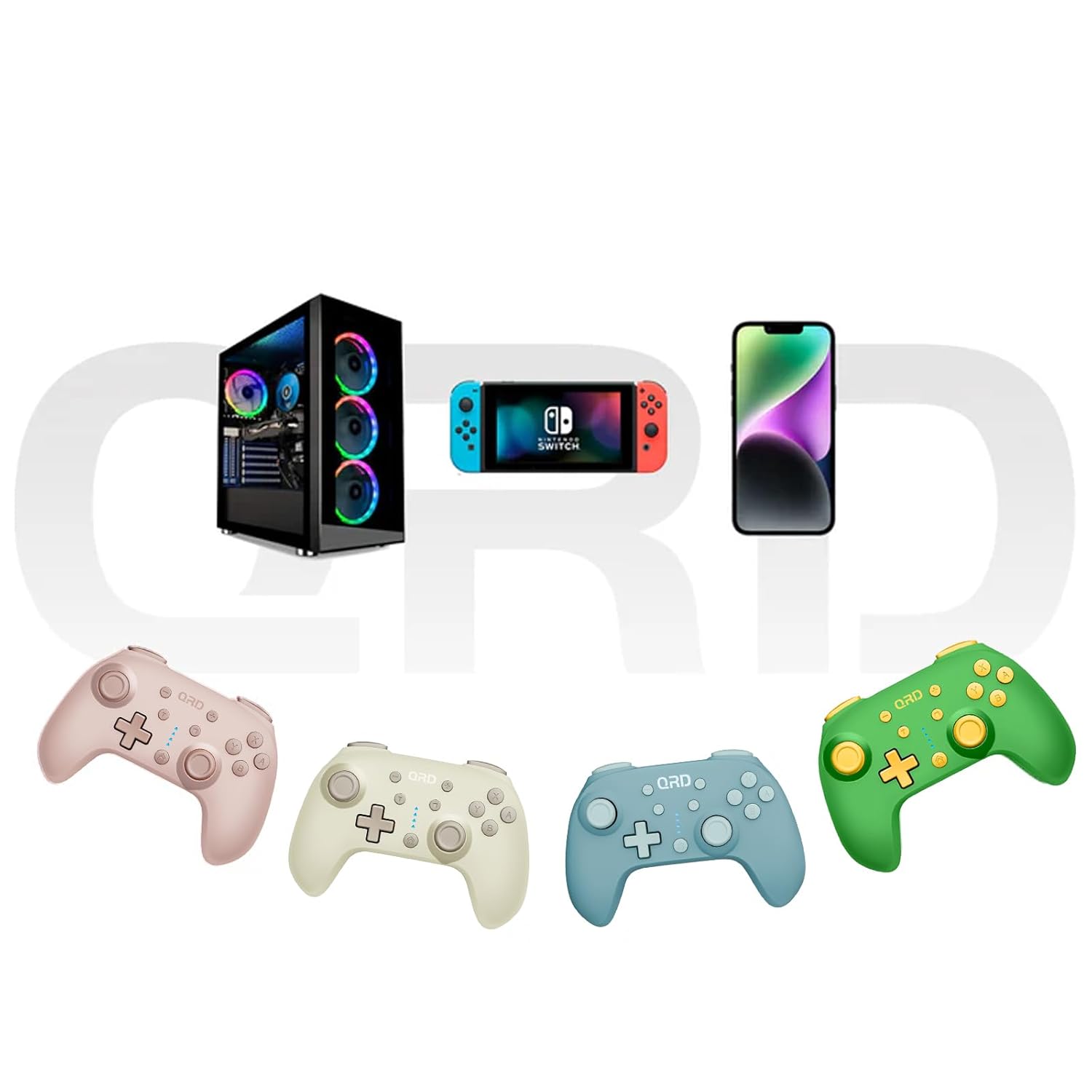
Image 7.2: Multi-platform compatibility of the QRD Junior E5 Wireless Controller.
8. Garanti ve Destek
QRD products are designed for reliability and performance. For warranty information, technical support, or service inquiries, please refer to the contact information provided with your purchase or visit the official QRD webLütfen garanti talepleriniz için satın alma belgenizi saklayın.
Ek destek için şu adresi ziyaret edebilirsiniz: QRD Store on Amazon.