
1. Giriş
This manual provides essential information for the safe and efficient use of your DigiLand 11-inch Android 14 Tablet. Please read this manual thoroughly before operating the device and retain it for future reference.
2. Güvenlik Bilgileri
- Tableti aşırı sıcaklıklara, doğrudan güneş ışığına veya yüksek neme maruz bırakmayın.
- Tableti düşürmekten veya şiddetli darbelere maruz bırakmaktan kaçının.
- Use only the charger and charging cable provided by the manufacturer.
- Tableti kendiniz sökmeye veya onarmaya çalışmayın. Yetkili servis personeline başvurun.
- Tableti sudan ve diğer sıvılardan uzak tutun.
3. Paket İçeriği
Paketinizde tüm öğelerin mevcut olduğundan emin olun:
- DigiLand R11 Tablet
- R11 Stand Case
- Şarj Cihazı (Güç Adaptörü)
- Şarj kablosu
- Kullanıcı Kılavuzu

Image: Contents of the DigiLand R11 Tablet package, showing the tablet, stand case, charger, charging cable, and user manual.
4. Cihaz Düzeni
Familiarize yourself with the physical components of your DigiLand 11-inch Android Tablet.

Resim: Ön ve arka view of the DigiLand 11-inch Android Tablet, showcasing its design and key features like the screen and rear camera module.
Temel Bileşenler:
- 11-inch HD IPS Display: Main screen for interaction and content viewIng.
- Ön Kamera (8MP): Ön çerçevede yer alır, görüntülü görüşmeler ve özçekimler için kullanılır.
- Arka Kamera (13MP): Located on the back of the tablet, for capturing photos and videos.
- Güç Düğmesi: Tableti açıp kapatmak veya uyku moduna alıp uyandırmak için kullanılır.
- Ses Düğmeleri: Ses seviyesini ayarlayın.
- USB Tip-C Bağlantı Noktası: Şarj ve veri aktarımı için.
- Hoparlör Izgaraları: Ses çıkışı için.
- MicroSD Kart Yuvası: Depolama alanını genişletmek için.
5. Kurulum
5.1 Tableti Şarj Etme
Before first use, fully charge your tablet. Connect the provided USB Type-C cable to the tablet's charging port and the other end to the power adapter. Plug the adapter into a wall outlet. The battery indicator on the screen will show charging status.

Image: The DigiLand tablet connected to a charger, showing the battery charging icon and indicating its 7000mAh capacity.
5.2 Açma/Kapatma
- Açmak İçin: Press and hold the Power button until the DigiLand logo appears.
- Kapatmak İçin: Press and hold the Power button until the power options appear on the screen. Select "Power off."
- Yeniden başlatmak: Press and hold the Power button until the power options appear. Select "Restart."
5.3 İlk Kurulum
Tablet ilk açıldığında, sizi ilk kurulum sürecinde yönlendirecektir:
- Tercih ettiğiniz dili seçin.
- Bir Wi-Fi ağına bağlanın.
- Google hesabınızla oturum açın veya yeni bir hesap oluşturun. Bu, Google Play Store'dan uygulama indirmek için gereklidir.
- Review ve şartlar ve koşulları kabul edin.
- Güvenlik için ekran kilidi (PIN, desen veya parola) ayarlayın.
5.4 MicroSD Kart Takma
To expand storage, insert a MicroSD card (up to 256GB, not included) into the designated slot. Ensure the tablet is powered off before inserting or removing the card.

Image: A visual representation of the tablet's memory capabilities, including RAM, internal storage, and MicroSD card expansion.
6. Tabletin Çalıştırılması
6.1 Temel Gezinme
Tablette gezinme için dokunmatik hareketler kullanılıyor:
- Musluk: Bir öğe seçin veya bir uygulama açın.
- Tokatlamak: Sayfalar veya menüler arasında gezinin.
- Tutam: Görüntüleri yakınlaştırın veya uzaklaştırın ve web sayfalar.
- Uzun basma: Bağlamsal menülere erişin veya uygulama simgelerini taşıyın.
6.2 Wi-Fi Bağlantısı
- Git Ayarlar > Ağ ve internet > Wifi.
- Wi-Fi'yi aç/kapat On.
- Listeden istediğiniz ağı seçin ve istendiğinde şifreyi girin.
6.3 Bluetooth Eşleştirme
- Git Ayarlar > Bağlı cihazlar > Bluetooth.
- Bluetooth'u aç/kapat On.
- The tablet will scan for available devices. Select the device you wish to pair with and follow any on-screen prompts.
6.4 Kameraların Kullanımı
Tablette 8 MP ön kamera ve 13 MP arka kamera bulunuyor.

Image: Demonstrates the tablet's dual camera functionality, with examples of a landscape photo taken by the 13MP rear camera and a video call using the 8MP front camera.
- Açın Kamera uygulama.
- Ön ve arka kameralar arasında geçiş yapmak için kamera simgesine dokunun.
- Fotoğraf çekmek veya video kaydını başlatmak/durdurmak için deklanşöre dokunun.
6.5 Split Screen & Screen Mirroring
- Bölünmüş Ekran: To use two apps simultaneously, open an app, then swipe up from the bottom of the screen and hold to access recent apps. Long-press the app icon at the top of the app window and select "Split screen." Choose a second app to open in the other half of the screen.
- Ekran yansıtma: To cast your tablet's screen to a compatible display (e.g., smart TV), go to Ayarlar > Bağlı cihazlar > Bağlantı tercihleri > Döküm. Select your desired display device.
6.6 Uygulama Yönetimi
Your tablet comes with Google Mobile Services (GMS) certified, allowing full access to the Google Play Store.
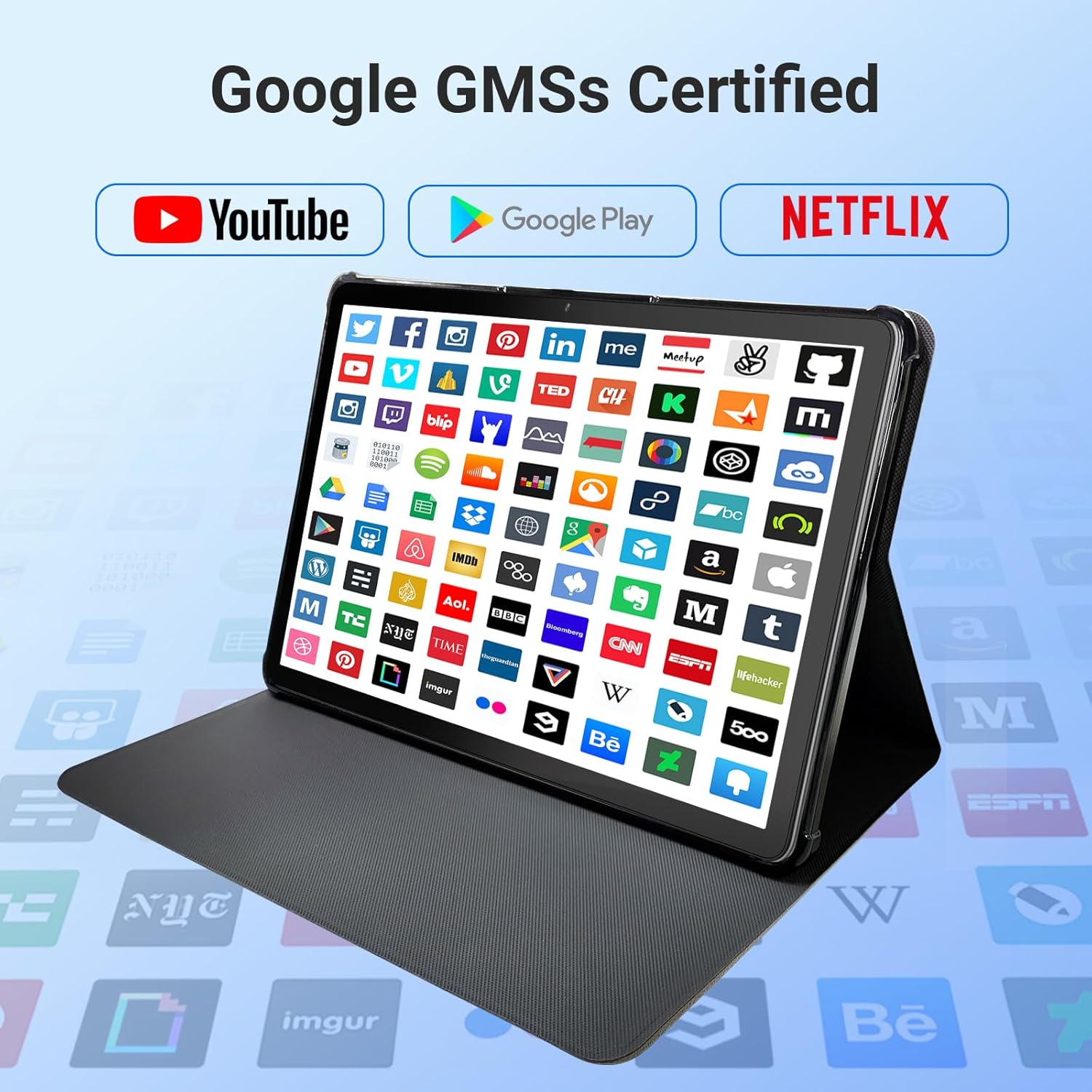
Image: The tablet screen showing numerous app icons, confirming Google GMS certification and access to popular services like YouTube and Netflix.
- Uygulamaları Yükle: Açın Google Play Mağazası app, search for your desired app, and tap "Install."
- Uygulamaları Kaldır: Long-press the app icon on the home screen or app drawer, then drag it to "Uninstall" or select "App info" and choose "Uninstall."
7. Bakım
7.1 Cihazın Temizlenmesi
Tablet ekranını ve gövdesini temizlemek için yumuşak, tüy bırakmayan bir bez kullanın. Aşındırıcı temizleyiciler veya çözücüler kullanmayın.
7.2 Yazılım Güncellemeleri
Periodically check for system updates to ensure optimal performance and security:
- Git Ayarlar > Sistem > Sistem güncellemesi.
- Mevcut güncellemeleri indirmek ve yüklemek için ekrandaki talimatları izleyin.
7.3 Depolama Yönetimi
Tabletinizin depolama alanını yönetmek için:
- Git Ayarlar > Depolamak.
- Here you can see storage usage and free up space by uninstalling apps, deleting files, or clearing cache data.
8. Sorun Giderme
Tabletinizle ilgili sorunlarla karşılaşırsanız, aşağıdaki yaygın çözümlere başvurabilirsiniz:
| Sorun | Çözüm |
|---|---|
| Tablet açılmıyor. | Pilinin dolu olduğundan emin olun. Şarj cihazını bağlayın ve tekrar açmayı denemeden önce birkaç dakika bekleyin. Cevap vermezse, güç düğmesini 10-15 saniye basılı tutarak zorla yeniden başlatma işlemi gerçekleştirin. |
| Wi-Fi bağlantı sorunları | Ayarlarda Wi-Fi'nin etkinleştirilmiş olup olmadığını kontrol edin. Yönlendiricinizi ve tabletinizi yeniden başlatın. Ağı unutun ve yeniden bağlanın. |
| Yavaş performans | Close unused apps. Clear app caches (Settings > Apps > [App Name] > Storage > Clear cache). Free up storage space. Restart the tablet. |
| Uygulamalar çöküyor veya donuyor | Update the app to the latest version. Clear the app's cache and data (Settings > Apps > [App Name] > Storage). Uninstall and reinstall the app. |
| Ekran tepkisiz | Tableti yeniden başlatın. Sorun devam ederse, müşteri desteğiyle iletişime geçin. |
9. Özellikler
Detailed technical specifications for the DigiLand 11-inch Android 14 Tablet (Model MID1109-MX):
| Özellik | Şartname |
|---|---|
| Marka | DigiLand |
| Model Adı | R11 |
| Ürün Model Numarası | MID1109-MX |
| İşletim Sistemi | Android 14 |
| Ekran Boyutu | 11 inç |
| Ekran Çözünürlüğü | 1280x800 Pixels (HD IPS) |
| İşlemci | 8-Core, 2 GHz (MediaTek) |
| Veri deposu | 12 GB LPDDR4X |
| Dahili Depolama (ROM) | 128 GB |
| Genişletilebilir Depolama | Up to 256GB via MicroSD (TF Card) |
| Grafik Eş İşlemcisi | Mali-G52 |
| Arka Webkam Çözünürlüğü | 13 MP |
| Ön Webkam Çözünürlüğü | 8 MP |
| Kablosuz Tip | 802.11a/b/g/n/ac (Dual-band 2.4G/5G Wi-Fi) |
| Bluetooth | Bluetooth 5.0 |
| Pil | 7000mAh Lityum Polimer |
| Ortalama Pil Ömrü | Up to 15 Hours (8 hours HD video playback) |
| Ürün Ağırlığı | 1.32 pound |
| Ürün Boyutları | 10.16 x 6.69 x 0.32 inç |
| Renk | Gri |
10. Garanti ve Destek
Your DigiLand tablet is covered by a manufacturer's warranty. Please refer to the warranty card included in your package for specific terms and conditions. For technical support, product inquiries, or warranty claims, please visit the official DigiLand websitesine bakın veya müşteri hizmetleri departmanıyla iletişime geçin.
DigiLand Official Webalan: Visit DigiLand Store on Amazon