
giriiş
This manual provides detailed instructions for the setup, operation, and maintenance of your GOBOULT Rover Pro Smartwatch. Please read this manual thoroughly before using your device to ensure proper functionality and to maximize your user experience.

Image: GOBOULT Rover Pro Smartwatch, showcasing its sleek design and digital time display.
Paket İçeriği
Upon opening your GOBOULT Rover Pro Smartwatch package, verify that all items listed below are present:
- GOBOULT Rover Pro Smartwatch
- Şarj kablosu
- Kullanım Kılavuzu (bu belge)
Kurmak
1. Akıllı Saati Şarj Etme
Before initial use, fully charge your GOBOULT Rover Pro Smartwatch. Connect the provided charging cable to the charging port on the back of the smartwatch and to a standard USB power adapter (not included). A full charge typically takes approximately 150 minutes (2.5 hours).

Image: Illustration of the smartwatch charging, highlighting battery life and charging duration.
2. Açma/Kapama
- Güç Açık: Ekran aydınlanana kadar yan düğmeye basılı tutun.
- Kapat: Yan düğmeye basılı tutun, ardından ekranda "Kapat" seçeneğini seçin.
3. Uygulama Kurulumu ve Eşleştirme
To unlock the full potential of your smartwatch, download and install the companion application on your smartphone. The application can typically be found by scanning a QR code in the watch's settings or by searching for "GloryFit" in your smartphone's app store. Once installed:
- Akıllı telefonunuzda Bluetooth’u etkinleştirin.
- Open the companion app and follow the on-screen instructions to add your device.
- Select "GOBOULT Rover Pro" from the list of available devices to pair.
- Hem akıllı telefonunuzda hem de akıllı saatinizde eşleştirme isteğini onaylayın.
For app download, visit: GloryFit App Download
Akıllı Saatin Çalıştırılması
Ekran ve Gezinme
The GOBOULT Rover Pro features a 1.43-inch AMOLED display with 1000 nits brightness, ensuring clear visibility even in direct sunlight. The display supports an Always-on mode for continuous time display.

Resim: Ayrıntılı view of the smartwatch's 1.43-inch round AMOLED curved display.

Image: Visual comparison highlighting the superior brightness and clarity of the Rover Pro's AMOLED display.
- Yukarı/Aşağı/Sola/Sağa Kaydırın: Menüler, bildirimler ve hızlı ayarlar arasında gezinin.
- Musluk: Bir öğeyi seçin veya bir uygulamayı açın.
- Yan Düğme: Ana ekrana dönmek veya uygulama listesine erişmek için basın.
Sağlık İzleme
The GOBOULT Rover Pro Smartwatch offers comprehensive health tracking features to help you monitor your well-being:
- 24/7 Kalp Atış Hızı İzleme: Gün boyunca kalp atış hızınızı sürekli olarak takip eder.
- SpO2 Blood Oxygen Saturation: Measures the oxygen level in your blood.
- Uyku İzleme: Derin uyku, hafif uyku ve uyanıklık saatleri dahil olmak üzere uyku düzeninizi analiz eder.
- Kadınlarda Adet Döngüsü Takibi: Adet döngüleri hakkında bilgi ve tahminler sunar.
- Aktivite Takipçisi: Adım sayısını, kat edilen mesafeyi ve yakılan kalorileri kaydeder.
- Hatırlatmalar: Includes reminders to drink water and stay active.
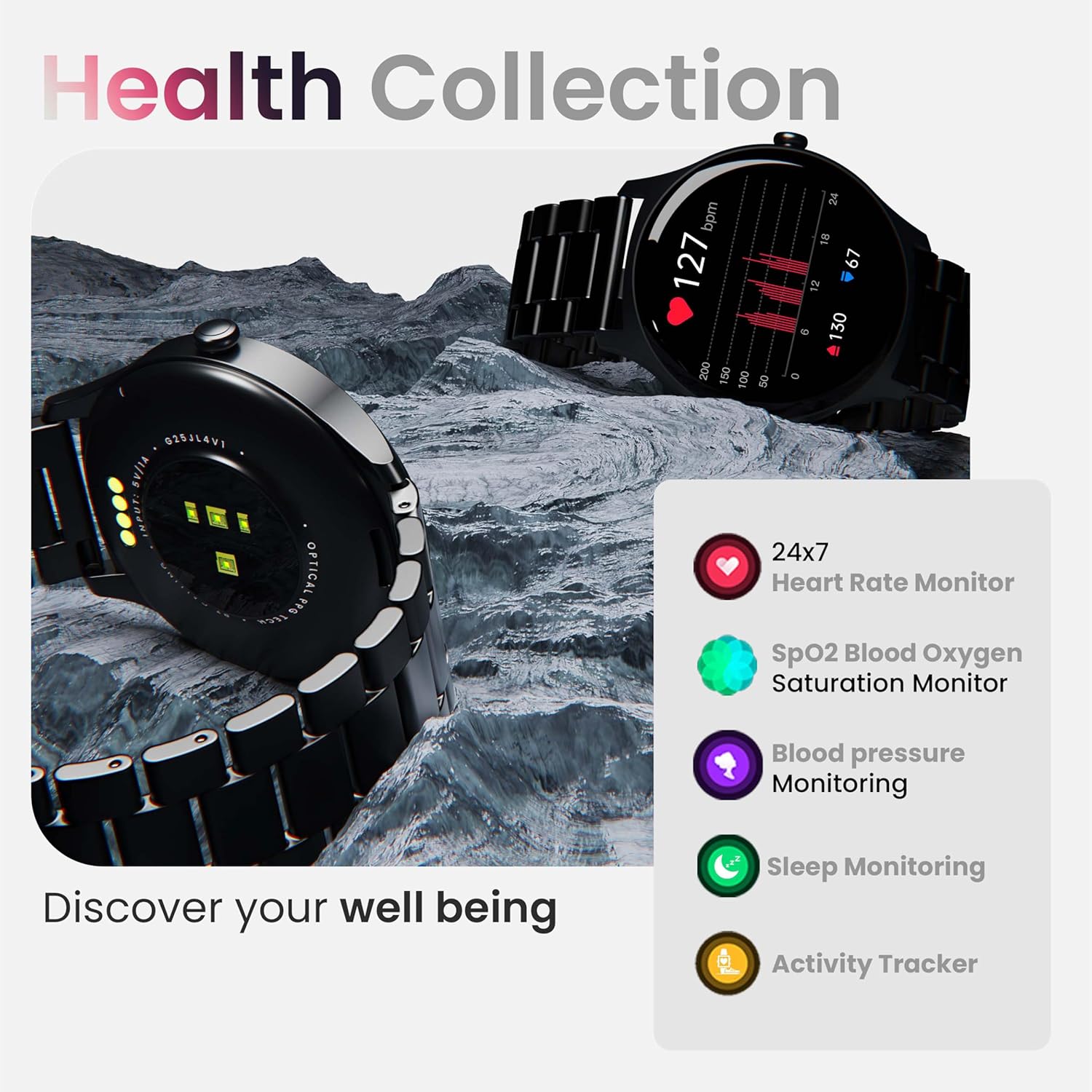
Resim: Üzeriview of the smartwatch's health monitoring capabilities.
Not: This device is not a medical instrument. Health data is for reference only and should not be used for medical diagnosis or treatment.
Spor Modları
With over 120 sports modes, the GOBOULT Rover Pro Smartwatch is designed to track a wide range of physical activities. Select your desired sport from the watch's menu to record specific metrics such as duration, calories burned, and heart rate during your workout.

Image: Display of various sports modes available on the smartwatch.
Özelleştirme
Saat Yüzleri
Personalize your smartwatch with over 150 cloud-based watch faces available through the companion app. You can also create custom watch faces using your own photos.

Resim: Eskiamples of various watch faces and customization options.
Bluetooth çağrısı
The GOBOULT Rover Pro Smartwatch features Bluetooth 5.2 single-chip technology, enabling direct calls from your wrist. It includes a dedicated speaker and microphone for clear communication.
- Arama Yapma: Arama başlatmak için saatinizdeki arama tuş takımına veya kişi listesine erişin.
- Gelen Çağrıları Cevaplama/Reddetme: Swipe on the screen to answer or reject incoming calls.
- Kişi Senkronizasyonu: Sync your phone's contacts to the smartwatch via the companion app.

Image: Visual representation of the smartwatch's Bluetooth calling interface and features.
AI Ses Yardımcısı
Interact with your smartwatch hands-free using the built-in AI voice assistant. Simply activate the assistant and speak your commands to perform various functions, such as setting alarms, checking weather, or initiating calls. Supports popular voice assistants like Siri and Google Assistant when connected to a compatible smartphone.
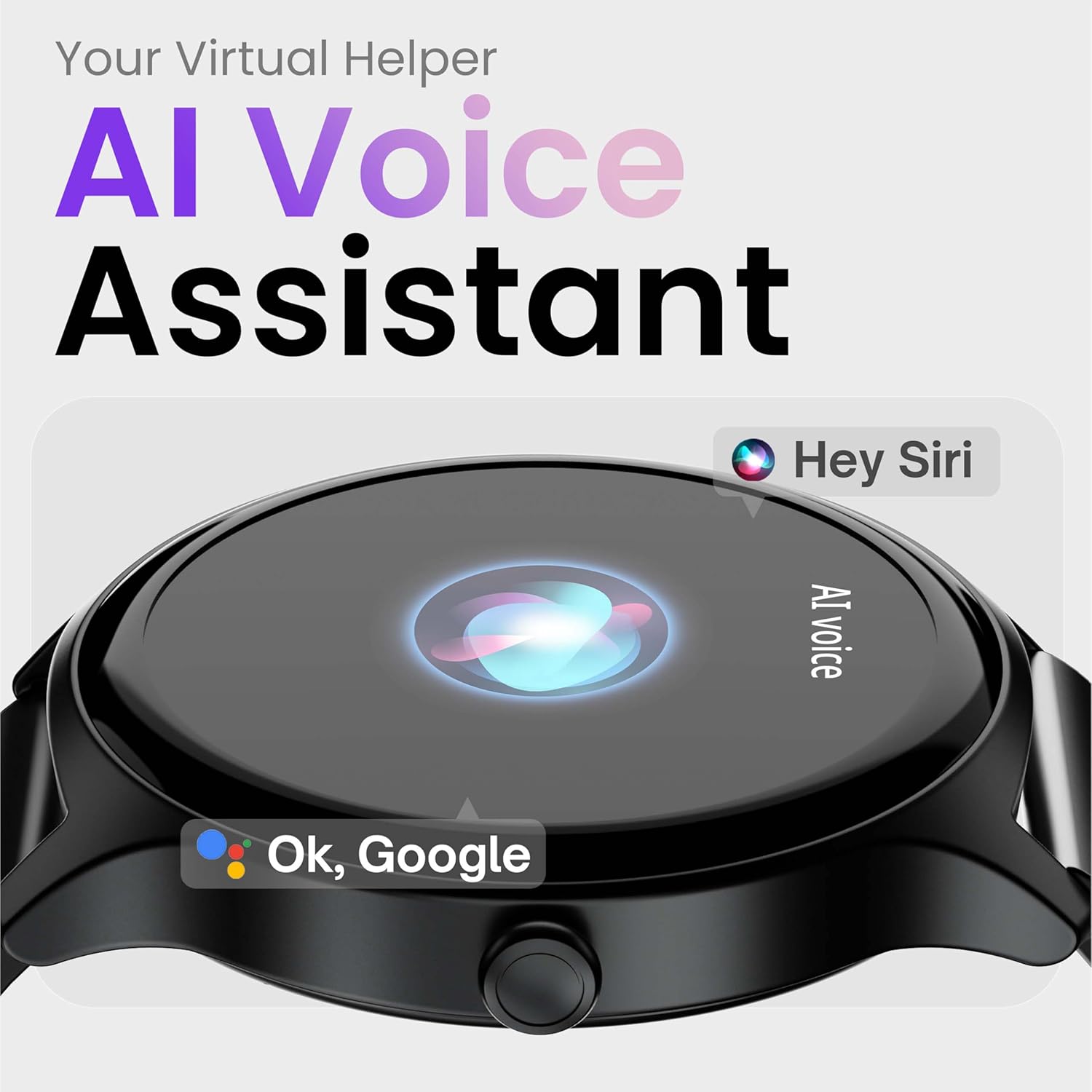
Image: Depiction of the AI Voice Assistant functionality on the smartwatch.
Smart Notifications & Safety Features
Akıllı Bildirimler
Receive SMS, call, and app notifications directly on your wrist. Manage which notifications appear through the companion app settings.

Image: Smartwatch screen showing notification alerts and the 'Find my phone' function.
Güvenlik Özellikleri
- 4-Digit PIN: Secure your smartwatch with a PIN for enhanced privacy.
- One-Tap SOS Alert: In an emergency, activate the SOS feature to notify pre-set emergency contacts.
- Secure Sign-in Methods: Utilize easy and secure methods for accessing your device.
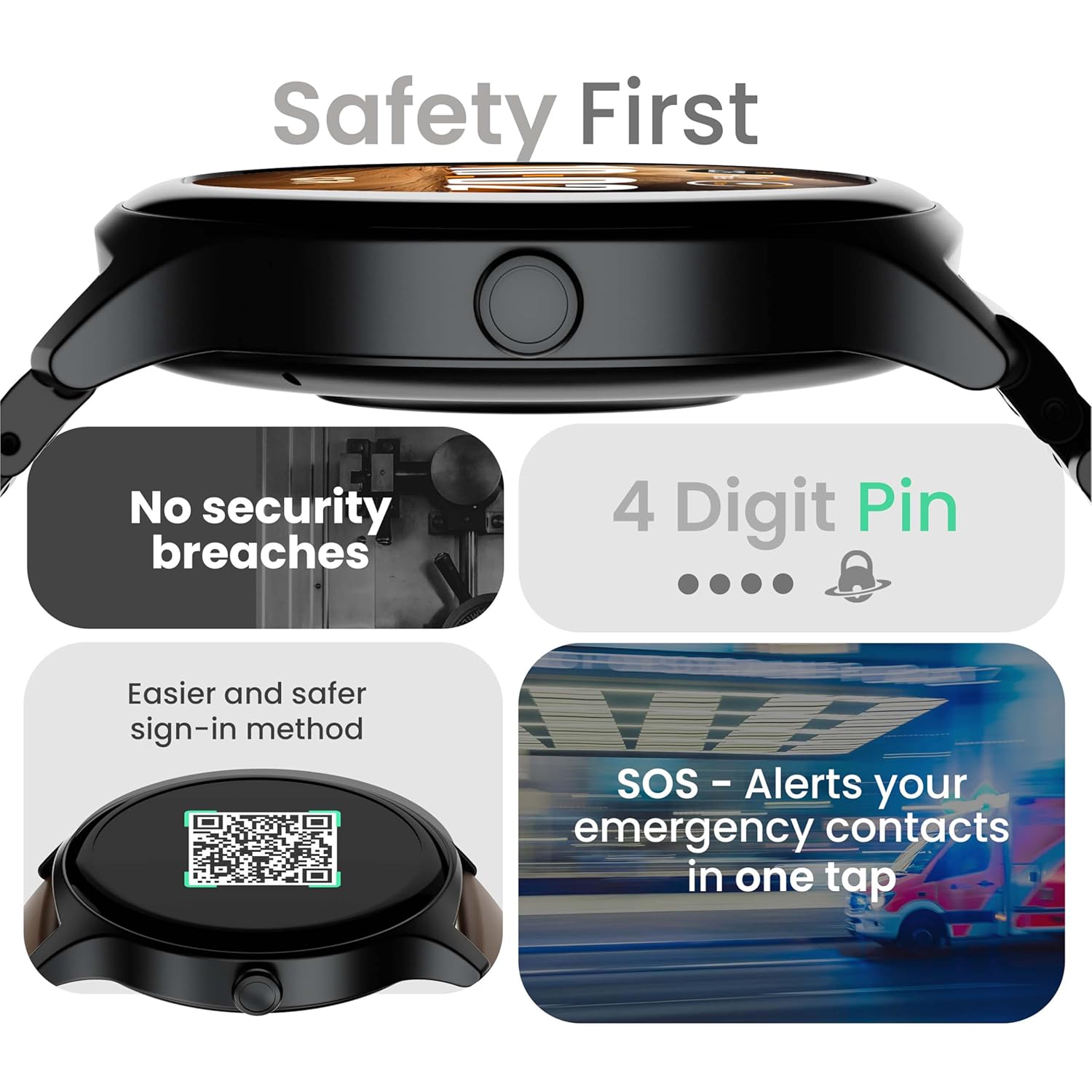
Image: Visuals illustrating the smartwatch's security and emergency features.
Pil Ömrü ve Şarj
The GOBOULT Rover Pro Smartwatch is equipped with a battery designed for extended use:
- Tipik Kullanım: 7 güne kadar pil ömrü.
- Bekleme Süresi: 20 güne kadar.
- Hızlı Şarj: Approximately 10 minutes of charging provides up to 2 days of battery life.
- Tam Şarj Süresi: Approximately 90 minutes for a complete charge.
Use only the provided charging cable to ensure optimal charging performance and to prevent damage to the device.
Suya Dayanıklılık (IP68)
The GOBOULT Rover Pro Smartwatch has an IP68 rating, meaning it is dustproof and water-resistant. It can withstand immersion in water up to 1.5 meters deep for up to 30 minutes. This makes it suitable for daily use and various outdoor activities, but it is not recommended for diving or high-pressure water activities.

Image: Illustration of the smartwatch's IP68 water and dust resistance.
Bakım
Akıllı saatinizin uzun ömürlü ve en iyi performansı göstermesi için aşağıdaki bakım yönergelerini izleyin:
- Temizlik: Saat ekranını ve kayışını düzenli olarak yumuşak ve kuru bir bezle silin. Gerekirse, hafifçe kurulayın.amp Kayış için kumaşı kullanın, ardından iyice kurulayın.
- Kimyasallardan Kaçının: Saatinizin yüzeyine ve contalarına zarar verebileceğinden, sert kimyasallar, temizleme çözücüleri veya güçlü deterjanlar kullanmayın.
- Şarj Portu: Şarj kontaklarını temiz ve kuru tutun.
- Depolamak: Akıllı saati kullanılmadığı zaman serin ve kuru bir yerde saklayın.
- Aşırı Sıcaklıklardan Kaçının: Do not expose the watch to extreme hot or cold temperatures for prolonged periods.
Sorun giderme
If you encounter issues with your GOBOULT Rover Pro Smartwatch, refer to the following common solutions:
| Sorun | Çözüm |
|---|---|
| Akıllı saat açılmıyor. | Saatinizin tam şarjlı olduğundan emin olun. Saatinizi en az 30 dakika şarj cihazına takın. |
| Akıllı telefonla eşleştirilemiyor. |
|
| Yanlış sağlık verileri. |
|
| Bildirimler alınmıyor. |
|
| Kısa pil ömrü. |
|
Özellikler
| Özellik | Detay |
|---|---|
| Marka | GOBOULT |
| Model Serisi | rover yanlısı |
| Ekran Boyutu | 1.43 inç |
| Görüntü Türü | AMOLED |
| Parlaklık | 1000 Nit |
| Bağlantı | Bluetooth 5.2 |
| İşletim Sistemi | Android (uyumlu) |
| Suya Dayanıklılık | IP68 |
| Pil Ömrü (Tipik) | 7 Güne Kadar |
| Pil Şarj Süresi | Approx. 150 Minutes (Full Charge) |
| Ürün Ağırlığı | 43 gr |
| Dahil Bileşenler | Şarj Kablosu, Kullanım Kılavuzu |
Garanti ve Destek
Garanti Bilgileri
Your GOBOULT Rover Pro Smartwatch comes with a 1 Yıllık Garanti Satın alma tarihinden itibaren geçerlidir. Bu garanti, üretim hatalarını ve normal kullanım koşullarındaki arızaları kapsar. Yanlış kullanım, kazalar, yetkisiz değişiklikler veya normal aşınma ve yıpranmadan kaynaklanan hasarları kapsamaz.
Müşteri Desteği
For technical assistance, warranty claims, or any other inquiries, please contact GOBOULT customer support through their official website or the contact information provided with your purchase documentation. Please have your product model and purchase details ready when contacting support.