
1. Giriş
This manual provides essential information for the setup, operation, and maintenance of your VIMTAG 8310 5G/2.4G 4MP Camera. Please read thoroughly before use to ensure proper functionality and safety.

Figure 1: VIMTAG 8310 5G/2.4G 4MP Camera
2. Kutuda Neler Var?
Paketin içinde tüm öğelerin mevcut olduğundan emin olun:
- Camera Body with power cable
- Kullanım Kılavuzu
- Montaj Vidası
- Güç Adaptörü
3. Ürün Bittiview
VIMTAG 8310 camera features a compact design suitable for both indoor and outdoor use. Key components include:
- Mercek: Captures 2.5K (4MP) video.
- Infrared & White Light: Gece görüş özelliği için.
- Mikrofon: Çift yönlü ses iletişimi için.
- Konuşmacı: Çift yönlü sesli iletişim ve uyarılar için.
- SD Kart Yuvası: Supports Micro SD cards up to 512GB for local storage.
- Sıfırlama Düğmesi: Fabrika ayarlarına sıfırlama için.
- Güç girişi: Micro USB for continuous power supply.

Figure 2: Camera features overview
4. Kurulum ve Kurulum
4.1 Uygulama İndirme ve Hesap Kaydı
- Download the 'Canny Cam' app from your device's app store (iOS/Android).
- Register a new account using your email address and follow the on-screen instructions.
- Yeni oluşturduğunuz hesabınıza giriş yapın.

Figure 3: App download and registration process
4.2 Powering On and Device Connection
- Connect the camera to the power adapter using the provided USB cable and plug it into a power outlet.
- Open the 'Canny Cam' app and tap the '+' icon to add a new device.
- Follow the in-app instructions to connect the camera to your 5G/2.4G Wi-Fi network. This typically involves scanning a QR code displayed on your phone with the camera lens.
- Bağlandıktan sonra kameranıza bir isim verebilir ve onu belirli bir odaya atayabilirsiniz.
Video 1: Why choose Vimtag Mini G3 Outdoor Security Camera? (Seller)
4.3 Kamerayı Monte Etme
The camera comes with a versatile stand that allows for various mounting options:
- Tabletop/Free Standing: Place the camera on any flat surface. The stand has padded feet for stability.
- Duvar/Tavan Montajı: The base of the stand can be detached and screwed into a wall or ceiling using the provided mounting screws. The camera then easily attaches to the mounted base.

Figure 4: Easy setup and mounting options

Figure 5: Mounting the camera to a wall
5. Kameranın Çalıştırılması
5.1 Canlı View ve İki Yönlü Ses
Access the live video feed anytime, anywhere through the Canny Cam app. Use the built-in microphone and speaker for two-way communication.

Şekil 6: Çift Yönlü Sesin Çalışma Şekli
5.2 Gece Görüş Modları
The camera offers full-color night vision, enhanced by a built-in LED light, and traditional infrared night vision. Switch between modes via the app settings.

Figure 7: Comparison of Color and Infrared Night Vision
Video 2: How to set full-color night vision of Vimtag Mini G3 (Seller)
5.3 Akıllı Algılama ve Uyarılar
Configure motion, human, and sound detection settings within the app. Receive instant alerts on your mobile device when activity is detected.
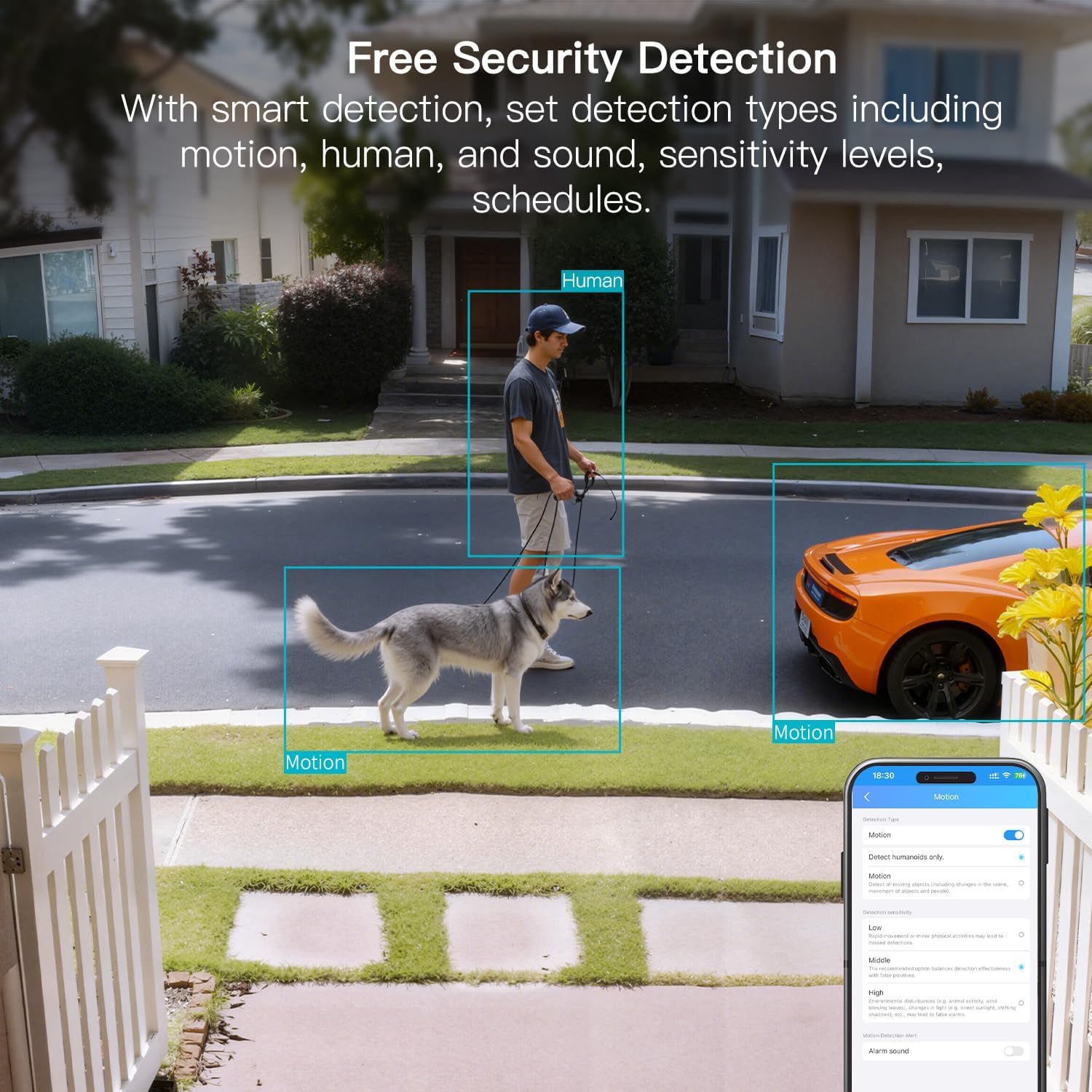
Figure 8: AI Detection capabilities

Figure 9: Smart alarm modes with sound and light
5.4 Depolama Seçenekleri
The camera supports continuous 24/7 recording to a Micro SD card (up to 512GB, sold separately) or secure Cloud storage (subscription required).

Figure 10: Local and Cloud storage options
6. Özellikler
| Özellik | Detay |
|---|---|
| Model Adı | 8310 |
| İç/Dış Mekan Kullanımı | Dış Mekan (IP65 Hava Koşullarına Dayanıklı) |
| Video Yakalama Çözünürlüğü | 2.5K (1440p) |
| Etkili Hareketsiz Çözünürlük | 4 MP |
| Bağlantı Teknolojisi | Wi-Fi (2.4 & 5G Hz, Dual Band, Wi-Fi 6) |
| Özel Özellikler | 2-Way Audio, HD Resolution, Motion Sensor, Color Night Vision, AI Detection, Alexa Support |
| ViewAçı | 130 Derece |
| Gece Görüş Aralığı | 33 Ayak |
| Güç Kaynağı | Kablolu Elektrikli (5 Volt, 5 Watt) |
| Desteklenen Maksimum Flash Bellek | 512 GB (Micro SD) |
| Ürün Boyutları | 1.57 x 2.28 x 2.76 inç |
7. Bakım
- Temizlik: Fotoğraf makinesinin objektifini ve gövdesini temizlemek için yumuşak, kuru bir bez kullanın. Sert kimyasallardan kaçının.
- Donanım Yazılımı Güncellemeleri: Regularly check the Canny Cam app for firmware updates to ensure optimal performance and security.
- SD Kart Yönetimi: If using a Micro SD card, periodically check its status and format it via the app to maintain recording quality.
8. Sorun Giderme
- Bağlantı Sorunları: Ensure the camera is within range of your Wi-Fi router. Verify Wi-Fi password and network stability. The camera supports both 2.4GHz and 5GHz bands.
- Kayıt Sorunları: Check if the Micro SD card is inserted correctly and has sufficient space. If using Cloud storage, verify your subscription status.
- Hiçbir uyarı yok: Confirm motion/human/sound detection is enabled in the app settings and notification permissions are granted for the Canny Cam app on your phone.
- Kötü Görüntü Kalitesi: Ensure the lens is clean. Check network stability for optimal streaming resolution.
- Cihazı sıfırla: If issues persist, use the reset button on the camera to restore factory settings. You will need to reconfigure the device after a reset.
9. Garanti ve Destek
VIMTAG offers a 2-year warranty and lifetime technical support for this product. For assistance, please contact VIMTAG müşteri desteği:
- E-posta: Customer@vimtag.com
- Uygulama İçi Destek: Access the 'Message Center' within the Canny Cam app for direct support.
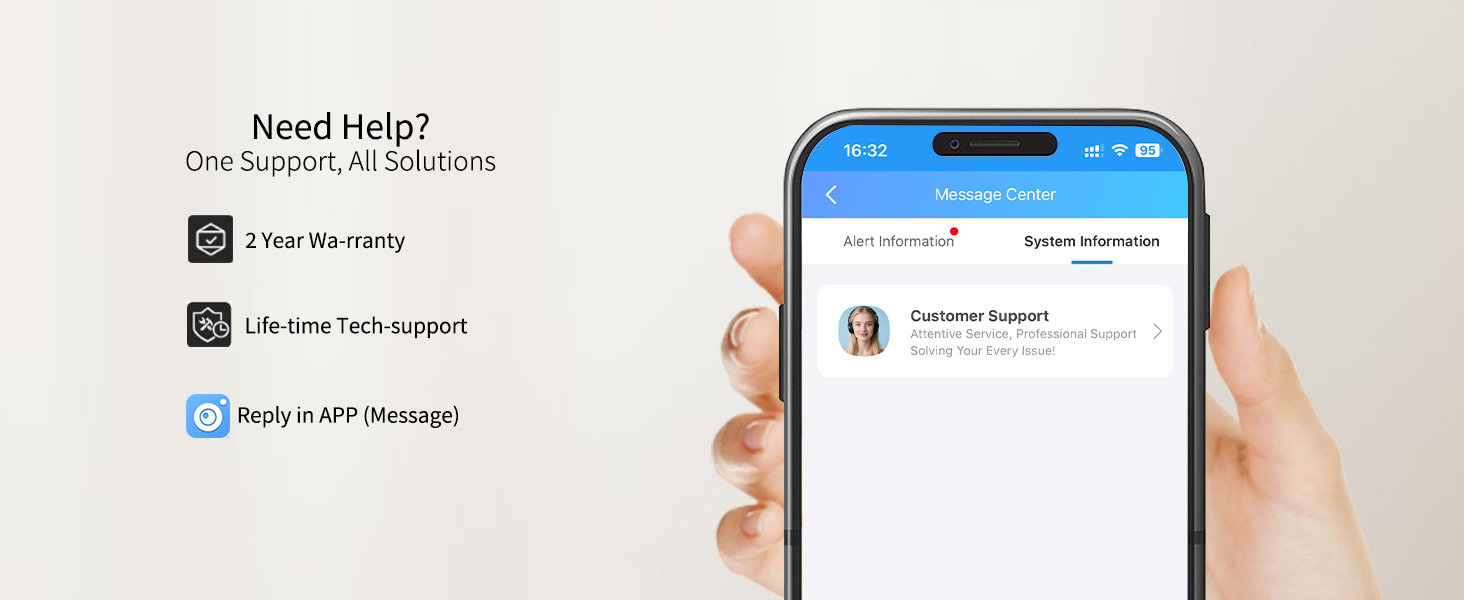
Figure 11: VIMTAG Müşteri Desteği