
giriiş
Thank you for choosing the KODAK 7-Inch Wooden Digital Photo Frame. This manual provides essential information for setting up, operating, and maintaining your digital photo frame. Please read these instructions carefully before use to ensure proper functionality and to maximize your enjoyment of the product. This frame is designed to display your cherished photos, videos, and music with its high-quality 1024x600 IPS HD display.
Paket İçeriği
Lütfen paketi aşağıdaki öğeler açısından kontrol edin:
- KODAK 7-Inch Wooden Digital Photo Frame
- Güç Adaptörü
- Uzaktan kumanda
- Kullanıcı Kılavuzu
Ürün Bittiview
The KODAK 7-Inch Wooden Digital Photo Frame features a 1024x600 IPS HD display, supporting various multimedia formats including photos, videos, and music. It includes an auto-rotate feature for flexible placement and is controlled via a remote.
Ön View ve Uzaktan Kumanda
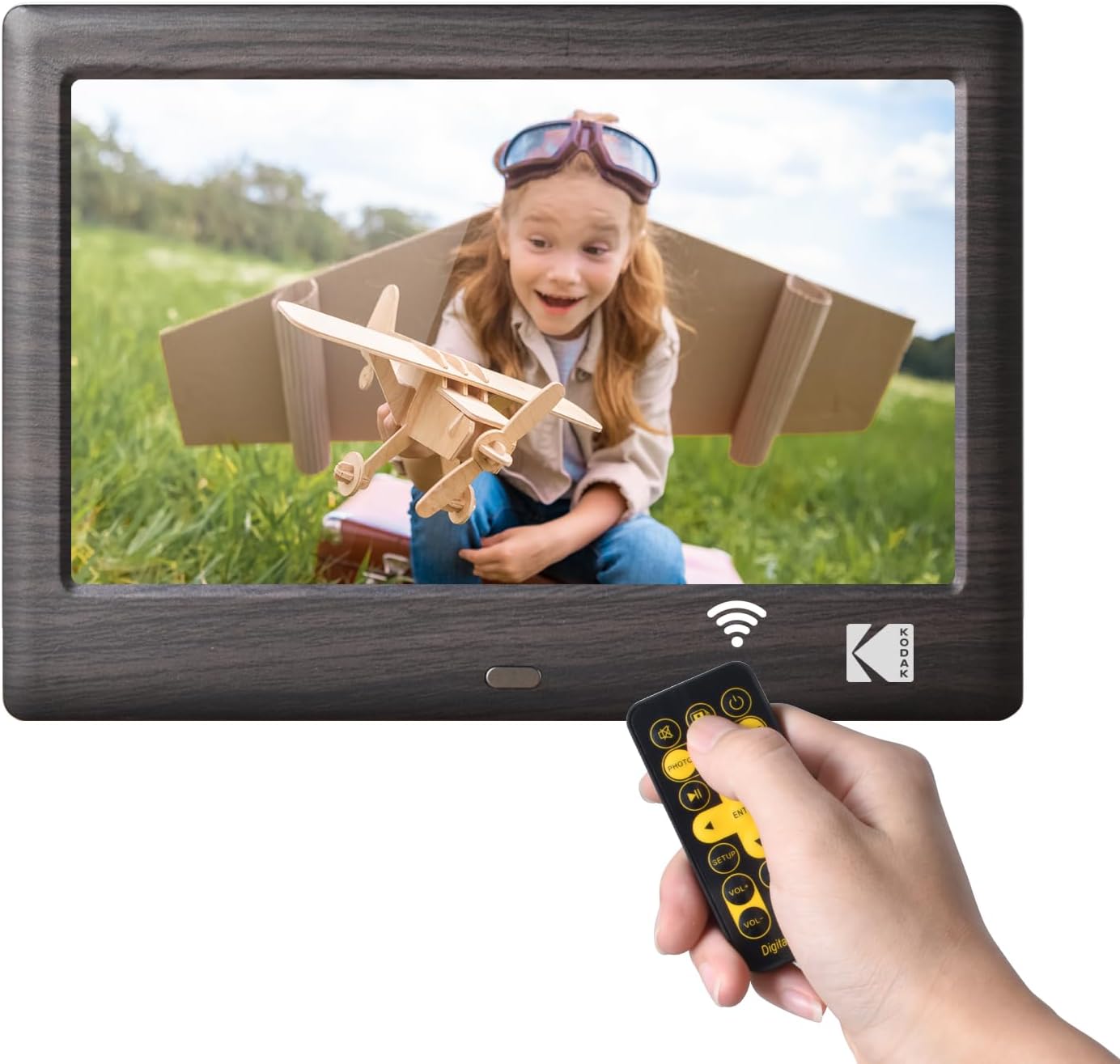
This image shows the front of the KODAK 7-Inch Wooden Digital Photo Frame displaying a picture of a child. A hand is holding the included remote control, highlighting the frame's primary control method.
Arka View and Connectivity Ports

Arka taraf view of the digital photo frame illustrates the USB port and SD card slot, where external storage devices can be inserted to load media files. A USB drive is shown being inserted into the USB 3.1 port, and an SD card is visible in its slot.
Kurmak
- Güç Bağlantısı: Connect the provided power adapter to the DC IN port on the back of the frame and then plug it into a standard electrical outlet.
- Insert Storage Device: Insert a USB flash drive or an SD/SDHC memory card (up to 32GB, not included) into the corresponding slot on the back of the frame. Ensure the card or drive is inserted correctly.
- Güç Açık: The frame will typically power on automatically once connected to power. If not, press the power button located on the back or side of the frame.
- İlk kurulum: Ekranda beliren yönergeleri izleyerek tercih ettiğiniz dili seçin ve tarih ile saati ayarlayın.
Kullanım Talimatları
Uzaktan Kumandayı Kullanma
The included remote control allows for easy navigation and control of the frame's functions. Point the remote directly at the frame's IR receiver.
- Güç Düğmesi: Turns the frame on or off.
- Menü Düğmesi: Accesses the main menu or returns to the previous menu.
- Gezinme Düğmeleri (Yukarı/Aşağı/Sol/Sağ): Menülerde gezinmek ve seçenekleri seçmek için kullanılır.
- Giriş Düğmesi: Bir seçimi onaylar.
- Ses Düğmeleri: Adjusts the volume for videos and music.
- Playback Controls (Play/Pause, Previous, Next): Medya oynatmayı kontrol eder.
- Mode Buttons (Photo, Video, Music, Calendar): Switches directly to the respective media mode.
Medya Oynatma
- Selecting Media Source: From the main menu, select the desired media type (Photo, Music, Video) or use the dedicated buttons on the remote.
- Göz atma Files: Gezinmenizi sağlayın files and folders using the remote's navigation buttons.
- Oynatmayı Başlatma: Birini seçin file and press the Enter button to start playback. For photos, a slideshow will typically begin automatically.
Ayarlar
Access the settings menu to customize your frame's behavior:
- Slayt Gösterisi Ayarları: Adjust transition effects, display time, and playback order for photos.
- Sistem Ayarları: Configure language, time, date, auto-rotate function, and brightness.
- Takvim Modu: Display a calendar with your photos in the background.
Bakım
- Ekranın Temizlenmesi: Ekranı nazikçe silmek için yumuşak, kuru ve tiftiksiz bir bez kullanın. İnatçı lekeler için hafifçe silin.ampBezi suyla veya elektronik cihazlar için tasarlanmış bir ekran temizleyiciyle silin. Sert kimyasallardan kaçının.
- Çerçevenin Temizlenmesi: Wipe the wooden frame with a soft, dry cloth.
- Depolamak: When not in use for extended periods, disconnect the power adapter and store the frame in a cool, dry place away from direct sunlight.
- Sıvılardan Kaçının: Do not expose the frame to water or other liquids.
Sorun giderme
- Çerçeve açılmıyor:
- Ensure the power adapter is securely connected to both the frame and a working electrical outlet.
- Try a different outlet. - No image or video displayed:
- Verify that a USB drive or SD card with compatible media files is inserted correctly.
- Kontrol edin file formats. The frame supports common photo (JPEG), video (MP4, AVI), and music (MP3) formats.
- Ensure the correct media source is selected. - Uzaktan kumanda çalışmıyor:
- Check the battery in the remote control and replace if necessary.
- Ensure there are no obstructions between the remote and the frame's IR receiver.
- Make sure you are pointing the remote directly at the frame. - Images are distorted or blurry:
- Ensure the resolution of your images is suitable for the frame's 1024x600 display.
- Clean the screen if there are smudges.
Özellikler
| Özellik | Şartname |
|---|---|
| Marka | KODAK |
| Model Numarası | RCF1012WDB |
| Ekran Boyutu | 7 inç |
| Ekran Çözünürlüğü | 1024x600 IPS HD |
| En Boy Oranı | 16:9 |
| Bağlantı Teknolojisi | USB |
| Güç Kaynağı | Kablolu Elektrik |
| Kontrol Yöntemi | Uzak |
| Uyumlu Cihazlar | Personal Computer, Smartphone, Tablet (for media transfer) |
| Ürün Boyutları U x G | 7.09"U x 4.69"G |
Garanti ve Destek
This KODAK Digital Photo Frame comes with a 1 Yıl Garanti Satın alma tarihinden itibaren geçerlidir. Lütfen garanti talepleriniz için satın alma belgenizi saklayın.
For technical support, troubleshooting assistance beyond this manual, or warranty inquiries, please contact KODAK customer service. Refer to the contact information provided on the product packaging or the official KODAK webalan.