
giriiş
Thank you for choosing the Grandder 47x24 Inch Electric Standing Desk with Keyboard Tray. This manual provides detailed instructions for assembly, operation, maintenance, and troubleshooting to ensure safe and efficient use of your new desk. This electric height-adjustable desk is designed to promote a healthier work environment by allowing seamless transitions between sitting and standing positions.
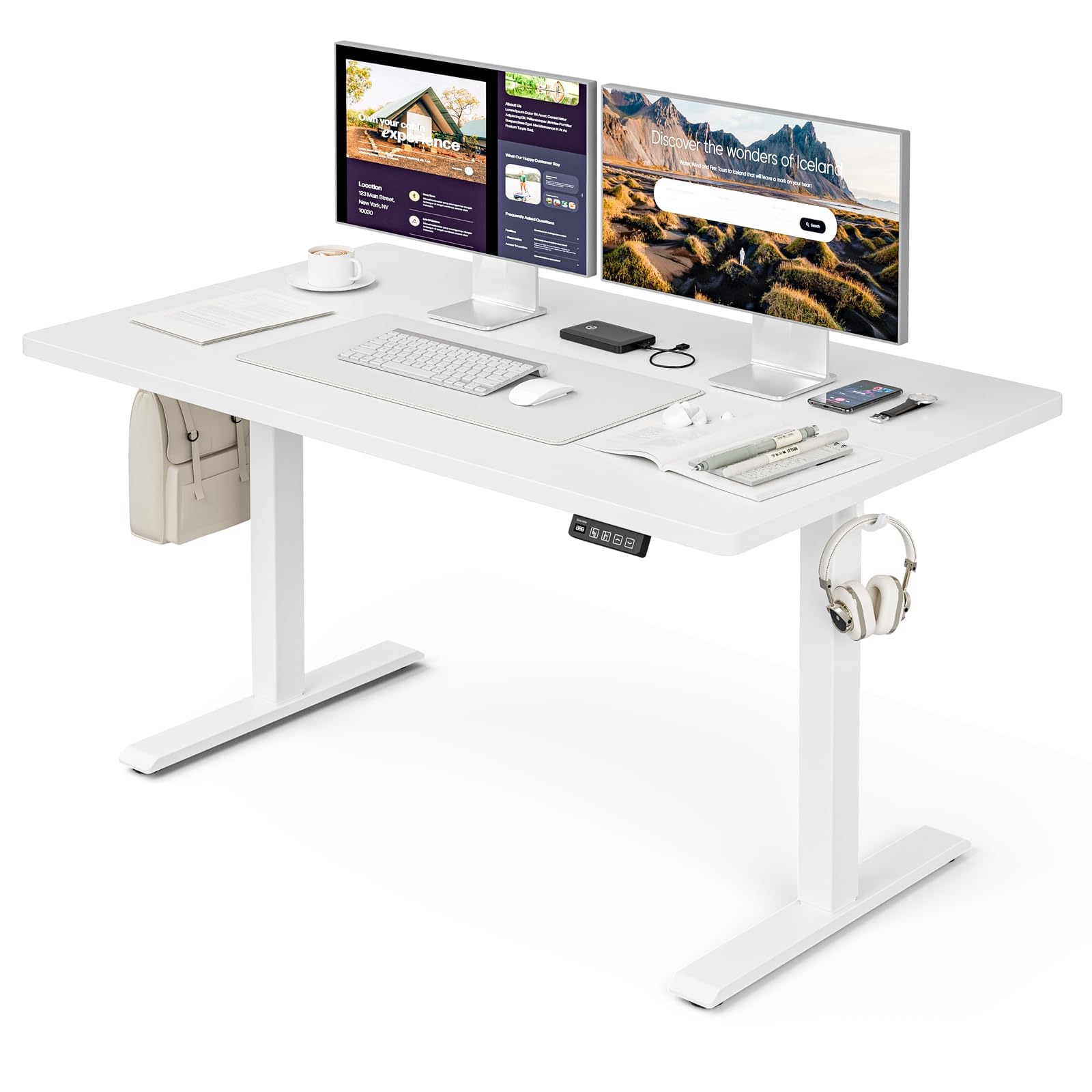
The Grandder 47x24 Inch Electric Standing Desk with Keyboard Tray, featuring a white desktop and frame, integrated keyboard tray, and a control panel for height adjustment.
Güvenlik Bilgileri
Genel Güvenlik Önlemleri
- Lütfen azami ağırlık sınırını aşmayın. 176 lbs (80 kg) on the desktop. Overloading can cause damage or injury.
- Always use the motorized lift with caution. Ensure no obstructions are present during height adjustments to prevent injury or damage to property.
- Çalışma sırasında çocukları ve evcil hayvanları masadan uzak tutun.
- Ensure all cables are properly managed and secured to prevent tripping hazards or entanglement with moving parts.
- Masanın üzerine oturmayın veya ayakta durmayın.
- Temizlik veya herhangi bir bakım yapmadan önce elektrik bağlantısını kesin.
Paket İçeriği
Montaja başlamadan önce lütfen tüm bileşenlerin mevcut olduğundan emin olun. Herhangi bir parça eksik veya hasarlıysa, lütfen müşteri hizmetleriyle iletişime geçin.
- Desktop (Splice Board)
- Masa Ayakları (2)
- Ayak Pedleri (4)
- Motor ve Kontrol Kutusu
- Kontrol Paneli
- Klavye Tepsisi ve Rayları
- Earphone Hooks (2)
- Kablo Bağları (3)
- Güç Adaptörü ve Kablosu
- Montaj Donanımı (vidalar, cıvatalar, vb.)
- L-shaped Allen Wrench
- Kullanım Kılavuzu
Kurulum ve Montaj
Assembly typically takes approximately 30 minutes. All parts are labeled, and an L-shaped Allen wrench is included for convenience. Follow the step-by-step instructions provided in the separate assembly guide for detailed visual instructions.
Pre-Assembly Considerations
- Choose a clear, spacious area for assembly.
- Lay out all components and hardware, matching them against the package contents list.
- Ensure the power outlet is easily accessible once the desk is in its final position.

Desk dimensions: 47 inches wide, 24 inches deep, with a height range of 28 to 45.6 inches.
Key Assembly Steps
- Attach the desk legs to the desktop using the provided hardware.
- Install the motor and control box according to the assembly guide.
- Mount the control panel to the underside of the desktop in an accessible location.
- Assemble and attach the keyboard tray rails and the keyboard tray itself.
- Install the adjustable foot pads on the bottom of the desk legs to ensure stability on uneven floors.
- Attach the earphone hooks to the side of the desk for convenient storage.
- Use the included cable ties to manage and secure power and peripheral cables, maintaining a tidy workspace.

Included accessories: two earphone hooks for organization, four adjustable foot pads for stability, and three cable ties for cable management.
Kullanım Talimatları
Powering On and Initial Use
- Connect the power adapter to the control box and plug it into a wall outlet.
- The LED display on the control panel will illuminate, indicating the current desk height.
Yükseklik Ayarı
The desk can be adjusted electrically from a minimum height of 28.3 inches to a maximum height of 47.2 inches. The motorized lift operates smoothly and quietly (less than 45dB).
- Basın Up arrow (↑) masayı kaldırmak için düğmeye basın.
- Basın Down arrow (↓) masayı indirmek için düğmeye basın.
- Release the button at your desired height. The LED display shows the real-time height.

The control panel features an LED display for real-time height tracking, memory buttons for preset heights, and up/down adjustment buttons.

The desk operates with a smooth and quiet motor, maintaining noise levels below 45dB during height adjustments.
Bellek Ön Ayarları
The control panel includes memory buttons to save and quickly recall your preferred sitting and standing heights.
- Masayı istediğiniz yüksekliğe ayarlayın.
- Basın M button (or similar memory set button, indicated by a person sitting/standing icon) until the display flashes.
- Press one of the numbered preset buttons (e.g., 1 or 2Mevcut yüksekliği o ön ayara kaydetmek için.
- To recall a saved height, simply press the corresponding preset button. The desk will automatically move to the saved position.
Klavye Tepsisi Kullanımı
The integrated keyboard tray provides additional space and ergonomic benefits. It has a maximum load capacity of 10 kg (22 lbs).

The sturdy keyboard tray is designed to save working space and enhance typing comfort, supporting a maximum load of 10 kg.
Çarpışma Önleme Sistemi
The desk is equipped with an anti-collision system that automatically stops and slightly reverses the desk's movement if it encounters an obstruction during height adjustment. This feature protects against damage and injury.
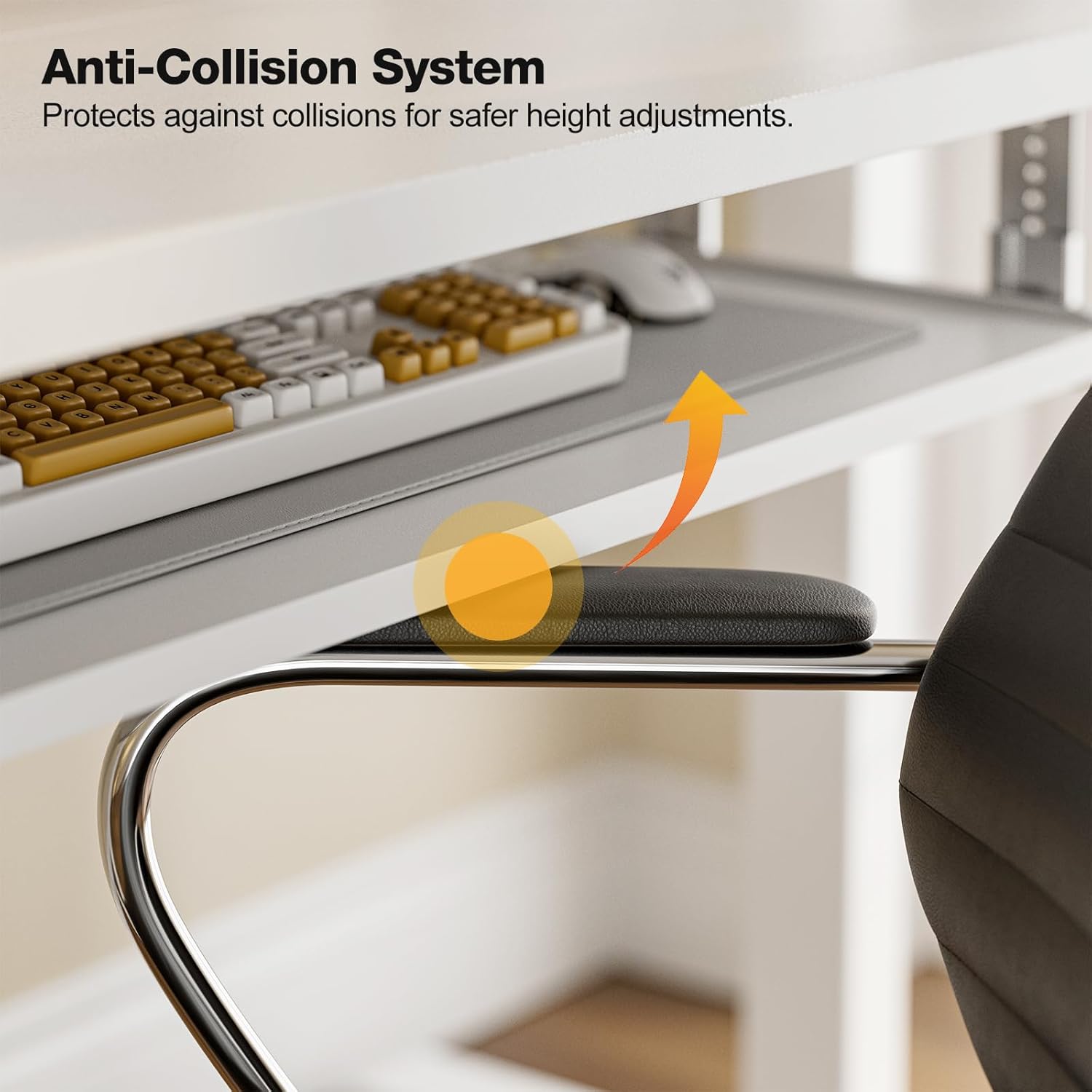
The anti-collision system protects against impacts by stopping and reversing desk movement when an obstruction is detected.
Bakım
Temizlik
- Masaüstünü ve çerçeveyi yumuşak bir bezle silin.amp Bez. Aşındırıcı temizleyicilerden veya sert kimyasallardan kaçının.
- Ensure the desk is unplugged before cleaning.
Düzenli Kontroller
- Tüm vida ve cıvataların sıkı olduğundan emin olmak için düzenli olarak kontrol edin. Gerekirse tekrar sıkın.
- Inspect the power cable for any signs of damage. If damaged, discontinue use and contact support.
Sorun giderme
If you encounter any issues with your Grandder standing desk, please refer to the following common troubleshooting steps:
| Sorun | Olası Neden | Çözüm |
|---|---|---|
| Desk does not move / No power | Power cable disconnected; Power outlet malfunction; Control box issue. | Check if the power cable is securely plugged into both the desk and the wall outlet. Try a different outlet. Ensure all connections to the control box are secure. |
| Desk moves unevenly or makes unusual noise | Dengesiz yük; Gevşek bağlantılar; Tıkanıklık. | Ensure weight is evenly distributed on the desktop. Check all assembly screws and bolts for tightness. Inspect for any obstructions in the lifting mechanism. |
| Anti-collision system triggers frequently | Obstruction in path; Sensitivity setting. | Clear any objects from the desk's path. Refer to the full assembly guide for instructions on adjusting anti-collision sensitivity, if available. |
| Hafıza ön ayarları çalışmıyor. | Ön ayarlar doğru şekilde kaydedilmedi. | Re-save your desired heights by following the memory preset instructions in the Operating Instructions section. |
If the problem persists after attempting these solutions, please contact Grandder customer support for further assistance.
Özellikler
| Özellik | Detay |
|---|---|
| Marka | Grandder |
| Örnek | 47x24 İnç Elektrikli Ayaklı Masa |
| Masa Tasarımı | Ayakta Masa |
| Şekil | Dikdörtgen |
| Ürün Boyutları (D x G x Y) | 60D x 120W x 74H Centimetres (approx. 23.6D x 47.2W x 29.1H Inches) |
| Minimum Yükseklik | 28.3 inç |
| Maksimum Yükseklik | 47.2 inç |
| Renk | Beyaz |
| Üst Malzeme Türü | Melamin |
| Taban Malzemesi | Metal |
| Maksimum Ağırlık Önerisi | 176 Pound (80 kg) |
| Motorized Lift Speed | 25mm/s |
| Gürültü Seviyesi | 45 dB'den az |
| Özel Özellikler | Ergonomic, Electric Height Adjustable, Keyboard Tray Included, Anti-Collision System |
| Montaj Gerekli | Evet (Aletleri içerir) |
Garanti ve Destek
Garanti Bilgileri
Grandder products are manufactured with quality and durability in mind. For specific warranty details regarding your electric standing desk, please refer to the warranty card included in your package or visit the official Grandder website. Typically, warranty covers manufacturing defects and motor malfunctions under normal use.
Müşteri Desteği
Should you require assistance with assembly, operation, or troubleshooting that is not covered in this manual, please contact Grandder customer support. Have your product model number and purchase date ready when contacting support.
- Çevrimiçi destek: Visit the Grandder official webSıkça sorulan sorular ve iletişim formları için site.
- E-posta Desteği: Refer to your product packaging or warranty card for the customer service email address.