
Nisanuki CC30
Nisanuki CC30 WiFi 5G Hidden Camera Alarm Clock User Manual
Modeli: CC30
giriiş
Thank you for choosing the Nisanuki CC30 WiFi 5G Hidden Camera Alarm Clock. This device combines a security camera, digital clock, alarm clock, calendar, and thermometer into one compact unit. This manual provides detailed instructions for setup, operation, and maintenance to ensure optimal performance and security.

Image: The Nisanuki CC30 device displaying its various functions, including security camera, digital clock, alarm, calendar, and thermometer. The main display shows 15:30 and 17.8 degrees Celsius.
Paket İçeriği
Lütfen kutuyu açarken paket içeriğini kontrol edin. Eksik veya hasarlı bir ürün varsa, müşteri hizmetleriyle iletişime geçin.
- Nisanuki CC30 Hidden Camera Alarm Clock
- USB Şarj Kablosu
- Kullanıcı Kılavuzu
- (Optional: Power Adapter, Micro SD Card - not included)
Önemli Güvenlik Bilgileri
- Cihazı aşırı sıcaklıklara, doğrudan güneş ışığına veya neme maruz bırakmayın.
- Cihazı güçlü manyetik alanlardan uzak tutun.
- Cihazı kendiniz sökmeye veya onarmaya çalışmayın. Servis için yetkili personele başvurun.
- Aşırı ısınmayı önlemek için yeterli havalandırmayı sağlayın.
- Use only the provided or recommended power adapter.
- Respect privacy laws and regulations when using the camera function.
Ürün Bittiview
The Nisanuki CC30 integrates multiple functionalities into a discreet alarm clock design. Key features include:
- 1080P HD Kamera: High-definition video recording.
- Çift Bantlı WiFi (2.4GHz ve 5GHz): Stable and fast network connection.
- Gece Görüşü: Infrared (IR) LEDs for clear images in low-light conditions.
- Hareket Algılama: Real-time alerts and adjustable sensitivity.
- Çift Çalar Saat: İki bağımsız alarm ayarlayın.
- Adjustable LED Brightness: 5 levels of display brightness.
- Sıcaklık Göstergesi: Shows ambient temperature.
- Çoklu Depolama Seçenekleri: Supports Micro SD card (up to 256GB, not included) and Cloud Storage (subscription required).
- Tuya APP Compatibility: Remote control and monitoring via smartphone.

Resim: Ön view of the Nisanuki CC30 Hidden Camera Alarm Clock, displaying the time, temperature, and date, along with the control buttons at the bottom.
Kurulum Kılavuzu
1. Cihazın Şarj Edilmesi
Before initial use, fully charge the device using the provided USB cable and a compatible power adapter. The charging indicator will show the charging status.
2. Mikro SD Kart Takma (İsteğe bağlı)
If you plan to use local storage, insert a Micro SD card (up to 256GB, not included) into the designated slot. Ensure the device is powered off before inserting or removing the card.

Image: An illustration showing the options for cloud storage and Micro SD card storage for the camera, as displayed on a smartphone app interface.
3. Downloading the Tuya App
Download the "Tuya Smart" or "Smart Life" app from your smartphone's app store (App Store for iOS, Google Play Store for Android).
- Arama "Tuya Smart" or "Smart Life".
- Install the app and create an account if you don't have one.
4. WiFi'ye bağlanma
- Power on the Nisanuki CC30.
- Open the Tuya Smart app and tap "Add Device" or the "+" icon.
- Select "Security & Video Surveillance" -> "Smart Camera (Wi-Fi)".
- Follow the in-app instructions to connect the camera to your 2.4GHz or 5GHz WiFi network. Ensure your phone is connected to the same network during setup.
- The device supports both 2.4GHz and 5GHz WiFi bands for flexible connectivity.

Image: The Nisanuki CC30 alarm clock displaying time and temperature, with an overlay indicating its dual-band WiFi capabilities (2.4GHz and 5GHz) and a smartphone showing the device connection process.
Kullanım Talimatları
1. Basic Clock Functions
- Zaman Göstergesi: The large LED display shows the current time.
- 12/24 Saat Formatı: Switch between 12-hour and 24-hour time formats using the dedicated button on the device or via the app.
- Sıcaklık Göstergesi: The device displays the ambient temperature in Celsius or Fahrenheit. Switch units as needed.
- Parlaklığın Ayarlanması: The LED display brightness can be adjusted through 5 levels (L1-L5) or turned off (OFF) using the device buttons or the app.

Image: Two Nisanuki CC30 alarm clocks demonstrating the 12-hour and 24-hour time display options, showing 06:30 AM and 18:30 respectively.

Image: A visual representation of the 5-level brightness adjustment for the LED display, ranging from OFF to L5, allowing customization for different lighting conditions.
2. Alarmları Ayarlama
The device supports setting two independent alarms. Refer to the app's alarm settings section for detailed configuration, including time, snooze, and alarm sound.
Image: The Nisanuki CC30 alarm clock showing two different alarm settings, one for 7:00 AM (waking up) and another for 3:00 PM (work schedule), highlighting its dual alarm capability.
3. Camera Operation via Tuya App
- Canlı View: Open the Tuya app and select your device to view Canlı kamera görüntüsü.
- Kayıt: Initiate manual recording or set up scheduled recordings via the app.
- Hareket Algılama:
- Uygulama ayarlarında hareket algılamayı etkinleştirin.
- Adjust sensitivity (Low, Medium, High) to minimize false alerts.
- Receive real-time push notifications on your phone when motion is detected.
- Gece Görüşü: Kamera, düşük ışık koşullarında otomatik olarak kızılötesi gece görüşüne geçerek net siyah beyaz görüntüler sağlar.
- Playback: Kayıtlı foo'ya erişintage from the Micro SD card or cloud storage through the app's playback feature.
- Paylaşım: Share camera access with family members or other authorized users via the app.
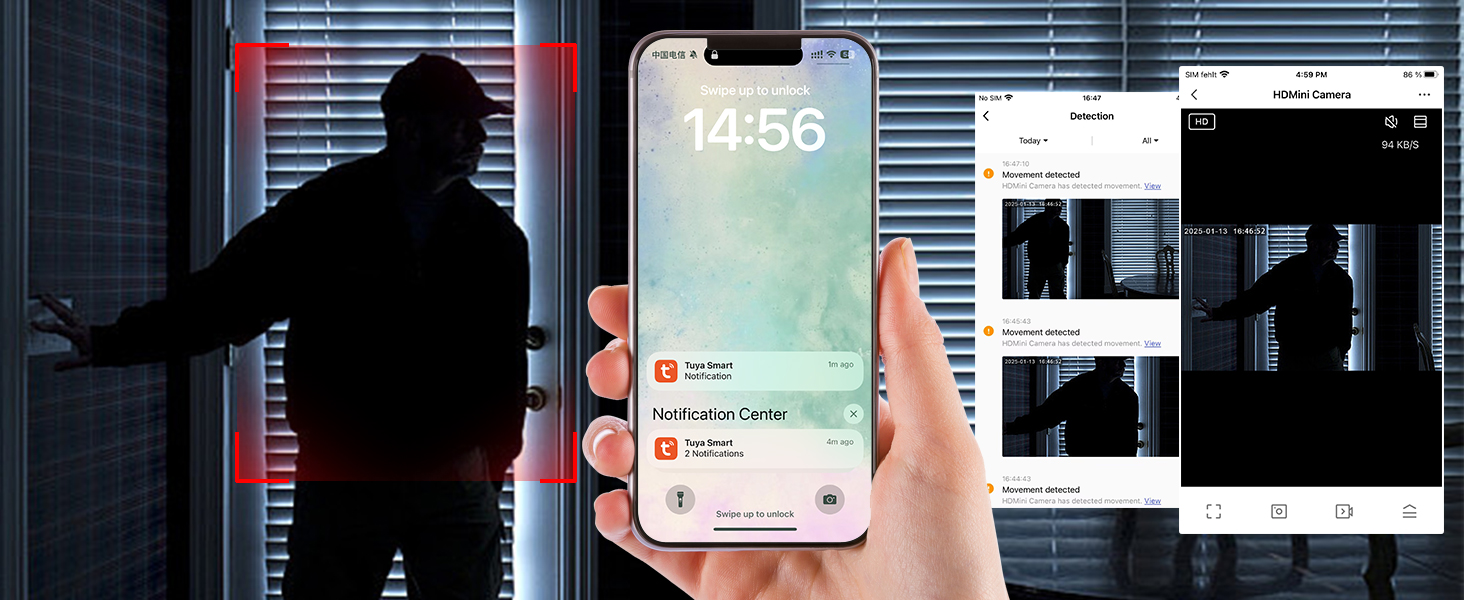
Image: A smartphone displaying the Tuya app interface, showing a live camera feed and options for monitoring, indicating the time 14:56.

Image: The mobile app interface demonstrating the night vision feature of the camera, with control buttons and a monitoring screen showing a clear image in low light.
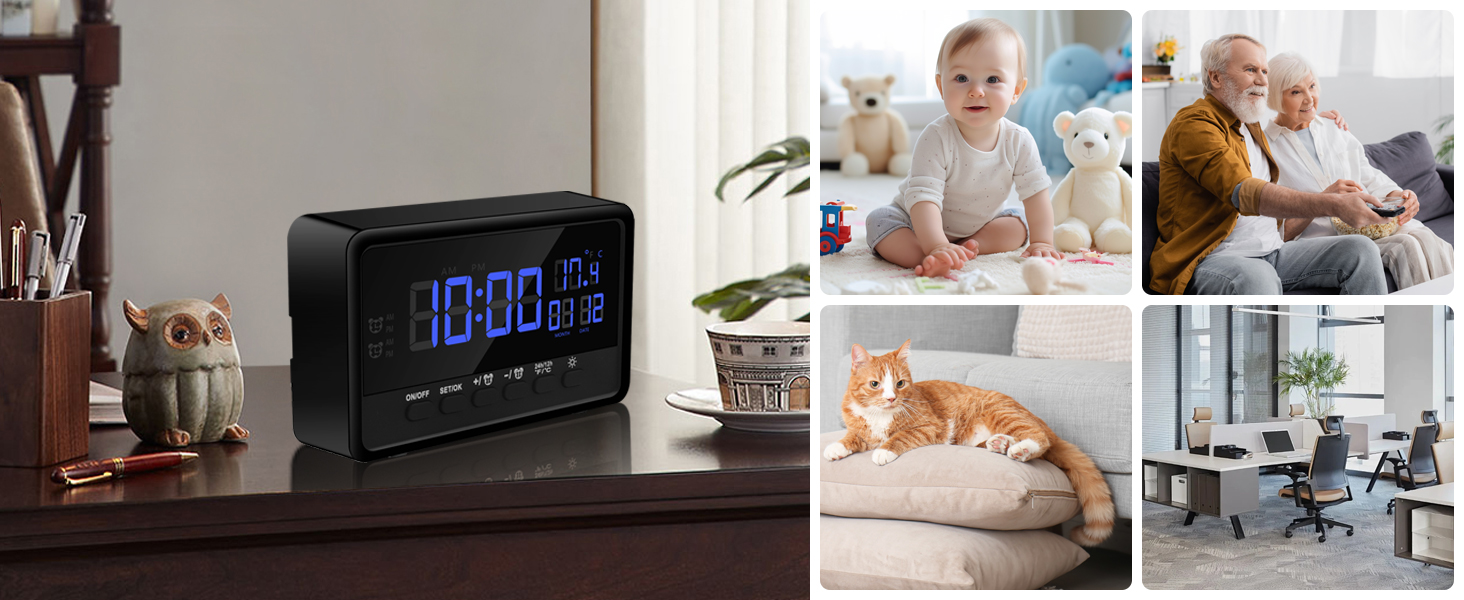
Image: The Nisanuki CC30 alarm clock placed in various home and office settings, demonstrating its versatile use as a discreet surveillance device.
Bakım
- Temizlik: Cihazı temizlemek için yumuşak, kuru bir bez kullanın. Sıvı temizleyiciler veya aşındırıcı malzemeler kullanmayın.
- Donanım Yazılımı Güncellemeleri: En iyi performans ve güvenliği sağlamak için Tuya uygulamasındaki mevcut ürün yazılımı güncellemelerini düzenli olarak kontrol edin.
- Pil Bakım: If the device has an internal battery, avoid fully discharging it frequently to prolong its lifespan.
- Depolamak: Uzun süre kullanılmayacaksa, cihazı serin ve kuru bir yerde saklayın.
Sorun giderme
Cihaz Açılmıyor
- Cihazın tamamen şarj edildiğinden veya bir güç kaynağına bağlı olduğundan emin olun.
- Check the power cable and adapter for damage.
WiFi ağına bağlanılamıyor.
- Verify your WiFi network is 2.4GHz or 5GHz and stable.
- Ensure your phone is connected to the same WiFi network during setup.
- Move the device closer to your WiFi router.
- Reset the device and try the connection process again.
Hareket Algılama Uyarıları Yok
- Check if motion detection is enabled in the Tuya app.
- Hareket algılama hassasiyetini ayarlayın.
- Ensure the app has notification permissions enabled on your phone.
- Verify the device has a stable internet connection.
Poor Video Quality / Night Vision Issues
- Kamera lensinin temiz ve herhangi bir engel içermediğinden emin olun.
- İnternet bağlantı hızınızı kontrol edin.
- For night vision, ensure there are no strong light sources directly facing the camera that could interfere with the IR sensors.
SD Kart Kayıt Yapmıyor
- Mikro SD kartın doğru şekilde takıldığından emin olun.
- SD kartı uygulama üzerinden biçimlendirin (bu işlem tüm verileri silecektir).
- Check if the SD card is full or corrupted. Try a different SD card.
- Verify recording settings in the app are configured correctly for SD card storage.
Özellikler
| Model Adı | CC30 |
| Marka | Nisanuki |
| Bağlantı Teknolojisi | Kablosuz (Wi-Fi 2.4GHz ve 5GHz) |
| Video Yakalama Çözünürlüğü | 1080p |
| ViewAçı | 120 Derece |
| Gece Görüş Aralığı | 2 Metre |
| Depolama Seçenekleri | Micro SD Card (up to 256GB), Cloud Storage (subscription) |
| Uyumlu Cihazlar | Smartphone, Tablet, iPad, iPhone |
| İç/Dış Mekan Kullanımı | Kapalı |
| Boyutlar | 12x3x7 cm |
| Renk | Siyah |
| Piller Gerekli | Evet |
| Bileşenler Dahil | Spy camera (device itself) |
Garanti ve Destek
For warranty information and technical support, please refer to the documentation included with your purchase or contact Nisanuki customer service directly. You can often find support contact details on the manufacturer's official website or within the Tuya Smart app's help section.
İade politikasi: Ürün, para iadesi/değişim için 14 günlük iade politikasına sahiptir.
Ask a question about this manual
Ask about setup, troubleshooting, compatibility, parts, safety, or missing instructions. Manuals+ will review the question and use this page’s manual context to help answer it.