
Tuni Tuni G1 Conical Burr Coffee Grinder and Tuni Mini Coffee Scale with Timer (ASIN: B0DRNH34W9)
Tuni Silver Conical Burr Coffee Grinder and White Mini Coffee Scale with Timer User Manual
Model: Tuni G1 Grinder & Tuni Mini Scale
giriiş
This manual provides detailed instructions for the safe and efficient operation, maintenance, and troubleshooting of your Tuni Silver Conical Burr Coffee Grinder and Tuni Mini Coffee Scale. Please read this manual thoroughly before using the products to ensure optimal performance and longevity.
The Tuni Silver Conical Burr Coffee Grinder features 48 adjustable grind settings and a patented anti-static 40mm conical burr for precise and consistent grinding. The Tuni Mini Coffee Scale is equipped with a high-precision sensor, offering multiple measurement units and modes for accurate coffee preparation.
Önemli Güvenlik Talimatları
- Kullanmadan önce tüm talimatları okuyunuz.
- Do not immerse the grinder or scale in water or other liquids.
- Çalışma sırasında ellerinizi ve mutfak gereçlerinizi kahve çekirdeği haznesinden ve öğütülmüş kahve kabından uzak tutun.
- Unplug the grinder from the outlet when not in use, before putting on or taking off parts, and before cleaning.
- Herhangi bir cihazı, kablosu veya fişi hasarlıyken veya cihaz arızalandıktan sonra veya herhangi bir şekilde düştükten veya hasar gördükten sonra çalıştırmayın.
- Yalnızca üretici tarafından önerilen veya satılan ekleri kullanın.
- Bu cihaz yalnızca evlerde kullanıma yöneliktir.
Ürün Bileşenleri
Tuni G1 Conical Burr Coffee Grinder

- Bean Hopper (250g/8.8oz capacity)
- Taşlama Ayar Bileziği
- Conical Burrs (Upper and Lower)
- Grinder Body with Control Panel (LED display, Start/Stop button, Grind Time/Cup Size adjustment)
- Ground Coffee Container (75g/2.6oz capacity)
- Portafiltre Tutucu
- Temizleme Fırçası
Tuni Mini Coffee Scale
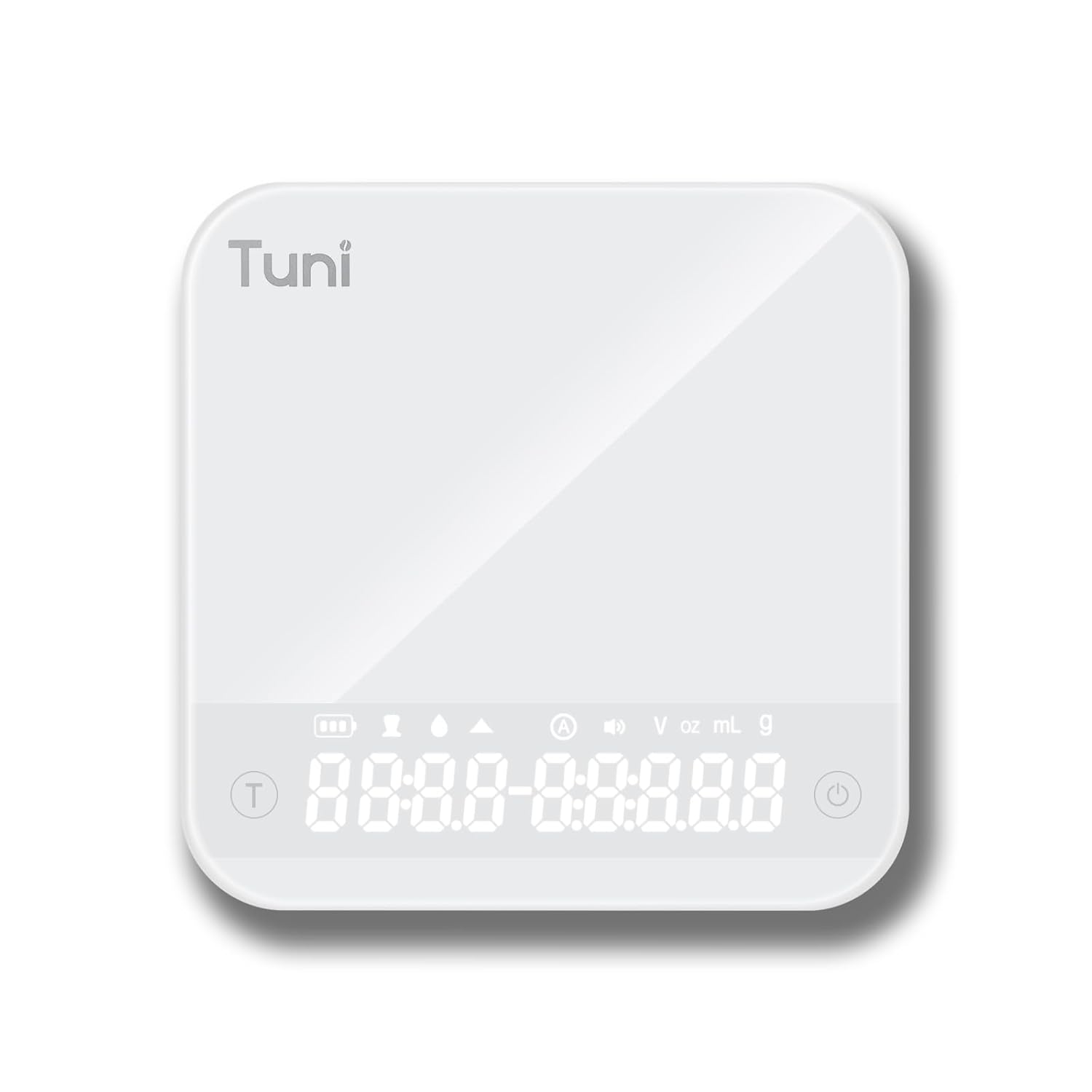
- Tempered Glass Weighing Platform
- Hidden LED Display
- Güç/Dara Düğmesi
- Zamanlayıcı Düğmesi
- Unit Conversion Button (g, ml, oz)
Kurmak
Öğütücü Kurulumu
- Paketin açılması: Tüm bileşenleri ambalajından dikkatlice çıkarın. Ambalajı, ilerideki depolama veya taşıma için saklayın.
- Temizlik: İlk kullanımdan önce, öğütücünün dış yüzeyini bir temizleyici ile silin.amp cloth. Wash the bean hopper and ground coffee container with warm, soapy water, rinse thoroughly, and dry completely.
- Hopper'ı birleştirin: Place the bean hopper onto the grinder body, ensuring it is securely locked in place.
- Güç Bağlantısı: Plug the grinder into a grounded electrical outlet.
Ölçek Kurulumu
- Paketin açılması: Teraziyi ambalajından çıkarın.
- Şarj: If necessary, charge the scale using the provided USB cable until fully charged.
- Atama: Place the scale on a flat, stable, and level surface to ensure accurate readings.
Kullanım Talimatları
Using the Tuni G1 Coffee Grinder

- Fasulyeleri ekleyin: Fill the bean hopper with whole roasted coffee beans. The hopper has a capacity of 250g (8.8oz).
- Öğütme Ayarını Seçin: Rotate the grind adjustment collar to select your desired grind size. The grinder offers 48 settings, suitable for:
- Espresso: Ayarlar 0-16 (çok ince)
- Damlama/Üzerine Dökme: Ayarlar 16-32 (orta)
- Fransız Basını: Ayarlar 32-48 (kaba)

Resim: Ayrıntılı view of the Tuni G1 Coffee Grinder's control panel and grind adjustment collar, emphasizing the 48 precision settings. - Choose Output Method: Place either the ground coffee container or your portafilter (using the included holder) under the dispensing chute.
- Set Grind Time/Cups: Use the control panel to adjust the grind time in 0.5-second increments (up to 40 seconds) or select the desired number of cups (2 to 12 cups).
- Öğütmeye Başlayın: Press the Start/Stop button to begin grinding. The grinder will automatically stop once the set time or quantity is reached. You can also manually stop grinding by pressing the button again.
- Boş Kap: Once grinding is complete, remove the ground coffee container or portafilter.
Using the Tuni Mini Coffee Scale

- Güç Açık: Press the Power button to turn on the scale. The hidden LED display will illuminate.
- Birim Seçin: Press the Unit Conversion button to cycle through available units: grams (g), milliliters (ml), and ounces (oz).
- Dara Fonksiyonu: Place an empty container on the weighing platform. Press the Power/Tare button to zero out the weight of the container.
- Tartım: Add your ingredients (e.g., coffee beans, water) to the container. The display will show the precise weight.
- Zamanlayıcı Fonksiyonu:
- Manuel Zamanlama: Press the Timer button to start the timer. Press again to pause, and a third time to reset.
- Otomatik Mod: The scale features an automatic mode that can detect changes in weight and start the timer automatically, ideal for pour-over brewing. Refer to the scale's specific instructions for activating this mode.
- Powder/Water Ratio Mode: This mode assists in maintaining specific brewing ratios.
- Flow Rate Mode: Displays the flow rate of liquid, useful for precise pour-over techniques.
- Kapat: Press and hold the Power button to turn off the scale. The scale will also auto-shutoff after a period of inactivity to conserve battery.
Bakım ve Temizlik
Öğütücü Temizliği
- Fişi çekin: Temizlemeden önce daima öğütücünün fişini çekin.
- Boş Hazne: Haznede kalan kahve çekirdeklerini çıkarın.
- Pürüzleri Giderin: Carefully remove the upper burr. Use the provided cleaning brush to brush away any coffee grounds from both the upper and lower burrs.
- Clean Chute: Use the brush to clean the dispensing chute.
- Dış Kısmı Silin: Öğütücü gövdesinin dışını yumuşak bir bezle silin.amp cloth. Do not use abrasive cleaners or immerse the grinder in water.
- Yeniden birleştirme: Reassemble the burrs and hopper once all parts are dry.
Kireç Temizleme

- Wipe the tempered glass surface with a soft, damp Kumaş.
- Sert kimyasallar veya aşındırıcı malzemeler kullanmayın.
- The scale is water-resistant, but do not immerse it in water.
Sorun giderme
Grinder Issues
| Sorun | Olası Neden | Çözüm |
|---|---|---|
| Öğütücü çalışmıyor. | Fişe takılı değil; güç çıkışıtage; hopper not correctly seated; motor overheated. | Ensure plug is securely in outlet; check power supply; ensure hopper is locked in place; allow grinder to cool down for 30 minutes. |
| Tutarlı olmayan öğütme. | Çapaklar kirli veya tıkalı; öğütme ayarı çekirdek türüne göre yanlış. | Clean burrs thoroughly; adjust grind setting to a finer or coarser level as needed. |
| Grinder is loud or struggling. | Beans are too oily/hard; burrs are clogged. | Clean burrs; try different beans; do not overfill hopper. |
Scale Issues
| Sorun | Olası Neden | Çözüm |
|---|---|---|
| Hatalı okumalar. | Scale not on a flat surface; battery low; overloaded; external vibrations. | Place on a stable, level surface; recharge battery; do not exceed 2000g capacity; avoid vibrations during use. |
| Ekran açılmıyor. | Pil bitmiş. | Tartıyı, kutu içeriğinde bulunan USB kablosuyla şarj edin. |
Özellikler
Tuni G1 Conical Burr Coffee Grinder
- Öğütme Ayarları: 48 precision settings
- Çapak Tipi: 40mm Stainless Steel Conical Burr
- Öğütme Hızı: 450 RPM (revolutions per minute)
- Fasulye Haznesi Kapasitesi: 250g (8.8oz)
- Grounds Container Capacity: 75g (2.6oz)
- Grind Time Adjustment: 1-40 seconds (0.5s increments)
- Bardak Seçimi: 2-12 su bardağı
- Boyutlar: 7.08" x 4.52" x 14.0"
- Gövde Malzemesi: Paslanmaz çelik
Tuni Mini Coffee Scale
- Ölçüm Aralığı: 0.3g - 2000g (0.01oz - 70.5oz)
- Kesinlik: 0.1 gr
- Birimler: g, ml, oz
- Zamanlayıcı: Max 99 minutes 59 seconds
- Modlar: Manual Timing, Automatic Mode, Powder/Water Ratio Mode, Flow Rate Mode
- Görüntülemek: Hidden LED Tempered Glass Display
- Güç: Şarj edilebilir (USB)
- Boyutlar: Yaklaşık 4.1" x 4.1" x 0.8"
- Ürün Ağırlığı: 0.33 lb
Garanti ve Destek
Tuni products are manufactured with high-quality materials and craftsmanship. For warranty information and customer support, please refer to the warranty card included with your product or visit the official Tuni website. Please have your product model number and purchase date available when contacting support.
Official Tuni Store: Visit the Tuni Store on Amazon
Ask a question about this manual
Ask about setup, troubleshooting, compatibility, parts, safety, or missing instructions. Manuals+ will review the question and use this page’s manual context to help answer it.