
1. Giriş
This manual provides detailed instructions for the installation, operation, and maintenance of your TMEZON MZ-IP-V728TW IP 4-Wire Intercom Monitor. Please read this manual thoroughly before using the product to ensure proper function and to prevent damage.
The TMEZON MZ-IP-V728TW is an advanced IP-enabled 4-wire intercom monitor designed for home and office security systems, offering reliable communication and video monitoring capabilities.
2. Güvenlik Bilgileri
- Tüm elektrik bağlantılarının yetkili bir elektrikçi tarafından yapıldığından ve yerel elektrik yönetmeliklerine uygun olduğundan emin olun.
- Monitörü suya, neme veya aşırı sıcaklıklara maruz bırakmayın.
- Avoid placing the monitor near strong magnetic fields or sources of interference.
- Herhangi bir bakım veya kurulum işlemini gerçekleştirmeden önce elektrik bağlantısını kesin.
- Use only the power adapter and accessories supplied or recommended by TMEZON.
- Cihazı çocukların erişemeyeceği yerde saklayınız.
3. Paket İçeriği
Aşağıda listelenen tüm öğelerin paketinizde mevcut olduğundan emin olun:
- TMEZON MZ-IP-V728TW IP 4-Wire Intercom Monitor
- Montaj Braketi
- Güç Adaptörü (AC/DC)
- Connection Cables (4-wire, network cable)
- Montaj Vidaları ve Duvar Dübelleri
- Kullanım Kılavuzu (bu belge)
4. Ürün Bittiview
4.1. Monitör Bileşenleri
The TMEZON MZ-IP-V728TW monitor features a high-resolution display, touch-sensitive buttons, and various ports for connectivity.
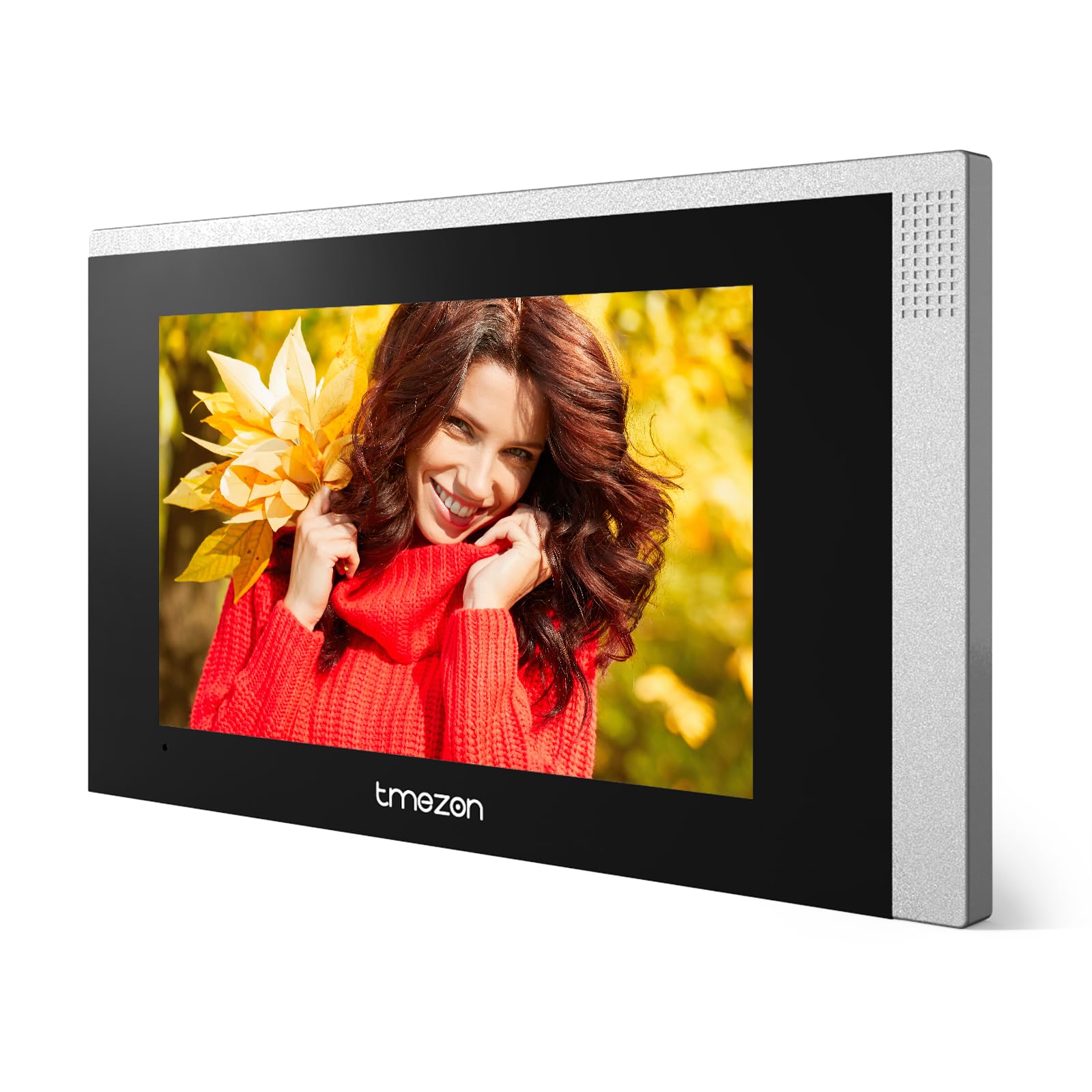
Resim 1: Ön view of the TMEZON MZ-IP-V728TW IP 4-Wire Intercom Monitor, showing the display and control buttons.
- Ekran Görüntüsü: Main interface for video and menu navigation.
- Fonksiyon Düğmeleri: (e.g., Answer, Door Release, Monitor, Menu, Talk) - specific functions may vary slightly based on firmware.
- Mikrofon: Çift yönlü ses iletişimi için.
- Konuşmacı: Ses çıkışı için.
- Arka Portlar: Power input, 4-wire terminal, Ethernet port (RJ45), alarm inputs/outputs (if applicable).
4.2. Temel Özellikler
- IP-enabled for remote access and integration with smart home systems.
- 4-wire connection for reliable power and data transmission.
- High-resolution color display for clear video.
- Çift yönlü sesli iletişim.
- Kapı açma fonksiyonu.
- Multiple indoor monitor support.
- Recording and snapshot capabilities (if equipped with storage).
5. Kurulum
5.1. Kurulum Yeri
Choose a suitable indoor location for the monitor, typically at eye level, away from direct sunlight, heat sources, and areas with high humidity. Ensure there is sufficient space for wiring and ventilation.
5.2. Monitörün Montajı
- Mark the desired mounting position on the wall.
- Use the mounting bracket as a template to mark the screw holes.
- İşaretli yerlere delikler açın ve dübelleri yerleştirin.
- Montaj braketini verilen vidaları kullanarak duvara sabitleyin.
- Ensure the bracket is level and securely fastened.
5.3. Kablo Bağlantıları
The MZ-IP-V728TW uses a 4-wire connection system. Proper wiring is crucial for system functionality. Refer to the wiring diagram provided with your outdoor station and other system components.
- Wire 1 (Video): Connects to the video signal output of the outdoor station.
- Wire 2 (Audio): Connects to the audio signal output/input of the outdoor station.
- Wire 3 (Power +): Connects to the positive power supply from the outdoor station or power distributor.
- Wire 4 (Ground -): Connects to the ground/negative power supply.
- Ethernet (RJ45): Connect to your local network router for IP functionality and remote access.
- Güç Girişi: Connect the AC/DC power adapter to the monitor's power input port.
Note: A detailed wiring diagram specific to your complete intercom system (including outdoor station, additional monitors, and power supply) should be consulted. If you are unsure, consult a professional installer.
5.4. İlk Güçlendirme
- After all wiring is complete and secure, plug in the power adapter.
- The monitor will power on and display the TMEZON logo.
- Follow the on-screen prompts for initial setup, including language selection, date/time, and network configuration.
6. Kullanım Talimatları
6.1. Bir Aramayı Cevaplamak
When a visitor presses the call button on the outdoor station, the monitor will ring and display the visitor's video. Press the Cevap button to establish two-way audio communication.
6.2. Kapı Açma
During a call or while monitoring, press the Kapı Açma button to unlock the connected electronic lock. Ensure the door is clear before activating the release.
6.3. İzleme
Basın İzlemek düğmeye bas view the live video feed from the outdoor station without an incoming call. Press it again to end monitoring.
6.4. Menü Navigasyonu
Basın Menü button to access the monitor's settings. Use the arrow buttons (if physical) or touch screen gestures to navigate through options. Common settings include:
- Sistem Ayarları: Language, Date/Time, Ringtone, Volume.
- Ağ Ayarları: Wi-Fi configuration, IP address.
- Kayıt/Oynatma: View recorded videos or snapshots (if storage is installed).
- Alarm Ayarları: Configure external alarm sensors (if connected).
7. Bakım
- Temizlik: Monitör ekranını ve gövdesini temizlemek için yumuşak, kuru bir bez kullanın. Aşındırıcı temizleyiciler veya çözücüler kullanmayın.
- Donanım Yazılımı Güncellemeleri: TMEZON resmi sitesini düzenli olarak kontrol edin. webEn iyi performansı ve güvenliği sağlamak için yazılım güncellemeleri için site.
- Güç Döngüsü: If the monitor becomes unresponsive, disconnect the power adapter for 10 seconds and then reconnect it.
8. Sorun Giderme
| Sorun | Olası Neden | Çözüm |
|---|---|---|
| Monitör açılmıyor. | Güç kaynağı yok; adaptör arızalı; bağlantı gevşek. | Check power adapter connection; ensure outlet has power; try a different adapter if available. |
| No video from outdoor station. | Incorrect wiring; faulty outdoor station; damaged cable. | Verify 4-wire connections; check outdoor station power; inspect cable for damage. |
| Görüşme sırasında ses yok. | Volume too low; incorrect wiring; faulty microphone/speaker. | Adjust monitor volume; check audio wire connection; test with another monitor if possible. |
| Kapı açma mekanizması çalışmıyor. | Incorrect wiring to electric lock; faulty lock; insufficient power. | Verify door release wiring; check electric lock functionality; ensure adequate power supply to the lock. |
| Cannot connect to network (IP function). | Incorrect network settings; faulty Ethernet cable; router issue. | Check network cable connection; verify IP settings (DHCP/Static IP); restart router. |
9. Özellikler
| Özellik | Şartname |
|---|---|
| Model Numarası | MZ-IP-V728TW |
| Üretici | TEMEZON |
| Güç Türü | AC/DC |
| Bağlantı | 4-Wire, IP (Ethernet) |
| Dahil Bileşenler | Monitor (schermo) |
| ASIN | B0DRJJFFP8 |
10. Garanti ve Destek
TMEZON products are designed for reliability and performance. This product comes with a standard manufacturer's warranty. Please refer to the warranty card included in your package or visit the official TMEZON webAyrıntılı garanti şartları ve koşulları için siteyi ziyaret edin.
Teknik destek, sorun giderme yardımı veya garanti talepleri için lütfen TMEZON müşteri hizmetleriyle resmi iletişim bilgileri aracılığıyla iletişime geçin. website or the contact information provided with your purchase. When contacting support, please have your product model number (MZ-IP-V728TW) and purchase details ready.
Daha fazla bilgi için şu adresi ziyaret edin: TMEZON Mağazası Amazon'da.