
IOOIOO IOOIOO
IOOIOO 300 DPI Portable Printer Instruction Manual
Model: IOOIOO (300 DPI, Without carrying case)
1. Giriş
The IOOIOO 300 DPI Portable Printer is a compact, inkless thermal printer designed for convenient printing on the go. It supports both rolled and continuous folded thermal paper, eliminating the need for ink cartridges. This printer offers versatile connectivity options, including Bluetooth for mobile devices and Windows PCs, and USB for Windows, Mac, Linux, and Raspberry Pi systems. Its small size and lightweight design make it ideal for use in various environments, from home and office to travel and car.

Image: The IOOIOO portable printer shown with three rolls of A4/Letter thermal paper and a smartphone displaying the SharpFox printing application interface. This illustrates the compact size and the primary components included with the printer.
2. Kutuda Neler Var?
Upon unboxing your IOOIOO Portable Printer, please verify that all the following items are included:
- IOOIOO Portable Printer (300 DPI model)
- 3 rolls of A4 or Letter thermal paper
- 3 pages of continuous folded thermal paper
- 1 USB kablosu
- 1 QR code for manual download (digital manual)
3. Kurulum Kılavuzu
3.1. Yazıcıyı Şarj Etme
Before first use, ensure the printer is fully charged. Connect the provided USB cable to the printer's charging port and a compatible USB power adapter (not included) or a computer's USB port. The indicator light will show charging status.
3.2. Termal Kağıdın Yüklenmesi
This printer uses special thermal paper and does not require ink. It supports both rolled and continuous folded A4/Letter size thermal paper.
- Open the paper compartment cover on the printer.
- Insert the thermal paper roll or folded stack into the compartment, ensuring the printable side (usually smoother) faces the print head.
- Gently feed the leading edge of the paper through the paper slot until it is slightly visible from the output slot.
- Kağıt bölmesinin kapağını sıkıca kapatın.

Resim: Yakın çekim view of the IOOIOO portable printer with a sheet of thermal paper exiting the print slot, displaying the "iooioo" logo and the text "Inkless: No need to worry about out of ink." This highlights the inkless printing technology.
3.3. Yazılım ve Sürücü Kurulumu
To use the printer, you will need to install the appropriate software or drivers for your device.
- For Mobile Phones (iPhone & Android): Download the "SharpFox" application from your device's app store.
- For Desktop PCs (Windows, Mac, Linux, Raspberry Pi): Download the necessary drivers from the link provided in the digital user manual (accessible via the QR code included in the box).
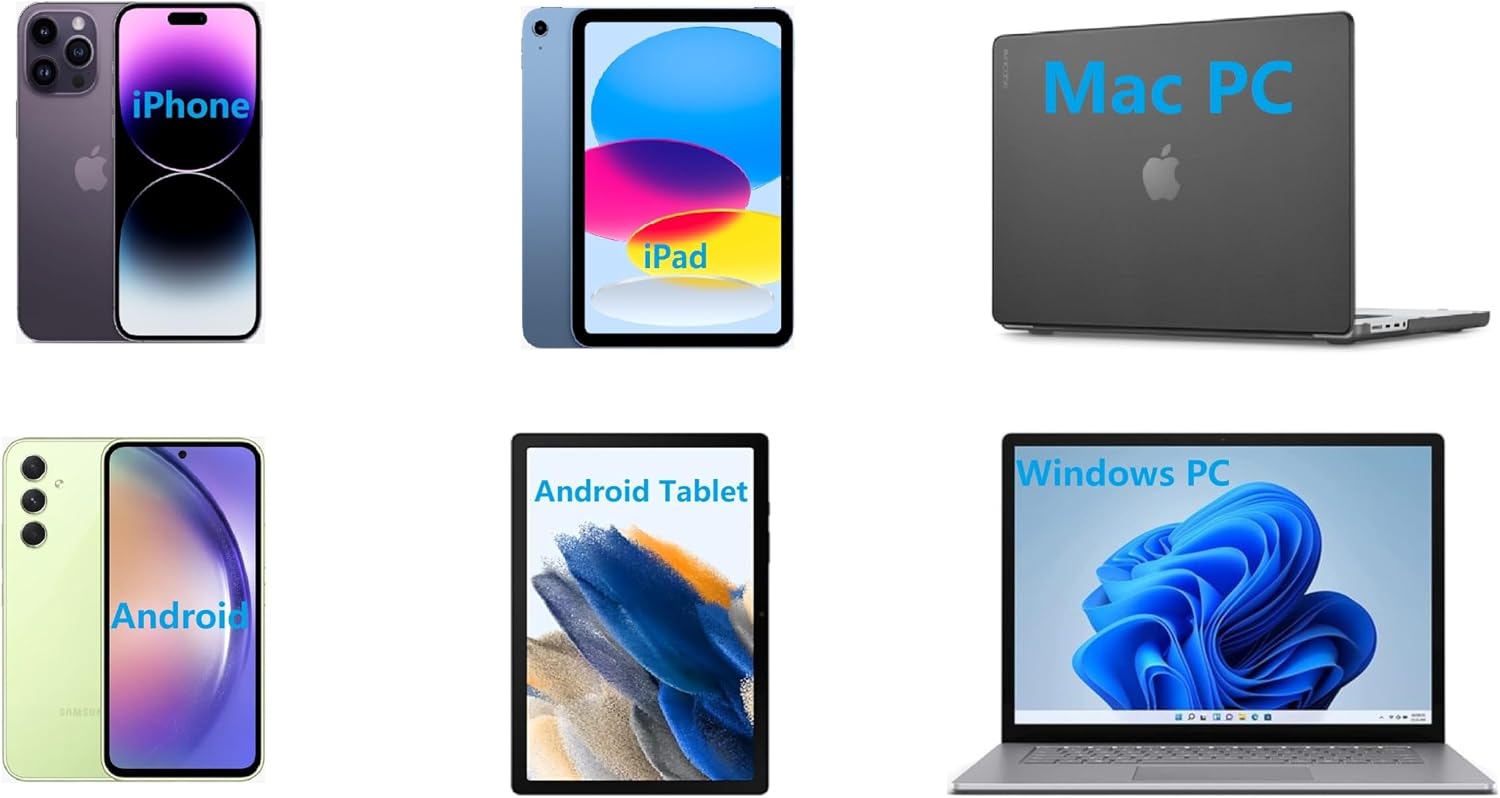
Image: A collage of various devices including an iPhone, iPad, Mac PC, Android phone, Android tablet, and Windows PC, illustrating the wide range of compatibility for the IOOIOO portable printer.
3.4. Bağlantı
- Bluetooth Connection (for Phones & Windows PC):
- Ensure Bluetooth is enabled on your phone or Windows PC.
- Turn on the IOOIOO printer.
- Open the "SharpFox" app on your phone or go to Bluetooth settings on your Windows PC.
- Arama and select the IOOIOO printer from the list of available devices to pair.
- USB Connection (for Windows PC, Mac PC, Linux, Raspberry Pi):
- Sağlanan USB kablosunu kullanarak yazıcıyı bilgisayarınıza bağlayın.
- Ensure the printer drivers are installed as described in section 3.3.
- The printer should be recognized by your operating system.
4. Kullanım Talimatları
4.1. General Printing Process
Once the printer is connected and paper is loaded, you can initiate printing from your device:
- Open the document or image you wish to print on your connected device (phone app or PC software).
- Uygulama içinden yazdırma seçeneğini seçin.
- Choose the IOOIOO printer from the list of available printers.
- Adjust print settings (e.g., paper size, orientation) as needed.
- Confirm and send the print job to the printer.
4.2. Portability and Use Cases
The compact and lightweight design of the IOOIOO printer allows for printing in various locations:
- Seyahat: Print documents or tickets while on the go.
- Araba: Convenient for printing invoices or notes directly from your vehicle.
- Ev Ofisi: Ideal for quick prints without a bulky traditional printer.
- School/Work Office: Perfect for situations requiring a small, portable printing solution.

Image: A grid of four images demonstrating the versatility of the IOOIOO portable printer, showing it in use during travel (beach resort), inside a car, on a home office desk, and on an office desk, emphasizing its portability.
4.3. Tattoo Stencil Printing
The IOOIOO printer can be used for printing tattoo stencils. Please note the following limitations:
- Suitable for normal tattoo lines only.
- Not recommended for sharp lines, large blocks of color, gradient patterns, or complex color patterns.
5. Bakım
To ensure the longevity and optimal performance of your IOOIOO Portable Printer, follow these maintenance guidelines:
- Kağıt Türü: Always use high-quality thermal paper specifically designed for thermal printers. Using incorrect paper types can damage the print head.
- Temizlik: Periodically clean the exterior of the printer with a soft, dry cloth. For the print head, refer to the detailed cleaning instructions in the digital user manual to avoid damage.
- Depolamak: Yazıcıyı serin, kuru bir yerde, doğrudan güneş ışığından ve aşırı sıcaklıklardan uzakta saklayın.
6. Sorun Giderme
If you encounter any issues with your IOOIOO Portable Printer, please refer to the comprehensive Troubleshooting Guide available as a PDF document. This guide provides solutions for common problems such as connectivity issues, print quality problems, and paper jams.
You can access the Troubleshooting Guide here: Sorun Giderme Kılavuzu (PDF)
For further assistance, please contact customer service using the details provided in the Warranty and Support section.
7. Özellikler
Below are the key technical specifications for the IOOIOO 300 DPI Portable Printer:
| Özellik | Şartname |
|---|---|
| Ürün Boyutları | 3.6"D x 11.4"G x 2.4"Y |
| Ürün Ağırlığı | 1.66 pound |
| Maksimum Medya Boyutu | Mektup/A4 |
| Baskı Ortamı Türü | Termal Kağıt |
| Maksimum Giriş Sayfası Kapasitesi | 3 (continuous folded paper) |
| Maksimum Kopyalama Hızı (Siyah & Beyaz) | Dakikada 4 sayfa (sayfa) |
| Maksimum Siyah Beyaz Baskı Çözünürlüğü | 300 dpi |
| Yazıcı Mürekkep Türü | Mürekkepsiz |
| Bağlantı Teknolojisi | Bluetooth for Phone, USB for PC |
| Baskı Teknolojisi | Termal |
| Yazıcı Çıktısı | Tek renkli (Siyah beyaz) |
| Baskı Kafası Ömrü | Approximately 170,000 letter pages |
| Piller | 1 Lityum İyon pil (dahil) |

Image: A side-by-side comparison of print quality, showing text printed at 300 DPI on the left and 200 DPI on the right, both on thermal paper. The 300 DPI print appears noticeably clearer and sharper.
8. Garanti ve Destek
The IOOIOO Portable Printer comes with a limited warranty. For specific warranty terms and conditions, please refer to the documentation included with your product or contact customer service.
Müşteri Hizmetleri
For any questions, technical support, or warranty claims, please reach out to IOOIOO customer service:
- ABD Telefon Desteği: Available for direct assistance.
- WhatsApp Desteği: For convenient messaging support.
- Refer to the QR code in your package for the most up-to-date contact information and digital manual.
You can also visit the official IOOIOO store on Amazon for more product information and accessories: IOOIOO Amazon Store
Ask a question about this manual
Ask about setup, troubleshooting, compatibility, parts, safety, or missing instructions. Manuals+ will review the question and use this page’s manual context to help answer it.