
1. Giriş
Satın aldığınız için teşekkür ederizasing the Portable Mini Projector. This device is designed to provide a versatile and immersive viewing experience, supporting high-definition decoding and various connectivity options for both indoor and outdoor use. Please read this manual thoroughly before operating the projector to ensure proper use and to maximize its performance and lifespan.
2. Güvenlik Bilgileri
To prevent fire, electric shock, or damage to the projector, please observe the following safety precautions:
- Havalandırma açıklıklarını kapatmayın. Projektörün etrafında yeterli hava akışı olduğundan emin olun.
- Do not expose the projector to rain or moisture. Keep it away from water sources.
- Yalnızca projektörle birlikte verilen güç adaptörünü kullanın.
- l olduğunda projektör merceğine doğrudan bakmaktan kaçının.amp Parlak ışık göz yorgunluğuna veya hasarına neden olabileceğinden, ışık açık bırakılmalıdır.
- Projektörü sökmeye veya üzerinde değişiklik yapmaya çalışmayın. Tüm servis işlemlerini yetkili personele yaptırın.
- Düşmesini önlemek için projektörü sabit ve düz bir yüzeye yerleştirin.
- Projeksiyon cihazını doğrudan güneş ışığından, ısı kaynaklarından ve aşırı sıcaklıklardan uzak tutun.
3. Paket İçeriği
Lütfen kutuyu açtığınızda paket içeriğini kontrol edin:
- Taşınabilir Mini Projektör
- Güç Adaptörü
- Uzaktan Kumanda (Piller dahil değildir)
- HDMI Kablosu
- Kullanıcı Kılavuzu
4. Ürün Özellikleri ve Bileşenleri
Familiarize yourself with the projector's key features and components:
- Projeksiyon Merceği: Emits the image onto the screen or surface.
- Odak Halkası: Yansıtılan görüntünün netliğini ayarlar.
- Giriş Bağlantı Noktaları: HDMI, USB, AV, Memory Card slot for various device connections.
- Dahili Hoparlör: Ses çıkışı sağlar.
- Havalandırma Izgaraları: Isı dağıtımı için.
- Güç Düğmesi: Projektörü açar/kapatır.
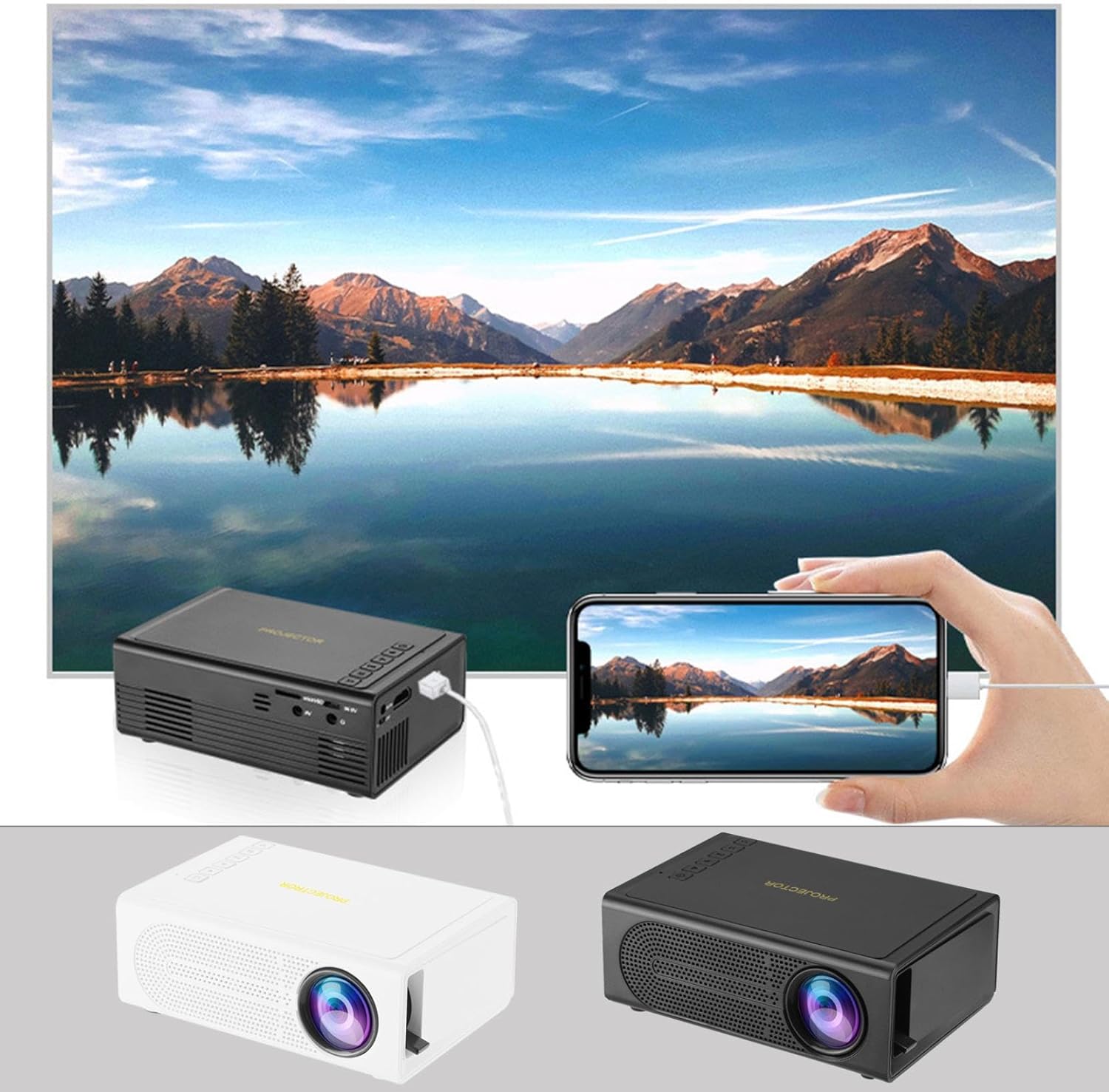
Image: The Portable Mini Projector in use, demonstrating its ability to mirror a smartphone screen onto a large display. Both black and white color options of the projector are shown.

Image: Physical dimensions of the projector, indicating its compact size.
5. Kurulum
- Güç Bağlantısı: Connect the supplied power adapter to the projector's power input port and then plug it into a power outlet.
- Atama: Projektörü sabit, düz bir yüzeye yerleştirin. En iyi sonuçlar için. viewProjeksiyon cihazını projeksiyon yüzeyine (duvar veya perde) dik olarak konumlandırın.
- Güç Açık: Cihazı açmak için projektördeki veya uzaktan kumandadaki güç düğmesine basın.
- Odak Ayarı: Once powered on, rotate the focus ring on the projector until the projected image appears clear and sharp.
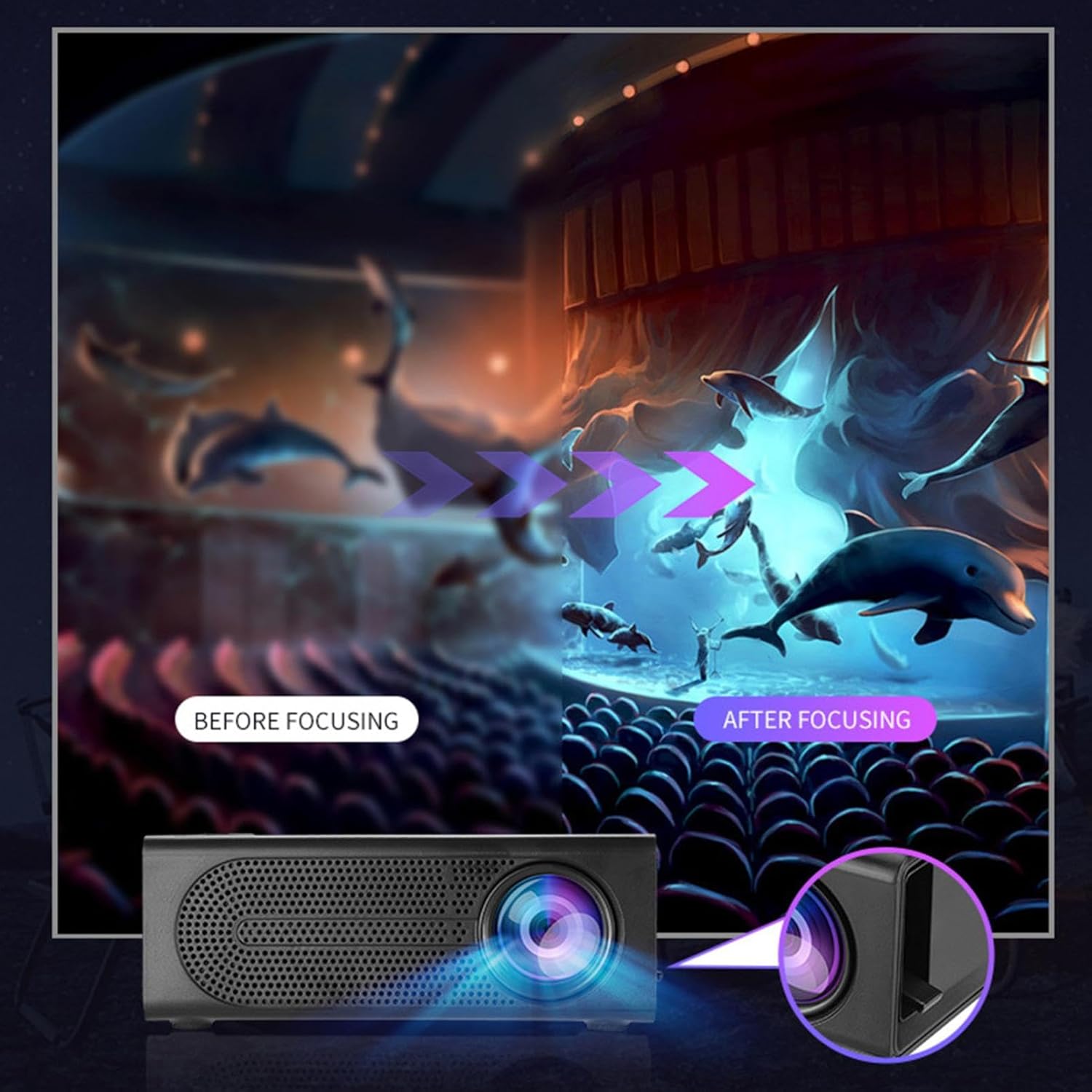
Image: Visual demonstration of focus adjustment, showing the difference between a blurry and a sharp image.
6. Kullanım Talimatları
6.1 Cihazları Bağlama
The projector supports various input sources. Select the appropriate input mode from the projector's menu after connecting your device.
- HDMI: Connect laptops, gaming consoles, DVD players, or other HDMI-enabled devices using an HDMI cable.
- USB BAĞLANTI: Medya dosyalarını oynatmak için bir USB flash sürücü takın. filedoğrudan s.
- AV: Use an AV cable to connect older devices like VCRs or some set-top boxes.
- Hafıza Kartı: Insert a compatible memory card to view fotoğraflar veya videolar.
- Akıllı Telefon / Tablet: For wired phone same screen playback, connect your smartphone or tablet via a compatible cable (e.g., USB to Lightning/USB-C for screen mirroring, if supported by your device and the projector).

Image: Connectivity diagram illustrating the wide range of devices compatible with the projector.
6.2 Projeksiyon Boyutunun Ayarlanması
The projector can project images ranging from 32 to 100 inches. The projection size is determined by the distance between the projector and the projection surface. Move the projector closer to the surface for a smaller image, and further away for a larger image.
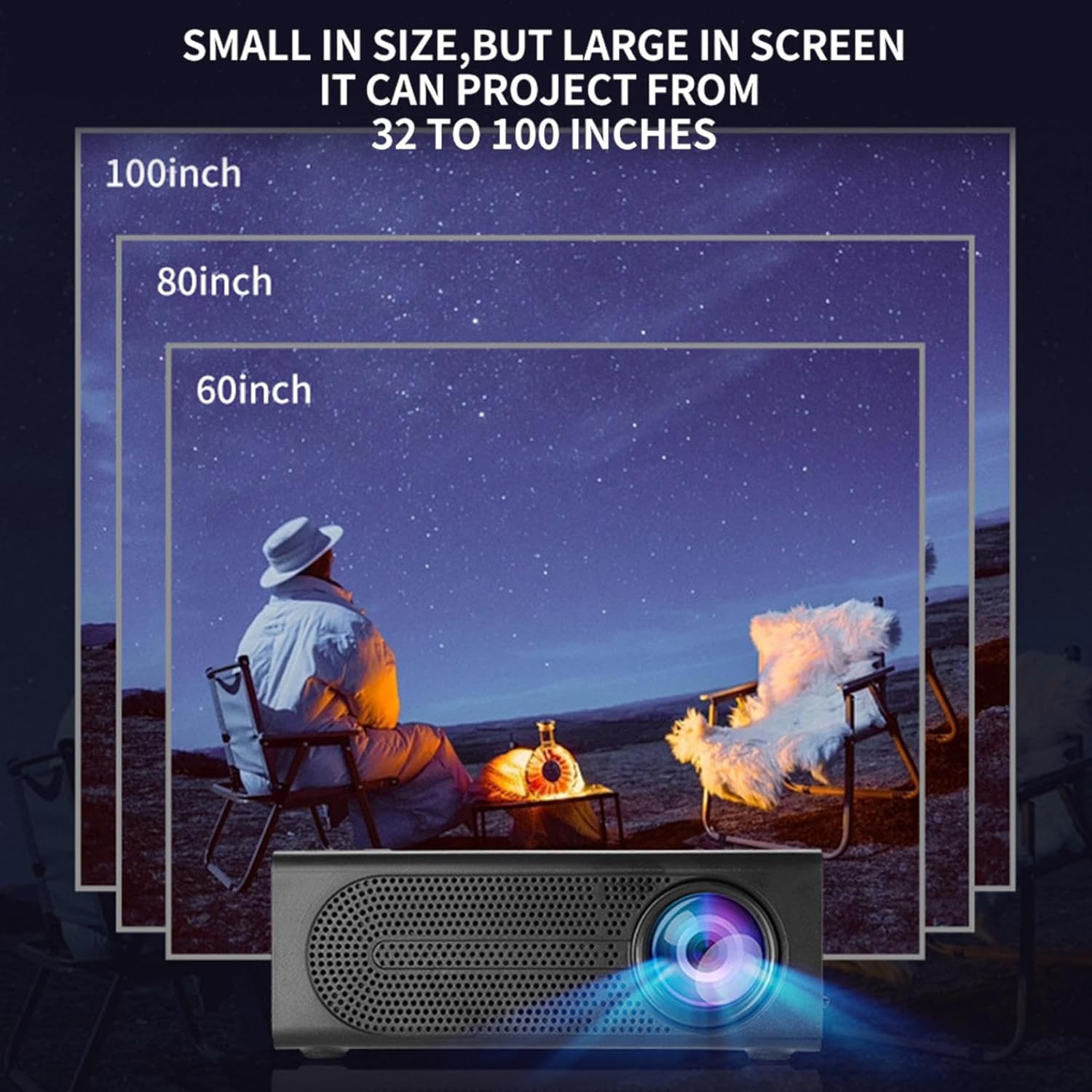
Image: Illustration of various projection sizes achievable with the projector, from 32 to 100 inches.
6.3 Kullanım Senaryoları
This projector is suitable for a variety of environments and uses:
- Parent-child interaction: Enjoy movies or educational content with family.
- Outdoor cinema: Set up a movie night in your backyard.
- Bedroom projection: Watch content comfortably from your bed.
- Living room cinema: Transform your living space into a home theater.

Resim: Eskiamples of diverse usage scenarios for the projector, from indoor home theater to outdoor entertainment.

Image: Depiction of family entertainment using the projector, alongside a technical diagram explaining the benefit of diffuse reflection for eye comfort compared to direct-ray light from a TV.
7. Bakım
Projeksiyon cihazınızın uzun ömürlü ve en iyi performansı göstermesi için doğru bakım yapılması gerekir:
- Lens Temizliği: Projeksiyon merceğini nazikçe silmek için optik lensler için özel olarak tasarlanmış, yumuşak ve tüy bırakmayan bir bez kullanın. Aşındırıcı temizleyiciler veya aşırı güç kullanmayın.
- Toz Giderimi: Regularly clean the ventilation grilles with a soft brush or compressed air to prevent dust buildup, which can affect cooling and performance.
- Depolamak: Uzun süre kullanılmayacaksa projektörü serin, kuru, doğrudan güneş ışığından ve aşırı sıcaklıklardan uzak bir yerde saklayın.
- Gücü Düzgün Bir Şekilde Kapatın: Always turn off the projector using the power button and allow it to cool down before unplugging or moving it.
8. Sorun Giderme
Projeksiyon cihazınızla ilgili sorunlarla karşılaşırsanız, aşağıdaki yaygın sorunlar ve çözümlerine göz atın:
| Sorun | Olası Neden | Çözüm |
|---|---|---|
| Görüntü yansıtılmıyor. | Power not connected; Input source not selected; Lens cap on. | Ensure power is connected and unit is on; Select correct input source; Remove lens cap. |
| Görüntü bulanık | Odak ayarı yapılmamış; Projektör ekrana çok yakın/uzak. | Odak halkasını ayarlayın; Projeksiyon mesafesini ayarlayın. |
| Ses yok | Volume too low; Audio cable not connected; Muted. | Increase volume; Check audio connections; Unmute projector/source device. |
| Uzaktan kumanda çalışmıyor | Batteries dead/incorrectly inserted; Obstruction between remote and projector. | Pilleri değiştirin; Kızılötesi alıcıya net görüş hattı olduğundan emin olun. |
Bu çözümleri denedikten sonra sorun devam ederse lütfen müşteri desteğiyle iletişime geçin.
9. Özellikler
- Ürün Türü: Taşınabilir Mini Projektör
- Marka: Genel
- Uyumlu Cihazlar: Laptop, Gaming Console, Tablet, Camera, Smartphone
- Görüntü Kontrast Oranı: Yüksek
- Projeksiyon Boyutu: 32 ila 100 inç
- Video Çözme: H.264, H.265
- Bağlantı: HDMI, USB, AV, Memory Card
- Boyutlar: Approximately 5in (L) x 3.2in (W) x 1.9in (H) / 12.7cm (L) x 8.15cm (W) x 4.85cm (H)
10. Garanti ve Destek
This product comes with a standard manufacturer's warranty. Please refer to the warranty card included in your package for specific terms and conditions. For technical support, troubleshooting assistance, or warranty claims, please contact the retailer or manufacturer's customer service department.
Müşteri Destek İletişimi: Please refer to retailer or manufacturer webiletişim bilgileri için site.