
1. Ürün Bittiview
Experience wireless freedom and exceptional sound quality with the LX-09 Wireless Single Earphone. Designed with a sleek, ergonomic ear hook style, it offers a secure and comfortable fit for all-day wear. The rechargeable Type-C battery ensures uninterrupted audio enjoyment, while intelligent noise cancellation technology delivers crystal-clear audio, even in noisy environments. This HIFI headset is perfect for music, calls, or any audio activity on the go.
Temel Özellikler:
- Çok Yönlü Tasarım: Sleek and ergonomic in-ear earhook style for a secure and comfortable fit during active use or daily wear.
- Gürültü Engelleme: Intelligent noise cancellation technology effectively blocks out ambient sounds for an immersive audio experience.
- Kablosuz bağlantı: Utilizes Bluetooth for a hassle-free wireless connection to your devices without tangled cords.
- Uzun Pil Ömrü: Built-in rechargeable battery provides up to 6 hours of continuous playback on a single charge.
- Kompakt ve Taşınabilir: Lightweight and compact design allows for easy carrying and storage when not in use.

Image: The LX-09 Wireless Single Earphone, showcasing its ergonomic ear hook design and compact form factor.

Resim: Çoklu views of the LX-09 earphone, highlighting its sleek black finish and the integrated speaker components.

Image: A graphic illustrating key features of the LX-09 earphone, including Bluetooth 5.4, double horn speakers, comfort, suitability for driving, office use, running, riding, light weight, fast charge, hands-free, IP56 waterproof rating, and HiFi sound quality.
2. Kutuda Neler Var?
Lütfen kutuyu açtığınızda paket içeriğini kontrol ederek tüm öğelerin mevcut olduğundan emin olun:
- LX-09 Wireless Single Earphone
- C Tipi Şarj Kablosu
3. Kurulum Kılavuzu
3.1 Kulaklığın Şarj Edilmesi
Before first use, fully charge the earphone. Use the provided Type-C charging cable.
- Connect the Type-C end of the charging cable to the charging port on the LX-09 earphone.
- Şarj kablosunun USB-A ucunu uyumlu bir USB güç adaptörüne (dahil değildir) veya bilgisayarın USB portuna bağlayın.
- The indicator light on the earphone will illuminate during charging and turn off or change color when fully charged. A full charge takes approximately 1.5 hours.

Image: The LX-09 earphone connected to a Type-C charging cable, illustrating the fast charging capability.
3.2 Bluetooth Eşleştirme
To connect your LX-09 earphone to a device, follow these steps:
- Kulaklığın şarjının dolu ve kapalı olduğundan emin olun.
- Press and hold the multi-function button on the earphone until the indicator light flashes red and blue alternately, indicating it is in pairing mode.
- Cihazınızda (akıllı telefon, tablet vb.) Bluetooth'u etkinleştirin ve kullanılabilir cihazları arayın.
- Select "LX-09" from the list of found devices.
- Once connected, the indicator light on the earphone will stop flashing and may turn solid blue or off, depending on the model.
- Kulaklık açıldığında otomatik olarak en son eşleştirildiği cihaza yeniden bağlanmaya çalışacaktır.

Image: A visual representation of the LX-09 earphone's internal Bluetooth 5.4 chip, emphasizing stable and anti-jamming wireless connectivity.
4. Kullanım Talimatları
4.1 Güç Açma/Kapatma
- Güç Açık: Press and hold the multi-function button for approximately 3 seconds until the indicator light flashes blue.
- Kapat: Press and hold the multi-function button for approximately 5 seconds until the indicator light flashes red and then turns off.
4.2 Music Playback (Touch Control)
The LX-09 earphone features touch controls for convenient music management.
- Oynat/Duraklat: Single tap the touch control area.
- Sonraki Parça: Dokunmatik kontrol alanına iki kez dokunun.
- Önceki parça: Triple tap the touch control area.
4.3 Call Management (Touch Control)
Manage your calls with simple touch gestures.
- Çağrıyı Cevapla/Sonlandır: Single tap the touch control area during an incoming call or active call.
- Çağrıyı Reddet: Gelen bir arama sırasında dokunmatik kontrol alanına 2 saniye boyunca basılı tutun.
4.4 Gürültü Engelleme
The LX-09 features intelligent noise cancellation for an enhanced audio experience.
- Activate/Deactivate Noise Cancellation: Refer to your device's Bluetooth settings or specific app controls, as this feature is often managed at the source device level for optimal performance.

Image: The LX-09 earphone shown worn on an ear, demonstrating its "ear-hanging" and "non-inductive wearing experience" design for comfort and secure fit.

Image: A close-up of the LX-09 earphone worn, highlighting its lightweight integrated liquid silicone and ergonomic design for comfortable wear and freedom of movement.
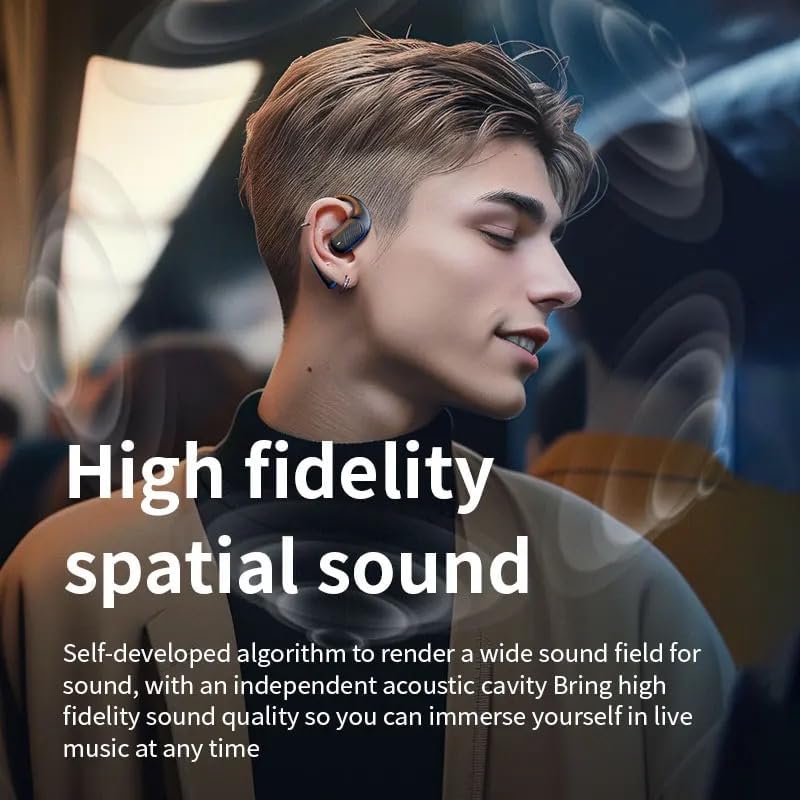
Image: A person wearing the LX-09 earphone, with visual effects indicating high fidelity spatial sound and an immersive audio experience.
5. Bakım
Proper maintenance ensures the longevity and optimal performance of your LX-09 earphone.
- Temizlik: Gently wipe the earphone with a soft, dry, lint-free cloth. Do not use abrasive cleaners, alcohol, or chemical solvents.
- Depolamak: When not in use, store the earphone in a cool, dry place, away from direct sunlight and extreme temperatures.
- Pil Bakım: To preserve battery life, avoid fully discharging the earphone frequently. Charge it regularly, even if not in use for extended periods.
- Suya Dayanıklılık: The earphone is rated Water Resistant (IP56). This means it can withstand splashes and light rain, but it is not designed for submersion in water. Avoid exposing it to heavy rain or direct water jets.
6. Sorun Giderme
If you encounter issues with your LX-09 earphone, refer to the following common solutions:
- Güç Yok:
- Kulaklığın tamamen şarj olduğundan emin olun.
- Şarj kablosunun ve güç kaynağının doğru çalıştığını doğrulayın.
- Cihazla Eşleşemiyor:
- Make sure the earphone is in pairing mode (indicator light flashing red and blue).
- Cihazınızda Bluetooth'un etkinleştirildiğinden ve menzil içinde (genellikle 10 metre) olduğundan emin olun.
- Forget "LX-09" from your device's Bluetooth list and attempt to pair again.
- Restart both the earphone and your device.
- Ses Yok veya Ses Düşük:
- Check the volume levels on both the earphone and your connected device.
- Ensure the earphone is properly connected to your device.
- Farklı bir uygulamadan veya kaynaktan ses çalmayı deneyin.
- Aralıklı Bağlantı:
- Paraziti azaltmak için bağlı cihazınıza daha yakın durun.
- Avoid obstacles between the earphone and your device.
- Ensure no other strong wireless signals are causing interference.
7. Özellikler
| Özellik | Detay |
|---|---|
| Model Adı | LX-09 |
| Marka | Genel |
| Bağlantı Teknolojisi | Wireless, Bluetooth, Type-C |
| Kablosuz İletişim Teknolojisi | Bluetooth 5.3 (as per image, product spec says Bluetooth) |
| Gürültü Kontrolü | Aktif Gürültü Önleme |
| Kulaklık Girişi | Tip-C |
| Dahil Bileşenler | Earphone, Type-C Charging Cable |
| Malzeme | Plastik |
| Önerilen Kullanımlar | Müzik, Çağrı |
| Uyumlu Cihazlar | Akıllı Telefonlar, Tabletler |
| Kontrol Türü | Dokunmatik Kontrol |
| Su Direnç Seviyesi | Suya Dayanıklı (IP56) |
| Kulak Yerleşimi | Kulakta |
| Form Faktörü | Single Earpiece |
| Ürün Ağırlığı | 1.6 ons |
| Üretici | Pintotronics |
8. Garanti ve Destek
Garanti bilgileri ve müşteri desteği için lütfen perakendeciye veya üreticinin resmi temsilcisine başvurun. website where the product was purchased. Keep your proof of purchase for any warranty claims.
Manufacturer: Pintotronics